Brink
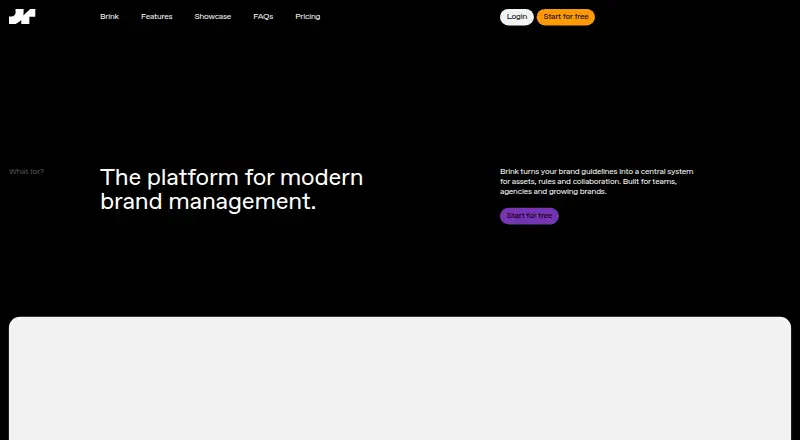
Brink is a web platform for managing brand guidelines, assets and collaboration in a central system.
What Brink is
Brink is a web platform for managing brand guidelines, assets and collaboration in a central system. Its Brand Assistant can produce multi-page guidelines, including text, from a handful of brand elements. Users can set minimum logo spacing and size, and the platform generates examples of incorrect logo use. Typography settings include letter spacing and line height, while linked brand colors can be converted from HEX to RGB and CMYK. Teams can upload and tag assets, preview files and fonts, and download assets individually or in ZIP batches. Layouts, colors and typography are editable; listed features also include custom fonts, a drag-and-drop editor and auto-save. Guidelines can be public or private and shared with invited users or by link, with custom user permissions available. Brink says it is GDPR compliant. Free Brand and Workspace plans are available: Brand Free includes one portal and 1 GB storage, while Workspace Free has one member. Paid plans are listed monthly, with yearly options shown; Workspace Single includes a free 30-day trial.
Good
- Brand Assistant creates multi-page guidelines from brand elements.
- Logo spacing and minimum size can be specified.
- Assets can be organized with tags and downloaded in ZIP batches.
- Guidelines support public or private sharing.
- Brand Free includes 1 GB storage.
Watch out
- Brand Free has one portal.
- Brand Free share links last 48 hours.
- Workspace Free has one member.
- Brand monitoring is not offered.
Who it suits
Brink is suited to teams, agencies and growing brands that need shared guidelines and asset management. Its Workspace plans also include an Enterprise option described for large organizations.
Verdict
Brink brings guideline creation, asset organization and sharing into a web platform, with free Brand and Workspace tiers. Storage, member counts and share-link limits vary by plan.
Plans and prices
From Brink's own pricing page, checked 5 Oct 2026.
| Plan | Price | What it gives you |
|---|---|---|
| Brand Free | Free | 1 GB storage · 48h share links · 1 Brandportal · no credit card required |
| Workspace Free | Free | 1 team member · 1 internal Brandportal · no credit card required |
| Workspace Single | €18 a month | 1 team member · up to 20 internal Brandportals · free 30-day trial · Monthly (billed monthly); yearly option shown as €23 per month |
| Brand Basic | €24 a month | 10 GB storage · up to 3 share links · up to 3 external users · 1 Brandportal · Monthly; yearly option shown as €30 per month |
| Brand Core | €34 a month | 100 GB storage · up to 10 share links · up to 10 external users · 1 Brandportal · Monthly; yearly option shown as €43 per month |
| Brand Ultimate | €64 a month | 1000 GB storage · unlimited share links and external users · 1 Brandportal · whitelabel · Monthly; yearly option shown as €80 per month |
| Workspace Team | €68 a month | Up to 10 team members · unlimited internal Brandportals · onboarding support and team coaching · Monthly (billed monthly); yearly option shown as €85 per month |
| Workspace Enterprise | €138 a month | Up to 50 team members · unlimited internal Brandportals · onboarding support and team coaching · Monthly (billed monthly); yearly option shown as €173 per month |
The facts
Each one read from Brink's own pages, with the date it was checked.
What it does
- AI Brand Assistant
- Its Brand Assistant creates multi-page brand guidelines, including text, from a handful of brand elements.checked 5 Oct 2026
- Asset management
- Users can upload assets, organize them with tags, preview files and fonts, and download assets, including in ZIP batches.checked 5 Oct 2026
- Customization
- Users can edit layouts, colors and typography, and the feature overview lists custom fonts, a drag-and-drop editor and auto-save.checked 5 Oct 2026
- Integrations
- The feature overview lists AI integration; the opened maker page does not name a third-party integration.checked 5 Oct 2026
- Intended users
- Brink says it is built for teams, agencies and growing brands, with Workspace Enterprise also listed as built for large organizations.checked 5 Oct 2026
- Logo guidelines
- Users can set minimum logo spacing and size, and Brink automatically generates examples of incorrect logo usage.checked 5 Oct 2026
- Product
- Brink is a platform for modern brand management that turns brand guidelines into a central system for assets, rules and collaboration.checked 5 Oct 2026
- Security and compliance
- The homepage feature overview states that Brink is GDPR compliant; it does not specify a security certification there.checked 5 Oct 2026
- Sharing and access
- Brand guides can be shared publicly, with invited users or through a link, and the feature overview lists public and private guidelines and custom user permissions.checked 5 Oct 2026
- Support
- Workspace Team and Enterprise include onboarding support and team coaching; self-serve setup is listed for all Workspace plans.checked 5 Oct 2026
- Typography and color
- Brink lets users define letter spacing and line height and convert linked brand colors from HEX to RGB and CMYK.checked 5 Oct 2026
- Workspace limits
- Workspace plans list one member for Free and Single, up to 10 for Team and up to 50 for Enterprise.checked 5 Oct 2026
Money
- Free plan limits
- The free Brand plan includes one portal and 1 GB storage, with temporary 48-hour share links.checked 5 Oct 2026
- Paid Brand plan limits
- The Brand plans include one portal each, with storage of 10 GB on Basic, 100 GB on Core and 1000 GB on Ultimate.checked 5 Oct 2026
The company
- Headquarters
- Ebenau, Austriachecked 28 Sep 2026
The full review of Brink
Brink is a web-based brand-management platform for teams that want their guidelines and working assets in a shared portal. It is strongest for organizing brand rules alongside downloadable files and controlling how colleagues and outside users access them. The choice between its Brand and Workspace plans is central: one scales storage and external sharing, the other team size and internal portals.
Overview
Brink treats a brand guide as a working system rather than a standalone document. Its tools combine written guidance, logo and typography rules, organized assets and access controls. That combination suits teams and agencies maintaining brand standards across internal groups and external collaborators. Brink does not offer brand monitoring, so it is not the right pick for teams looking to track how their brand appears elsewhere.
Brink says it is GDPR compliant. It is a web platform, so the listed platform coverage is a fit for browser-based workflows rather than users seeking a native desktop or mobile app.
Key features
Guidelines and brand rules
The AI Brand Assistant creates multi-page guidelines, including text, from a handful of brand elements. Users can set minimum logo size and spacing, with Brink generating examples of incorrect logo use. Typography settings include letter spacing and line height, while linked colors can be converted from HEX to RGB and CMYK. These controls help teams make brand rules concrete and reusable, though the feature overview does not name a third-party integration to extend that workflow.
Assets and sharing
Users can upload and tag assets, preview files and fonts, and download individual items or ZIP batches. Layouts, colors and typography can be customized; the feature overview also lists custom fonts, a drag-and-drop editor and auto-save. Public guides, invited users and share links provide several ways to distribute a portal. The practical constraint is plan-dependent: Brand tiers cap share links and external users except at Ultimate, while the free Brand tier's links last only 48 hours.
Pricing
Brink has free plans and a 30-day trial. The monthly prices below are billed monthly; the annual options are shown as monthly rates. Buyers should compare the two plan families by their bottleneck rather than assume that a higher tier simply adds more of everything.
Brand plans
- Brand Free: free, with one Brandportal, 1 GB storage and 48-hour share links; no credit card required. It is a useful starting point for one brand with modest storage and temporary sharing, but the short link window limits ongoing external access.
- Brand Basic: €24 a month, or €30 per month on the yearly option. Includes one portal, 10 GB storage, up to three share links and up to three external users. This suits a small brand with limited sharing; the caps can constrain broader collaboration.
- Brand Core: €34 a month, or €43 per month on the yearly option. Includes one portal, 100 GB storage, up to 10 share links and up to 10 external users. It is the step up for larger asset libraries and more collaborators, while still retaining sharing caps.
- Brand Ultimate: €64 a month, or €80 per month on the yearly option. Includes one portal, 1000 GB storage, unlimited share links and external users, plus whitelabel. Choose it when a single brand portal needs substantial storage or unrestricted external distribution; it still covers only one portal.
Workspace plans
- Workspace Free: free, with one team member and one internal Brandportal; no credit card required. It offers a no-cost entry point, but is limited to a solo member and a single portal.
- Workspace Single: €18 a month, or €23 per month on the yearly option. Includes one team member and up to 20 internal Brandportals, with a free 30-day trial. It fits a solo operator managing multiple internal brands, not a team needing shared seats.
- Workspace Team: €68 a month, or €85 per month on the yearly option. Covers up to 10 members and unlimited internal Brandportals, with onboarding support and team coaching. This is the more suitable Workspace tier for a growing team that needs multiple portals and guided setup.
- Workspace Enterprise: €138 a month, or €173 per month on the yearly option. Covers up to 50 members and unlimited internal Brandportals, also with onboarding support and team coaching. It is aimed at larger organizations, though teams needing more than 50 members would need custom pricing.
All Workspace plans include self-serve setup. The free Brand and Workspace plans have materially different uses: Brand Free provides 1 GB storage and temporary share links, while Workspace Free provides one member and one internal portal. The 30-day trial is stated for Workspace Single; other trial terms and renewal terms are not given.
Platforms
Brink is available on the web.
Who it's for
Brink is a good fit for teams, agencies and growing brands that need structured guidelines, downloadable assets and controlled sharing in one place. Solo users can start free or use Workspace Single to manage multiple internal portals. A brand distributing assets to many external users may favor Brand Ultimate, while organizations coordinating many internal brands and members should compare Workspace Team and Enterprise. Look elsewhere if brand monitoring is a core requirement.
Pros and cons
Pros
- Guidelines cover practical brand rules: Logo dimensions, typography settings and color conversions make standards more actionable than text alone.
- Assets stay close to guidance: Tagging, previews and ZIP downloads support a shared library alongside the portal's rules.
- Two distinct scaling paths: Brand tiers increase storage and external sharing, while Workspace tiers increase member capacity and internal portals.
Cons
- Brand plans remain single-portal: Even Ultimate includes one portal, which may not suit organizations managing several brands under that plan family.
- Lower Brand tiers restrict sharing: Basic and Core cap links and external users, and Free links expire after 48 hours.
- No brand monitoring: Brink focuses on managing guidelines and assets, not monitoring brand presence.
Alternatives
For other options in the category, browse Brand Management Software.
- Brandy is another freemium web option, with 100MB storage and 20 assets on its free plan; it may suit a smaller asset library, while Brink Free offers 1 GB storage and a portal.
- BrandHalo is a freemium alternative with a free plan that includes one Brand Profile, one persona, one team member, Brand Agent and Connectors.
- BrandKity has a free plan with 500 MB storage, one user, seven days of analytics retention and email support.
- BrandPatrol offers a free plan with one Brand Twin, one on-demand BCS snapshot, a slimmed-down brand.md export, five Checker single checks per month and a one-person workspace.
- Guidelines offers a free public guide with one editor, 100MB asset storage and seven published pages, making it an alternative for a smaller public guide.
- Brand24 is a paid alternative with a free trial and apps across web, mobile and desktop platforms.
- Marq has a free web plan limited to one user, 25 MB cloud storage and three projects.
- Lingo is a paid alternative with a 30-day free trial and API platform support.
Verdict
Choose Brink if your priority is bringing brand rules, assets and sharing together in a managed portal, especially when you can identify whether storage and external access or internal seats and portals will set your limits. Its mix of guideline controls and asset organization is the main reason to choose it. Look elsewhere if you need brand monitoring, or if the single-portal ceiling on Brand plans does not match how you organize brands.
Getting started
- Open the Brink website
- Choose a free Brand or Workspace plan, or start a paid plan
- Create a Brandportal or workspace
- Add brand elements for the AI Brand Assistant
- Upload and tag assets, fonts and brand materials
- Set sharing permissions or generate a share link
Limits worth knowing
Brand Free includes one Brandportal, 1 GB storage and temporary 48-hour share links. Workspace Free and Single list one member; paid workspace plans allow up to 10 members on Team and 50 on Enterprise.
Questions
Is Brink free?
Yes. Workspace Free and Brand Free are free plans, and Brand Free includes one portal with 1 GB storage.
Does Brink offer a trial?
Workspace Single includes a free 30-day trial.
What platforms does Brink support?
Brink is available on the web.
What are the paid plan prices?
Brand Basic is €24 per month, Brand Core €34, Brand Ultimate €64, Workspace Single €18, Workspace Team €68 and Workspace Enterprise €138.
Is Brink open source?
The listed facts do not identify Brink as open source.
Does Brink support integrations?
The feature overview lists AI integration; no named third-party integration is provided.
Alternatives to Brink
- 1
Brandworkz
Free planAndroidiOSWebAPI8.2$500 one-time - 2
Brand24
AndroidiOSWebAPI7.7From $249 a month - 3
BrandPatrol
Free planWeb7.3From €29 a month - 4

Bynder
AndroidiOSWebAPI7.1 - 5

Awario
Web7.0From $29 a month - 6
Brandy
Free planWebAPI7.0From $5 a month