
GitClear
GitClear analyzes Git repositories with Diff Delta measurements to help technical and nontechnical team members view development progress.
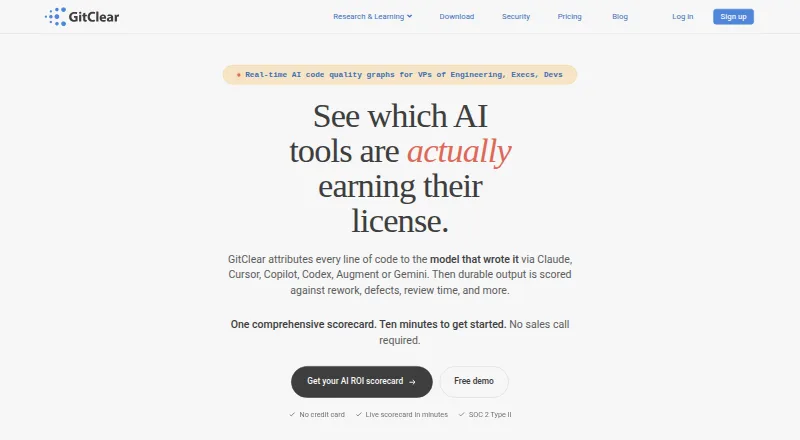
What GitClear is
GitClear analyzes Git repositories with Diff Delta measurements to help technical and nontechnical team members view development progress. Its code review tool groups related commits and classifies changes, including moved, updated, whitespace, added, and deleted lines. The pricing page lists AI usage and ROI metrics, cohort comparisons, and GenAI impact reports, with supported AI sources including Claude Code, Copilot, Cursor, Augment, Gemini, and Codex. Jira integration provides project and developer statistics, and GitClear includes an API. It offers cloud and self-hosted deployment; Enterprise is described as an on-prem option. GitClear says it accesses code through provider APIs rather than cloning repositories and one-way hashes source content for analysis. The free Starter plan covers up to 3 repositories and 6 months of analysis. Pro costs $29 a month, billed monthly, and supports up to 25 repositories and 3 years of analysis. Listed platforms include web, API, extension, macOS, and self-hosted deployment.
Good
- Free Starter plan supports up to 3 repositories
- Groups related commits and classifies change types
- Includes AI metrics and Jira statistics
- Offers cloud and self-hosted deployment
Watch out
- Starter is limited to 6 months of analysis
- Pro costs $29 a month, billed monthly
- Diff Digest is limited to macOS 13 or later Apple Silicon
Who it suits
GitClear suits software teams seeking repository, review, AI-tool, or Jira analysis. Its cloud and self-hosted options and listed company-size fit cover small, mid-market, and enterprise teams.
Verdict
GitClear combines repository analysis with code review, AI metrics, and Jira statistics. Check plan limits and deployment options against your team’s needs before choosing it.
Plans and prices
From GitClear's own pricing page, checked 28 Sep 2026.
| Plan | Price | What it gives you |
|---|---|---|
| Starter | Free | up to 3 repos · 6 months analysis · 3 AI Data Deep Dives/month · up to 2,000 commits · up to 150 pull requests · refresh every 48 hours |
| Pro | $29 a month | up to 25 repos · 3 years analysis · 10 AI Data Deep Dives/month · up to 150,000 commits · up to 50,000 pull requests · refresh every 12 hours · billed monthly |
| Elite | $39 a month | up to 250 repos · 5500 days analysis · 50 AI Data Deep Dives/month · up to 450,000 commits · up to 100,000 pull requests · refresh every 4 hours · billed monthly |
| Enterprise | $49 a month | unlimited repos · no analysis-window limit · 200 AI Data Deep Dives/month · unlimited commits · unlimited pull requests · refresh every 1 hour · billed monthly |
The facts
Each one read from GitClear's own pages, with the date it was checked.
What it does
- AI analytics
- The pricing page lists AI Usage Metrics, AI ROI Metrics, AI Cohort Comparison, and GenAI Impact Reports.checked 28 Sep 2026
- AI tool integrations
- The pricing page lists Claude Code, Copilot, Cursor, Augment, Gemini, and Codex as supported AI sources.checked 28 Sep 2026
- API
- GitClear includes a GitClear API in its configuration and settings features.checked 28 Sep 2026
- Code review
- GitClear's review tool groups related commits and classifies moved, updated, find-and-replaced, whitespace, added, and deleted changes.checked 28 Sep 2026
- Compliance
- SOC 2, iso27001, GDPR, sso samlchecked 20 Sep 2026
- Deployment
- cloud, self hostedchecked 20 Sep 2026
- Desktop download
- Diff Digest runs locally on macOS 13 or later Apple Silicon Macs; Linux and Windows builds are described as next.checked 28 Sep 2026
- Enterprise deployment
- The Enterprise plan is described as an on-prem option for control and security.checked 28 Sep 2026
- Integrations
- GitClear supports GitHub, GitLab, Bitbucket, and Azure DevOps repositories.checked 28 Sep 2026
- Issue tracking
- GitClear provides Jira integration and Jira statistics for project and developer analysis.checked 28 Sep 2026
- Purpose
- GitClear's Diff Delta measurement analyzes git repositories so technical and nontechnical team members can see development progress.checked 28 Sep 2026
- Security certifications
- GitClear states that it is SOC2 certified in March 2026, ISO-27001 certified in 2024, and completed penetration testing in 2026.checked 28 Sep 2026
- Source-code handling
- GitClear says it does not clone repositories, accesses code through secure provider APIs, and one-way hashes source content for analysis.checked 28 Sep 2026
- Support
- The pricing page lists community forums, email support, Google Vendor Security Assessment availability, and an add-on Data Insights Program.checked 28 Sep 2026
- Support channels
- email, community, docschecked 20 Sep 2026
The company
- Company size fit
- small, mid market, enterprisechecked 20 Sep 2026
- Founded
- 2008checked 28 Sep 2026
- Headquarters
- Seattle, Washington, United Stateschecked 28 Sep 2026
Where it runs
- Local-app limits
- The free Diff Digest build processes up to 10 repositories, while Pro adds unlimited repositories and history-based features.checked 28 Sep 2026
The full review of GitClear
GitClear turns repository activity into progress, delivery, Jira, and AI-tool analysis that nontechnical stakeholders can also read. It suits engineering organizations that need cross-repository reporting and governance rather than a standalone code-review utility. The main decision is whether its repository, history, refresh, and AI-analysis quotas match your team’s scale.
Overview
GitClear’s Diff Delta measurement analyzes Git repositories to show how development is progressing. Its review workflow groups related commits and identifies moved, updated, find-and-replaced, whitespace, added, and deleted changes. That classification gives reviewers more useful context than treating every changed line alike, especially when teams need to explain work to project or business colleagues.
The wider reporting set includes DORA, delivery, and reliability metrics, Jira statistics for projects and developers, and AI usage and impact reporting. GitClear supports GitHub, GitLab, Bitbucket, and Azure DevOps, while its API exposes configuration and settings capabilities. A 25-data-source limit is important for organizations connecting a large toolchain.
Key features
Change analysis and code review
Diff Delta is most valuable where repository activity must be interpreted consistently across teams. Grouping related commits can reduce noise in review, and separating moved or whitespace-only edits helps distinguish structural work from substantive changes. The practical benefit depends on having enough repository history and refresh frequency for the team’s workflow, both of which vary by plan.
AI and delivery analytics
The pricing page includes AI Usage Metrics, AI ROI Metrics, AI Cohort Comparison, and GenAI Impact Reports. GitClear accepts data from Claude Code, GitHub Copilot, Cursor, Augment, Gemini, and Codex, giving leaders a way to compare AI-assisted activity with broader engineering measures. Jira integration adds project and developer statistics, while DORA, delivery, and reliability metrics support operational reporting.
Security and deployment
GitClear says it does not clone repositories, accesses code through secure provider APIs, and one-way hashes source content for analysis. It states SOC 2 certification in March 2026, ISO 27001 certification in 2024, and penetration testing in 2026. Cloud and self-hosted deployment are supported, with Enterprise described as an on-premises option for additional control. SSO SAML, GDPR, email and community support, documentation, and Google Vendor Security Assessment availability suit organizations with formal security requirements.
Local Diff Digest
Diff Digest runs locally on Apple Silicon Macs using macOS 13 or later. The free build handles up to 10 repositories; Pro removes that repository cap and adds history-based features. Linux and Windows builds are described as forthcoming, so teams standardizing on those platforms should not treat the desktop app as their current option.
Pricing
GitClear is freemium, with a 15-day trial and paid access advertised from $14.95/mo when billed annually. The published plan limits are:
| Plan | Price | Limits and refresh |
|---|---|---|
| Starter | free | Up to 3 repositories, 6 months of analysis, 3 AI Data Deep Dives monthly, 2,000 commits, 150 pull requests, refresh every 48 hours |
| Pro | $29 a month, billed monthly | Up to 25 repositories, 3 years of analysis, 10 AI Data Deep Dives monthly, 150,000 commits, 50,000 pull requests, refresh every 12 hours |
| Elite | $39 a month, billed monthly | Up to 250 repositories, 5,500 days of analysis, 50 AI Data Deep Dives monthly, 450,000 commits, 100,000 pull requests, refresh every 4 hours |
| Enterprise | $49 a month, billed monthly | Unlimited repositories, no analysis-window limit, 200 AI Data Deep Dives monthly, unlimited commits and pull requests, refresh every hour |
Starter is suitable for a small evaluation or a few repositories, but its six-month window, low AI quota, and 48-hour refresh restrict trend analysis. Pro is the sensible tier for a growing team needing multi-year context. Elite adds substantially more repository, commit, pull-request, and AI capacity with faster refresh. Enterprise is aimed at large or security-conscious organizations that need unlimited repository and history coverage, hourly updates, and on-premises deployment. Check the annual starting price against the monthly plan prices and seat or renewal terms before committing; those terms are not uniform across the published pricing references.
Platforms
GitClear is offered through web, API, extension, macOS, and self-hosted options. Deployment can be cloud or self-hosted. The integrations span Git providers, Jira, and the listed AI coding tools, making it workable for mixed development environments.
Who it's for
Small teams can use Starter to establish repository and delivery baselines without payment. Mid-market teams with many repositories, longer history, or regular AI reporting are better matched to Pro or Elite. Enterprise is the strongest fit for organizations requiring self-hosting, SSO, formal compliance controls, and very large data volumes. Teams wanting only lightweight pull-request review may find the analytics breadth and plan quotas excessive.
Pros and cons
Pros
- Diff classification separates moved, whitespace, and other change types, improving review context.
- Repository, Jira, DORA, delivery, reliability, and AI reporting are combined in one analysis layer.
- Self-hosting, SSO SAML, SOC 2, ISO 27001, GDPR, and secure-provider-API access support regulated deployments.
- Enterprise removes repository, history, commit, and pull-request ceilings and refreshes hourly.
Cons
- Starter’s three-repository, six-month, and 48-hour limits are restrictive for ongoing multi-team reporting.
- AI Data Deep Dives and repository quotas remain material constraints on Pro and Elite.
- Diff Digest currently targets Apple Silicon Macs; Linux and Windows desktop support is not yet described as released.
- The 25-data-source limit may constrain organizations with extensive toolchains.
Alternatives
For a broader directory of options, see DevOps analytics software.
- Middleware is a better choice when you need Android, iOS, Linux, macOS, Windows, and web coverage with a free tier that includes up to 100GB of data, 1,000 RUM sessions, and 20,000 synthetic checks.
- PanDev Metrics suits individuals wanting a free personal workspace with profile, gamification, statistics, and achievement features.
- DevDynamics fits small teams seeking a free plan for up to nine contributors, one team, three repositories, and Jira and GitHub integration.
- HCL DevOps Velocity is worth considering when an always-free Community Edition with two to three licenses and forum support is sufficient.
- Hatica is preferable for unlimited team members and data sources on its free tier, despite only one month of history.
- Pluralsight is a training-focused alternative rather than a repository analytics platform.
- CDviz is suited to teams wanting open-source, Apache 2.0 components that can be self-hosted.
- Deviera fits teams wanting a free workspace with one repository, five automations, three members, and broad workflow integrations.
Verdict
Choose GitClear if your organization needs a unified, security-conscious view of repository change, delivery, Jira work, and AI-tool impact, with self-hosted Enterprise deployment available. Look elsewhere if you need a simpler review product, a generous free history window, or a desktop client for Windows and Linux today.
Alternatives to GitClear
- 1

Middleware
Free planAndroidiOSWebAPI8.2$0.30 usage-based - 2

Pluralsight
AndroidiOSWebAPI7.9From $299 a year - 3

DevDynamics
Free planWebAPILinuxmacOS7.8From $15 a month - 4

Allstacks
Free planWebAPI7.5From $200 a year - 5

Plandek
Free planWebAPISelf-hosted7.5From $2,555 a month - 6

Deviera
Free planWebAPISelf-hosted7.1From $25 a month