HCL DevOps Velocity
HCL DevOps Velocity is a data-driven value stream management platform that gathers DevOps pipeline data and presents insights for teams.
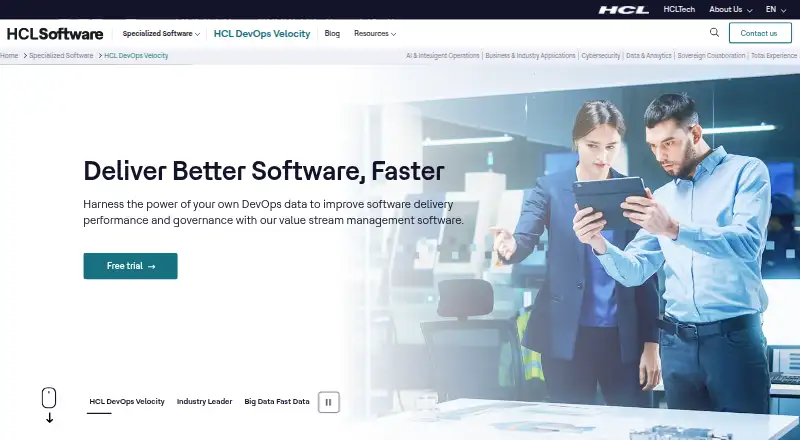
What HCL DevOps Velocity is
HCL DevOps Velocity is a data-driven value stream management platform that gathers DevOps pipeline data and presents insights for teams. Its query language lets teams model value streams to inform budgeting, timelines, and staffing decisions. Swim Lanes show who is working on each item and its progress through the pipeline; the Dots view maps work items to help identify bottlenecks. Governance features include automated and manual gates, audit tracking, and intelligent gates for risk and quality management. HCL says its plugin library connects Velocity with hundreds of DevOps tools, and documentation describes an integration involving Jira, GitHub, Jenkins, and HCL DevOps Deploy. The product also lists SAP ChaRM, Solution Manager, and Cloud ALM integrations. Velocity is containerized, with Kubernetes and Red Hat OpenShift listed as installation platforms. Community Edition is always free for two to three licenses and includes online forum support. Standard Edition offers full support, with pricing available on request. A separate trial edition is free for 60 days and includes unlimited concurrent users and non-production support.
Good
- Models value streams for budgeting, timelines, and staffing.
- Swim Lanes show work ownership and pipeline progress.
- Governance includes gates and audit tracking.
- Community Edition is always free for two to three licenses.
- Supports Kubernetes and Red Hat OpenShift installation.
Watch out
- Community Edition is limited to two or three licenses.
- Community Edition support is through an online forum.
- Standard Edition pricing is available only on request.
Who it suits
Community Edition is described as suitable for small agile teams. Standard Edition is positioned for enterprises seeking a custom, comprehensive project plan.
Verdict
Velocity combines pipeline visibility, value stream modeling, and governance features, with a free Community Edition for a small license count. Teams should distinguish that edition from the separately described 60-day trial and review Standard Edition terms with HCL.
Plans and prices
From HCL DevOps Velocity's own pricing page, checked 30 Sep 2026.
| Plan | Price | What it gives you |
|---|---|---|
| Community Edition | Free | Always free · 2–3 licenses · online forum support |
| Standard Edition | Priced on request | Contact HCL for a free trial and pricing · full support · license count not specified |
The facts
Each one read from HCL DevOps Velocity's own pages, with the date it was checked.
What it does
- Bottleneck tracking
- The Dots view visually represents work items in the pipeline to help identify bottlenecks and improve flow.checked 30 Sep 2026
- Governance
- The product offers automated and manual gates, audit tracking, and intelligent gates for managing risk and quality.checked 30 Sep 2026
- Integrations
- HCL says Velocity works with hundreds of DevOps tools through its plugin library, and its documentation provides a tutorial integrating Jira, GitHub, Jenkins, and HCL DevOps Deploy.checked 30 Sep 2026
- Product purpose
- HCL DevOps Velocity is a data-driven value stream management platform that aggregates DevOps pipeline data to provide actionable insights.checked 30 Sep 2026
- SAP support
- The product page lists integrations for SAP ChaRM, Solution Manager, and Cloud ALM.checked 30 Sep 2026
- Security and privacy
- HCL's Trust Center says its security strategy covers corporate and organizational security, incident response, business continuity, secure software development, and privacy.checked 30 Sep 2026
- Support
- The product page lists online forum support for Community Edition and full support for Standard Edition.checked 30 Sep 2026
- Value stream modeling
- Its DevOps query language lets teams model value streams to inform budgeting, timelines, and staffing decisions.checked 30 Sep 2026
- Visibility
- Swim Lanes displays who is working on each item and its progress through the pipeline.checked 30 Sep 2026
Where it runs
- Deployment platforms
- The current installation overview describes Velocity as containerized and lists Kubernetes and Red Hat OpenShift as installation platforms.checked 30 Sep 2026
Money
- Download trial
- HCL's download instructions say the request form emails download links and an access key for the free trial edition.checked 30 Sep 2026
- Trial duration
- The documentation's edition comparison lists the trial edition as free for 60 days, with unlimited concurrent users and non-production support.checked 30 Sep 2026
The company
- Intended teams
- HCL describes Community Edition as suitable for two-pizza agile teams and Standard Edition as best for enterprises seeking a custom, comprehensive project plan.checked 30 Sep 2026
The full review of HCL DevOps Velocity
Overview
HCL DevOps Velocity brings pipeline data, value stream modeling, and release governance into one platform. It is best suited to teams coordinating software delivery across multiple tools, though the 2–3-license Community Edition is a small-team entry point rather than a broad rollout. Its strongest case is combining flow visibility with controls over releases; teams looking only for a lightweight work tracker may not need that breadth.
Key features
Velocity aggregates DevOps pipeline data for delivery insight. Its DevOps query language lets teams model value streams to inform budgets, timelines, and staffing, which makes it relevant to planning capacity as well as monitoring work already in flight.
Swim Lanes shows who is working on each item and its pipeline progress, while the Dots view gives teams a visual way to spot bottlenecks. These views can help teams locate ownership gaps and friction in delivery, but their practical value depends on bringing relevant pipeline activity into Velocity.
Governance includes automated and manual gates, intelligent gates, and audit tracking for risk and quality management. Release calendars, approval workflows, environment tracking, and release templates add release-planning controls. HCL says its plugin library supports hundreds of DevOps tools; its documentation describes integrations with Jira, GitHub, Jenkins, and HCL DevOps Deploy. The product page also lists SAP ChaRM, Solution Manager, and Cloud ALM integrations, giving SAP-oriented teams named options alongside common delivery tools.
Pricing
Velocity uses a freemium model. Community Edition costs nothing and is always free, with 2–3 licenses and online forum support. That cap makes it suitable for a small agile team, but not a larger group that needs full support or a wider license count.
Standard Edition has custom pricing: contact HCL for pricing and a free trial. HCL describes this edition as best for enterprises seeking a custom, comprehensive project plan, so organizations should confirm licensing and terms with HCL before planning a rollout.
The separate trial edition is free for 60 days, with unlimited concurrent users and non-production support. HCL's download process emails download links and an access key after a request. This is a broader evaluation route than Community Edition, but the trial's non-production support and 60-day limit distinguish it from an ongoing production plan.
Platforms
Velocity supports Linux, macOS, self-hosted deployment, web, and Windows. Its current installation overview describes a containerized product and names Kubernetes and Red Hat OpenShift as installation platforms, a fit for organizations already operating on those environments. HCL's security strategy covers corporate and organizational security, incident response, business continuity, secure software development, and privacy.
Who it's for
Community Edition is aimed at two-pizza agile teams that can work within 2–3 licenses and online forum support. Standard Edition is positioned for enterprises that want a comprehensive project plan and full support. Teams coordinating delivery across several tools, or needing both pipeline-flow views and release governance, are the clearest fit; groups needing only a small tracker or more than a few users on a free tier should look elsewhere.
Pros and cons
- Pro: Value stream modeling connects delivery data to budgeting, timelines, and staffing decisions, extending its usefulness beyond pipeline status.
- Pro: Swim Lanes, Dots, and governance gates cover flow visibility, bottleneck identification, and release risk controls in one product.
- Pro: The always-free Community Edition gives small teams 2–3 licenses, and the distinct trial edition allows unlimited concurrent users for 60 days.
- Con: Community Edition's license cap and forum-only support limit its appeal for larger or support-dependent teams.
- Con: Standard Edition's custom pricing and unspecified license count leave enterprise buyers needing to establish scope and cost directly with HCL.
Alternatives
ValueStream by MapVS is worth considering for users who want a freemium value-stream tool with a permanent free plan, but its free tier is limited to 2 maps with 5 stages each, 3 basic templates, a limited web recorder, and 50 MB storage, with no simulation or What-if.
Planview AdaptiveWork is a paid option for teams seeking a web, Android, iOS, and API platform; pricing is available by contacting an account executive.
Digital.ai TeamForge is a paid alternative available through API, Linux, self-hosted, and web platforms, with no free plan and pricing and licensing details handled through sales.
CloudBees CI is a paid option for Linux, self-hosted, web, and Windows environments; customers are directed to Sales or their account team for additional features or services rather than a public price.
Cora Value Stream Management offers a paid, web, Android, iOS, and API option with pricing by request.
Kovair Value Stream Management Platform is a paid choice for teams seeking API, Linux, self-hosted, web, and Windows availability, with demos offered and no public price.
SENTRIO is a paid web option for buyers willing to request information or a demo to learn its price and plan limits.
OpenText Core Performance Engineering is a paid self-hosted and web alternative with a free trial and usage-based pricing; OpenText says customers pay for what they use and should contact it for tailored pricing.
Browse Value Stream Management Software, IT Release Management Software, and DevOps analytics software for more options by category.
Verdict
Choose HCL DevOps Velocity if your team needs to connect delivery-flow visibility and value stream planning with release governance across a multi-tool pipeline. Its strongest reason to buy is that combination, backed by a small-team free edition and a separate 60-day evaluation. Look elsewhere if a free plan must cover more than 2–3 licenses or if you need clear enterprise licensing and price before engaging the vendor.
Getting started
- Visit the HCL DevOps Velocity website.
- Choose Community Edition or contact HCL about Standard Edition pricing and a trial.
- For a trial, submit HCL's request form to receive download links and an access key by email.
- Install the containerized product on Kubernetes or Red Hat OpenShift.
- Use the plugin library to connect DevOps tools such as Jira, GitHub, Jenkins or HCL DevOps Deploy.
Limits worth knowing
Community Edition is always free for two to three licenses and includes online forum support. The separate trial edition is free for 60 days, with unlimited concurrent users and non-production support.
Questions
Is HCL DevOps Velocity free?
Community Edition is always free and covers two to three licenses. A separate trial edition is free for 60 days.
What does the trial include?
The trial edition provides unlimited concurrent users and non-production support for 60 days. HCL's request form emails download links and an access key.
How much does Standard Edition cost?
Standard Edition pricing is available by contacting HCL. The listed plan includes full support.
What platforms can I use for Velocity?
Velocity is listed for Linux, macOS, Windows, web and self-hosted use. Its containerized installation overview lists Kubernetes and Red Hat OpenShift.
Which DevOps tools does it integrate with?
HCL says its plugin library works with hundreds of DevOps tools. Named integrations include SAP ChaRM, Solution Manager and Cloud ALM; documentation describes Jira, GitHub, Jenkins and HCL DevOps Deploy.
Who makes HCL DevOps Velocity?
HCL Software offers HCL DevOps Velocity. Its product page lists online forum support for Community Edition and full support for Standard Edition.
Alternatives to HCL DevOps Velocity
- 1

Allstacks
Free planWebAPI7.5From $200 a year - 2

Plandek
Free planWebAPISelf-hosted7.5From $2,555 a month - 3
ValueStream by MapVS
Free planAndroidiOSWebAPI7.5Free plan - 4
Planview AdaptiveWork
AndroidiOSWebAPI6.9 - 5

Swarmia
Free planWebAPI6.9From $5 a month - 6

Automic Continuous Delivery Automation
WebAPILinuxSelf-hosted6.5