
Swarmia
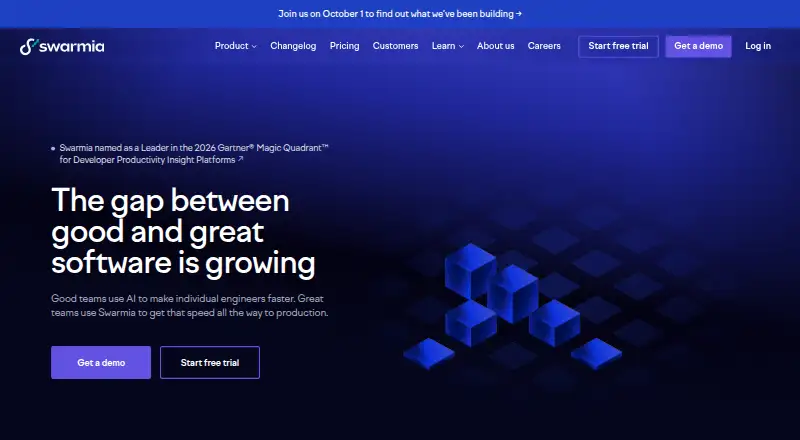
Swarmia helps engineering teams see whether they are working on the right things, identify slowdowns, and respond.
What Swarmia is
Swarmia helps engineering teams see whether they are working on the right things, identify slowdowns, and respond. It combines information from codebases, issue trackers, AI tools, and HR systems into a model of an engineering organization. Teams can track AI tool adoption, activity, costs, and productivity impact; run recurring developer experience surveys with team heatmaps; and automate software development cost capitalization reporting, including breakdowns by project or employee. Listed integrations include GitHub, GitLab, Jira, Linear, Azure Boards, Slack, Microsoft Teams, GitHub Copilot, Cursor, Claude Code, and Codex. Shortcut and GitHub Issues are labeled beta, while Asana and ClickUp are coming soon. Swarmia says it requests source code access but does not store source code, retaining each commit’s change size per file. The free plan is for companies with fewer than 10 software developers and excludes HRIS integrations and Swarmia AI.
Good
- Combines engineering data from several system types.
- Tracks AI adoption, activity, costs, and impact.
- Recurring developer surveys include team heatmaps.
- SOC 2 Type 2 audited.
Watch out
- Free plan excludes HRIS integrations and Swarmia AI.
- Asana and ClickUp integrations are coming soon.
- Shortcut and GitHub Issues are beta integrations.
Who it suits
Swarmia is designed for software organizations ranging from small startups to Fortune 500 companies. It may suit engineering leaders seeking engineering metrics, developer surveys, AI-use visibility, or capitalization reporting.
Verdict
Swarmia brings engineering metrics, AI activity, surveys, and capitalization reporting together, with a free option for smaller developer teams. Review the plan exclusions and integration status to see whether it covers the systems and features your organization needs.
Plans and prices
From Swarmia's own pricing page, checked 5 Oct 2026.
| Plan | Price | What it gives you |
|---|---|---|
| Free | Free | Companies with fewer than 10 software developers; excludes HRIS integrations and Swarmia AI |
| AI adoption & cost | $5 a month | AI adoption, activity, and cost metrics · annually; per developer |
| Developer surveys | $9 a month | Developer experience surveys · Slack reminders · Survey benchmarks · annually; per developer |
| Software capitalization | $18 a month | Software capitalization · Investment balance · Initiatives · Focus summary · annually; per developer |
| Productivity & AI impact | $23 a month | AI adoption, impact & costs · Code, issue & DORA metrics · Metrics benchmarks · Working agreements · annually; per developer |
| Standard | $45 a month | Includes AI adoption & cost, developer surveys, software capitalization, and productivity & AI impact · annually; per developer |
| Enterprise | $55 a month | Includes Standard plus on-premise integrations, HR system integrations, and professional services · annually; per developer |
The facts
Each one read from Swarmia's own pages, with the date it was checked.
What it does
- AI insights
- The platform tracks AI tool adoption, activity, costs, and productivity impact.checked 5 Oct 2026
- Audience
- Swarmia describes its product as designed for software organizations ranging from small startups to Fortune 500 companies.checked 5 Oct 2026
- Capitalization
- Swarmia automates software development cost capitalization reporting and supports breakdowns by project or employee.checked 5 Oct 2026
- Compliance
- Swarmia says it signs a GDPR-compatible Data Processing Agreement with customers.checked 5 Oct 2026
- Data handling
- Swarmia says it requests source code access but does not store source code, and stores each commit’s change size per file.checked 5 Oct 2026
- Data residency
- By default, customer data and encrypted backups are stored in the Frankfurt, Germany region on Google Cloud; US residency options can be discussed with Swarmia.checked 5 Oct 2026
- Developer surveys
- The product provides recurring developer experience surveys with team heatmaps while maintaining developer confidentiality.checked 5 Oct 2026
- Engineering data
- Swarmia combines data from codebases, issue trackers, AI tools, and HR systems into a model of an engineering organization.checked 5 Oct 2026
- Integration limits
- The integrations page labels Shortcut and GitHub Issues as beta and Asana and ClickUp as coming soon.checked 5 Oct 2026
- Integrations
- Listed integrations include GitHub, GitLab, Jira, Linear, Azure Boards, Slack, Microsoft Teams, GitHub Copilot, Cursor, Claude Code, and Codex.checked 5 Oct 2026
- Purpose
- Swarmia helps engineering teams understand whether they are working on the right things, identify slowdowns, and act on them.checked 5 Oct 2026
- Security
- Swarmia states it is SOC 2 Type 2 audited and offers the full report to customers and prospective customers on request.checked 5 Oct 2026
- Support
- Customers can request permanent deletion of their data through customer support and contact support for a copy of the SOC 2 report.checked 5 Oct 2026
The company
- Company history
- Swarmia says it began building the product in 2019.checked 5 Oct 2026
- Founded
- 2019checked 23 Sep 2026
- Headquarters
- Helsinki, Finlandchecked 23 Sep 2026
The full review of Swarmia
Overview
Swarmia is an engineering analytics platform for teams that need to connect delivery work with AI usage, developer experience, or software investment. Its strongest fit is an organization managing engineering across several systems and looking for more than repository-level metrics.
Its range is compelling, but breadth comes at a per-developer cost: teams may need to combine plans to get the full picture, and the free tier has meaningful exclusions.
Key features
Swarmia brings data from codebases, issue trackers, AI tools, and HR systems into a model of an engineering organization. DORA, delivery, reliability, and custom metrics support analysis of slowdowns and work patterns across those systems. That scope suits teams with varied workflows; organizations seeking a narrow, single-tool view may find the platform broader than they need.
AI reporting tracks adoption, activity, costs, and productivity impact. The $5 AI adoption & cost plan covers adoption, activity, and cost, while productivity-impact reporting appears in the $23 Productivity & AI impact plan. Integrations include GitHub, GitLab, Jira, Linear, Azure Boards, Slack, Microsoft Teams, GitHub Copilot, Cursor, Claude Code, and Codex. Shortcut and GitHub Issues are beta, while Asana and ClickUp are coming soon, so teams dependent on those connections should not assume they are ready for routine use.
Recurring developer-experience surveys include team heatmaps while preserving developer confidentiality. For finance teams, capitalization reporting can be broken down by project or employee; the Software capitalization plan also includes investment balance, initiatives, and focus summary.
Swarmia says it is SOC 2 Type 2 audited and provides the report to customers and prospective customers on request. It requests source-code access but says it does not store source code, retaining each commit’s change size per file. Customer data and encrypted backups are stored by default in Google Cloud’s Frankfurt region; US residency can be discussed. Swarmia signs a GDPR-compatible Data Processing Agreement, and customers can request permanent data deletion through support.
Pricing
Swarmia offers a free plan and a free trial. Paid prices below are per developer, per month, billed annually, so total cost grows with team size.
- Free: free for companies with fewer than 10 software developers. It excludes HRIS integrations and Swarmia AI, making it a useful starting point for small teams that can work without those capabilities.
- AI adoption & cost: $5 a month for AI adoption, activity, and cost metrics. This is the focused entry point for AI tracking, not a full productivity-impact view.
- Developer surveys: $9 a month for developer-experience surveys, Slack reminders, and survey benchmarks. It fits teams prioritizing feedback and comparison over broader delivery analytics.
- Software capitalization: $18 a month for capitalization, investment balance, initiatives, and focus summary. It is aimed at teams needing software-cost reporting rather than only engineering metrics.
- Productivity & AI impact: $23 a month for AI adoption, impact, and costs; code, issue, and DORA metrics; metrics benchmarks; and working agreements. It combines operational and AI-impact reporting, but not the other named plan bundles.
- Standard: $45 a month, including AI adoption and cost, developer surveys, software capitalization, and productivity and AI impact. It is the consolidated option for teams wanting those capabilities together.
- Enterprise: $55 a month, adding on-premise integrations, HR system integrations, and professional services to Standard. This is the clearest fit for organizations that need those additions.
The lower-priced plans separate distinct jobs, so a team needing surveys, capitalization, and broad productivity metrics may find the combined Standard plan more suitable than stacking individual subscriptions. The free tier’s under-10-developer cap and exclusions make it a limited substitute for paid access at larger or HR-integrated organizations.
Platforms
Swarmia is available through web and API platforms.
Who it's for
Swarmia describes its audience as software organizations from small startups to Fortune 500 companies. It is most relevant to engineering leaders, operations, and finance stakeholders who need shared visibility into delivery, AI-tool use, team experience, or development-cost capitalization. Teams relying on beta or upcoming integrations should factor that status into their choice.
Pros and cons
- Pro: It joins engineering, AI, survey, and capitalization reporting, which can reduce the need to treat those concerns as separate views.
- Pro: The free plan gives companies with fewer than 10 software developers a no-cost entry point.
- Pro: Its SOC 2 Type 2 audit, GDPR-compatible agreement, and stated data-residency approach give security-conscious buyers concrete controls to evaluate.
- Con: Paid plans are priced per developer and billed annually, so broad adoption can become a substantial recurring commitment.
- Con: Capabilities are split among plans, and the free plan excludes both HRIS integrations and Swarmia AI.
- Con: Shortcut and GitHub Issues remain beta, and Asana and ClickUp are coming soon, limiting fit for teams that depend on those integrations.
Alternatives
Value Stream Management Software and DevOps analytics software lists are useful starting points for comparing adjacent categories.
- ValueStream by MapVS is a free alternative with a permanent plan capped at two maps and five stages each, plus 50 MB storage and limited recording.
- HCL DevOps Velocity may suit buyers who want a community edition with two to three licenses and online forum support.
- Planview AdaptiveWork is another option, with pricing available by contacting an account executive.
- Digital.ai TeamForge is a paid alternative with pricing and licensing by sales contact.
- CloudBees CI is a paid alternative; customers are directed to Sales or their account team for additional features or services.
- Cora Value Stream Management uses pricing by request.
- Kovair Value Stream Management Platform offers pricing by request and invites buyers to book a demo.
- SENTRIO is another paid web option.
Verdict
Choose Swarmia if your software organization wants engineering metrics alongside AI tracking, developer surveys, or capitalization reporting, and can justify per-developer annual pricing for the capabilities it needs. Look elsewhere if you need a lower-commitment narrow tool, or if your workflows depend on integrations that are still beta or coming soon.
Getting started
- Open the Swarmia website
- Choose the free plan or a paid per-developer plan
- Connect supported code, issue, communication, AI, or HR systems
- Use the API or web application
- Request support for data deletion or a SOC 2 report when needed
Limits worth knowing
The Free plan costs nothing, is for companies with fewer than 10 software developers, and excludes HRIS integrations and Swarmia AI. Paid options start at $5 a month billed annually per developer, with higher tiers adding surveys, capitalization, productivity, integrations, and services.
Questions
Is there a free plan?
Yes. The Free plan costs nothing and is for companies with fewer than 10 software developers.
What do paid plans cost?
Other listed tiers are 9.00, 18.00, 23.00, 45.00, and $55 a month, each billed annually per developer.
Which platforms are supported?
Swarmia is available through API and web access.
Which integrations are available?
Listed integrations include GitHub, GitLab, Jira, Linear, Azure Boards, Slack, Microsoft Teams, GitHub Copilot, Cursor, Claude Code, and Codex. Shortcut and GitHub Issues are beta; Asana and ClickUp are coming soon.
Does Swarmia store source code?
Swarmia says it requests source-code access but does not store source code, retaining each commit’s change size per file.
Is Swarmia open source?
The listed facts do not identify Swarmia as open source.
Alternatives to Swarmia
- 1
Allstacks
Free planWebAPI7.5From $200 a year - 2

Plandek
Free planWebAPISelf-hosted7.5From $2,555 a month - 3
ValueStream by MapVS
Free planAndroidiOSWebAPI7.5Free plan - 4
Planview AdaptiveWork
AndroidiOSWebAPI6.9 - 5
HCL DevOps Velocity
Free planWebLinuxmacOSSelf-hosted6.6Free plan - 6

Automic Continuous Delivery Automation
WebAPILinuxSelf-hosted6.5