Fleet
Fleet is an open-core device management platform for configuring, updating, and securing endpoints.
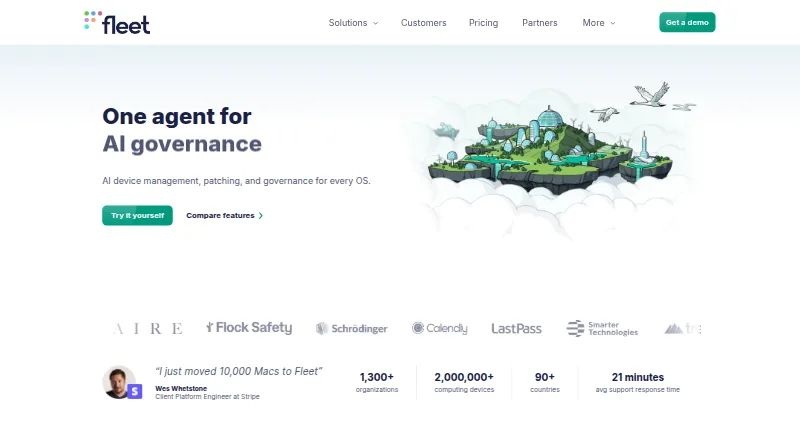
What Fleet is
Fleet is an open-core device management platform for configuring, updating, and securing endpoints. It supports macOS, Windows, Linux, iOS, iPadOS, Android, and ChromeOS, with a live connection to devices for reports and audit logs. IT teams can use a catalog of Fleet-maintained apps, automate remediation for devices that do not meet requirements, and let users access approved software through self-service. Fleet can enforce FileVault, BitLocker, and LUKS2 disk encryption, and remotely lock or wipe devices. It can run live checks against CIS benchmarks, SOC 2, ISO, or an organization’s own baselines. Deployment options include on-premises, cloud, and air-gapped environments; Free and Premium list self-hosting. Custom workflows can use Fleet’s REST API, webhook events, and fleetctl command-line tool. The Free plan is free and includes basic features with no support. Premium is $7 a month, priced at $7.00 per host per month; managed cloud is currently available only to customers with 700+ hosts.
Good
- Supports macOS, Windows, Linux, iOS, iPadOS, Android, and ChromeOS.
- Enforces FileVault, BitLocker, and LUKS2 encryption.
- Checks CIS, SOC 2, ISO, or custom baselines.
- Free plan includes self-hosting.
- Supports on-premises, cloud, and air-gapped deployment.
Watch out
- Free plan includes no support.
- Managed cloud Premium is currently limited to customers with 700+ hosts.
- Premium is priced at $7.00 per host per month.
Who it suits
Fleet suits IT and security teams managing devices across multiple operating systems. Its live checks, software controls, and deployment options are relevant to organizations with specific security or compliance baselines.
Verdict
Fleet offers device management, software controls, and live compliance checks across a broad set of platforms. The Free plan has no support, while managed cloud Premium has a 700-host minimum availability threshold.
Plans and prices
From Fleet's own pricing page, checked 19 Oct 2026.
| Plan | Price | What it gives you |
|---|---|---|
| Free | Free | Basic features · no support · self-hosted deployment · REST API · webhooks · community support · $0 per host / month |
| Premium | $7 a month | Multi-platform MDM · application deployment · vulnerability scores · managed cloud · RBAC · audit logging · unlimited email support · $7.00 per host / month |
| Custom | Priced on request | Large deployments · multi-tenancy · private update registry · SSO/SCIM · phone and video support · Talk to sales |
The facts
Each one read from Fleet's own pages, with the date it was checked.
What it does
- API authentication
- API tokens are retrieved from the Fleet account page or login endpoint and sent in an Authorization Bearer header; default session duration is five days.checked 19 Oct 2026
- Automation and API
- Custom workflows can use Fleet's REST API, webhook events, and fleetctl command line tool.checked 29 Sep 2026
- CLI
- fleetctl is available for macOS, Linux, and Windows and can manage hosts, apply configurations, run reports, and call the Fleet API.checked 19 Oct 2026
- Compliance
- Fleet can run live checks against CIS benchmarks, SOC 2, ISO, or an organization's own baselines.checked 29 Sep 2026
- Deployment
- Fleet can run on-premises, in the cloud, or air-gapped, and the pricing page lists self-hosting for Free and Premium.checked 29 Sep 2026
- Documentation
- Fleet publishes extensive documentation, guides, API reference, deployment architectures, GitOps configuration references, and enrollment instructions.checked 19 Oct 2026
- Extensibility
- Custom workflows can use Fleet REST API endpoints, outbound webhooks, and fleetctl.checked 19 Oct 2026
- Funding
- Crunchbase lists Fleet Device Management as a private Series B company that raised funding across four rounds from 37 investors; the total amount is not shown publicly on the page.checked 19 Oct 2026
- GitOps
- Fleet supports GitOps configuration workflows and provides a fleetctl command-line tool for applying configuration as code.checked 19 Oct 2026
- Google Play data safety
- The Google Play listing states that the app shares no data with third parties and collects no data.checked 19 Oct 2026
- Integrations
- Official integrations include Okta, Snowflake, Tines, runZero, Active Directory, Ansible, AWS, Azure, Chef, Elastic, GitHub, GitLab, Splunk, Jira, Munki, Puppet, Salt, Vanta, DigiCert, and Smallstep.checked 19 Oct 2026
- Intended users
- Fleet says it is especially popular with enterprise IT and security teams.checked 29 Sep 2026
- Inventory and reporting
- Fleet maintains a live connection to devices and provides reports and audit logs for near-instant visibility.checked 29 Sep 2026
- Licence
- The free version of Fleet is MIT licensed; the repository also describes a separate commercial licence for paid features.checked 19 Oct 2026
- Limit: onboarding
- A G2 reviewer requested a free trial for beginners and better starting instructions.checked 19 Oct 2026
- Limit: setup complexity
- The same independent review said Fleet is not the easiest tool to set up and does not replace an RMM or PSA platform.checked 19 Oct 2026
The company
- Company profile
- LinkedIn lists Fleet Device Management as privately held, founded in 2020, headquartered in San Francisco, with 51–200 employees.checked 19 Oct 2026
- Company reach
- LinkedIn says Fleet enrolls millions of laptops, tablets, phones, servers, and other devices in more than 90 countries.checked 19 Oct 2026
- Founded
- 2020checked 28 Sep 2026
- Headquarters
- San Francisco, California, United Stateschecked 28 Sep 2026
Where it runs
- Device coverage
- Fleet supports macOS, Windows, Linux, iOS, iPadOS, Android, and ChromeOS devices.checked 29 Sep 2026
- Device management
- Fleet provides multi-platform MDM, enrollment, configuration, OS update enforcement, lock and wipe commands, and application deployment.checked 19 Oct 2026
- Google Play app
- Fleet's Android companion app installs IT-managed certificates so users can connect to a corporate network, and deployment through Fleet is required for certificate management.checked 19 Oct 2026
- Linux limitation
- Disk-encryption enforcement is limited to Ubuntu, Kubuntu, and Fedora hosts, and Fleet Desktop officially supports GNOME and KDE Plasma.checked 19 Oct 2026
The full review of Fleet
Fleet is an open-core platform for managing and securing an organization’s computers and mobile devices. It suits IT and security teams that need live device visibility, software controls, and compliance checks across several operating systems. The free self-hosted option is a meaningful starting point; Premium’s managed cloud is aimed at much larger fleets.
Overview
Fleet brings device inventory, software deployment and patching, security controls, and compliance monitoring into one platform. A live connection to devices supports near-instant reporting and audit logs, which is more useful for tracking changing endpoint conditions than relying only on occasional inventory snapshots.
Teams can deploy Fleet on-premises, in the cloud, or in air-gapped environments. Self-hosting is available on both Free and Premium, giving organizations that need control over deployment a path that does not depend on managed cloud. Fleet’s source code is public, and the company says its free version will always be free. Founded in 2020, Fleet is headquartered in San Francisco; its site links to a SOC 2 Type 2 trust resource.
Key features
Live inventory and compliance checks
Fleet maintains a live connection to managed devices and provides reports and audit logs for current visibility. It can run live checks against CIS benchmarks, SOC 2, ISO, or an organization’s own baselines. That combination will appeal to teams that want ongoing compliance signals alongside inventory, rather than treating audits as a separate, periodic exercise.
Software and security controls
A catalog of Fleet-maintained apps, automatic remediation for devices that fall out of compliance, and approved software self-service cover both IT-managed patching and end-user requests. Fleet can enforce FileVault, BitLocker, and LUKS2 encryption, as well as remotely lock or wipe devices. These controls make Fleet relevant to security operations as well as device administration, though teams should weigh the Free plan’s lack of support before relying on it for critical operations.
Automation and integrations
Custom workflows can use Fleet’s REST API, webhook events, and fleetctl command-line tool. Integrations include Okta, Snowflake, Tines, runZero, Active Directory, Ansible, Elastic, GitHub, GitLab, Jira, Munki, Splunk, and CrowdStrike. This breadth gives teams several ways to connect Fleet to existing identity, security, and deployment workflows.
Pricing
Free: free, billed monthly. It includes basic features and self-hosting, but no support; help is limited to an open-source issue tracker and community Slack. It is the sensible choice for teams that can manage operations themselves and want a permanently free starting point.
Premium: $7 a month, billed $7.00 per host per month. Premium includes unlimited confidential email support and phone and video call support. Self-hosting is available, but managed cloud is currently available only to customers with 700+ hosts. That threshold makes Premium managed cloud a poor fit for smaller fleets, even if the per-host price is otherwise attractive.
Custom: custom pricing; teams with large deployments can talk to sales. Fleet does not publish a price for this plan, so it is best considered by organizations with large-scale requirements that are prepared to discuss terms directly.
Platforms
Fleet supports macOS, Windows, Linux, iOS, iPadOS, Android, and ChromeOS devices. Its platform listings also include API, web, and self-hosted access. That range makes it a contender for organizations managing mixed desktop and mobile fleets rather than a single operating-system environment.
Who it's for
Fleet is best suited to IT and security teams that need current endpoint inventory, software controls, and checks against defined security or compliance baselines. Its self-hosted Free plan can suit teams with the capacity to operate software without vendor support. Organizations wanting managed cloud should have at least 700 hosts in view; smaller teams should consider self-hosting or another product.
Pros and cons
- Broad device coverage: Fleet spans desktop, mobile, and ChromeOS, making it useful for mixed-device organizations.
- Useful security and compliance controls: Encryption enforcement, remote lock or wipe, and live benchmark checks connect everyday device management with security oversight.
- Flexible deployment: On-premises, cloud, and air-gapped deployment options serve organizations with different infrastructure needs.
- Free lacks support: Community channels may be insufficient for teams that need confidential, responsive operational help.
- Managed cloud has a high entry threshold: The 700-host minimum excludes smaller organizations from Premium managed cloud.
Alternatives
FileWave is worth considering if a permanent free tier capped at 15 computers, 15 tablets, and 15 Chrome devices fits your deployment, or if a free trial matters.
Relution offers a free plan for up to five devices, usable on shared cloud or on premises without a time limit, so it may suit a very small deployment.
AppTec360 Enterprise Mobility Management is an option if its free trial or custom-launcher kiosk package at €49 a month, billed per device and month, matches your needs.
LogMeIn Resolve IT Asset Management may be a fit for teams seeking an MSP-oriented plan that starts at 25 endpoints, with additional endpoints from $1.00/month.
ManageEngine Mobile Device Manager Plus offers a fully featured Professional free edition for up to 25 devices, making it a practical alternative for a small fleet.
SureAsset is a free option focused on asset lifecycle management, hardware and software license tracking, API access, and automation.
Zentral is another alternative to compare for device management.
Mosyle Manager offers a free plan with no device-count limit, configured for either iOS/iPadOS or macOS, so it may suit organizations focused on one of those Apple environments.
For broader comparisons, see Mac Management Software and Application Deployment Software.
Verdict
Choose Fleet if your IT or security team needs live endpoint visibility, software remediation, and compliance checks across a varied device fleet, especially if self-hosting is acceptable. Its strongest case is the combination of broad controls and flexible deployment, with a genuinely free self-hosted starting point. Look elsewhere if you need supported operations on the free tier or managed cloud for fewer than 700 hosts.
Getting started
- Visit fleetdm.com.
- Choose the Free or Premium plan; Premium is $7.00 per host per month.
- Deploy on-premises, in the cloud or in an air-gapped environment; Free and Premium list self-hosting.
- Connect supported devices and use Fleet's reports, software catalog and security controls.
- Use the REST API, webhook events or fleetctl to build custom workflows.
Limits worth knowing
The Free plan is limited to basic features and has no support. Premium managed cloud is currently available only to customers with 700 or more hosts; self-hosting is also available.
Questions
Is Fleet free?
Yes. Fleet has a Free plan with basic features and no support, and says its free version will always be free.
How much does Premium cost?
Premium is $7.00 per host per month. Managed cloud is currently available only to customers with 700 or more hosts.
Which devices does Fleet support?
Fleet supports macOS, Windows, Linux, iOS, iPadOS, Android and ChromeOS devices.
Can Fleet be self-hosted?
Yes. Free and Premium list self-hosting, and Fleet can also run on-premises or in air-gapped environments.
What support comes with Fleet?
Free includes an open-source issue tracker and community Slack. Premium includes unlimited confidential email support and phone and video call support.
Does Fleet provide integrations and automation tools?
Its listed integrations include Okta, Snowflake, Active Directory, Ansible, GitHub, Jira, Splunk and CrowdStrike. Custom workflows can use the REST API, webhook events and fleetctl.
Alternatives to Fleet
- 1

OPSI
Free planOpen sourceWebAPILinuxmacOS8.4From €4.99 a year - 2

FileWave
Free planAndroidiOSWebAPI8.3Free plan - 3

ManageEngine Patch Manager Plus
Free planAndroidiOSWebAPI8.2From $245 a year - 4

Patch My PC
Free planWebmacOSSelf-hostedWindows7.7From $3.50 a year - 5

Uyuni
Free planOpen sourceWebAPILinuxSelf-hosted7.4Free plan - 6

KACE Systems Management Appliance
AndroidiOSWebAPI7.2