
Ente Auth
Ente Auth is a free authenticator for storing TOTP and HOTP two-factor codes.
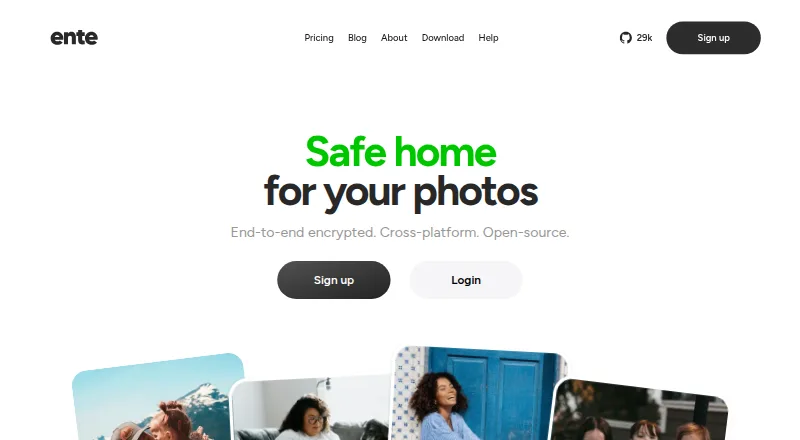
What Ente Auth is
Ente Auth is a free authenticator for storing TOTP and HOTP two-factor codes. Account users can sync codes across mobile, desktop, and web devices with end-to-end encryption and use encrypted cloud backups. The app is open source, supports import and export, and Ente says its cryptography has been externally audited. Native imports are listed for apps including 2FAS Authenticator, Aegis, Bitwarden, Google Authenticator, LastPass, Proton, and Raivo OTP. Codes can be organized with search, tags, pins, notes, and custom sorting; sharing links expire after 2, 5, or 10 minutes. Export choices include plain text, encrypted files, and HTML QR codes compatible with Google Authenticator. Auth can also be used without an account, but in that mode codes stay on the device and are not synced or backed up to Ente. App lock can use a device lock, four-digit PIN, or password, but it protects the interface rather than re-encrypting the data. It is available on Android, iOS, Linux, macOS, Windows, and web.
Good
- Stores TOTP and HOTP codes.
- Provides end-to-end encrypted sync and cloud backups.
- Open source with import and export support.
- Available on mobile, desktop, and web.
- Supports local use without an account.
Watch out
- Without an account, codes are not synced or backed up.
- App lock protects the interface, not the stored data's encryption.
Who it suits
Ente Auth suits people who want a free authenticator with encrypted sync across devices, or those who prefer to keep codes locally without an account. Its import and export options may also help people moving codes between listed authenticator apps.
Verdict
Ente Auth offers cross-platform encrypted code sync alongside a local, account-free mode. Note that offline codes are not backed up, and the app lock does not re-encrypt Auth data.
Plans and prices
From Ente Auth's own pricing page, checked 1 Oct 2026.
| Plan | Price | What it gives you |
|---|---|---|
| Free forever | Free | No ads · no spying · cross-platform · Free forever |
The facts
Each one read from Ente Auth's own pages, with the date it was checked.
What it does
- Backups
- Auth provides end-to-end encrypted cloud backups, and its cryptography has been externally audited.checked 1 Oct 2026
- Code organization
- Auth supports search, tags, pinning, notes, multi-select, and custom sorting for codes.checked 1 Oct 2026
- Code type
- totp and hotpchecked 21 Sep 2026
- Encrypted backup
- Yeschecked 21 Sep 2026
- Export
- Codes can be exported as plain text, encrypted files, or HTML QR codes compatible with Google Authenticator.checked 1 Oct 2026
- Import integrations
- Native imports are listed for 2FAS Authenticator, Aegis, andOTP, Bitwarden, Google Authenticator, LastPass, Proton, and Raivo OTP.checked 1 Oct 2026
- Offline mode
- Users can use Auth without an account; offline codes are stored locally and are not synced or backed up to Ente.checked 1 Oct 2026
- Open source
- Ente says Auth is fully open source and supports exporting and importing data.checked 1 Oct 2026
- Privacy
- Ente Auth collects no data by default; account backups involve an email address, encrypted 2FA secrets, and a server-generated user ID.checked 1 Oct 2026
- Purpose
- Ente Auth is an end-to-end encrypted authenticator for storing 2FA codes.checked 1 Oct 2026
- Security lock
- App lock supports device lock, a 4-digit PIN, or a password, but it protects the interface and does not re-encrypt Auth data.checked 1 Oct 2026
- Sharing
- Codes can be shared through links that expire after 2, 5, or 10 minutes.checked 1 Oct 2026
- Support
- Ente directs users with issues to [email protected] and offers community support through Discord.checked 1 Oct 2026
The company
- Company
- Ente was founded by Vishnu Mohandas and began building as an open source company in 2020.checked 1 Oct 2026
- Founded
- 2020checked 23 Sep 2026
- Headquarters
- Dover, Delaware, United States; Bengaluru, India; Amsterdam, Netherlandschecked 23 Sep 2026
Where it runs
- Cross-platform sync
- Codes can sync across mobile, desktop, and web devices with end-to-end encryption.checked 1 Oct 2026
- Multi-device sync
- Yeschecked 21 Sep 2026
- Supported platforms
- iOS,Android,macOS,Linux,Windows,webchecked 21 Sep 2026
Money
- Free plan
- Yeschecked 21 Sep 2026
The full review of Ente Auth
Overview
Ente Auth is a two-factor authenticator for TOTP and HOTP codes, suited to people who want one collection across phone, computer, and web—or a local-only option without an account. Its strongest case is encrypted cross-platform backup; the trade-off is that local-only codes receive no backup, and the app lock does not encrypt the stored Auth data.
Key features
Sync, backups, and security
With an account, codes sync across mobile, desktop, and web devices, with end-to-end encrypted cloud backups. Ente says Auth’s cryptography has been externally audited and that the app is fully open source. That combination will appeal to users who want portable codes without giving up encrypted backups. Account backups involve an email address, encrypted 2FA secrets, and a server-generated user ID; Ente Auth collects no data by default.
The account-free mode is useful when avoiding account setup matters more than recovery: codes stay on the device and are not synced or backed up to Ente. The app lock can use the device lock, a 4-digit PIN, or a password, but it protects the interface rather than re-encrypting Auth data. Treat it as an access barrier, not as an additional layer of data encryption.
Code management and migration
Search, tags, pinning, notes, multi-select, and custom sorting help keep a large code collection manageable. Temporary sharing links expire after 2, 5, or 10 minutes, a practical option when a code needs to be passed along briefly.
Native imports cover 2FAS Authenticator, Aegis, andOTP, Bitwarden, Google Authenticator, LastPass, Proton, and Raivo OTP. Exports are available as plain text, encrypted files, or HTML QR codes compatible with Google Authenticator. These options make it easier to move in or out, though plain-text exports should be handled with care because they are not encrypted.
Pricing
Free forever — free. The free plan includes no ads, no spying, and cross-platform use. There are no paid tiers or user quotas stated for Ente Auth. This is a strong fit for individual users who want encrypted sync without a subscription; the important distinction is not a paid-plan limit, but whether to use account-backed sync or accept the recovery risk of local-only storage.
Platforms
Ente Auth supports Android, iOS, Linux, macOS, Windows, and web. That breadth makes it a good choice for people who switch between mobile and desktop systems rather than keeping codes on one device type.
Who it's for
Choose Ente Auth if you want TOTP and HOTP codes synced across a mixed set of devices, with end-to-end encrypted backups and practical import and export options. It also suits users who prefer an account-free local mode, provided they understand that those codes are not backed up. Look elsewhere if your requirement is for the app lock itself to re-encrypt stored Auth data.
Pros and cons
- Pros: End-to-end encrypted cloud backups and cross-platform sync make codes available across devices without relying on a single local copy.
- Pros: Open-source software and externally audited cryptography offer meaningful transparency for a security-sensitive app.
- Pros: Broad import support and multiple export formats reduce friction when switching authenticators.
- Cons: Account-free codes are local only, so losing the device can mean losing access to the stored codes.
- Cons: The PIN, password, or device-lock option protects the interface but does not re-encrypt Auth data.
- Cons: Account backups involve an email address, encrypted secrets, and a server-generated user ID, which may not suit users who want no account-linked backup.
Alternatives
For a broader directory of authenticator apps, compare the options by platform and account needs. Pick SAASPASS Authenticator if you want to compare a freemium app with a free personal mobile-use plan. Proton Authenticator is another free, open-source option, and may suit readers who want to consider a different open-source authenticator. Zoho OneAuth is free across its supported platforms for Zoho work accounts and personal online accounts. LoginTC has a free Cloud Starter plan for up to 3 users, which may fit a small team. Yubico Authenticator requires a YubiKey to store credentials and generate codes. 2FAS Auth is a free alternative for Android, iOS, and browser extension users. Duo Mobile offers a free plan for 10 users and a paid Essentials plan at $3 a month, so it is worth comparing if those terms fit your use. 4OTP offers free apps with encrypted local storage and backups, offline use, and no account required.
Verdict
Ente Auth is an excellent fit for people who want free, end-to-end encrypted code sync across mobile, desktop, and web, backed by open-source software and flexible migration tools. Choose it for account-backed access across devices; look elsewhere if a local-only setup must also include backup, or if you expect the app lock to encrypt the stored data.
Getting started
- Open the Ente Auth website
- Install it on Android, iOS, Linux, macOS, or Windows, or use the web app
- Create an account for encrypted cloud backup and synchronization, or continue without one for local offline codes
- Import codes from a supported authenticator or another listed source
- Set device-lock, PIN, or password protection
Limits worth knowing
Without an account, codes remain local and are neither synchronized nor backed up to Ente. The app lock protects the interface but does not re-encrypt Auth data.
Questions
Is Ente Auth free?
Yes. The Free forever plan costs nothing and includes no ads, no spying, and cross-platform use.
Which platforms are supported?
Ente Auth supports Android, iOS, Linux, macOS, Windows, and web.
Is Ente Auth open source?
Ente says Auth is fully open source, and its cryptography has been externally audited.
Can I use it without an account?
Yes. Offline codes are stored locally, but they are not synced or backed up to Ente.
Can I import and export codes?
Native imports include 2FAS Authenticator, Aegis, andOTP, Bitwarden, Google Authenticator, LastPass, Proton, and Raivo OTP. Exports can be plain text, encrypted files, or HTML QR codes compatible with Google Authenticator.
Alternatives to Ente Auth
- 1

Bitwarden
Free planOpen sourceAndroidiOSWebAPI9.3From $1.65 a month - 2

Duo Mobile
Free planAndroidiOS8.5From $3 a month - 3
SAASPASS Authenticator
Free planAndroidiOSWebExtension8.4From $1 a year - 4

LastPass
Free planAndroidiOSWebExtension8.4Free plan - 5
Yubico Authenticator
Free planAndroidiOSLinuxmacOS8.1Free plan - 6
HYPR Authenticate
AndroidiOSWebAPI8.1From $3 a month