
Bitwarden
Bitwarden is a password manager for individuals and organizations.
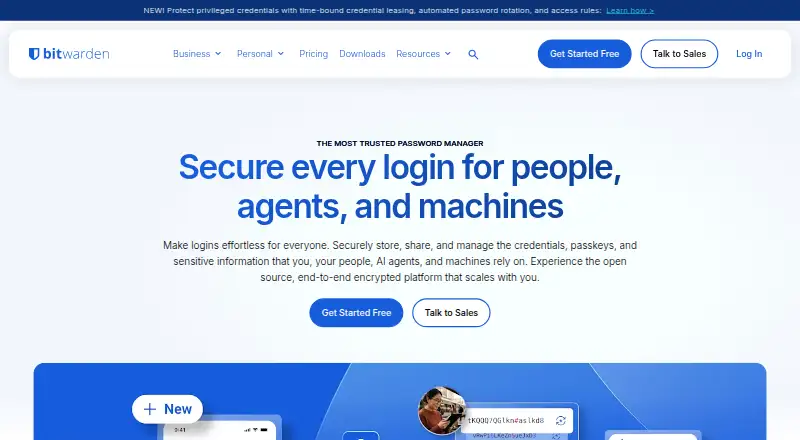
What Bitwarden is
Bitwarden is a password manager for individuals and organizations. Each account can store passwords, notes, credit cards, and identities, and includes passkey management plus a username and password generator. Bitwarden says vault data is end-to-end encrypted and can be decrypted only with the user's master password. Bitwarden Send lets users transmit text and files to anyone, including people without a Bitwarden account. Apps include a web app, browser extensions, desktop applications for Windows, macOS, and Linux, and mobile apps for Apple and Android. The free plan includes basic password management, unlimited devices and passwords, and free sharing with another user. Premium costs $1.65 per month billed annually. Families costs $3.99 per month billed annually for up to six users; Teams costs $4.00 per user per month billed annually; and Enterprise costs $6.00 per user per month billed annually. Business integrations include single sign-on options such as AWS, Microsoft Entra ID, Duo, Google, Okta, and JumpCloud, alongside directory sync and SIEM options. Bitwarden says it completes annual source code audits and penetration tests, and lists ISO 27001, SOC 2, SOC 3, and HIPAA compliance. One platform-specific caveat applies to the F-Droid build: it lacks live-sync push notifications, so manual vault syncing is required.
Good
- Stores passwords, notes, credit cards, and identities in each account.
- Includes passkey management and a username and password generator.
- Free plan allows unlimited devices and passwords.
- Bitwarden Send shares text and files with non-users too.
- Offers apps for web, desktop, mobile, and browser extensions.
- Business integrations include SSO, directory sync, and SIEM options.
Watch out
- The F-Droid build requires manual syncing because live-sync push notifications do not work.
- Premium is billed annually at $1.65 per month.
- Priority support is reserved for paid users.
Who it suits
Bitwarden suits individuals and organizations looking to manage passwords and other online information across web, desktop, and mobile apps. Its business plans and integrations also suit teams that need SSO, directory sync, or SIEM connections.
Verdict
Choose Bitwarden if you want a password manager with a free plan, broad platform coverage, and end-to-end encrypted vault data. Individuals using the F-Droid build should account for manual syncing, while organizations needing paid business features can review the Teams and Enterprise plans.
Plans and prices
From Bitwarden's own pricing page, checked 14 Oct 2026.
| Plan | Price | What it gives you |
|---|---|---|
| Free | Free | Unlimited passwords · unlimited devices · browser, mobile and desktop apps · free sharing with one user · Bitwarden Send |
| Premium | $1.65 a month | 1 account · integrated authenticator · 5 GB personal attachments · emergency access · vault health reports · priority support · $19.80 billed annually |
| Families | $3.99 a month | Up to 6 users · 6 premium accounts · unlimited sharing and collections · 5 GB personal plus 5 GB family storage · $47.88 billed annually |
| Teams | $4 a month | Centralized ownership · secure credential sharing · event logs · directory synchronization · SCIM provisioning · per user, billed annually |
| Enterprise | $6 a month | Granular access control · passwordless SSO · enterprise policies · self-hosting · Access Intelligence · free Families plan for users · per user, billed annually |
| Talk to Sales | Priced on request | Tailored plan for large organizations |
| Custom business plan | Priced on request | Tailored plan for large organizations |
The facts
Each one read from Bitwarden's own pages, with the date it was checked.
Where it runs
- Apps
- Bitwarden offers browser extensions, native Windows, macOS, and Linux desktop applications, a web app, and mobile applications for Apple and Android.checked 4 Oct 2026
What it does
- Audits
- Bitwarden says it completes annual source code audits and penetration tests for its clients, core application, and library.checked 4 Oct 2026
- Business integrations
- Listed SSO integrations include AWS, Microsoft Entra ID, Duo, Google, Okta, and JumpCloud.checked 4 Oct 2026
- Certifications
- Bitwarden states it has ISO 27001, SOC 2, and SOC 3 certifications and HIPAA compliance.checked 4 Oct 2026
- Compliance
- Bitwarden states that it is SOC 2 Type II, SOC 3, ISO 27001 and HIPAA compliant and supports GDPR, CCPA/CPRA and the Data Privacy Framework.checked 14 Oct 2026
- Developer tooling
- Bitwarden publishes organization and vault APIs, a Password Manager CLI, a Secrets Manager CLI and SDKs for secrets applications.checked 14 Oct 2026
- Directory and SIEM
- The integrations page lists directory sync options including Microsoft Entra ID and Google Workspace, and SIEM options including Splunk and Microsoft Sentinel.checked 4 Oct 2026
- Directory integration
- Directory connectors support Entra ID, Apple Open Directory, Google Workspace, ApacheDS, OpenLDAP, Fedora Directory Server, Novell eDirectory and OpenDS.checked 14 Oct 2026
- Documentation and support
- Bitwarden provides a Help Center, developer documentation, community forum, email support and priority support for paid users.checked 14 Oct 2026
- File attachments
- Premium provides 5 GB of personal encrypted attachment storage, while Families adds 5 GB for family items.checked 14 Oct 2026
- Integrations
- Official integrations include AWS, Microsoft Entra ID, Duo, Auth0, Google, Okta, Rippling, PingFederate, JumpCloud, ADFS, Keycloak and OneLogin SSO.checked 14 Oct 2026
- Licensing
- Core client code is GPL-3.0, the main server is AGPL-3.0, and selected enterprise modules use the source-available Bitwarden License requiring a paid production subscription.checked 14 Oct 2026
- Limit: administration
- Enterprise reviewers cite sluggish web vaults, limited reporting and employee-vault recovery gaps; one reviewer reported passkeys unavailable in their tenant.checked 14 Oct 2026
- Limit: autofill reliability
- Reviewers repeatedly report intermittent autofill or autosave failures, especially on mobile and some browsers.checked 14 Oct 2026
- Limit: interface polish
- Reviewers commonly describe the desktop or mobile interface as dated, clunky or less seamless than competitors.checked 14 Oct 2026
- Limit: self-hosting effort
- TechRadar says self-hosting requires substantial technical expertise and resources despite detailed guides.checked 14 Oct 2026
- Notable limitation
- The Bitwarden F-Droid build does not include Firebase Messaging, so live sync push notifications do not work and manual vault syncing is required.checked 4 Oct 2026
The company
- Company founded
- Bitwarden states that it was founded in 2016.checked 14 Oct 2026
- Company headquarters
- Bitwarden lists its headquarters at 1 North Calle Cesar Chavez, Suite 102, Santa Barbara, California.checked 14 Oct 2026
- Company legal structure
- Bitwarden, Inc. is the parent company of wholly owned 8bit Solutions LLC.checked 14 Oct 2026
- Company scale
- Bitwarden says it serves more than 80,000 businesses and 15 million users in over 180 countries and 50-plus languages.checked 14 Oct 2026
- Founded
- 2016checked 4 Oct 2026
- Headquarters
- Santa Barbara, California, USAchecked 4 Oct 2026
Money
- Free plan
- Yeschecked 23 Sep 2026
The full review of Bitwarden
Bitwarden is a password manager for individuals and organizations who want to keep credentials and other sensitive information in one vault. Its free plan covers unlimited passwords and devices, while paid tiers add family sharing and business administration. Broad platform support makes it a flexible choice, though people using the F-Droid build must sync manually.
Overview
Bitwarden combines passwords, notes, credit cards, identities, and passkeys in one account, with tools to generate usernames and passwords. Bitwarden Send extends the vault to encrypted text and file sharing, including with people who do not use Bitwarden. That breadth suits people who want a single place for credentials and occasional secure sharing; it is less compelling for someone seeking only an authenticator app.
Bitwarden says vault data is end-to-end encrypted and can be decrypted only with the user's master password. It reports annual source-code audits and penetration tests, and states that it holds ISO 27001, SOC 2, and SOC 3 certifications and HIPAA compliance. These assurances support its case for personal and organizational use, while leaving the master password as a critical part of protecting the vault.
Key features
- Credential vault: Passwords, notes, cards, identities, and passkeys sit together, with a username and password generator. The free plan's unlimited password count makes this useful for a large personal collection.
- Encrypted sharing: Bitwarden Send delivers text and files with end-to-end encryption to users and non-users alike. It is a practical way to share sensitive items without requiring the recipient to join.
- Business connections: Listed single sign-on integrations include AWS, Microsoft Entra ID, Duo, Google, Okta, and JumpCloud. Directory sync options include Microsoft Entra ID and Google Workspace, while SIEM integrations include Splunk and Microsoft Sentinel. This makes Bitwarden more relevant to organizations managing access across existing systems.
- Security assurances: Bitwarden says it conducts annual audits and penetration tests for its clients, core application, and library. Its stated certifications and HIPAA compliance will matter to organizations assessing security and compliance needs.
- F-Droid sync caveat: The F-Droid build lacks Firebase Messaging, so live-sync push notifications do not work. Users of that build need to sync their vault manually, a meaningful inconvenience for people who switch devices often.
Pricing
Bitwarden uses a freemium model. The Free plan costs nothing and provides basic password management, unlimited devices and passwords, and sharing with one other user. It is a strong starting point for individuals who want a full multi-device credential vault without a subscription, though its sharing is limited to one other user.
Premium costs $1.65 a month, billed annually at $19.80. It is the lowest paid tier and suits an individual who wants a paid plan, with priority support available to paid users; 24/7 email support is available to everyone. Families costs $3.99 a month, billed annually at $47.88, for up to six users, making it the relevant step up for a household that needs several accounts.
Teams costs $4 per user per month, billed annually, and Enterprise costs $6 per user per month, billed annually. These per-seat plans are aimed at organizations that need business administration and integrations. Large organizations can ask about tailored plans through Talk to Sales or the custom business plan; both have custom pricing.
The free plan has no device or password cap, but sharing is limited to one other user. Paid users receive priority support, while 24/7 email support applies across plans.
Platforms
Bitwarden supports web, Windows, macOS, Linux, iOS, Android, and browser extensions, with self-hosted deployment also listed. This range suits people mixing desktop and mobile devices or using different operating systems. The F-Droid Android build is the notable exception to seamless syncing: vault updates require manual syncing because it lacks live-sync push notifications.
Who it's for
Individuals get a capable free vault with unlimited devices and passwords, while families can put up to six users on one plan. Organizations can choose per-user Teams or Enterprise subscriptions, and the listed SSO, directory sync, and SIEM integrations make those plans relevant to teams with established access and monitoring systems. Developers and DevOps teams may instead want Secrets Manager, which Bitwarden describes as intended for their needs.
Pros and cons
- Pros: The free plan includes unlimited devices and passwords, which removes two common constraints for personal use.
- Pros: Passwords, notes, cards, identities, and passkeys share one vault, and Send adds encrypted text and file sharing with non-users.
- Pros: Coverage across major desktop, mobile, and browser platforms, plus self-hosting, gives users several ways to access or deploy the service.
- Pros: Family and business tiers provide clear paths from individual use to multi-user plans, with business integrations for identity and monitoring systems.
- Cons: Free sharing is limited to one other user, so households needing broader shared access have reason to consider Families.
- Cons: F-Droid users must manually sync their vault, which makes that build less convenient for frequent device switching.
- Cons: Teams and Enterprise pricing is billed per user annually, so organizational costs rise with seat count.
Alternatives
For adjacent needs, browse Biometric Authentication Software, Passwordless Authentication Software, or Authenticator apps.
Consider id3 Face SDK if you need a paid face-authentication SDK with a free 30-day evaluation, limited API calls, community support, and a single-platform limit. Ory is an option for teams seeking a freemium identity platform with a developer tier and a production plan priced at $770 a year. StrongKey FIDO Server may suit organizations seeking a free FIDO server whose Community Edition states unlimited users, applications, and transactions.
Hanko offers a free Starter plan with 10,000 monthly active users, two projects, and community support, making it worth considering for a project with those needs. HUAWEI Analytics Kit is a free analytics tool, a better fit when data analysis and event tracking are the goal. HYPR Authenticate starts at $3 a month for Identity Assurance Access, for readers comparing paid authentication options. Passwordless.dev has a free tier for up to 10,000 users and one app per organization, which fits a small passwordless-authentication project. Clerk has a free Hobby plan with 50,000 monthly active users per app, making it an alternative for projects evaluating user authentication at that scale.
Verdict
Bitwarden is a strong choice for individuals who want an unlimited free vault across devices, and for families or organizations ready to pay for broader sharing and administration. Its mix of credential storage, passkey support, encrypted sharing, and broad platform coverage makes the free tier especially capable. Look elsewhere if you need free sharing with more than one other person or depend on automatic sync notifications in the F-Droid build.
Getting started
- Open the Bitwarden website and choose an individual or organization plan.
- Start with the Free plan or select Premium, Families, Teams, or Enterprise.
- Install a browser extension, desktop app, mobile app, or use the web app.
- Store passwords, notes, cards, or identities in the vault.
- If using the F-Droid build, sync the vault manually.
Limits worth knowing
The free plan provides basic password management, unlimited devices and passwords, and sharing with one other user. The F-Droid build does not receive live-sync push notifications, so vault syncing must be done manually.
Questions
How much does Bitwarden cost?
The Free plan costs nothing. Premium is $1.65 per month billed annually; Families is $3.99 per month billed annually for up to six users. Teams is $4.00 per user per month and Enterprise is $6.00 per user per month, both billed annually.
What does the free plan include?
It includes basic password management, unlimited devices and passwords, and free sharing with another user.
Which platforms does Bitwarden support?
It offers a web app, browser extensions, Windows, macOS, and Linux desktop apps, and mobile apps for Apple and Android.
Is Bitwarden open source?
Bitwarden says it completes annual source code audits and penetration tests. The listed facts do not describe its licensing model.
Who makes Bitwarden?
Bitwarden Inc. is the maker, headquartered in Santa Barbara, California, US. The maker was founded in 2016.
Which business integrations are listed?
SSO options include AWS, Microsoft Entra ID, Duo, Google, Okta, and JumpCloud. Directory sync options include Microsoft Entra ID and Google Workspace, while SIEM options include Splunk and Microsoft Sentinel.
Alternatives to Bitwarden
- 1

Duo Mobile
Free planAndroidiOS8.5From $3 a month - 2
SAASPASS Authenticator
Free planAndroidiOSWebExtension8.4From $1 a year - 3

LastPass
Free planAndroidiOSWebExtension8.4Free plan - 4
Yubico Authenticator
Free planAndroidiOSLinuxmacOS8.1Free plan - 5
HYPR Authenticate
AndroidiOSWebAPI8.1From $3 a month - 6

LoginTC
Free planAndroidiOSWebAPI8.1From $36 a year