Yubico Authenticator
Yubico Authenticator generates two-step verification codes for online accounts on mobile and desktop devices.
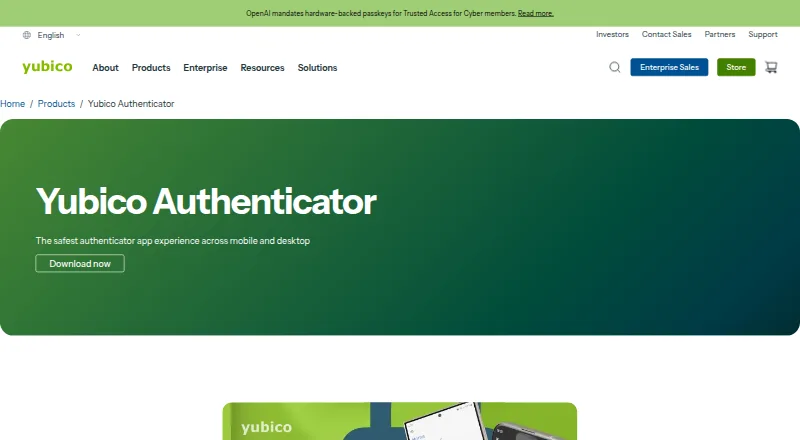
What Yubico Authenticator is
Yubico Authenticator generates two-step verification codes for online accounts on mobile and desktop devices. It supports TOTP and HOTP codes, and users can add credentials by scanning a service's QR code. Credentials are held in a YubiKey secure element; Yubico says they cannot be extracted. Because the credentials stay on the portable YubiKey, the same codes can be used from the desktop and mobile apps. The mobile app supports tap-and-go on NFC-enabled devices, and credentials can be added to a YubiKey with a touch or NFC tap. Yubico says users can unlock a YubiKey with Face ID or Touch ID. The app can also display OATH codes and manage a YubiKey's FIDO PIN or perform a factory reset. It is free and open-source software, listed as free, for Windows, macOS, Linux, iOS/iPadOS, and Android. Generating and displaying OATH credentials in the desktop app requires a YubiKey.
Good
- Generates TOTP and HOTP codes
- Credentials are stored in a YubiKey secure element
- Supports NFC tap-and-go on mobile
- Free and open-source software
Watch out
- Desktop OATH code generation requires a YubiKey
- No encrypted backup
- No multi-device sync
- No push approvals
Who it suits
It may suit people who want verification codes stored on a YubiKey and accessible through mobile and desktop apps. It requires a YubiKey to store credentials and generate OATH codes.
Verdict
Yubico Authenticator is a free option for generating verification codes when credentials are held on a YubiKey. The hardware requirement is central, especially for desktop OATH code generation.
Plans and prices
From Yubico Authenticator's own pricing page, checked 29 Sep 2026.
| Plan | Price | What it gives you |
|---|---|---|
| Yubico Authenticator | Free | Free and open source software; requires a YubiKey to store credentials and generate OATH codes |
The facts
Each one read from Yubico Authenticator's own pages, with the date it was checked.
What it does
- Account setup
- Users can set up credentials by scanning QR codes provided by the services they want to protect with two-factor authentication.checked 29 Sep 2026
- Biometric unlock
- Yubico says users can unlock their YubiKey with Face ID or Touch ID.checked 29 Sep 2026
- Code type
- totp and hotpchecked 21 Sep 2026
- Compatible services
- The app works with services compatible with other authenticator apps, including Google Authenticator, and Yubico cites Azure MFA TOTP for Office 365 as an example.checked 29 Sep 2026
- Encrypted backup
- Nochecked 21 Sep 2026
- Hardware-backed credentials
- Credentials are stored in the YubiKey secure element and, according to Yubico, cannot be extracted.checked 29 Sep 2026
- OATH and key management
- The app can generate and display OATH two-factor codes and manage a YubiKey’s FIDO PIN or perform a factory reset.checked 29 Sep 2026
- Purpose
- Yubico Authenticator generates two-step verification codes on mobile and desktop devices for online accounts.checked 29 Sep 2026
- Security limit
- Generating and displaying OATH credentials with the desktop app requires a YubiKey.checked 29 Sep 2026
- Support documentation
- Yubico provides a Yubico Authenticator user guide in its product documentation.checked 29 Sep 2026
- Touch and NFC
- The mobile app supports tap-and-go authentication on NFC-enabled devices, and credentials can be added to a YubiKey with touch or an NFC tap.checked 29 Sep 2026
Where it runs
- Cross-device use
- Yubico says the same codes are available across its desktop and mobile apps because credentials are held on the portable YubiKey.checked 29 Sep 2026
- Multi-device sync
- Nochecked 21 Sep 2026
- Platforms
- The app is available for Windows, macOS, Linux, iOS and Android.checked 29 Sep 2026
- Push approvals
- Nochecked 21 Sep 2026
- Supported platforms
- Windows,macOS,Linux,iOS/iPadOS,Androidchecked 21 Sep 2026
The company
- Founded
- 2007checked 28 Sep 2026
- Headquarters
- Stockholm, Sweden; Silicon Valley, California; Singaporechecked 28 Sep 2026
- Maker
- Yubico says it was founded in Stockholm, Sweden, in 2007.checked 29 Sep 2026
- Team administration
- Nochecked 21 Sep 2026
Money
- Free plan
- Yeschecked 21 Sep 2026
The full review of Yubico Authenticator
Overview
Yubico Authenticator is a companion app for generating two-step verification codes using credentials stored on a YubiKey. It suits people who already carry a YubiKey and want the same code credentials to travel between phone and computer. Its security model is also its main constraint: desktop OATH code generation requires the hardware key.
It works with services that accept standard authenticator codes, including Google Authenticator-compatible services; Yubico cites Azure MFA TOTP for Office 365 as an example. The maker, founded in 2007 and headquartered in Stockholm, Sweden, provides a user guide in its product documentation.
Compare other options in our Authenticator apps and Security Keys lists.
Key features
Codes stay with the key
The app generates and displays OATH codes, including TOTP and HOTP. To add an account, scan the QR code provided by the service you want to protect. Credentials are kept in the YubiKey secure element, which Yubico says prevents them from being extracted. That can suit people who prefer credentials to remain on a physical key, but it makes the key essential: the free app requires a YubiKey to store credentials and generate OATH codes.
Yubico says codes are available in its mobile and desktop apps because the credentials travel with the key. This is cross-device access without multi-device sync, rather than a cloud-synced copy; if you want codes without carrying or connecting the key, this is not the right fit.
Mobile access and key management
On NFC-enabled phones, the mobile app supports tap-and-go authentication, and credentials can be added to a YubiKey with a touch or NFC tap. Yubico says Face ID or Touch ID can unlock the key. The app also manages a YubiKey's FIDO PIN and can perform a factory reset, giving it a role beyond code display.
OATH code generation and display are distinct from the app's passkey and FIDO standards support. Desktop OATH use specifically requires a YubiKey. The app does not offer push approvals, encrypted backup, multi-device sync, or team administration, so it is aimed at individual key owners rather than teams seeking centralized management.
Pricing
Yubico Authenticator: free. The free, open-source software has no trial period because it is free; the key condition is that a YubiKey is required to store credentials and generate OATH codes. Yubico also lists paid YubiKeys from 29 one-time. That hardware purchase is separate from the app and is the practical cost for anyone who does not already own a compatible key.
There are no cheaper app tiers to weigh against missing features: the choice is whether the key-based approach fits. The app has no team administration or cloud-style recovery and sync, which may matter more than its zero software price for people managing codes across devices without a physical key.
Platforms
Yubico Authenticator is available for Windows, macOS, Linux, iOS/iPadOS, and Android. NFC tap-and-go support applies to NFC-enabled mobile devices; desktop OATH generation still requires a YubiKey.
Who it's for
This is a strong fit for people who already use a YubiKey and want OATH credentials held on its secure element, with access from Yubico's mobile and desktop apps by moving the key between devices. It is less suitable for anyone who expects an authenticator app to work independently, sync credentials online, provide encrypted recovery, or support team administration.
Pros and cons
- Credentials stored on the YubiKey: Yubico says they cannot be extracted from its secure element, keeping the credential store tied to the physical key.
- One credential store across phone and computer: the portable key makes the same codes available in the mobile and desktop apps without multi-device sync.
- Broad device coverage: apps span desktop and mobile platforms, with NFC tap-and-go on supported phones.
- Hardware is mandatory for desktop OATH: users cannot generate and display those codes in the desktop app without a YubiKey.
- No backup, sync, or team administration: users wanting recovery copies or centralized team controls will need another approach.
Alternatives
Ente Auth is worth considering if you want a free, open-source authenticator with data export and import across mobile, desktop, and web platforms.
Bitwarden is another alternative for readers comparing authenticator options alongside its free and paid plans.
SAASPASS Authenticator offers a free personal-use mobile app and a free trial for its freemium offering.
Proton Authenticator is a free, open-source alternative available on mobile and desktop.
Zoho OneAuth is free across supported platforms for Zoho work accounts and personal online accounts, with time-based OTP authentication.
HYPR Authenticate is an alternative to consider if you are evaluating a paid authentication product with a free trial.
Duo Mobile has a free plan for up to 10 users and paid plans for organizations seeking additional authentication features.
LastPass offers a free plan limited to one device type, as well as paid plans.
Verdict
Choose Yubico Authenticator if you already rely on a YubiKey and want verification-code credentials to remain on its hardware secure element while using them on mobile and desktop. The decisive reason to look elsewhere is the same hardware dependency: without a YubiKey, desktop OATH generation is unavailable, and the app provides no sync or encrypted backup as a fallback.
Getting started
- Open the Yubico Authenticator product page.
- Install the app for Windows, macOS, Linux, iOS/iPadOS or Android.
- Use a YubiKey to store credentials and generate OATH codes.
- Scan a service’s QR code to add its two-factor credentials.
- On a supported NFC-enabled mobile device, use an NFC tap or touch to add credentials to the YubiKey.
Limits worth knowing
The app is free, but the listed plan requires a YubiKey to store credentials and generate OATH codes. Desktop generation and display of OATH credentials requires a YubiKey.
Questions
How much does Yubico Authenticator cost?
The app is free and open source, listed as free.
Which platforms are supported?
Windows, macOS, Linux, iOS/iPadOS and Android.
Does it require a YubiKey?
The listed plan requires a YubiKey to store credentials and generate OATH codes. Desktop OATH code generation and display also requires one.
Which code types does it support?
It supports TOTP and HOTP codes.
Can I use it with services that work with other authenticator apps?
Yes. It works with compatible services, including Google Authenticator-compatible services; Yubico cites Azure MFA TOTP for Office 365 as an example.
Who makes Yubico Authenticator?
The maker is Yubico, founded in 2007 and headquartered in Stockholm, Sweden.
Alternatives to Yubico Authenticator
- 1

Bitwarden
Free planOpen sourceAndroidiOSWebAPI9.3From $1.65 a month - 2

Duo Mobile
Free planAndroidiOS8.5From $3 a month - 3
SAASPASS Authenticator
Free planAndroidiOSWebExtension8.4From $1 a year - 4

LastPass
Free planAndroidiOSWebExtension8.4Free plan - 5
HYPR Authenticate
AndroidiOSWebAPI8.1From $3 a month - 6

LoginTC
Free planAndroidiOSWebAPI8.1From $36 a year