Endstate
Endstate captures Windows applications and settings so a setup can be restored on another Windows PC.
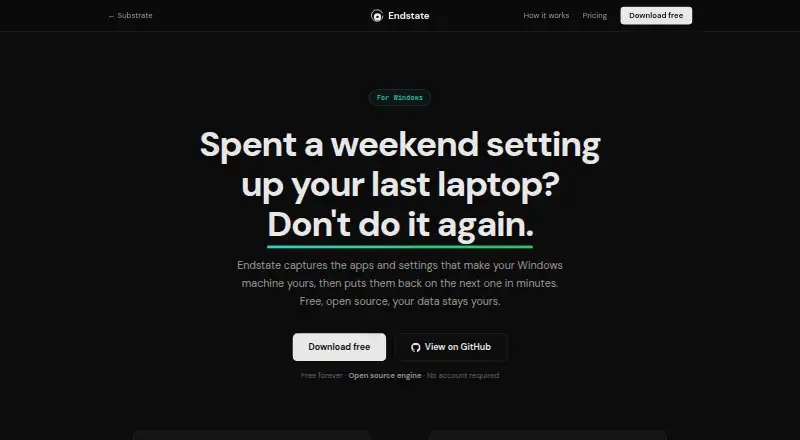
What Endstate is
Endstate captures Windows applications and settings so a setup can be restored on another Windows PC. Scanning, saving, and restoring can run locally and offline. It detects applications installed through EXE/MSI installers and the Microsoft Store using winget, and has settings modules for 359 Windows applications. Saved setups are plain files in the user's Documents folder, ready to copy, back up, or share. Before restoring, users can review differences and select which detected apps and supported settings to apply; each settings restore also creates a backup that can be reverted with one click. Endstate reinstalls applications through WinGet and Chocolatey, while sponsored integrations can add settings migration support. Portable applications not registered in Windows are not detected. The provisioning engine is open source under Apache 2.0. The local product has no telemetry, tracking, or background reporting, and sends no data off the computer unless Endstate Cloud is enabled. The free plan is 0.00 EUR forever, with no account and unlimited machines. Cloud plans are listed at €4 a month and €40 a year; Cloud is in early access and not generally available.
Good
- Scanning and restoring can work offline
- Free plan needs no account
- Saved setups are plain files
- Choose apps and settings during restore
- Restores can be reverted with one click
Watch out
- Portable apps unregistered in Windows are not detected
- Cloud is not generally available
- Cloud backup excludes personal files
Who it suits
Endstate suits Windows users who want to move applications and supported settings between PCs, including designers, creators, gamers, students, and system administrators. Its offline local workflow may fit users who prefer to keep migration data on their computer.
Verdict
Endstate focuses on moving Windows applications and supported settings, with selective restoration and a reversible settings process. Its free plan covers unlimited machines, while Cloud is a separate early-access option.
Plans and prices
From Endstate's own pricing page, checked 15 Oct 2026.
| Plan | Price | What it gives you |
|---|---|---|
| Free | Free | Full GUI and CLI · Capture, restore, profiles, manifests · Settings backup for supported apps · Offline use · Forever · No account |
| Endstate Cloud | €4 a month | Encrypted application lists and supported non-secret settings · Client-side keys · Protected versions · Restore on another Windows PC · Self-hosting protocol remains open · Billed monthly · Cancel any time |
| Support Endstate | $10, paid once | Optional supporter contribution · No features unlocked · Opt-in supporter listings · From $10 · Entirely optional |
| Endstate Cloud (yearly) | €40 a year | Encrypted managed backup · Client-side keys · Annual subscription |
| Endstate for Teams | Priced on request | Design-partner research · Repeatable Windows setup and recovery for organisations · Research · No current team product or purchase |
The facts
Each one read from Endstate's own pages, with the date it was checked.
Where it runs
- App detection
- Endstate detects applications installed through EXE/MSI installers and the Microsoft Store using winget.checked 1 Oct 2026
- Automatic app detection
- The product detects installed EXE/MSI and Microsoft Store applications and uses WinGet to reinstall them.checked 15 Oct 2026
What it does
- Audience
- Endstate is positioned for designers, editors, creators, gamers, freelancers, students, and system administrators.checked 1 Oct 2026
- Changelog feature
- The August 1, 2026 engine release added read-only profile inspection and fixes for path matching and Thunderbird configuration detection.checked 15 Oct 2026
- Changelog integrations
- The July 26, 2026 release added Elgato Stream Deck and Wave Link modules and introduced the .endstate capture-bundle extension.checked 15 Oct 2026
- CLI and JSON interface
- The GUI is designed to invoke the public Endstate CLI and consume structured JSON output, including capabilities, apply, verify and report commands.checked 15 Oct 2026
- Cloud availability
- Endstate Cloud is currently in early access and is not yet generally available.checked 1 Oct 2026
- Cloud encryption
- Endstate Cloud encrypts backup data on the user's machine before upload and stores ciphertext with operational metadata.checked 1 Oct 2026
- Data boundaries
- Endstate Cloud covers application lists and supported non-secret settings and explicitly is not personal-file backup.checked 15 Oct 2026
- Detection limit
- Portable applications that are not registered in Windows are not detected.checked 15 Oct 2026
- Developer stack
- The engine is written in Go, while the desktop GUI uses Tauri, React and Rust.checked 15 Oct 2026
- Development requirements
- The GUI development README lists Node.js 18 or newer, npm, Rust, MSVC v143 or later build tools, and the Windows 10/11 SDK.checked 15 Oct 2026
- Documentation depth
- The repositories expose README material, docs directories, CLI contracts, manifests, module catalogs and a maintained changelog.checked 15 Oct 2026
- Independent listing
- RepoRank describes Endstate as a Go CLI that is fully usable on Windows, with Linux and macOS support still in progress and package coverage dependent on WinGet or Chocolatey.checked 15 Oct 2026
- Independent praise: coverage
- Windows Central highlighted support for 357 applications, including Lightroom Classic, VS Code, Windows Terminal, PowerToys, Git, Obsidian, OBS Studio, Notepad++ and ShareX.checked 15 Oct 2026
- Independent praise: workflow
- Windows Central described Endstate as a free Windows tool that makes reinstalling applications and supported preferences easier by combining WinGet or Chocolatey with settings capture.checked 15 Oct 2026
- Installation control
- Applications are installed one at a time and Windows permission prompts are not silently bypassed.checked 15 Oct 2026
- Installation limits
- Portable applications that are not registered in Windows are not detected.checked 1 Oct 2026
- Integrations
- The engine uses WinGet and Microsoft Store sources by default, with optional Chocolatey lanes; Linux and macOS use Nix with Homebrew available per app on macOS.checked 15 Oct 2026
- Licence
- The engine and GUI repositories state that they are licensed under Apache License 2.0.checked 15 Oct 2026
The company
- Company founding
- Infopank records the company as established on 15 December 2025.checked 15 Oct 2026
- Company headquarters
- Infopank lists the legal address in Tallinn, Harju County, Estonia.checked 15 Oct 2026
- Company legal name
- The Estonian company registry listing identifies the maker as Substrate Systems OÜ.checked 15 Oct 2026
- Headquarters
- Estoniachecked 28 Sep 2026
The full review of Endstate
Overview
Endstate is a Windows utility for carrying installed applications and supported settings to another PC without migrating a complete user profile. It is best suited to people rebuilding a curated work or gaming setup, rather than anyone who needs to move documents or an entire account. Its strongest advantage is control over what gets restored, with a way to undo settings changes.
Key features
Endstate detects apps installed through EXE or MSI installers and Microsoft Store apps using WinGet, then reinstalls applications through WinGet and Chocolatey. Settings modules cover 359 Windows applications, giving users a useful range for recreating familiar environments. The coverage is not universal: portable apps that are not registered in Windows are not detected, and the product does not migrate personal files or user profiles. Sponsored integrations can add settings-migration support.
Scanning, saving and restoring can all run locally and offline. Saved setups are plain files in Documents, so they can be copied, backed up or shared without relying on a cloud account. Restore is selective: users can preview differences and choose which detected applications and supported settings to transfer. Each settings restore creates a backup that can be reverted with one click, making it less risky to bring preferences onto a new machine.
The provisioning engine is open source under Apache 2.0. The local product has no telemetry, tracking or background reporting, and sends no data off the computer unless Endstate Cloud is explicitly enabled. Cloud encrypts backup data on the user's machine before upload and stores ciphertext alongside operational metadata. That is a distinct privacy model from the offline workflow, and Cloud remains in early access rather than being generally available.
Pricing
The Free plan costs nothing, billed Forever. It requires no account and includes the full product, no limits and unlimited machines. That makes it the natural starting point for individual users and administrators who want local application and settings migration without recurring charges; the stated allowance has no machine cap.
Endstate Cloud costs €4 a month, billed monthly, and can be cancelled any time. It covers application lists and supported non-secret settings, not personal-file backup. Its yearly option costs €40 a year and includes encrypted managed backup with client-side keys. Cloud's early-access status matters: choose the free local workflow if you need a generally available option rather than an early-access cloud service.
Support Endstate is a 10.00 USD one-time optional contribution and unlocks nothing, so it is support rather than a feature tier. Endstate for Teams has custom pricing, but there is no current team product or purchase; organizations seeking a deployable team offering should look elsewhere for now. There is no free trial.
Platforms
Endstate is for Windows and is also categorized as self-hosted. That suits Windows-to-Windows setup moves, but it is not a cross-platform migration choice.
Who it's for
Designers, editors, creators, gamers, freelancers, students and system administrators can use Endstate to recreate a selected Windows setup while keeping control over which supported settings move. It is a poor fit when the job is transferring a user profile, personal files or unregistered portable applications.
Pros and cons
- Pros: The free plan has no account requirement, product limits or machine cap, making it unusually straightforward for repeated local migrations.
- Pros: Selective restore and one-click reversibility give users control and a safety net when applying settings to a different PC.
- Pros: Plain-file profiles and an offline workflow avoid making cloud storage a prerequisite.
- Cons: Windows-only support and no user-profile or personal-file migration rule it out for broader transfers.
- Cons: Unregistered portable applications are missed, so users with portable-app collections must handle those separately.
- Cons: Cloud is still early access, and the team plan is not yet a purchasable product.
Alternatives
For other options, browse PC Migration Software. Choose IObit Uninstaller instead if the priority is removing Windows apps: its free version includes batch uninstall, drag-and-drop uninstall and automatic leftover cleanup, rather than Endstate's setup migration.
EaseUS Todo PCTrans is a better fit when a free transfer allowance for data, programs and an account is enough: Todo PCTrans Free covers 2 GB, 5 programs and account transfer, while the product also offers a free trial. MigrationMerlin is a free Windows 10/11 option for users comfortable with MIT-licensed software and administrator privileges on both PCs.
ForensiT Transwiz is another free Windows freeware edition to consider. PickMeApp offers free Relocator and Installer editions with no licenses, expiration or adware, making it an alternative for users choosing between those free tools. For managed deployment across workstations and servers, ManageEngine OS Deployer has a free tier for 4 workstations and 1 server, with a paid Professional plan.
Parallels Desktop is an alternative to consider for virtualization across Linux, macOS and Windows. IDEAL Remote is a paid option for remote administration across Android, iOS, Linux, macOS and Windows.
Verdict
Choose Endstate if you want a free, local way to rebuild selected Windows applications and supported settings, with granular restore and a one-click route back from settings changes. Look elsewhere if your move must include personal files, a full user profile or portable apps that Windows has not registered.
Getting started
- Open the Endstate website.
- Use the free plan without creating an account.
- Scan the Windows PC for installed applications and supported settings.
- Save the setup as a file in Documents.
- Copy the saved profile to the destination PC and select what to restore.
Limits worth knowing
The free plan is listed with no limits and unlimited machines. Endstate Cloud covers application lists and supported non-secret settings, not personal-file backup; it is in early access and not generally available.
Questions
Is Endstate free?
Yes. The Free plan is free, billed forever, with no account and unlimited machines.
What does Endstate Cloud cost?
The monthly plan is €4 a month, billed monthly and cancellable any time. A yearly plan is €40 a year.
Which platforms does Endstate support?
The listed platforms are self-hosted and Windows.
Is Endstate open source?
Its provisioning engine is open source under the Apache 2.0 license.
Does it transfer user profiles or personal files?
User profile migration is not supported. Endstate Cloud is for application lists and supported non-secret settings, not personal-file backup.
How does Endstate reinstall applications?
It uses WinGet and Chocolatey. Sponsored integrations can add settings migration support.
Alternatives to Endstate
- 1
EaseUS Todo PCTrans
Free planWindows6.6From $59.95 a year - 2
PC Migration Pro
Free planWindows6.5$19.95 one-time - 3
PickMeApp
Free planWindows6.5From $10 a year - 4
ForensiT User Profile Wizard
Free planWindows6.4From $3.50 a year - 5

ManageEngine OS Deployer
Free planWebWindows6.4From $645 a year - 6

Super Grate
Free planWindows6.4Free plan