EaseUS Todo PCTrans
EaseUS Todo PCTrans transfers data, applications, user accounts, and personal files to a new PC or disk.
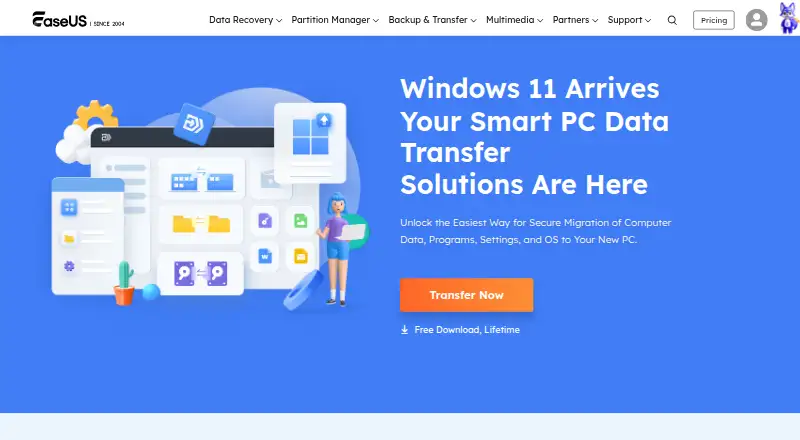
What EaseUS Todo PCTrans is
EaseUS Todo PCTrans transfers data, applications, user accounts, and personal files to a new PC or disk. It offers PC-to-PC transfer, Backup & Restore, and App Migration modes. The Pro page also describes moving accounts, passwords, profiles, personalization, and settings, and recovering files and programs from an unbootable computer through its old hard drive. Backups can be saved to a computer, USB external drive, network drive, Dropbox, or OneDrive. The product is for Windows PCs, with the Pro page listing Windows 11 support. Todo PCTrans Free is free and limits transfers to 2 GB of data and 5 programs; account transfer is listed. Free excludes dead-computer recovery and program-key scanning. Pro Monthly is $49.95 a month, Pro Yearly is $59.95 a year, and Pro Lifetime Upgrades is $69.95, paid once; each covers two computers. Server is $299 a year for two servers, and Technician is $399 a year for multiple PCs or servers and multiple-client service. EaseUS says it uses encryption and other measures to protect data in transit and storage.
Good
- Offers PC-to-PC, Backup & Restore, and App Migration modes.
- Backups can go to local, network, Dropbox, or OneDrive storage.
- Pro describes recovery from an unbootable computer.
- Technician includes multiple-client service.
Watch out
- Free is limited to 2 GB and 5 programs.
- Free excludes dead-computer recovery and program-key scanning.
Who it suits
Todo PCTrans suits Windows users moving files, applications, accounts, or settings to a new computer. Its modes also cover backups and app migration, while Pro describes recovery from an unbootable computer.
Verdict
Todo PCTrans covers several PC migration paths and provides backup destinations beyond the computer itself. The Free edition has clear transfer limits, while paid plans vary by term and license scope.
Plans and prices
From EaseUS Todo PCTrans's own pricing page, checked 30 Sep 2026.
| Plan | Price | What it gives you |
|---|---|---|
| Todo PCTrans Free | Free | 2 GB data · 5 programs · account transfer |
| Todo PCTrans Pro Monthly | $49.95 a month | 1 license for 2 computers · 1-month free upgrades · Auto-renew. Cancel anytime. |
| Todo PCTrans Pro Yearly | $59.95 a year | 1 license for 2 computers · 1-year free upgrades · Auto-renew. Cancel anytime. |
| Todo PCTrans Pro Lifetime Upgrades | $69.95, paid once | 1 license for 2 computers · lifetime free upgrades |
| Todo PCTrans Server | $299 a year | 1 license for 2 servers · 1-Year |
| Todo PCTrans Technician | $399 a year | 1 license for multiple PCs/servers · multiple-client service · 1-Year |
The facts
Each one read from EaseUS Todo PCTrans's own pages, with the date it was checked.
What it does
- Account migration
- The Pro page says it can migrate accounts, passwords, profiles, personalization, and settings to a new computer.checked 30 Sep 2026
- Business licensing
- The comparison page lists Technician as licensed for multiple PCs or servers and includes service to multiple clients.checked 30 Sep 2026
- Dead PC recovery
- The Pro page says it can recover files and programs from an unbootable computer by transferring data from its old hard drive.checked 30 Sep 2026
- Intended users
- The product page describes PC migration for people moving files, applications, and settings to a new computer.checked 30 Sep 2026
- Migration modes
- The product offers PC-to-PC transfer, Backup & Restore, and App Migration modes.checked 30 Sep 2026
- Purpose
- Todo PCTrans transfers data, applications, user accounts, and personal files to new PCs and disks.checked 30 Sep 2026
- Refund
- The purchase page says products come with a 30-day money-back guarantee.checked 30 Sep 2026
- Security
- EaseUS says its privacy policy uses encryption and other security measures to protect user data during transmission and storage.checked 30 Sep 2026
- Storage integrations
- Backup files can be saved to a computer, USB external drive, network drive, Dropbox, or OneDrive.checked 30 Sep 2026
- Support
- The purchase page advertises instant live chat and email support within 24 hours.checked 30 Sep 2026
The company
- Company founding
- EaseUS says the company was formally established in 2004.checked 30 Sep 2026
- Founded
- 2004checked 23 Sep 2026
Money
- Free edition limits
- The Free edition comparison lists a limit of 2 GB of data and 5 programs, and excludes dead-computer recovery and program-key scanning.checked 30 Sep 2026
Where it runs
- Windows support
- The Free edition comparison lists transfer support for Windows PCs; the Pro page says it works with Windows including Windows 11.checked 30 Sep 2026
The full review of EaseUS Todo PCTrans
EaseUS Todo PCTrans is a Windows utility for moving files, applications and user settings to another PC or disk. It is best suited to people replacing a computer who want to carry over more than documents. Its broad migration options are useful, but the free edition’s 2 GB and five-program caps make it a trial run rather than a full-PC solution.
Overview
Three modes—PC-to-PC transfer, Backup & Restore and App Migration—give Todo PCTrans several ways to handle a move. Selective transfer helps when you want to choose what comes across, while the backup destinations extend beyond the source and destination computers. Pro adds account and profile migration, and can retrieve files and programs from an unbootable computer’s old drive.
The trade-off is a sharply limited free edition and a paid lineup with different terms and license scopes. The product runs on Windows, including Windows 11 according to its Pro page. EaseUS was formally established in 2004.
Key features
- PC-to-PC transfer: Moves data between Windows PCs. Selective transfer is useful for a focused move, but the free edition’s 2 GB ceiling rules it out for larger migrations.
- Backup & Restore: Backup files can be saved to a computer, USB external drive, network drive, Dropbox or OneDrive. That range suits users who want a separate destination for a migration copy.
- App Migration: Moves applications to another PC or disk. Five programs in the free edition may cover a small setup, but not a typical library of installed software.
- Accounts and settings: Pro can migrate accounts, passwords, profiles, personalization and settings. That makes it more useful for preserving a familiar setup, though these capabilities sit behind a paid license.
- Unbootable-PC recovery: Pro can recover files and programs by transferring data from an old hard drive. This is a meaningful option when the old computer will not start; it is excluded from Free.
EaseUS says its privacy policy uses encryption and other security measures to protect data in transmission and storage. The purchase page advertises instant live chat and email support within 24 hours, plus a 30-day money-back guarantee.
Pricing
- Todo PCTrans Free — free: Includes 2 GB of data, five programs and account transfer. It is suitable for a small move or a check of the transfer workflow, but the data and program caps are restrictive for replacing a working PC. Dead-computer recovery and program-key scanning are excluded.
- Todo PCTrans Pro Monthly — $49.95 a month: One license for two computers and one month of free upgrades. It renews automatically but can be canceled anytime; the monthly term suits a short migration better than ongoing use, though it costs more per month than the annual option.
- Todo PCTrans Pro Yearly — $59.95 a year: One license for two computers and one year of free upgrades. Automatic renewal and cancellation anytime apply. This is the lower-cost Pro term for continued use, but commits the buyer to a year.
- Todo PCTrans Pro Lifetime Upgrades — $69.95, paid once: One license for two computers with lifetime free upgrades. It avoids renewal and is the clearest fit for buyers who expect to keep using the product; its upfront price is higher than one year of the annual plan.
- Todo PCTrans Server — $299 a year: One license for two servers, billed for one year. Choose it for a server-to-server use case rather than an individual PC move.
- Todo PCTrans Technician — $399 a year: One license for multiple PCs or servers, with service to multiple clients. That licensing scope is aimed at technicians handling client migrations, not a household replacing one computer.
The purchase page advertises a 30-day money-back guarantee. The Pro monthly and yearly terms renew automatically, while the lifetime option does not carry a renewal term.
Platforms
Todo PCTrans is for Windows PCs. Pro is described as supporting Windows 11; no other desktop platform is included.
Who it's for
Choose Todo PCTrans if you are moving to a new Windows computer or disk and want one tool for files, applications and, with Pro, accounts and settings. It is particularly relevant when backup destinations such as a network drive, Dropbox or OneDrive matter, or when you need the Pro recovery path for an unbootable PC. Look elsewhere if you need a full migration within Free’s 2 GB and five-program limits, or if you need a non-Windows migration tool.
Pros and cons
- Pro: PC transfer, backup/restore and application migration cover distinct moving needs rather than files alone.
- Pro: Backup destinations include USB, network storage, Dropbox and OneDrive, giving users more than a local-computer target.
- Pro: Pro account migration and recovery from an unbootable PC address setup and recovery tasks that a file-only move would leave behind.
- Con: Free stops at 2 GB and five programs, so most substantial PC moves require a paid plan.
- Con: Pro monthly and yearly plans auto-renew, so buyers who only need one migration must account for the term and cancel if they do not want another charge.
- Con: Free excludes dead-computer recovery and program-key scanning, limiting its usefulness when a failed PC or installed software details are central to the move.
Alternatives
PC Migration Software is the broader category to compare when you want to weigh migration tools against one another.
IObit Uninstaller is a Windows freemium option for removing apps, with batch uninstall, drag-and-drop uninstall and automatic leftover cleanup; choose it for uninstalling rather than migrating a PC.
Endstate offers a free self-hosted Windows product with unlimited machines, so it is worth considering when its listed platform and machine scope fit better.
ForensiT Transwiz is a free Windows alternative for readers comparing migration tools.
ManageEngine OS Deployer has a free tier for four workstations and one server, making it an option to compare for that stated fleet size.
Parallels Desktop is a paid option for Linux, macOS and Windows users considering desktop virtualization rather than a Windows PC migration.
IDEAL Remote is a paid, cross-platform option for administrators managing domains, servers and clients remotely.
FastMove offers one-time Windows licenses for one, three or five computers; compare it if a one-time purchase is preferable to Todo PCTrans’s renewing Pro terms.
USMTGUI is a paid Windows migration option with one-time Home pricing and a Home Pro tier that includes USMTGUI Offline.
Verdict
Todo PCTrans is a strong fit for Windows users who need to move applications and settings as well as files, especially when Pro’s account migration or unbootable-PC recovery matters. Its multiple transfer paths and backup destinations are the main reasons to choose it. Look elsewhere if you expect a substantial migration at no cost: the 2 GB and five-program limits make Free too small for that job, and Pro buyers should factor in the auto-renewing terms on monthly and yearly plans.
Getting started
- Visit the EaseUS Todo PCTrans website.
- Choose the Free edition or a listed paid plan.
- Install it on Windows PCs; the Pro page also lists Windows 11 support.
- Select PC-to-PC transfer, Backup & Restore, or App Migration.
- For backups, choose a computer, USB external drive, network drive, Dropbox, or OneDrive.
Limits worth knowing
The Free edition is limited to 2 GB of data and five programs, and excludes dead-computer recovery and program-key scanning. Pro plans include one license for two computers; Technician covers multiple PCs or servers and multiple-client service.
Questions
Is there a free plan?
Yes. Todo PCTrans Free is free and includes account transfer, with limits of 2 GB of data and five programs.
How much do the paid plans cost?
Pro Monthly is $49.95 a month, Pro Yearly is $59.95 a year, and Pro Lifetime Upgrades is $69.95, paid once. Server is $299 a year, and Technician is $399 a year.
Which platforms does it support?
Windows PCs are listed, and the Pro page says it works with Windows including Windows 11.
Can it recover data from a PC that will not boot?
The Pro page says it can recover files and programs by transferring data from the old hard drive. The Free edition comparison excludes this feature.
Where can backups be saved?
Backup files can be saved to a computer, USB external drive, network drive, Dropbox, or OneDrive.
Who makes Todo PCTrans?
EaseUS makes Todo PCTrans. The company says it was formally established in 2004.
Alternatives to EaseUS Todo PCTrans
- 1
Endstate
Free planOpen sourceLinuxmacOSSelf-hostedWindows7.8Free plan - 2
PC Migration Pro
Free planWindows6.5$19.95 one-time - 3
PickMeApp
Free planWindows6.5From $10 a year - 4
ForensiT User Profile Wizard
Free planWindows6.4From $3.50 a year - 5

ManageEngine OS Deployer
Free planWebWindows6.4From $645 a year - 6

Super Grate
Free planWindows6.4Free plan