FastMove
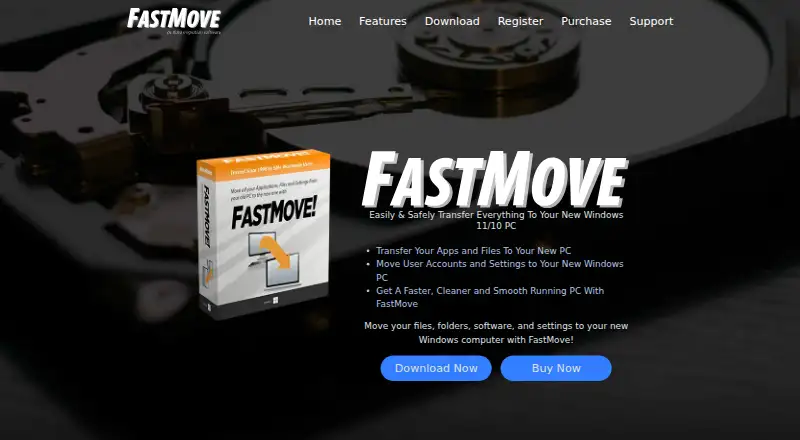
FastMove transfers files, folders, applications, settings, user data, and device drivers between Windows computers.
What FastMove is
FastMove transfers files, folders, applications, settings, user data, and device drivers between Windows computers. Users can select applications to move rather than reinstall them individually, and it can migrate accounts, passwords, desktop settings, and other profile data. It also transfers custom files, folders, and browser favorites without cloud uploading or USB copying. Its Sync Folders tool synchronizes and merges folders locally between PCs. FastMove communicates between source and target computers over a local network and supports Windows 7, 8, 10, and 11 in 32-bit and 64-bit versions. It is designed for home users and does not support roaming profiles or Windows NT Domains; it also cannot transfer data between Windows and Mac. The trial allows unlimited migration of custom files and favorites, but the full version is required for applications, users, drivers, and folder synchronization. Each license key applies to a source and target PC pair. A purchase unlocks the program indefinitely, while expiry affects access to free updates and email support.
Good
- Transfers applications, profiles, files, and drivers.
- Supports Windows 7, 8, 10, and 11.
- Moves favorites and files without cloud upload.
- Includes a tool for local folder synchronization.
Watch out
- Supports Windows only; no Windows-to-Mac transfer.
- Does not support roaming profiles or Windows NT Domains.
- Trial limits application, user, driver, and folder migration.
Who it suits
FastMove suits home users transferring data and programs from one Windows PC to another. It may also suit people who want to synchronize and merge folders locally between PCs.
Verdict
FastMove covers a broad set of Windows-to-Windows migration tasks, including programs, profiles, drivers, and folders. Its trial only includes file and favorite migration, and each license applies to a source-target computer pair.
Plans and prices
From FastMove's own pricing page, checked 30 Sep 2026.
| Plan | Price | What it gives you |
|---|---|---|
| 1 Computer · Online | $29.95, paid once | 1 computer · one-time |
| 3 Computers · Online | $39.95, paid once | 3 computers · one-time |
| 5 Computers · Online | $49.95, paid once | 5 computers · one-time |
| 1 Computer · Retail | $49.95, paid once | 1 computer · one-time |
| 10 Computers · Online | $59.95, paid once | 10 computers · one-time |
| 3 Computers · Retail | $99.95, paid once | 3 computers · one-time |
| 5 Computers · Retail | $179.95, paid once | 5 computers · one-time |
| 10 Computers · Retail | $249.95, paid once | 10 computers · one-time |
| Site license | Priced on request | Contact sales |
The facts
Each one read from FastMove's own pages, with the date it was checked.
The company
- Company
- FastMove is a WebMinds, Inc. product, and the site identifies WebMinds as its owner and copyright holder.checked 30 Sep 2026
- Headquarters
- Marco Island, Florida, USAchecked 28 Sep 2026
What it does
- Driver transfer
- FastMove can transfer device drivers to a new Windows computer.checked 30 Sep 2026
- Files and favorites
- FastMove transfers custom files, folders and browser favorites without uploading them to the cloud or copying them to a USB drive.checked 30 Sep 2026
- Folder sync
- Its Sync Folders tool can synchronize and merge folders between PCs and locally.checked 30 Sep 2026
- Home-user focus
- FastMove is designed for home users and does not support roaming profiles or Windows NT Domains.checked 30 Sep 2026
- License duration
- A purchased license unlocks the program forever, while its expiry controls access to free updates and email support.checked 30 Sep 2026
- License scope
- Each license key is valid for a pair of computers: one source PC and one target PC.checked 30 Sep 2026
- Network operation
- FastMove requires local network access to communicate between source and target PCs.checked 30 Sep 2026
- Program migration
- Users can select applications to transfer so they do not need to reinstall them individually.checked 30 Sep 2026
- Purpose
- FastMove transfers files, folders, software and settings between Windows computers.checked 30 Sep 2026
- Support
- FastMove provides a quick start guide, support tickets and an archive of current and past ticket responses.checked 30 Sep 2026
- User profiles
- FastMove migrates user accounts, passwords, desktop settings and other user data.checked 30 Sep 2026
Where it runs
- Platform limitation
- The FAQ says FastMove currently supports only Windows and cannot transfer data between Windows and Mac.checked 30 Sep 2026
- Windows support
- FastMove supports Windows 7, 8, 10 and 11 in both 32-bit and 64-bit versions.checked 30 Sep 2026
Money
- Trial limits
- The trial allows unlimited migration of custom files and favorites, while software, users, drivers and sync folders require the full version.checked 30 Sep 2026
Alternatives to FastMove
- 1
Endstate
Free planOpen sourceLinuxmacOSSelf-hostedWindows7.8Free plan - 2
EaseUS Todo PCTrans
Free planWindows6.6From $59.95 a year - 3
PC Migration Pro
Free planWindows6.5$19.95 one-time - 4
PickMeApp
Free planWindows6.5From $10 a year - 5
ForensiT User Profile Wizard
Free planWindows6.4From $3.50 a year - 6

ManageEngine OS Deployer
Free planWebWindows6.4From $645 a year