
ManageEngine OS Deployer
ManageEngine OS Deployer is a Windows operating-system deployment tool for workstations and servers.
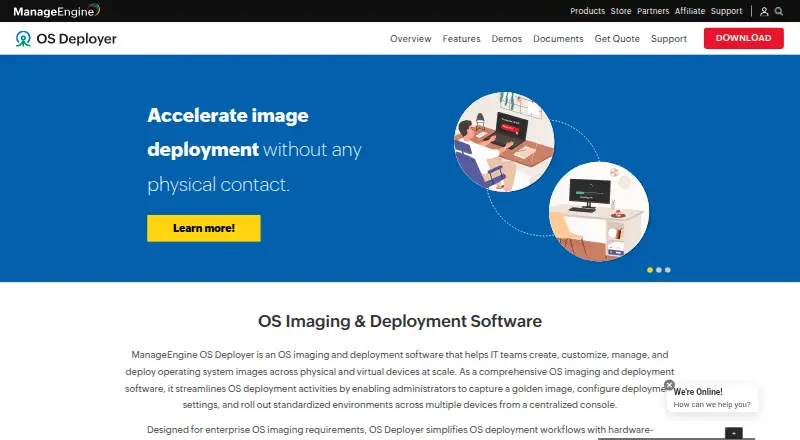
What ManageEngine OS Deployer is
ManageEngine OS Deployer is a Windows operating-system deployment tool for workstations and servers. It supports network and media deployment, including bare-metal, multicast, and unattended deployment, and includes driver injection. The product is available on web and Windows platforms. A free plan covers four workstations and one server. The Professional plan costs $645.00 per year and lists 100 workstations with one technician; Enterprise costs $745.00 per year and lists the same workstation and technician allowance. Both paid options are annual subscriptions that include support cost. A 30-day trial is listed. ManageEngine was founded in 1996 and is headquartered in Pleasanton, California, United States. The listed operating-system support is Windows, so the product's stated deployment scope is focused on Windows systems.
Good
- Supports bare-metal and unattended deployment.
- Multicast deployment is supported.
- Driver injection is included.
- Free plan covers four workstations and one server.
- Paid plans include support cost.
Watch out
- Listed operating-system support is Windows.
- Free plan covers only four workstations and one server.
- Professional costs $645.00 per year.
Who it suits
OS Deployer suits teams rolling out Windows operating systems to workstations or servers. Its free tier is for a small allowance, while the paid plans list 100 workstations and one technician.
Verdict
OS Deployer is focused on Windows rollout, with network and media methods and several deployment modes. Review the plan capacities and annual pricing against the number of systems you need to deploy.
Plans and prices
From ManageEngine OS Deployer's own pricing page, checked 20 Sep 2026.
| Plan | Price | What it gives you |
|---|---|---|
| Free | Free | 4 workstations · 1 server · billed annually |
| Professional | $645 a year | 100 workstations · 1 technician · Annual subscription price for 100 workstations including support cost, single technician |
| Enterprise | $745 a year | 100 workstations · 1 technician · Annual subscription price for 100 workstations including support cost, single technician |
The facts
Each one read from ManageEngine OS Deployer's own pages, with the date it was checked.
The company
- Founded
- 1996checked 23 Sep 2026
- Headquarters
- Pleasanton, California, United Stateschecked 23 Sep 2026
The full review of ManageEngine OS Deployer
Overview
ManageEngine OS Deployer is Windows-focused software for rolling out operating systems to workstations and servers. It suits IT teams that need bare-metal deployment through network or media, including unattended rollout and driver injection. Its key trade-off is clear: useful deployment capabilities come with workstation and technician limits that buyers should match carefully to their fleet.
Key features
Bare-metal deployment makes OS Deployer relevant when systems need an operating system installed from scratch, rather than only a migration between existing setups. Network and media deployment provide two rollout routes, while multicast can help when deploying to multiple systems over a network. Unattended deployment reduces the need for staff to guide each installation, and driver injection addresses driver setup as part of the process.
These capabilities make it a focused choice for Windows provisioning, not a general-purpose cross-platform deployment tool. Its stated operating-system support is Windows, so organizations managing mixed Linux or macOS fleets should compare alternatives built for broader platform coverage.
Pricing
The Free plan costs nothing, billed annually, and covers 4 workstations and 1 server. That is a sensible starting point for a small environment or a limited rollout, but the workstation cap makes it unsuitable for larger fleets.
Professional costs $645 a year for 100 workstations and 1 technician. It includes support cost, making it the entry paid option for a team deploying across a defined workstation group. Enterprise costs $745 a year for the same stated 100 workstations and 1 technician, also including support cost. The $100 annual difference is modest, but the stated capacities are identical; buyers should establish which Enterprise capabilities they need before paying more.
A 30-day trial gives teams a chance to assess fit before committing. The listed paid capacities are tied to one technician, so organizations needing multiple operators or more than 100 workstations should account for that constraint in their plan decision.
Platforms
OS Deployer is available as web and Windows software, and its operating-system support is Windows. That combination suits teams administering Windows deployments through a browser-accessible service or Windows environment, but it does not cover a mixed-OS deployment requirement on its own.
Who it's for
OS Deployer is best for IT administrators responsible for repeatable Windows installation across a small or mid-sized fleet, particularly where bare-metal, unattended, multicast, or driver-injection workflows matter. The free tier suits very small deployments; Professional and Enterprise target a single technician managing up to 100 workstations. It is a weaker fit for larger teams, larger workstation counts, or organizations looking for stated support for non-Windows operating systems.
Pros and cons
- Pros: Bare-metal, unattended, multicast, and driver-injection support give Windows administrators useful options for provisioning and rollout.
- Pros: The free plan includes both workstation and server capacity, providing a limited way to begin without a paid subscription.
- Cons: Free is capped at 4 workstations and 1 server, which quickly rules it out for larger deployments.
- Cons: Both paid plans specify 100 workstations and one technician, limiting scale and operator coverage at their stated capacities.
- Cons: Windows-only operating-system support makes it a poor single-tool choice for heterogeneous fleets.
Alternatives
For a broader comparison, start with the OS Deployment Software or PC Migration Software lists. Choose OPSI when broader platform coverage matters: it supports API, Linux, macOS, self-hosted, web, and Windows, and its Community plan is free for unlimited devices with one worker process. Canonical MAAS is a free option for Linux-oriented, self-hosted environments; its Self-support plan covers all machines but excludes HA support and several support and access features.
Foreman is worth considering for teams seeking free, open-source, self-managed deployment software. Clonezilla is another free, open-source option, with platform coverage spanning Linux, macOS, self-hosted, and Windows. DeployR Enterprise is a paid alternative with a free trial and Linux, self-hosted, web, and Windows platform coverage; its listed public-sector plan is priced per endpoint.
OpenStack Ironic is a free alternative for API, Linux, and self-hosted environments. Macrium SiteDeploy is a paid, Windows-capable option with a free trial and a Core plan starting at $20 a year per endpoint. FOG Project is a free alternative that supports Linux, macOS, self-hosted, web, and Windows, with free commercial use and community support.
Verdict
Choose ManageEngine OS Deployer if a single technician needs focused Windows rollout tools, especially bare-metal and unattended deployment, and the fleet fits the plan limits. Its practical strengths are the deployment methods and built-in driver injection; the main reasons to look elsewhere are the 100-workstation paid-plan capacity, single-technician scope, and Windows-only support.
Alternatives to ManageEngine OS Deployer
- 1
Endstate
Free planOpen sourceLinuxmacOSSelf-hostedWindows7.8Free plan - 2
EaseUS Todo PCTrans
Free planWindows6.6From $59.95 a year - 3
PC Migration Pro
Free planWindows6.5$19.95 one-time - 4
PickMeApp
Free planWindows6.5From $10 a year - 5
ForensiT User Profile Wizard
Free planWindows6.4From $3.50 a year - 6

Super Grate
Free planWindows6.4Free plan