
EmploTime
EmploTime is a web-based time and attendance system for employees to clock in and out and for administrators to review employee time.
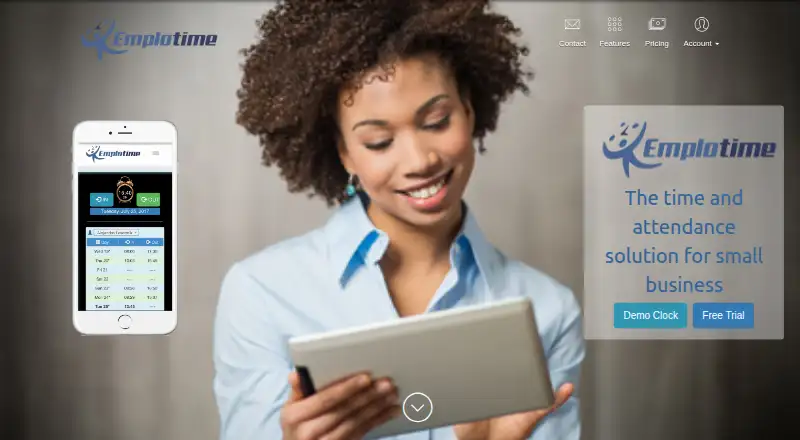
What EmploTime is
EmploTime is a web-based time and attendance system for employees to clock in and out and for administrators to review employee time. It is designed around the basic needs of small and medium businesses and stores. Employees can use a web clock from PCs, tablets, or mobile phones, and authorized devices can serve as company clocks. Administrators can view, print, save, and export reports in PDF, Word, and Excel formats. Timekeeping tools include buddy punch lockout, geolocation when clocking, clock-out notes, overtime and exception reports, automatic break deduction, multiple punching, and PTO/UTO management. The service also sends real-time clock-in and clock-out notifications. There is no free plan; after the trial, employees cannot use the virtual clock and customers cannot view transactions until they acquire a yearly plan. EmploTime is listed for Android, iOS, Linux, macOS, web, and Windows, and advertises free 24/7 support.
Good
- Clock-in is available from PCs, tablets, and mobile phones.
- Reports export to PDF, Word, and Excel.
- Includes geolocation and buddy punch lockout.
- Sends real-time clock-in and clock-out notifications.
- Free 30-day trial requires no credit card.
Watch out
- No free plan is listed.
- Virtual clock use stops after the trial until a yearly plan is acquired.
- Plans have employee limits, from 5 to 200 on annual options.
Who it suits
EmploTime suits small and medium businesses and stores that need employee clock-ins, attendance reports, and break tracking across computer and mobile devices. Its tools also cover PTO/UTO management and overtime reporting.
Verdict
EmploTime combines clock-ins, attendance reporting, break deductions, and leave management in a web-based system. Check the employee limits and the post-trial restriction before choosing a plan.
Plans and prices
From EmploTime's own pricing page, checked 9 Oct 2026.
| Plan | Price | What it gives you |
|---|---|---|
| Plan 1 | $5 a month | Up to 5 employees · Emplotime Web Clock · PDF, Word and Excel report exports · Real time In/Out notifications · Billed Annually; shown as $5 USD / Month |
| Plan 2 | $10 a month | Up to 10 employees · Emplotime Web Clock · PDF, Word and Excel report exports · Real time In/Out notifications · Billed Annually; shown as $10 USD / Month |
| Plan 3 | $20 a month | Up to 20 employees · Emplotime Web Clock · PDF, Word and Excel report exports · Real time In/Out notifications · Billed Annually; shown as $20 USD / Month |
| Monthly Plan | $25 a month | Up to 20 employees · Emplotime Web Clock · PDF, Word and Excel report exports · Real time In/Out notifications · Billed Monthly; shown as $25 USD / Month |
| Plan 4 | $50 a month | Up to 50 employees · Emplotime Web Clock · PDF, Word and Excel report exports · Real time In/Out notifications · Billed Annually; shown as $50 USD / Month |
| Plan 5 | $100 a month | Up to 100 employees · Emplotime Web Clock · PDF, Word and Excel report exports · Real time In/Out notifications · Billed Annually; shown as $100 USD / Month |
| Plan 6 | $200 a month | Up to 200 employees · Emplotime Web Clock · PDF, Word and Excel report exports · Real time In/Out notifications · Billed Annually; shown as $200 USD / Month |
The facts
Each one read from EmploTime's own pages, with the date it was checked.
Money
- After trial
- The FAQ says employees cannot use the virtual clock and customers cannot see transactions after the trial until they acquire a yearly plan.checked 9 Oct 2026
- Trial
- The FAQ describes a free 30 day subscription trial with no credit card required.checked 9 Oct 2026
What it does
- Clock locations
- The maker says customers can authorize unlimited clocks, including a reception tablet or employees’ PCs.checked 9 Oct 2026
- Data handling
- The maker says it will not share customer information and does not retain credit card information because payments use 2Checkout.checked 9 Oct 2026
- Intended customers
- The maker says the service is designed to cover the basic needs of small and medium business companies and stores.checked 9 Oct 2026
- Notifications
- EmploTime offers real time notifications when an employee clocks in or out.checked 9 Oct 2026
- Privacy
- The privacy page says account holders can delete employee data in the admin portal and that closed account information is generally deleted within 30 days of closure.checked 9 Oct 2026
- Product
- EmploTime is a web based time and attendance system that lets employees clock in and out and administrators review employee time.checked 9 Oct 2026
- Reports
- Administrators can view, print, save, and export employee reports in PDF, Word, and Excel formats.checked 9 Oct 2026
- Support
- The maker advertises free 24/7 support and lists support by email at [email protected].checked 9 Oct 2026
- Timekeeping features
- Features include buddy punch lockout, geolocation at clocking time, notes on clock-out, overtime reports, exception reports, automatic break deduction, multiple punching, and PTO/UTO management.checked 9 Oct 2026
The company
- Ownership
- The About Us page says the application belongs to HousesInvestor LLC under the management of Galit Galia Lasebnik.checked 9 Oct 2026
Where it runs
- Supported devices
- The responsive app can be used on PCs, tablets, and mobile phones, with authorized devices serving as company clocks.checked 9 Oct 2026
Alternatives to EmploTime
- 1

Jibble
Free planAndroidiOSWebAPI8.0From $4.49 a month - 2

Workforce.com
AndroidiOSWebAPI7.9From C$12.80 a month - 3
QuickBooks Time
AndroidiOSWebAPI7.8From $20 a month - 4

Timeero
AndroidiOSWebAPI7.7From $5 a month - 5

Fareclock
Free planAndroidiOSWebLinux7.5Free plan - 6

PunchFlow
Free planAndroidiOSWebmacOS7.4From A$10 a month