DocControl
DocControl is a web-based document control and management system for small and medium-sized businesses, with Android and iOS apps.
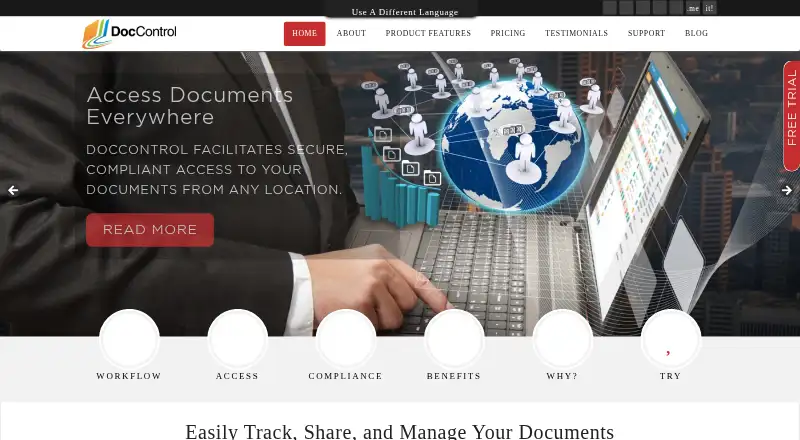
What DocControl is
DocControl is a web-based document control and management system for small and medium-sized businesses, with Android and iOS apps. It supports document uploads, approval workflows, revision control, digital signatures, and automatic PDF conversion. Revision controls keep the current SOP version viewable while retaining previous revisions for review or audit. Document groups provide granular permissions, and user groups can inherit shared access settings. At approval, documents convert to PDF, with options for watermarks, headers, footers, encryption, and password protection. DocControl describes workflows for biotechnology and life sciences companies, including quality records such as CAPAs and SOPs. The maker says its time-stamped audit trail exceeds 21 CFR Part 11 requirements. Hosting is on Amazon servers, and the maker says databases are backed up daily to multiple off-site locations. Plans are billed monthly and can be canceled at any time; the Basic plan costs $49/Month for 2 users, 1 GB of storage, and unlimited documents. A 30-day free trial does not require a credit card.
Good
- Supports approvals, revision control, and digital signatures
- Preserves earlier revisions for review or audit
- Offers a 30-day trial without a credit card
- Monthly subscriptions can be canceled at any time
Watch out
- Basic is $49/Month
- Basic includes 2 users and 1 GB of storage
- No free plan
Who it suits
DocControl suits small and medium-sized businesses that need controlled document approval, revision history, and permissions. Its described workflows are particularly relevant to biotechnology and life sciences quality records.
Verdict
DocControl combines document workflows, revision tracking, access controls, and PDF handling, with plans starting at $49/Month. Review each plan's user and storage limits against your needs; the listed Basic tier is limited to 2 users and 1 GB.
Plans and prices
From DocControl's own pricing page, checked 15 Oct 2026.
| Plan | Price | What it gives you |
|---|---|---|
| Basic | $49 a month | 2 Users · 1 GB of storage · Unlimited Documents · $49/Month |
| Intermediate | $99 a month | 5 Users · 5 GB of storage · Unlimited Documents · $99/Month |
| Advanced | $299 a month | 15 Users · 15 GB of storage · Unlimited Documents · $299/Month |
| Expert | $499 a month | 60 Users · 50 GB of storage · Unlimited Documents · $499/Month |
| Giga | $750 a month | 200 Users · 50 GB of storage · Unlimited Documents · $750/Month |
The facts
Each one read from DocControl's own pages, with the date it was checked.
What it does
- Access controls
- Document groups support granular access permissions, and user groups can inherit shared permissions.checked 29 Sep 2026
- API and SDKs
- The official pages reviewed provide no public API reference, SDK download or developer portal.checked 15 Oct 2026
- Audit trail
- The user guide describes a full audit trail intended to comply with FDA 21 CFR Part 11.checked 15 Oct 2026
- Backups
- The maker says databases are backed up daily and transferred securely to multiple off-site disaster-recovery locations.checked 15 Oct 2026
- Compliance claim
- The maker describes DocControl as HIPAA and 21 CFR Part 11 compliant.checked 15 Oct 2026
- Customer footprint
- The maker reports more than 50 corporate clients, over 5,000 documents added and more than 30,000 generated PDFs.checked 15 Oct 2026
- Document groups
- Documents are organized in hierarchical groups and subgroups whose permissions can be inherited by contained files.checked 15 Oct 2026
- Document workflows
- The product supports document upload, approval, revision control, digital signatures, and automatic PDF conversion.checked 29 Sep 2026
- Electronic signatures
- Electronic documents can receive automated sign-offs containing signer name, date, time and signature meaning.checked 15 Oct 2026
- Hosting
- The maker says its server farm runs on Amazon infrastructure with redundant facilities and 24/7 engineering staffing.checked 15 Oct 2026
- Hosting and backup
- The maker says its server infrastructure is on Amazon servers and that databases are backed up daily to multiple off site locations.checked 29 Sep 2026
- Licence
- The official pages reviewed do not state an open-source or proprietary software licence.checked 15 Oct 2026
- Limit: customization
- Zoftware says some customizations can be difficult and may require technical expertise.checked 15 Oct 2026
- Limit: learning curve
- Zoftware says advanced features can require a substantial learning period even though basic use is easier.checked 15 Oct 2026
- Limit: mobile
- Zoftware reports that the mobile application lacks some functions available in the desktop version.checked 15 Oct 2026
- Limit: performance
- Zoftware reports occasional slow loading or lag, particularly with large files or peak usage.checked 15 Oct 2026
- Limit: pricing
- Zoftware reports complaints that pricing can be confusing or high versus competitors, especially for add-ons and scaling.checked 15 Oct 2026
- Limit: updates
- Zoftware reports that some users experienced temporary disruption or adaptation work after updates.checked 15 Oct 2026
- Mobile access
- The maker states that DocControl is enabled for Android and iPad access.checked 15 Oct 2026
Where it runs
- Approval workflow
- Assigned approvers must approve uploaded or revised documents before they become available to permitted users.checked 15 Oct 2026
- Browser deployment
- The interface is HTML5-based and requires no software installation.checked 15 Oct 2026
The company
- Headquarters
- Christchurch, New Zealandchecked 28 Sep 2026
- Maker legal name
- The contact page identifies the maker as QMS ECommerce Solutions Ltd.checked 15 Oct 2026
- Maker location
- The contact page lists 23 St. Martins Road, Christchurch, New Zealand.checked 15 Oct 2026
The full review of DocControl
Overview
DocControl is a document control and management system for small and medium-sized businesses, with workflows for approval, revision control, signatures and PDF conversion. It is best suited to teams managing controlled procedures and quality records; its chief trade-off is that even the entry plan charges $49/Month and caps teams at two users and 1 GB.
Its focus on keeping current procedures distinct from prior revisions, coupled with granular permissions and configurable PDF output, makes it a focused option for document-heavy work. Teams needing more seats or storage must move up quickly through the paid tiers.
Key features
Approval workflows carry documents through review, while electronic signatures support sign-off. On approval, documents convert to PDF, which can be configured with watermarks, headers, footers, encryption and password protection. That combination suits organizations that need a consistent approved copy, though PDF controls do not remove the need to choose a plan with enough storage for the resulting document library.
Revision control keeps only the current SOP version viewable while retaining earlier revisions for review or audit. This is a practical safeguard against staff using superseded procedures, and the retained history gives reviewers a record of prior versions. DocControl also says its secure, time-stamped audit trail exceeds 21 CFR Part 11 requirements; that claim may matter to regulated teams, but it is not a substitute for assessing fit with an organization’s own compliance obligations.
Document groups allow granular access permissions, and user groups can inherit shared permissions. This helps teams separate access by group without setting every permission from scratch. Expiry controls are also included. The maker says its infrastructure runs on Amazon servers and databases are backed up daily to multiple off-site locations, a useful stated safeguard for business records.
Pricing
All five plans include unlimited documents, but user and storage limits determine how far each goes. Subscriptions are billed monthly, have no long-term contract and can be canceled at any time.
| Plan | Price | Included limits | Best fit |
|---|---|---|---|
| Basic | $49/Month | 2 users; 1 GB | A very small team with a compact document library. |
| Intermediate | $99/Month | 5 users; 5 GB | A small group needing more room for users and files. |
| Advanced | $299/Month | 15 users; 15 GB | A growing team that needs a broader seat allowance. |
| Expert | $499/Month | 60 users; 50 GB | A larger organization that can use the increased user ceiling. |
| Giga | $750/Month | 200 users; 50 GB | A large team whose main need is more user seats, not more storage. |
The lower tiers keep costs down but impose tight seat and storage ceilings: Basic is especially restrictive for a shared business system, while Intermediate and Advanced offer measured room to grow. Expert raises the ceiling to 60 users without increasing storage beyond 50 GB; Giga adds seats to 200 but keeps that same storage cap. Buyers needing more than Giga’s 200 users or 50 GB should contact the company.
A 30-day free trial is available without a credit card, giving teams a chance to assess the workflow before subscribing. There is no free plan.
Platforms
DocControl supports web, Android and iOS. That gives teams mobile as well as browser access, though the core use case remains management of controlled business documents.
Who it's for
Biotechnology and life sciences companies are a natural audience: DocControl describes workflows for those industries and quality records such as CAPAs and SOPs. Small and medium-sized businesses that need approvals, revision history and permission controls can also benefit, provided their team and storage needs fit the plan ceilings. It is less compelling for teams that need a free starting tier or expect substantial storage growth without a corresponding plan change.
Support resources include a user guide, quick-start guide, videos, FAQs and customer support for product queries. Those materials provide several routes for teams learning the system, without changing the importance of checking the plan’s practical limits first.
Pros and cons
- Pros: Revision control keeps current SOPs distinct from retained prior versions, helping reduce the risk of relying on an obsolete procedure.
- Pros: Approval workflows, electronic signatures and configurable PDF safeguards address several steps in a controlled-document process.
- Pros: Monthly billing, cancellation at any time and a 30-day trial without a credit card reduce commitment before purchase.
- Cons: Basic costs $49/Month but permits only two users and 1 GB, limiting its usefulness for teams beyond a very small group.
- Cons: Giga reaches 200 users but still caps storage at 50 GB, so larger teams with substantial document libraries may need a custom arrangement.
- Cons: There is no free plan for ongoing use.
Alternatives
Browse Document Control Software for more options in the category. QMSdesk is another paid web-based option, with API support and a Growth & Mid-Market annual tier. Choose AssurX Document Management if you want a paid document-management alternative with Android, iOS, web, API and self-hosted platforms; it has no free trial.
QT9 QMS may suit teams that need Linux, macOS or Windows support, or self-hosted deployment; it is paid, offers a trial and uses annual licensing with custom pricing. QualiVault is worth considering when a free tier matters: its perpetual free plan has a hard cap of two seats and 50 KB of document storage, and its Basic plan is $9.99 per month.
aptEDMS may fit a project needing unlimited users and 1 TB of documents; its A project plan is £400 a month, with monthly or annual billing and no contract term. Qualio is another paid web option with API support, annual recurring subscription and a quote-based Foundation plan that includes five edit users. Intellect QMS is a paid Android, iOS and web option spanning quality management, training, lean operations, environmental health and safety, and document control. For a freemium web-based alternative, GatesFlow QMS has a free plan and paid plans starting at $20 a month.
Verdict
DocControl is a strong fit for small and medium-sized businesses, especially life sciences teams, that need controlled SOP revisions, approvals, signatures and access rules in one document workflow. Its focused controls and flexible PDF safeguards are the reasons to choose it; its entry-tier limits and Giga’s 50 GB storage ceiling are the reasons to look elsewhere if users or document volume will grow beyond them.