
Dine Out Pro Drive-Thru Software
Dine Out Pro Drive-Thru Software is a restaurant POS system for drive-thru and curbside pickup operations, available on Android and the web.
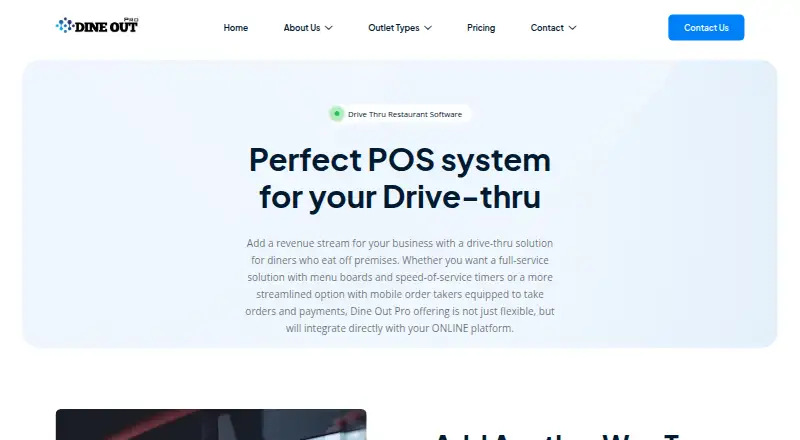
What Dine Out Pro Drive-Thru Software is
Dine Out Pro Drive-Thru Software is a restaurant POS system for drive-thru and curbside pickup operations, available on Android and the web. Its POS covers inventory tracking, kitchen order tracking and restaurant billing, with dedicated screens for orders and payments. Orders can go to a kitchen display or multiple KOT printers, and item modifiers let staff adjust dishes to customer choices. The system provides order-time reports and real-time speed-of-service metrics. Restaurants can update outdoor digital menu content, pricing and nutritional information from a web-enabled device. The vendor also describes multiple-location management and direct integration with its online platform. Its services information lists compatibility with Saudi Arabia's ZATCA Phase 2 integration and customized staff access intended to protect sensitive data. Plan descriptions include Basic with Android mobile billing and basic reports; Premium with POS billing and KOT and TAB ordering; and Enterprise with multiple-location handling, POS and mobile billing, inventory and accounts modules. Pricing is on request. Plan descriptions list different staff-account and terminal limits, along with offline and online modes.
Good
- Dedicated drive-thru order and payment screens
- Kitchen orders can go to displays or multiple printers
- Order-time reports and real-time service metrics
- Digital menu updates from web-enabled devices
- Multiple-location handling is listed
Watch out
- Pricing is on request
- Basic lists 2 staff accounts
- Premium lists 1–2 terminals
- Enterprise lists 8 staff accounts
Who it suits
It is aimed at restaurants operating drive-thru or curbside pickup, from small restaurants and kiosks to larger chains. The listed plans and features include options for multi-location operations and kitchen coordination.
Verdict
Dine Out Pro covers drive-thru ordering, kitchen coordination and service-speed reporting, with plan descriptions spanning small operations to chains. Pricing must be requested, and plan descriptions specify different account and terminal limits.
Plans and prices
From Dine Out Pro Drive-Thru Software's own pricing page, checked 2 Oct 2026.
| Plan | Price | What it gives you |
|---|---|---|
| Basic Plan | Priced on request | 2 staff accounts · Android Mobile Billing · Web Module · Basic Reports · Multi Section · Offline - Online Mode |
| Enterprise Plan | Priced on request | 8 staff accounts · Multi Location Handling · POS Billing and Mobile Billing · Basic Inventory Module · Basic Accounts Module · Offline - Online Mode |
| Premium Plan | Priced on request | 4 staff accounts · 1–2 terminals · POS Billing · KOT and TAB Ordering · Web Module · Offline - Online Mode |
The facts
Each one read from Dine Out Pro Drive-Thru Software's own pages, with the date it was checked.
What it does
- Curbside pickup
- The vendor describes the drive-thru system as a complete drive-thru and curbside pickup POS.checked 2 Oct 2026
- Customization
- Item modifiers let restaurants modify menu dishes according to customer choice.checked 2 Oct 2026
- Digital menu board
- Restaurants can update digital outdoor menu content, pricing, and nutritional information from any web-enabled device.checked 2 Oct 2026
- Intended customers
- The pricing page positions Basic for kiosks and small restaurants, Premium for medium restaurants, and Enterprise for large restaurant chains.checked 2 Oct 2026
- Kitchen orders
- Orders can be sent to a KOT display or multiple KOT printers.checked 2 Oct 2026
- Multiple locations
- The drive-thru page says the software supports managing multiple locations.checked 2 Oct 2026
- Online integration
- The vendor says its drive-thru offering integrates directly with its online platform.checked 2 Oct 2026
- Order and payment screens
- Dedicated drive-thru order and payment screens are described as reducing confusion and re-work.checked 2 Oct 2026
- Order-time reporting
- The drive-thru product offers order-time tracking reports and real-time speed-of-service metrics.checked 2 Oct 2026
- Staff access
- The services page says customized staff access is available to prevent unauthorized access to sensitive data.checked 2 Oct 2026
- Support
- The Basic plan lists 24/7 email and live chat support; Premium and Enterprise list 24/7 online and onsite support.checked 2 Oct 2026
- ZATCA compatibility
- The services page says the restaurant software is compatible with Saudi Arabia's ZATCA Phase 2 integration.checked 2 Oct 2026
Where it runs
- Drive-thru POS
- The drive-thru POS is described as managing inventory tracking, kitchen order tracking (KOT), and restaurant billing.checked 2 Oct 2026
The full review of Dine Out Pro Drive-Thru Software
Dine Out Pro Drive-Thru Software is a cloud-deployed restaurant system focused on drive-thru and curbside operations. It fits operators that need ordering, kitchen coordination and service-speed oversight in one product, from independent sites to chains. The main trade-off is custom pricing combined with different staff-account and terminal limits by plan.
Overview
Dine Out Pro combines drive-thru point-of-sale functions with curbside pickup workflows. Its POS covers inventory tracking, kitchen order tracking and restaurant billing, while dedicated ordering and payment screens are intended to reduce confusion and re-work at the lane. Support for multiple locations gives larger operators a way to manage more than one restaurant within the same offering.
The cloud model suits businesses that want browser-based administration and centralized access. Android support also accommodates mobile billing scenarios. However, the plan descriptions do not confirm that every drive-thru capability appears in every tier, so package scope matters when comparing locations.
Key features
Ordering and kitchen coordination
Staff can use item modifiers to adapt dishes to customer choices, a practical requirement for complex menus. Orders can be sent to a kitchen order display or to multiple KOT printers, allowing restaurants to match routing with their existing preparation setup. Lane management and kitchen coordination are explicitly supported, making the product more than a basic checkout tool.
Menus, reporting and integrations
Managers can update outdoor digital-menu content, prices and nutritional information from any web-enabled device. That remote control is useful when menu changes need to reach a drive-thru quickly without local reconfiguration. Order-time reports and real-time speed-of-service metrics provide throughput analytics for identifying slow stages in service.
The vendor says the drive-thru system integrates directly with its online platform, which can connect in-store lane activity with online ordering. The services offering also describes compatibility with Saudi Arabia’s ZATCA Phase 2 integration and customized staff access intended to restrict sensitive data.
Pricing
All three published plans use custom pricing, so a buyer must request a quote. Their stated limits make the intended audience clear:
| Plan | Included scope | Best fit |
|---|---|---|
| Basic Plan | 2 staff accounts, Android mobile billing, web module, basic reports, multi-section support, offline-online mode, plus 24/7 email and live chat support | Kiosks and small restaurants |
| Premium Plan | 4 staff accounts, 1–2 terminals, POS billing, KOT and TAB ordering, web module, offline-online mode, plus 24/7 online and onsite support | Medium restaurants |
| Enterprise Plan | 8 staff accounts, multi-location handling, POS and mobile billing, basic inventory and basic accounts modules, offline-online mode, plus 24/7 online and onsite support | Large restaurant chains |
Basic has the lowest stated capacity and limits reporting to basic reports, making it a sensible starting point for a small operation but a poor match for a chain or a site needing several terminals. Premium adds POS billing and KOT/TAB ordering, with a two-terminal ceiling at most, while Enterprise raises the account allowance and adds multi-location handling. The published descriptions do not give a higher terminal count for Enterprise, so larger rollouts should confirm capacity during quoting.
Platforms
Dine Out Pro runs in the cloud and is offered on Android and the web. Basic specifically includes Android mobile billing, while the plan descriptions also include a web module. This combination favors restaurants that want browser administration with Android-based mobile transactions.
Who it's for
Basic is aimed at kiosks and small restaurants with two staff accounts. Premium is better suited to a medium restaurant that needs POS billing, kitchen-order and TAB ordering, and up to two terminals. Enterprise is the logical tier for large chains because it includes multi-location handling, mobile and POS billing, and expanded account capacity. Restaurants operating in Saudi Arabia may also value the stated ZATCA Phase 2 compatibility.
Pros and cons
Pros
- Drive-thru and curbside workflows are combined with billing, inventory and kitchen-order tracking.
- Dedicated order and payment screens, modifiers and KOT routing address common lane-to-kitchen handoff problems.
- Digital menu updates, speed-of-service metrics and order-time reports support active throughput management.
- Multiple-location handling and customized staff access support more controlled chain operations.
- Premium and Enterprise include 24/7 online and onsite support.
Cons
- Every plan requires custom pricing, making direct budget comparison difficult.
- Basic is limited to two staff accounts and basic reports.
- Premium allows only one to two terminals, which may constrain busier sites.
- Enterprise lists eight staff accounts and basic inventory and accounts modules; larger deployments should verify whether those limits and modules are sufficient.
Alternatives
Consider SoundHound instead if you need a freemium Android or iOS product: its free plan includes ads, while SoundHound∞ costs 6.99 USD once and removes ads, but it is not presented as a comparable restaurant drive-thru suite.
Solink Drive-Thru AI is another paid option on Android, iOS and the web. Choose PAR Ordering if you prefer a paid Android, iOS and web product with demo-based quoting from PAR Ordering. Qu Drive-Thru is a paid Android and iOS alternative with pricing on request.
DRIVETHRUiQ is a paid web-only alternative. Fingermark Eyecue offers paid Android, iOS and web deployment with custom pricing and a personalized demo. Graivy ServThru is a paid web product quoted through a demo, while Huex AIDA is another paid web option.
For a broader shortlist, browse Restaurant Drive-Thru Software.
Verdict
Dine Out Pro is a strong candidate for restaurants that want drive-thru and curbside billing tied to kitchen routing, menu control and measurable service speed, particularly across multiple locations. Choose it when those connected workflows and support options outweigh the need for transparent pricing. Look elsewhere if fixed pricing, larger published terminal allowances or a clearly defined feature set per tier is essential.
Alternatives to Dine Out Pro Drive-Thru Software
- 1

SoundHound
Free planAndroidiOSWebAPI8.1$5.99 one-time - 2
Toast
Free planAndroidiOSWebAPI7.6From $69 a month - 3
Solink Drive-Thru AI
AndroidiOSWeb6.6 - 4
Qu Drive-Thru
AndroidiOS6.0 - 55.9From $475 a month
- 6

Fingermark Eyecue
AndroidiOSWeb5.9