
Deciphr
Deciphr is a web service that turns audio, video, or document files into a content suite.
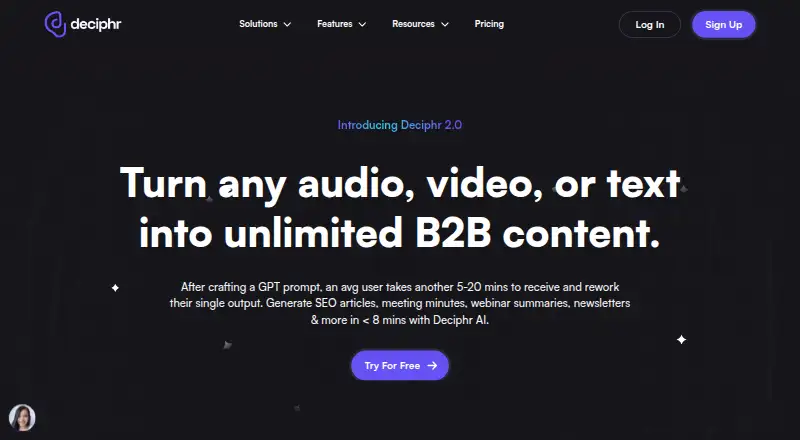
What Deciphr is
Deciphr is a web service that turns audio, video, or document files into a content suite. Outputs can include transcripts, show notes, summaries, articles, social captions, tweet threads, quotes, and chapter timestamps. The service is aimed at podcasters, webinar hosts, and video creators, and says it generates a suite from an audio file in less than seven minutes. Users can bulk upload from a YouTube channel, playlist, or RSS feed. An interactive library can answer questions about files and folders, generate ideas, summarize files, and organize the library by subject. The in-app editor supports customization of articles, audiograms, and video reels. The free plan offers text-only content for up to 40 minutes. Professional subscribers receive audiograms and video reels; its plan costs $64 a year, billed yearly. Hobbyist costs $24 a year, billed yearly, and offers up to 240 minutes of text-only content. Deciphr currently supports US English files and generates US English content. Uploaded files and generated content are private by default unless shared.
Good
- Generates transcripts, summaries, and social content.
- Accepts batch uploads from YouTube or RSS.
- Library can answer questions about files.
- Free plan includes up to 40 minutes.
- Uploaded content is private by default.
Watch out
- Supports US English only.
- Free plan provides text-only content.
- Hobbyist costs $24 a year, billed yearly.
Who it suits
Deciphr suits podcasters, webinar hosts, and video creators who want written materials generated from recordings or documents. Visual outputs are listed for Professional subscribers.
Verdict
Deciphr turns media and documents into written materials, with visual content listed for Professional subscribers. Check the language and minute limits against your needs before choosing a plan.
Plans and prices
From Deciphr's own pricing page, checked 1 Oct 2026.
| Plan | Price | What it gives you |
|---|---|---|
| Flexi Free | Free | text-only content suite · up to 40 minutes |
| PAYG Written Content Power-Up | $19, paid once | 120 minutes written content |
| PAYG Written and Visual Content Power-Up | $39, paid once | 120 minutes written and visual content |
| Hobbyist | $288 a year | text-only content suite · up to 240 minutes · real-time content editor · AI Assistant · $288.00 per year (= $24.00/month, billed annually) |
| Professional | $768 a year | text and media content · up to 240 minutes · audiograms · video reels · $768.00 per year (= $64.00/month, billed annually) |
| Enterprise | Priced on request | unlimited file upload length · maximum file size 5GB · dedicated account manager |
The facts
Each one read from Deciphr's own pages, with the date it was checked.
What it does
- AI library chat
- Its interactive library lets users ask questions about files and folders, generate ideas, summarize files, and organize the library by subject.checked 1 Oct 2026
- Batch sources
- The homepage says users can bulk upload content from a YouTube channel, YouTube playlist, or RSS feed link.checked 1 Oct 2026
- Core function
- Deciphr transforms audio, video, or document files into a complete content suite.checked 1 Oct 2026
- Editing
- Deciphr provides an in-app editor for customizing articles, audiograms, and video reels.checked 1 Oct 2026
- Enterprise support
- Enterprise includes priority support within 12 hours, a dedicated account manager, and one scheduled call per month.checked 1 Oct 2026
- File privacy
- Deciphr says uploaded audio, video, and document files and generated content are private by default and accessible only to the user unless shared.checked 1 Oct 2026
- Generated content
- The service generates show notes, summaries, transcripts, articles, social captions, tweet threads, quotes, and chapter timestamps.checked 1 Oct 2026
- Language limit
- Deciphr currently supports US English files and generates US English content.checked 1 Oct 2026
- Multimedia outputs
- Professional and Enterprise subscribers receive audiograms and video reels in their content suite.checked 1 Oct 2026
- Processing speed
- Deciphr says it generates a complete content suite from an audio file in less than seven minutes.checked 1 Oct 2026
- Security
- The Enterprise plan states that uploaded content is protected by robust encryption.checked 1 Oct 2026
- Target users
- Deciphr describes itself as intended for podcasters, webinar hosts, and video creators.checked 1 Oct 2026
The full review of Deciphr
Overview
Deciphr is a web service that turns recordings and documents into material for publishing and promotion. It is best suited to podcasters, webinar hosts, and video creators who want to repurpose one source into multiple formats. The range of outputs is compelling, but US English support and minute caps make plan fit important.
Key features
From a source file, Deciphr can produce show notes, summaries, transcripts, articles, social captions, tweet threads, quotes, and chapter timestamps. That breadth can save creators from drafting each format separately; the trade-off is that users who need only a transcript may not benefit from the larger suite. Deciphr says it generates a complete suite from audio in less than seven minutes.
Bulk uploads from a YouTube channel, playlist, or RSS feed suit creators working through a regular stream of content. The interactive library can answer questions about files and folders, suggest ideas, summarize files, and organize the collection by subject. An in-app editor supports customization of articles and, on plans with visual content, audiograms and video reels.
Visual outputs are reserved for Professional and Enterprise, so the free and Hobbyist plans cannot cover a workflow built around audiograms or reels. Uploaded files and generated content are private by default and accessible only to the user unless shared. The language limit is more restrictive: Deciphr supports US English files and generates US English content, ruling it out for many multilingual workflows.
Pricing
Flexi Free costs nothing and includes a text-only suite for up to 40 minutes. It is a sensible way to try the core workflow, but the cap is modest for regular publishing. The one-time PAYG Written Content Power-Up costs $19, paid once for 120 minutes of written content; it suits occasional workloads better than a recurring subscription, but does not include visual content.
Hobbyist costs $29 a month, billed monthly, and includes up to 240 minutes, a text-only suite, a real-time content editor, and AI Assistant. It is the subscription for regular users who can do without media outputs. The one-time PAYG Written and Visual Content Power-Up costs $39, paid once for 120 minutes of written and visual content, offering visual material without a monthly commitment.
Professional costs $69 a month and includes up to 240 minutes of text and media content, audiograms, and video reels. It is the clearer fit for creators who need visual repurposing every month, though the higher monthly price and same 240-minute ceiling matter. Enterprise has custom pricing, unlimited file upload length, a maximum file size of 5GB, priority support within 12 hours, a dedicated account manager, and one scheduled call per month. It also states that uploaded content is protected by robust encryption. This is aimed at teams needing account support and longer uploads, rather than individuals seeking a published fixed price.
The pricing note gives a starting figure of $24/mo (annual), while the named Hobbyist and Professional plans are priced monthly at 29.00 USD and 69.00 USD respectively. Check the billing term and included minutes against your expected usage before choosing.
Platforms
Deciphr runs on the web. That makes it accessible through a browser, but it is not a listed native mobile or desktop app.
Who it's for
Deciphr is strongest for creators who publish from spoken-word recordings and want transcripts, written assets, and—on Professional or Enterprise—visual clips in one workflow. It is less suitable for non-US-English content, users who need more than 240 minutes on a standard monthly plan, or anyone seeking a mobile app.
Pros and cons
- Broad repurposing: One source can yield written formats from notes and articles to captions and timestamped chapters.
- Useful library workflow: Bulk source imports and library chat support organizing and drawing ideas from a growing archive.
- Visual formats cost more: Audiograms and reels require Professional or Enterprise, so lower-cost plans stop at text.
- Language coverage is narrow: US English is the only supported input and output language stated.
- Minute limits shape subscriptions: Hobbyist and Professional both cap usage at 240 minutes, despite their different output types.
Alternatives
For a broader category comparison, see Podcast Show Notes Software.
Choose DomeScribe if wider platform coverage matters: it supports web, mobile, desktop, and Linux, with a free tier offering a one-time 30-minute transcription allowance and 30-minute/50 MB per-file limits. CraftNote is a better fit for users who want calendar integrations and a recurring recording allowance: its free plan includes 10 uploads or imports and two hours of recording per week.
EditClips.online is an option for users seeking browser-based tools without signup or watermarks; its free plan advertises 50+ tools with no limits. For podcast transcription with a stated paid allowance, Podnotes offers 50 free minutes and a Solo Cast plan at $29 a month with 350 transcription minutes and unlimited summaries.
PodRescale may suit creators who want to try a single episode across its content types before choosing a paid plan; its free episode covers one episode once. Whipscribe is worth considering for multilingual transcription: its first transcript is free and it advertises automatic detection of 99+ languages.
audien·to offers a larger daily free transcription allowance and 67 languages, making it a stronger fit for multilingual users or frequent experimentation. ChapterGen is the more focused choice when the need is chaptering videos: its free plan covers two videos of up to 20 minutes each, with no signup.
Verdict
Choose Deciphr if you are a US-English creator who wants one recording turned into a substantial set of written assets, with visual repurposing available on higher plans. Its main reason to look elsewhere is the combination of language restriction and capped monthly minutes; those limits can outweigh the convenience of the broad content suite.
Getting started
- Open Deciphr in a web browser
- Upload an audio, video or document file, or add a YouTube or RSS source
- Choose Flexi Free, Hobbyist, Professional or a power-up
- Generate the content suite
- Customize articles or media in the editor
Limits worth knowing
Flexi Free allows up to 40 minutes and produces text-only content. Hobbyist and Professional each allow up to 240 minutes, while Professional adds media outputs; Enterprise states unlimited file-upload length with a 5GB maximum file size.
Questions
What can Deciphr generate?
It can generate transcripts, show notes, summaries, articles, social captions, tweet threads, quotes and chapter timestamps.
Which languages does it support?
Deciphr currently supports US English files and generates US English content.
What does Flexi Free include?
Flexi Free costs nothing and provides a text-only content suite for up to 40 minutes.
How much are Hobbyist and Professional?
Hobbyist costs $29 a month. Professional costs $69 a month.
Can I import existing channels or feeds?
Yes. Bulk uploads can come from a YouTube channel, YouTube playlist or RSS feed link.
Are uploaded files private?
Uploaded audio, video and document files, along with generated content, are private by default and accessible only to the user unless shared.
Alternatives to Deciphr
- 1
DomeScribe
Free planAndroidiOSWebLinux8.0From $19 a month - 2

CraftNote
Free planAndroidiOSWebExtension7.3From $8.33 a month - 3

DriftNote
Free planWebAPI7.3From $9.99 a month - 4

EditClips.online
Free planWebAPI7.3From $5.99 a month - 5

Whipscribe
Free planWebAPIExtensionmacOS7.0$8 one-time - 6
PodRescale
Free planWeb6.7From $49 a month