
Cold Turkey Blocker
Cold Turkey Blocker helps users focus by restricting access to distracting websites and applications.
What Cold Turkey Blocker is
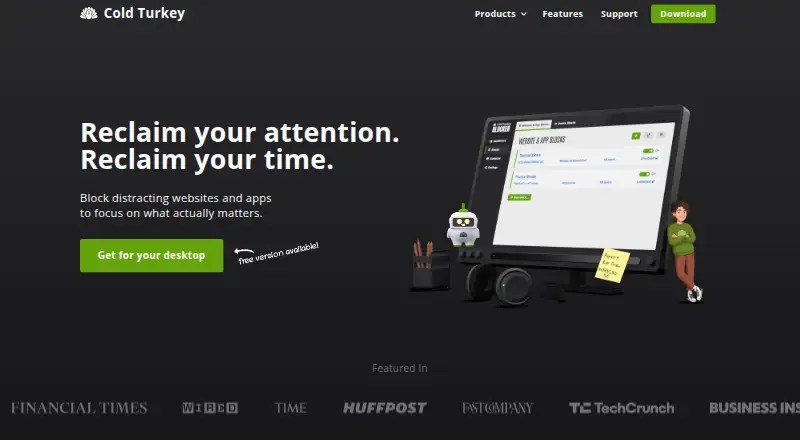
Cold Turkey Blocker helps users focus by restricting access to distracting websites and applications. It can block domains, specific URLs, YouTube channels, keyword searches, adult websites or the internet as a whole with exceptions. On Windows, it can also block applications and games, including Microsoft Store apps and window titles. Blocks can repeat weekly and can be locked with timers, schedules, delays, passwords or a computer restart. Break controls include Pomodoro intervals, allowances, rewards, timed delays and limited-use sessions. Statistics show top distractions, include incognito visits by default and can be exported as JSON. A command line interface can start, stop and edit blocks for third-party automation. Settings and statistics are stored locally; the maker says it does not collect device data except product-key use and block-page settings needed to display that page. It supports Windows and macOS, requires administrator rights to install, and is not available for Linux, ChromeOS, Android or iOS. Email is the only support channel, and responses may take one to two business days.
Good
- Can block websites and applications.
- Blocks can repeat weekly and be locked.
- Statistics can be exported as JSON.
- Settings and statistics are stored locally.
Watch out
- Does not support Linux, ChromeOS, Android or iOS.
- Installation requires administrator rights.
- Support is by email only.
- Email responses may take one to two business days.
Who it suits
Cold Turkey Blocker suits people who want scheduled restrictions on websites or desktop applications while working. It is designed for Windows and macOS users rather than mobile or Linux users.
Verdict
Cold Turkey Blocker offers scheduled, lockable restrictions and distraction statistics on Windows and macOS. Confirm that your operating system is supported and that administrator access is available before installing.
Plans and prices
From Cold Turkey Blocker's own pricing page, checked 5 Oct 2026.
| Plan | Price | What it gives you |
|---|---|---|
| Blocker Free | Free | Website blocking · website exceptions · timed blocks · statistics · Free |
| Blocker Pro - Lifetime Access | — | All Free features · application blocking · scheduled blocks · application password · locking features · custom user selection · breaks and allowances · free lifetime updates · email support · Pay once, own forever |
The facts
Each one read from Cold Turkey Blocker's own pages, with the date it was checked.
Where it runs
- App blocking
- It can block applications and games, including Microsoft Store apps and window titles on Windows.checked 5 Oct 2026
- Browser support
- The maker lists supported desktop browsers including Chrome, Firefox, Edge, Safari, Brave, Opera, and Vivaldi, with some browser-specific feature limits.checked 5 Oct 2026
What it does
- Breaks
- Break options include Pomodoro intervals, allowances, rewards, timed delays, and limited-use sessions.checked 5 Oct 2026
- Data handling
- Settings and statistics are stored locally; the maker says its software does not collect device data except product-key use and block-page settings needed to display the page.checked 5 Oct 2026
- Installation requirement
- Blocker requires administrator rights to install.checked 5 Oct 2026
- Integrations
- A command line interface can start, stop, and edit blocks for automation with third-party apps.checked 5 Oct 2026
- Purpose
- Cold Turkey Blocker blocks distracting websites and apps to help users focus.checked 5 Oct 2026
- Refunds
- A full refund can be provided within 30 days of purchase if the customer is dissatisfied.checked 5 Oct 2026
- Schedules and locks
- Blocks can repeat weekly and be locked with options including timers, schedules, delays, passwords, or a computer restart.checked 5 Oct 2026
- Support
- Support is provided by email only, and responses may take one to two business days.checked 5 Oct 2026
- Supported systems
- Blocker supports Windows and macOS; Linux, ChromeOS, Android, and iOS are not supported.checked 5 Oct 2026
- Third-party services
- The maker says Paddle processes payment information and Freshworks handles support form and email information.checked 5 Oct 2026
- Usage statistics
- Statistics show top distractions, include incognito visits by default, and can be exported as JSON.checked 5 Oct 2026
- Website controls
- It can block domains, specific URLs, YouTube channels, keyword searches, adult websites, or the entire internet with exceptions.checked 5 Oct 2026
The company
- Founded
- 2010checked 28 Sep 2026
- Maker history
- Felix says he started working on Cold Turkey in 2010 and began working on it full time in 2017.checked 5 Oct 2026
Alternatives to Cold Turkey Blocker
- 1

Freedom
Free planAndroidiOSWebExtension8.2From $40 a year - 2

Opal
Free planAndroidiOSExtensionmacOS8.0From $8.29 a month - 3

ScreenZen
Free planAndroidiOSmacOSWindows7.3$49 one-time - 4
Focus Bear
Free planAndroidiOSmacOSWindows7.2From $9.99 a month - 5

one sec
AndroidiOSExtensionLinux7.2From $19.99 a year - 6

FocusMe
AndroidiOSExtensionLinux7.1$249 one-time