
Clipdrop
Clipdrop is a set of AI image tools available on the web, iOS, Android, and through an API.
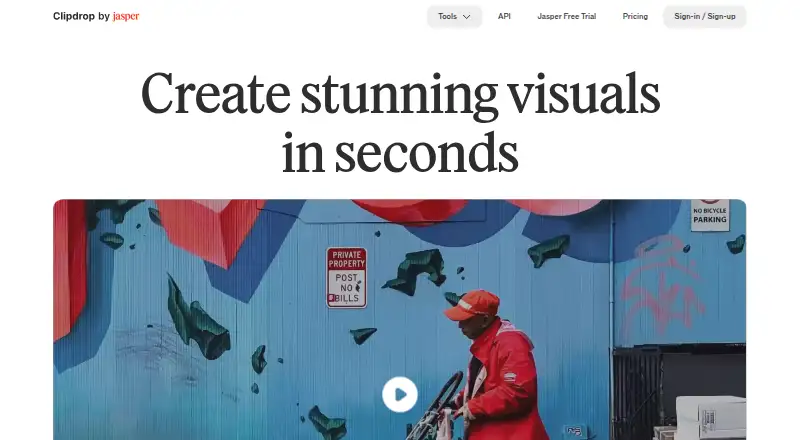
What Clipdrop is
Clipdrop is a set of AI image tools available on the web, iOS, Android, and through an API. It can generate images from English prompts, edit existing pictures, and adapt images to social platform sizes. Text to image can produce four images from a prompt, with an option to add a style. Other tools remove backgrounds, clean away unwanted objects, people, text, and defects, add or move light sources on photos, and create replacement backgrounds from a plain-English setting description.
Background removal accepts up to 10 files at once, with images up to 5000×5000 pixels. On the free plan, Cleanup exports are limited to 720px; the Pro page describes no size limit. Universal Resizer supports Facebook, Instagram, Twitter, LinkedIn, Pinterest, and TikTok, and allows up to 1000 images per day, though custom sizes are not available yet. The API documentation lists tools for uncropping, background removal, upscaling, cleanup, text removal, text-to-image, and background replacement. Clipdrop offers free and Pro plans as well as usage-based API pricing. Its FAQ says its terms do not limit commercial use of generated images.
Good
- Text to image generates four images from an English prompt.
- Background removal accepts up to 10 files per batch.
- Relight lets users add and move light sources after capture.
- Universal Resizer supports six named social platforms.
- The FAQ says commercial use of generated images is not limited by its terms.
Watch out
- Free Cleanup exports are limited to 720px.
- Universal Resizer does not yet offer custom sizes.
Who it suits
Clipdrop suits people who want a range of AI image generation and editing tools across web and mobile, or need access through an API. It may also fit users preparing images for the listed social platforms or making edits such as background removal and relighting.
Verdict
Choose Clipdrop if you need several image-generation and editing tools in one service, including background removal, cleanup, relighting, and resizing.
Plans and prices
From Clipdrop's own pricing page, checked 4 Oct 2026.
| Plan | Price | What it gives you |
|---|---|---|
| Free | Free | Text to image · Uncrop · Background Removal 20/24h · Image Upscaler x2 20/24h · Cleanup 20/24h · Relight 20/24h · Text Remover 50/24h · Replace Background |
| Pro | — | Text to image 1000/24h · Uncrop 1000/24h · High Resolution Background Removal 1000/24h · Image Upscaler x16 1000/24h · High Resolution Cleanup 1000/24h · High Resolution Relight 1000/24h · High Resolution Text Remover 1000/24h · High Resolution Replace Background 1000/24h · Free trial duration not stated · per month |
| API | Priced on request | API pricing linked from pricing page · Usage-based cost |
The facts
Each one read from Clipdrop's own pages, with the date it was checked.
What it does
- API tools
- Clipdrop's API documentation lists Uncrop, Remove Background, Image Upscaling, Cleanup, Remove Text, Text to Image, and Replace Background APIs.checked 4 Oct 2026
- Background removal
- The background removal tool accepts up to 10 files at a time and supports images up to 5000×5000 pixels.checked 4 Oct 2026
- Background replacement
- Replace Background lets users describe a setting in plain English and create alternate backgrounds for an image.checked 4 Oct 2026
- Batch editing
- Yeschecked 23 Sep 2026
- Commercial usage
- Clipdrop's FAQ says its terms do not limit commercial use of images generated on Clipdrop.checked 4 Oct 2026
- Generative editing
- Yeschecked 23 Sep 2026
- Image cleanup
- Cleanup removes unwanted objects, people, text, and defects; free exports are limited to 720px, while the page says Pro has no size limit.checked 4 Oct 2026
- Jasper API
- The API documentation says Clipdrop is part of Jasper and directs users to Jasper API documentation for current details.checked 4 Oct 2026
- Product
- Clipdrop is a set of AI visual tools for creating and editing images.checked 4 Oct 2026
- Relighting
- Relight lets users add and move light sources on photos after capture.checked 4 Oct 2026
- Resize limit
- Universal Resizer allows up to 1000 images per day, and its page says custom sizes are not available yet.checked 4 Oct 2026
- Resizing
- Universal Resizer adapts images to social platform sizes and lists Facebook, Instagram, Twitter, LinkedIn, Pinterest, and TikTok as supported platforms.checked 4 Oct 2026
- Support
- Clipdrop lists [email protected] as its support contact.checked 4 Oct 2026
- Text to image
- Text to image accepts an English prompt and can generate four images, with an option to add a style.checked 4 Oct 2026
The company
- Founded
- 2020checked 23 Sep 2026
- Maker history
- The site says InitML, the company behind Clipdrop, was co-founded in 2020 and Clipdrop was later sold to Jasper.ai in February 2024.checked 4 Oct 2026
Money
- Free plan
- Yeschecked 23 Sep 2026
Where it runs
- Mobile app
- The product page says Clipdrop's AI background changing technology is available on its mobile application.checked 4 Oct 2026
- Supported platforms
- Web, iOS, Android, APIchecked 23 Sep 2026
The full review of Clipdrop
Clipdrop is an AI image-generation and editing service for web, mobile, and API users. It fits creators, marketers, and developers who regularly switch between generating images and making practical corrections. The main trade-off is breadth versus quotas: the free tier is useful for occasional work, while high-volume or high-resolution output points toward Pro or API billing.
Overview
Clipdrop brings text-to-image generation, background work, cleanup, relighting, and resizing into one service. That breadth is valuable when a project moves from concept images to production edits without changing tools. It is less suitable when you need one deeply specialized editor or exact custom resize dimensions.
Clipdrop was founded in 2020 by InitML and was sold to Jasper.ai in February 2024. Its terms do not limit commercial use of images generated on the service, which removes a significant restriction for business content.
Key features
Text to image accepts an English prompt and produces four images, with an optional style setting. That makes it practical for comparing several concepts quickly, although the stated workflow is English-focused.
Background removal processes up to 10 files at once and accepts images up to 5000×5000 pixels, a useful allowance for small batches. Cleanup removes unwanted objects, people, text, and defects. Free exports stop at 720px, while Pro removes that size limit, so the free tool is better for previews and modest digital uses than for large deliverables.
Relight lets you add and reposition light sources after a photo is taken. It is suited to correcting the look of an existing shot rather than reshooting it. Replace Background turns a plain-English description into alternate settings, useful for product or portrait variations without manual compositing.
Universal Resizer adapts images for Facebook, Instagram, Twitter, LinkedIn, Pinterest, and TikTok. Its allowance of up to 1,000 images per day supports substantial social batches, but custom sizes are not available yet, limiting exact-format workflows.
API documentation lists Uncrop, Remove Background, Image Upscaling, Cleanup, Remove Text, Text to Image, and Replace Background endpoints. Developers should note that Clipdrop directs users to Jasper's API documentation for current API details.
Pricing
Free — free. The plan includes Text to image, Uncrop, Replace Background, 20 Background Removal uses per 24 hours, 20 Image Upscaler uses at 2× per 24 hours, 20 Cleanup uses per 24 hours, 20 Relight uses per 24 hours, and 50 Text Remover uses per 24 hours. It is the right starting point for occasional users, but the daily quotas and 720px Cleanup exports constrain finished work.
Pro — custom pricing, billed per month. It provides 1,000 uses per 24 hours for Text to image, Uncrop, high-resolution Background Removal, Image Upscaler at 16×, high-resolution Cleanup, high-resolution Relight, high-resolution Text Remover, and high-resolution Replace Background. This is the better fit for frequent production work, though the monthly price is not published.
API — custom pricing, usage-based. It suits products and automated pipelines that need programmatic access rather than manual editing. The published plan does not state a seat allowance or included quota.
Platforms
Clipdrop is available on the web, iOS, Android, and through an API. The mobile apps cover users who work from phones, while the API supports integration into software and automated processes.
Who it's for
Choose Clipdrop for mixed image tasks: social content teams, designers needing quick corrections, and developers combining generation with background and cleanup endpoints. It is also a sensible commercial-content tool because generated images are not restricted to non-commercial use by its terms.
Look elsewhere if you require custom resize dimensions, consistently large free Cleanup exports, or a single specialist whose workflow is centered on one operation.
Pros and cons
- Pro: A broad set of generation, cleanup, relighting, background, and resizing tools reduces the need to combine several services.
- Pro: Batch background removal handles 10 files at a time, and Universal Resizer allows up to 1,000 images daily.
- Pro: Web, mobile, and API access covers individual creators and developers.
- Con: Free daily quotas are low for repeated editing, and free Cleanup exports are limited to 720px.
- Con: Universal Resizer does not yet offer custom dimensions.
- Con: Pro and API prices are custom, making costs harder to assess before committing.
Alternatives
For a dedicated expansion workflow, compare AI Image Expanders. For object-focused edits, see AI Object Removal Tools; for chroma-key workflows, Green Screen Software is the more targeted category. Broader editing choices are collected in AI Photo Editors, while background-only tools are in AI Background Removers and enlargement specialists in Image Upscaling Software.
iMini AI Image Expand is a freemium alternative with Android, iOS, web, desktop, Linux, Windows, macOS, API, and extension access; its Pro plan is $10 a month with 10,000 credits. Wink AI Outpainting offers free credits but watermarked exports on its free tier and supports desktop, mobile, and web. Pixelcut covers background removal and upscaling on a similar Android, iOS, web, and API footprint, with limited free features. insMind AI Image Enlarger is aimed at enlargement, with a 6.99 USD monthly Pro plan for premium-quality, watermark-free downloads. EZ Expand Image is web-only and offers two guest previews plus five signup credits before one-time credit packs. Rewind.ai AI GIF Generator is a web service centered on GIF generation, with 5,000 free tokens per day. Pixazo AI Image Extender provides a seven-day trial with 100 bonus credits, while PixLab Studio Expand starts with 25 signup tokens on a free account.
Verdict
Clipdrop is a strong choice for creators and teams that want several practical AI image tools in one place, especially when API and mobile access matter. Its decisive weaknesses are the free tier's quotas and 720px Cleanup ceiling, plus custom pricing for heavier use. Pick it for breadth and workflow coverage; choose a specialist instead when one operation, exact sizing, or predictable pricing is your priority.
Getting started
- Visit clipdrop.co on the web, or use the iOS or Android app.
- Choose a free plan tool and work within its listed daily allowance, or select Pro.
- Use text to image with an English prompt, or choose an editing tool for an existing image.
- For API access, consult the Clipdrop API documentation; current details are directed to Jasper API documentation.
- Use the support contact [email protected] if you need support.
Limits worth knowing
The free plan sets daily allowances for several tools, including 20 uses per 24 hours for background removal, upscaling, cleanup, and relighting, and 50 per 24 hours for text removal. Free Cleanup exports are limited to 720px. The Pro page describes 1000 uses per 24 hours for its listed tools and no size limit for Cleanup.
Questions
Is Clipdrop free?
Yes. The Free plan is listed as free and includes daily tool allowances; there is also a Pro plan and usage-based API pricing.
Which platforms can I use?
Clipdrop is available on the web, iOS, Android, and through an API.
What does text to image do?
It accepts an English prompt and can generate four images, with an option to add a style.
What are the free plan's Cleanup and background removal limits?
Free Cleanup exports are limited to 720px. Background removal allows 20 uses per 24 hours on the Free plan and accepts up to 10 files at a time, with images up to 5000×5000 pixels.
Can generated images be used commercially?
Clipdrop's FAQ says its terms do not limit commercial use of images generated on Clipdrop.
Who makes Clipdrop, and what are its API options?
Clipdrop is the maker named for the product; the site says InitML, the company behind it, was co-founded in 2020 and Clipdrop was later sold to Jasper.ai in February 2024. The API documentation lists tools including Uncrop, Remove Background, Image Upscaling, Cleanup, Remove Text, Text to Image, and Replace Background.
Alternatives to Clipdrop
- 1

Pixelcut
Free planAndroidiOSWebAPI9.1From $8 a month - 2

Photoroom
Free planAndroidiOSWebAPI9.1From $7.50 a month - 3
Cutout.Pro
Free planAndroidiOSWebAPI9.0From $5 a month - 4

BackgroundRemover
Free planOpen sourceWebAPILinuxmacOS9.0From $108 a year - 5

Erase.bg
Free planAndroidiOSWebAPI8.9Free plan - 6

Artguru Background Remover
Free planAndroidiOSWebAPI8.6From $39.99 a year