
EZ Expand Image
EZ Expand Image is a web tool that extends a photo beyond its edges so it can fit a different frame without cropping the subject.
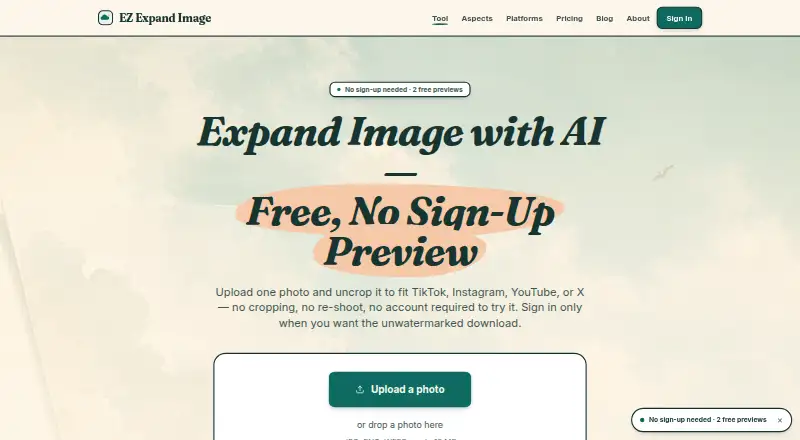
What EZ Expand Image is
EZ Expand Image is a web tool that extends a photo beyond its edges so it can fit a different frame without cropping the subject. It accepts JPG, PNG, and WEBP files up to 10 MB. Presets include TikTok Cover and Instagram Story at 9:16, YouTube Thumbnail at 16:9, and an X header ratio. The original photo is preserved while the surrounding pixels are generated; the described process analyzes the image, composes a prompt, and expands to the selected ratio. Signed-in users can process up to five photos together and download the results in one click. The maker says generated expansions carry a permissive commercial-use license and uploaded photos are not used to train AI models. Source images are deleted after 24 hours, while generated files are removed after signed links expire, except for briefly retained guest previews. The free plan includes two guest previews and five signup credits.
Good
- Presets cover common social and video frame ratios
- Signed-in accounts can expand five photos together
- Generated expansions have a permissive commercial-use license
- Uploaded photos are not used for AI training
Watch out
- Accepts JPG, PNG, and WEBP files up to 10 MB
- Free tier has no service-level agreement
- Free guest previews are limited to two
Who it suits
It suits creators who need to adapt a photo to several social-platform frames. It is not positioned as a general-purpose photo editor.
Verdict
EZ Expand Image focuses on extending image borders for target formats, with batch processing and both credit packs and monthly plans. Check its file-size limit and free-tier availability terms before relying on it for regular work.
Plans and prices
From EZ Expand Image's own pricing page, checked 1 Oct 2026.
| Plan | Price | What it gives you |
|---|---|---|
| Free | Free | 2 free guest previews · 5 one-time signup credits · no card required |
| starter 15 | $2.99, paid once | 15 credits · 15 finished photos · no subscription · one-time purchase |
| popular 50 | $9.99, paid once | 50 credits · 50 finished photos · no subscription · one-time purchase |
| Pro | $9.99 a month | 50 credits/month · 50 photos/month · up to 5 photos together · unwatermarked downloads · monthly |
| pro 100 | $19.99, paid once | 100 credits · 100 finished photos · no subscription · one-time purchase |
| Studio | $29.99 a month | 150 credits/month · 150 photos/month · up to 5 photos together · unwatermarked downloads · monthly |
The facts
Each one read from EZ Expand Image's own pages, with the date it was checked.
What it does
- Automatic refunds
- Failed provider generations automatically return the consumed credit.checked 1 Oct 2026
- Batch processing
- Signed-in accounts can expand up to five photos at once and download every result in one click.checked 1 Oct 2026
- Best-fit users
- The product is built for creators who need one photo adapted to several social-platform frames rather than a general-purpose photo editor.checked 1 Oct 2026
- Commercial use
- The generated expansion is released under a permissive commercial-use license for social posts, ads, and other commercial contexts.checked 1 Oct 2026
- Image retention
- Uploaded source photos are deleted from Cloudflare R2 after 24 hours, and generated files are deleted after signed URLs expire except for briefly retained guest previews.checked 1 Oct 2026
- Input formats
- The tool accepts JPG, PNG, and WEBP files up to 10 MB.checked 1 Oct 2026
- Privacy and training
- EZ Expand Image says it does not train AI models on uploaded photos.checked 1 Oct 2026
- Processing pipeline
- The product describes a three-step pipeline of vision analysis, prompt composition, and expansion at the target ratio.checked 1 Oct 2026
- Refund policy
- Unused credit-pack credits are refundable within seven days of purchase.checked 1 Oct 2026
- Service availability
- The service provides no SLA on the free tier and may experience degradation from maintenance or third-party provider outages.checked 1 Oct 2026
- Service providers
- Listed subprocessors are Cloudflare, APImart, Stripe, Google, and Plausible.checked 1 Oct 2026
- Subject preservation
- The source photo is preserved exactly and only the new surrounding pixels are AI-generated.checked 1 Oct 2026
- Support
- The maker says bug reports, feature requests, refund issues, and security disclosures usually receive a response within a working day.checked 1 Oct 2026
- What it does
- EZ Expand Image generates new pixels beyond a photo’s edges so it fits a different frame without cropping the subject.checked 1 Oct 2026
Where it runs
- Platform presets
- Built-in presets cover TikTok Cover at 9:16, Instagram Story at 9:16, YouTube Thumbnail at 16:9, and an X header ratio.checked 1 Oct 2026
The full review of EZ Expand Image
EZ Expand Image is a focused web tool for adding AI-generated space around photos so they fit social-media frames without cutting off the subject. It is most suitable for creators producing several platform variants from one image. The narrow remit is a strength for that workflow, but it is not a replacement for a full photo editor.
Overview
The service extends an image beyond its original borders while keeping the source picture unchanged. Only the newly created surrounding pixels are generated, which makes it a better fit for reframing than for enlarging or retouching the original subject. JPG, PNG, and WEBP uploads are supported up to 10 MB, a practical ceiling for ordinary social assets but a restriction for larger source files.
Its described pipeline analyzes the image, composes a prompt, and expands it to the requested ratio. The output carries a permissive commercial-use license, so creators can use results in social posts, advertisements, and other commercial work. EZ Expand Image also says uploads are not used to train AI models. Source photos are removed from Cloudflare R2 after 24 hours; generated files are removed when their signed URLs expire, while guest previews may remain briefly.
Key features
Built-in presets target TikTok Cover and Instagram Story at 9:16, YouTube Thumbnail at 16:9, and an X header ratio. Those presets remove guesswork for common destinations, but the selection is limited if your project needs custom dimensions or formats outside these social placements.
Signed-in accounts can expand up to five photos in one batch and download every result in a single action. That is useful when one campaign needs several variants, although it remains a small-batch workflow rather than high-volume production. Failed provider generations automatically return the consumed credit, reducing the cost of unsuccessful jobs.
The service has no SLA on its free tier and can degrade during maintenance or third-party provider outages. Bug reports, feature requests, refund questions, and security disclosures usually receive a response within a working day. Listed subprocessors include Cloudflare, APImart, Stripe, Google, and Plausible.
Pricing
The Free plan costs nothing, requires no card, and combines two free guest previews with five one-time signup credits. It is enough to judge the workflow, but the allowance is too small for dependable recurring work.
starter 15 costs 2.99 USD once for 15 credits and 15 finished photos, with no subscription. popular 50 costs 9.99 USD once for 50 credits and 50 finished photos, while pro 100 costs 19.99 USD once for 100 credits and 100 finished photos. These packs suit occasional campaigns because they avoid renewal; unused credit-pack credits can be refunded within seven days of purchase.
Pro costs $9.99 a month and provides 50 credits and 50 photos each month, batch expansion for up to five photos, and unwatermarked downloads. Studio costs $29.99 a month for 150 credits and 150 photos monthly, with the same five-photo batching and unwatermarked output. Monthly plans fit regular publishing schedules; one-time packs are better when demand is intermittent. Failed generations return credits, but monthly quotas are still finite.
Platforms
EZ Expand Image runs on the web. There is no separate desktop or mobile application stated, so it is best for users comfortable working in a browser.
Who it's for
Choose it if your main task is adapting a photo to several social-platform frames while preserving the original subject and retaining commercial rights. It is less suitable if you need broad editing controls, custom creative compositing, or consistently large source uploads beyond 10 MB.
Pros and cons
- Pros: The source image remains intact while only the added border is generated.
- Pros: Social presets, five-image batching, and one-click downloads streamline multi-platform preparation.
- Pros: Commercial-use licensing, no AI training on uploads, and automatic credit refunds on failed generations reduce practical risk.
- Cons: Presets focus on a few social ratios and do not replace a general-purpose editor.
- Cons: Uploads are capped at 10 MB, and free usage is tightly limited.
- Cons: The free tier has no SLA and may be affected by maintenance or provider outages.
Alternatives
For a wider cross-platform service with Android, iOS, desktop, web, API, and extension access plus a 10,000-credit Pro allowance, consider iMini AI Image Expand. Wink AI Outpainting is another freemium option across major mobile and desktop platforms, though its free exports include a watermark.
Clipdrop suits users who also want tools such as uncropping, background removal, cleanup, relighting, and upscaling. Pixelcut combines expansion-related work with background removal and upscaling, while insMind AI Image Enlarger offers premium-quality, watermark-free downloads on its Pro plan at $6.99 a month.
Rewind.ai AI GIF Generator is for GIF creation rather than a focused photo-border workflow. Pixazo AI Image Extender is a paid, API-oriented alternative with a seven-day trial, and PixLab Studio Expand is another web-based option.
See the broader AI Image Expanders category for more choices.
Verdict
EZ Expand Image is a good pick for social creators who need fast, repeatable border expansion with commercial rights and small-batch processing. Its strongest reason to choose it is the combination of targeted presets, preserved subjects, and flexible one-time credit packs. Look elsewhere if you need custom formats, larger uploads, a full editing suite, or stronger service guarantees.