
CaptureWebPage
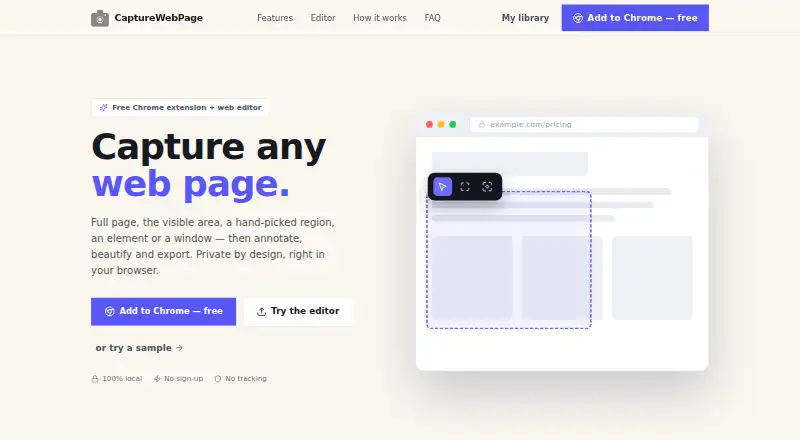
The facts below are what the maker publishes about CaptureWebPage, checked and dated. Our editors have not written about it yet.
Plans and prices
From CaptureWebPage's own pricing page, checked 15 Oct 2026.
| Plan | Price | What it gives you |
|---|---|---|
| Free | Free | Browser extension and web editor · No account · Local offline storage · No ads or subscriptions · Free |
The facts
Each one read from CaptureWebPage's own pages, with the date it was checked.
What it does
- Account requirement
- An account is not required to use the extension or editor.checked 15 Oct 2026
- Annotation
- The editor includes arrows, shapes, text, blur and redaction, highlighting, spotlight and step numbers.checked 11 Oct 2026
- Annotation tools
- The editor includes arrows, shapes, text, blur, redaction, highlighting, spotlighting, and numbered steps.checked 15 Oct 2026
- Beautify
- Screenshots can be placed on gradient backgrounds with padding and rounded corners.checked 15 Oct 2026
- Capture modes
- Users can capture the visible area, a selected region, one element, or a whole browser window.checked 15 Oct 2026
- Children's privacy
- The policy says the general-purpose extension is not directed to children under 13 and collects no personal information.checked 15 Oct 2026
- Clipboard
- Users can copy screenshots to the clipboard.checked 15 Oct 2026
- Data collection
- The privacy policy says screenshots, annotations, page details, and preferences remain on the user's device and are not transmitted.checked 15 Oct 2026
- Data deletion
- Users can delete individual screenshots, and clearing extension data or uninstalling removes stored data permanently.checked 15 Oct 2026
- Data practices
- The policy says the maker does not collect, transmit or store user data on a server and does not use analytics, tracking pixels, telemetry or ads.checked 11 Oct 2026
- Data removal
- Users can delete individual screenshots, and clearing extension data or uninstalling the extension permanently removes its stored data.checked 11 Oct 2026
- Export formats
- Exports include PNG, JPG, WebP, PDF, SVG, and ZIP.checked 15 Oct 2026
- Full-page capture
- The extension auto-scrolls long or lazy-loading pages and stitches them into one image.checked 15 Oct 2026
- Image editing
- The web editor accepts uploaded PNG, JPG, and WebP images without requiring an installation.checked 15 Oct 2026
- Library
- A searchable screenshot library provides folders and favorites.checked 15 Oct 2026
- Licence
- The reviewed official pages do not state an open-source licence.checked 15 Oct 2026
- Live-page limitation
- The web editor cannot capture other live websites; live webpage capture requires the browser extension.checked 15 Oct 2026
- Offline operation
- The product says it works fully offline and stores data locally on the device.checked 15 Oct 2026
- Offline use
- The privacy policy says the extension works fully offline and has no server, cloud or account.checked 11 Oct 2026
- Permission purpose
- The maker says permissions are used for capture, scrolling, labeling, local storage, exporting, window capture, menus, image processing, and font selection.checked 15 Oct 2026
Where it runs
- Browser extension
- Yeschecked 20 Sep 2026
- Browser support
- The site names Chromium-based browsers including Chrome, Edge, Brave, and Arc.checked 15 Oct 2026
Money
- Free plan
- Yeschecked 20 Sep 2026
The company
- Maker copyright
- The privacy page identifies the product as CaptureWebPage and carries a 2026 copyright notice.checked 15 Oct 2026
Alternatives to CaptureWebPage
- 1

Awesome Screenshot
Free planiOSWebExtensionmacOS8.3From $5 a month - 2

Monosnap
Free planWebExtensionLinuxmacOS8.1From $2.50 a month - 3
Usersnap
AndroidiOSWebAPI7.9From €49 a month - 4

Greenshot
Free planWindows7.8$1.99 one-time - 5
ShareX
Free planOpen sourceWindows7.6Free plan - 6
Markup Hero
Free planExtensionmacOSWindows7.6From $3 a month