
Bugsee
Bugsee captures app activity and diagnostic details to help developers investigate crashes and other bugs.
What Bugsee is
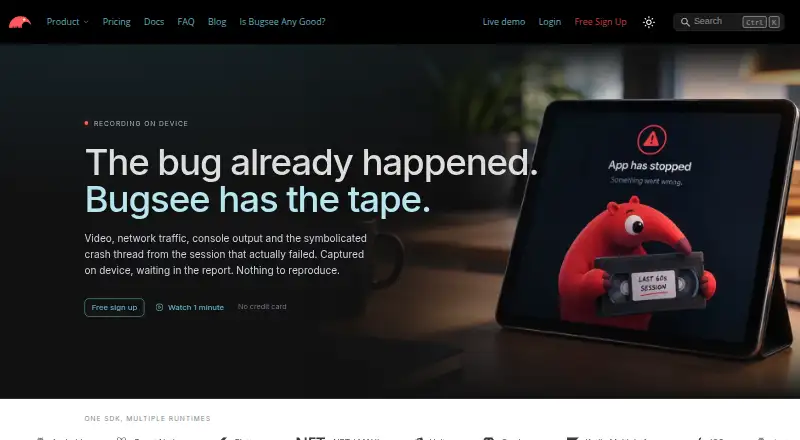
Bugsee captures app activity and diagnostic details to help developers investigate crashes and other bugs. It records video of user interactions at 10 frames per second and aligns that replay with crash context. Reports can include network requests and responses, console logs, system traces, crash reports and environmental context. In supported views, its SDK blacks out password and other secure fields so sensitive screen data does not leave the device. Bugsee supports Android, iOS and web, along with frameworks including React Native, Flutter, .NET/MAUI, Unity, Cordova and Kotlin Multiplatform. Issue integrations include Jira, GitHub, GitLab and Trello; Slack and Microsoft Teams receive event notifications. The free Lite plan allows up to five unique devices per month and retains data for three days. PRO allows up to 50 unique devices per month and 30-day retention. An MCP server provides agents scoped access to crash and related data, with inference kept in the user's environment, according to Bugsee.
Good
- Replay video is aligned with crash context.
- Reports can include network and system diagnostics.
- Secure fields are automatically masked in supported views.
- Integrates with issue trackers and team notification tools.
Watch out
- Free Lite is limited to five unique devices monthly.
- Lite retains data for three days.
- PRO costs $99/mo with annual billing; monthly billing is $139.
- Device usage across multiple apps is summed.
Who it suits
Bugsee suits developers who need app-session context and diagnostics to investigate crashes across supported platforms and frameworks. Its free tier may suit small usage needs within the five-device monthly limit.
Verdict
Bugsee combines session replay with diagnostic data and integrations for investigating app issues. Readers should account for the free tier's device and retention limits, as well as PRO billing terms.
Plans and prices
From Bugsee's own pricing page, checked 30 Sep 2026.
| Plan | Price | What it gives you |
|---|---|---|
| Lite | Free | Up to 5 unique devices per month · 3-day data retention · unlimited apps and team members |
| PRO | $99 | Up to 50 unique devices per month · 30-day data retention · priority support · Paid annually | $139 when paid monthly |
| Custom | Priced on request | Custom features · SSO · HTTP REST API access · custom integrations · unlimited data retention · premium support |
The facts
Each one read from Bugsee's own pages, with the date it was checked.
What it does
- AI/MCP
- The MCP server provides agents scoped access to crashes, errors, builds, and vulnerability scans, and Bugsee says inference stays in the user's environment.checked 30 Sep 2026
- Diagnostics
- Reports can include network requests and responses, console logs, system traces, crash reports, and environmental context.checked 30 Sep 2026
- Integration behavior
- Issue-based integrations can create remote items and may mirror later issue changes and comments, while Slack and Microsoft Teams integrations post event messages.checked 30 Sep 2026
- Integrations
- Bugsee supports issue-based integrations including Jira, GitHub, GitLab, and Trello, and event notifications through Slack and Microsoft Teams.checked 30 Sep 2026
- Privacy masking
- The SDK automatically blacks out password and other secure fields in supported views so sensitive screen data does not leave the device.checked 30 Sep 2026
- Product
- Bugsee captures app activity and diagnostic data to help developers investigate bugs and crashes.checked 30 Sep 2026
- Security
- Bugsee says communications between its SDKs, plugins, and servers use strong contemporary encryption.checked 30 Sep 2026
- Session replay
- Bugsee records video of user interactions at 10 frames per second and aligns it with crash context.checked 30 Sep 2026
- Support
- Bugsee lists support by email at [email protected] and includes priority support on PRO and premium support on Custom.checked 30 Sep 2026
The company
- Company
- Bugsee describes itself as a privately held company based in Silicon Valley.checked 30 Sep 2026
Money
- Free tier limits
- The Lite plan allows up to five unique devices per month and retains data for three days.checked 30 Sep 2026
- Plan limitations
- Device usage across multiple apps is summed, and customers using off-app-store production distribution are directed to contact Bugsee about enterprise plans.checked 30 Sep 2026
The full review of Bugsee
Overview
Bugsee is an app monitoring tool for developers who need to connect a user’s actions with crash and diagnostic data. Its strongest fit is a mobile team investigating hard-to-reproduce issues; teams that need generous free retention or broad production-device coverage should weigh its caps carefully.
Key features
Replay tied to diagnostics
Bugsee records interactions as video at 10 frames per second and aligns them with crash context. That pairing gives developers a way to see the sequence around an issue rather than relying on a crash report alone, though the stated frame rate is not a substitute for smooth, full-motion recording.
Diagnostic evidence
Reports can bring together network requests and responses, console logs, system traces, crash reports, and environmental context. Network request tracing and app performance monitoring are also supported, making Bugsee a stronger fit for investigating app behavior than for teams seeking only a basic crash counter.
Privacy and integrations
The SDK automatically blacks out password and other secure fields in supported views before sensitive screen data leaves the device. That is a useful safeguard, but it is explicitly limited to supported views. Jira, GitHub, GitLab, and Trello integrations can create remote issues and may mirror subsequent changes and comments; Slack and Microsoft Teams instead receive event messages. Bugsee says SDK, plugin, and server communications use strong contemporary encryption.
AI/MCP access
The MCP server gives agents scoped access to crashes, errors, builds, and vulnerability scans. Bugsee says inference remains in the user’s environment, a relevant distinction for teams evaluating where AI processing takes place.
Pricing
Lite: free. It allows unlimited apps and team members, but caps usage at five unique devices per month and keeps data for three days. Since device use is summed across apps, several small apps can use up the same allowance; Lite suits evaluation or very low-volume use, not teams needing a longer investigation window.
PRO: $99 a year, billed Paid annually; $139 when paid monthly. It raises the cap to 50 unique devices per month, extends retention to 30 days, and includes priority support. The extra retention is meaningful for teams that may not investigate immediately, but the device ceiling still matters as usage grows.
Custom: custom pricing, with custom features, SSO, HTTP REST API access, custom integrations, unlimited data retention, and premium support. It is the relevant tier for teams that need those capabilities or need to discuss production distribution outside app stores; customers using off-app-store production distribution are directed to contact Bugsee about enterprise plans.
A 30-day trial is available. PRO’s annual and monthly billing terms differ, so compare the stated annual price with the $139 monthly option before choosing a term.
Platforms
Bugsee supports iOS and Android, as well as React Native, Flutter, .NET/MAUI, Unity, Cordova, and Kotlin Multiplatform. Web is also among its supported platforms. This makes it relevant to teams working across native and cross-platform app stacks.
Who it's for
Bugsee suits app teams that need replay and technical evidence in one investigation workflow, especially when network activity or environment details matter alongside crashes. Lite can serve a small evaluation, while PRO is more practical when a team needs 30-day retention and has no more than 50 monthly unique devices. It is a weaker fit for teams whose device volume exceeds that limit or whose investigations routinely outlast three days on the free tier.
Pros and cons
- Pro: Replay is aligned with crash context, helping connect user actions to diagnostics.
- Pro: Reports can include network, logs, traces, crashes, and environment details, supporting investigation across several evidence types.
- Pro: Secure-field masking and issue-tracker integrations address privacy and handoff needs.
- Con: Lite’s five-device monthly cap and three-day retention are restrictive for ongoing production monitoring.
- Con: PRO still caps monthly unique devices at 50, and device usage is pooled across apps.
- Con: Custom pricing is needed for unlimited retention and custom integrations, while off-app-store production distribution requires an enterprise discussion.
Alternatives
bitdrift Capture is worth comparing if its free-tier limits of five users, 100,000 crash reports per month, 50,000 active applications per month, and 14-day retention better match your workload.
Measure is the alternative to consider when open-source software and publicly available source code are priorities.
Embrace User Session Insights may suit teams whose free allowance of up to one million sessions per year, five users, and three days of event data retention fits their needs.
Appelium is another option to compare for teams looking for a free plan covering one app, one user, and one month of data retention.
Middleware may be a better fit when its free allowance for data, RUM sessions, synthetic checks, and browser test runs aligns with the monitoring workload.
EAS Observe offers a free tier with 100K events per month and 90 days of retention, which may suit teams prioritizing a longer event-retention window.
BugSnag is an alternative to compare for its free tier, which includes one user, 7.5K events and one million spans per month, plus support for 50+ platforms and 30+ third-party integrations.
Alibaba Cloud ARMS RUM is a paid alternative with pay-as-you-go pricing, rather than a free plan.
For broader category comparisons, browse Mobile App Monitoring, Game Crash Reporting Software, and Issue Tracking Software.
Verdict
Choose Bugsee if your developers need to connect replay, crash context, and detailed diagnostics, and PRO’s 30-day retention and 50-device allowance fit your team. Look elsewhere if the free tier’s short retention and low device cap are too tight, or if your production distribution or integration needs call for Custom pricing.
Alternatives to Bugsee
- 1

Jira
Free planAndroidiOSWebAPI8.4Free plan - 2

Linear
Free planAndroidiOSWebAPI8.4From $10 a month - 3
Zoho Sprints
Free planAndroidiOSWebAPI8.2From $1 a month - 4

Azure Test Plans
Free planWebAPIExtensionLinux8.1From $6 a month - 5
Redmine
Free planOpen sourceWebAPILinuxmacOS7.8Free plan - 6

Backlog
Free planAndroidiOSWebAPI7.7From $35 a month