
Buffer
Buffer is a social media management tool for scheduling posts, developing content, and reviewing performance across supported social channels.
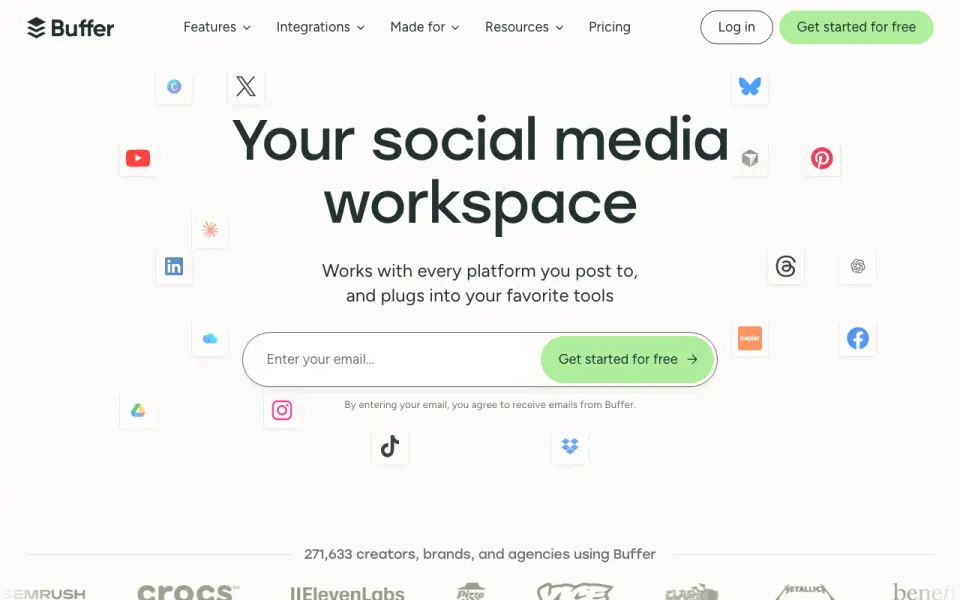
What Buffer is
Buffer is a social media management tool for scheduling posts, developing content, and reviewing performance across supported social channels. Its tools include an idea library, an AI Assistant, and options to brainstorm, rewrite, and shape platform-specific posts. A community inbox brings comments from multiple accounts into a dashboard for replies, while teams can edit and approve posts together. The Free plan lasts indefinitely and includes up to three connected channels, 10 scheduled posts per channel, 100 ideas, and one user. Team includes unlimited team members and approval workflows. Buffer supports Android, iOS, web, browser extensions, and API access. Supported channels include Instagram, Facebook, TikTok, LinkedIn, Threads, Bluesky, YouTube Shorts, Pinterest, Google Business, Mastodon, and X. Integrations include Canva, Google Drive, Dropbox, and Zapier. Buffer describes its toolkit as serving creators, entrepreneurs, and small businesses, as well as agencies, developers, nonprofits, higher education, and startups.
Good
- Free plan lasts indefinitely.
- Free plan connects up to three channels.
- Includes an idea library and AI Assistant.
- Community inbox supports replies across accounts.
- Team plan includes unlimited members and approval workflows.
Watch out
- Free plan limits scheduled posts to 10 per channel.
- Free plan includes one user.
- Essentials and Team trials last 14 days.
Who it suits
Buffer suits creators, entrepreneurs, small businesses, and teams that schedule social posts and want tools for comments, analytics, or collaboration. The free plan may suit users managing up to three channels with limited scheduled posts and ideas.
Verdict
Buffer combines post scheduling with content tools, comment management, and analytics. The free plan has clear channel, post, idea, and user limits; paid plans add room for more scheduling and team work.
Plans and prices
From Buffer's own pricing page, checked 28 Sep 2026.
| Plan | Price | What it gives you |
|---|---|---|
| Free | Free | Free forever; connect up to 3 channels · Free forever · up to 3 channels · 10 scheduled posts per channel · 100 ideas · 1 user · 1 API key · 3,000 requests/month |
| Essentials | $5 a month | 1 channel; 14-day free trial · Unlimited scheduled posts per channel · unlimited ideas · 1 user · 3 API keys · 7,500 requests/month · 1 channel · $60 billed yearly (save 2 months) |
| Team | $10 a month | 1 channel; 14-day free trial · Unlimited scheduled posts per channel · unlimited ideas · unlimited team members · 5 API keys · 15,000 requests/month · 1 channel · $120 billed yearly (save 2 months) |
The facts
Each one read from Buffer's own pages, with the date it was checked.
What it does
- Analytics level
- advancedchecked 20 Sep 2026
- Analytics options
- Buffer offers basic analytics and in-depth reporting.checked 27 Sep 2026
- API
- Buffer's API is available on every current plan, including Free, with plan-specific API keys and request limits.checked 28 Sep 2026
- API access
- Plans include API access with plan-specific API key and request limits.checked 27 Sep 2026
- Audience
- Buffer describes itself as a toolkit for creators, entrepreneurs, and small businesses and lists agencies, developers, nonprofits, higher education, and startups as audiences.checked 28 Sep 2026
- Community
- Buffer provides a dashboard to triage and respond to comments across multiple social media accounts.checked 28 Sep 2026
- Community inbox
- Buffer provides a community inbox for replying to comments from one dashboard.checked 27 Sep 2026
- Content creation
- Buffer provides a library for content ideas, an AI Assistant, and tools to brainstorm, rewrite, and craft platform-specific posts.checked 28 Sep 2026
- Human customer support
- Buffer offers worldwide human support from a global Customer Advocacy team.checked 27 Sep 2026
- Insights
- Buffer provides analytics and reporting intended to show what works and how to improve.checked 28 Sep 2026
- Integrations
- Buffer's integrations directory lists 24 apps, including Canva, ChatGPT, Claude, Dropbox, Google Drive, IFTTT, Make, n8n, WordPress, and Zapier.checked 28 Sep 2026
Where it runs
- App integrations
- Integrations include Canva, Google Drive, Zapier, Unsplash, Dropbox, Claude, and other apps.checked 27 Sep 2026
- Approval workflow
- Yeschecked 20 Sep 2026
- Approval workflows
- Approval workflows are included in the Team plan.checked 27 Sep 2026
- Browser extension
- Buffer offers a browser extension for Chrome, Safari, Opera, and Edge that can share links, images, and videos from the web.checked 28 Sep 2026
- Mobile app
- A mobile app lets users manage social media accounts from anywhere.checked 27 Sep 2026
- Mobile apps
- Buffer's mobile app is available through the iOS App Store and Android Play Store, with minimum requirements of iOS 17 and Android 7.1.checked 28 Sep 2026
The company
- Company transparency
- Since 2013, Buffer has openly shared finances, team salaries, and other key metrics.checked 27 Sep 2026
- Founded
- 2010checked 23 Sep 2026
Money
- Free channel limit
- The Free plan supports up to 3 connected channels.checked 27 Sep 2026
- Free ideas limit
- The Free plan includes 100 ideas.checked 27 Sep 2026
- Free plan
- Yeschecked 20 Sep 2026
- Free plan duration
- The Free plan is free forever.checked 27 Sep 2026
- Free scheduled posts
- Free includes 10 scheduled posts per channel and allows refilling anytime.checked 27 Sep 2026
The full review of Buffer
Overview
Buffer brings social publishing, content planning, audience replies, and performance reporting into one social media management tool. It supports channels including Instagram, Facebook, TikTok, LinkedIn, Threads, Bluesky, YouTube Shorts, Pinterest, Google Business Profile, Mastodon, and X. The service is made by Buffer, a fully remote and distributed company founded in 2010.
Beyond scheduling, Buffer includes an ideas library and an AI Assistant for brainstorming, rewriting, and shaping posts for different platforms. Its community inbox collects comments from multiple accounts in one dashboard for triage and replies. Analytics range from basic views to in-depth reporting intended to help users understand what is working.
Buffer also offers integrations with services such as Canva, ChatGPT, Claude, Dropbox, Google Drive, IFTTT, Make, n8n, WordPress, and Zapier. Its API is available on every current plan, including Free, with plan-specific keys and request limits. Buffer says it has shared company finances, team salaries, and other key metrics publicly since 2013.
Key features
- Scheduling and publishing: Schedule posts across supported social channels, with bulk scheduling available. Free accounts can have up to 10 scheduled posts per channel at a time and refill that allowance as needed.
- Content planning: The ideas library and AI Assistant support brainstorming, drafting, rewriting, and adapting posts for specific platforms.
- Community inbox: Review and respond to comments from multiple social accounts through one dashboard.
- Analytics: Buffer offers basic analytics as well as in-depth reporting.
- Collaboration: Teams can manage, edit, and approve posts. The Team plan adds unlimited team members and approval workflows.
- Integrations and API: The integrations directory lists 24 apps. API access is included across current plans, with limits that vary by plan.
- Security and privacy: Buffer supports two-factor authentication by email or authenticator app; Team administrators can require it for all organization members. Its legal center covers GDPR-related matters including access, deletion, portability, data protection agreements, cookies, and subprocessors.
- Support: Buffer says its global Customer Advocacy team provides human support across time zones.
Pricing
Buffer uses a freemium model. The Free plan is free forever and supports up to three connected channels, 10 scheduled posts per channel, 100 ideas, one user, one API key, and 3,000 API requests per month.
Essentials costs $5 a month, billed yearly at $60 per channel (save 2 months). It includes one channel, unlimited scheduled posts per channel and ideas, one user, three API keys, and 7,500 API requests per month. It includes a 14-day free trial.
Team costs $10 a month, billed yearly at $120 per channel (save 2 months). It includes one channel, unlimited scheduled posts per channel and ideas, unlimited team members, five API keys, and 15,000 API requests per month. It includes a 14-day free trial, along with approval workflows.
Platforms
Buffer is available on the web, iOS, and Android, and offers an API and browser extension. The mobile apps require iOS 17 or Android 7.1. The extension works with Chrome, Safari, Opera, and Edge, and can share links, images, and videos from the web.
Who it's for
Buffer describes its toolkit as intended for creators, entrepreneurs, and small businesses. It also lists agencies, developers, nonprofits, higher education, and startups among its audiences. The Free plan’s three-channel cap and one-user allowance give individuals a way to begin, while the Team plan’s unlimited members and approval workflows are relevant to collaborative publishing.
Pros and cons
- Pros: A free-forever plan; scheduling, ideas, inbox, and analytics in one tool; API access on every current plan; broad platform and integration support.
- Cons: Free is limited to three channels, 10 scheduled posts per channel, 100 ideas, and one user. The paid plan prices are stated per channel and billed yearly, so teams managing multiple channels should account for that structure.
Alternatives
Compare Buffer with Zoho Social, Later, Metricool, Agorapulse, Social Champ, Planable, Postiz, and Publer. Browse more options in Social Media Management Tools and Social Media Scheduling Software. For adjacent needs, see Hashtag Generator Tools and AI Social Media Management Software.
Verdict
Buffer is a broad social media toolkit built around channel scheduling, content development, comment management, and reporting. Its free plan provides a durable starting point for a small setup, while paid tiers raise scheduling and idea limits and Team adds unlimited members and approval workflows. The per-channel annual billing basis is important to weigh when deciding whether the paid plans fit a larger publishing operation.
Getting started
- Visit https://buffer.com/ to get started.
- Choose the Free plan or select Essentials or Team, which include a 14-day trial.
- Connect up to three channels on Free, or connect channels under a paid plan.
- Use the web app, or install Buffer from the iOS App Store or Android Play Store.
- Optionally add a supported browser extension or connect through the API.
Limits worth knowing
The free plan is free forever and includes one user, up to three connected channels, 10 scheduled posts per channel, and 100 ideas. Its API access includes one API key and 3,000 requests per month. Essentials is listed at $5 per month when billed yearly and includes one channel, one user, unlimited scheduled posts per channel, and unlimited ideas; its API limit is 7,500 requests per month.
Questions
Is Buffer free?
Yes. The Free plan is free forever and supports up to three connected channels, 10 scheduled posts per channel, 100 ideas, and one user.
How much do paid plans cost?
Essentials is $5 per month when billed yearly, and Team is $10 per month when billed yearly. The listed annual totals are $60 and $120 respectively.
Does Buffer offer a free trial?
Essentials and Team include a 14-day free trial.
Which platforms does Buffer support?
Buffer is available on web, Android, and iOS, as well as through browser extensions and API access.
Which social networks can I connect?
Supported networks include Instagram, Facebook, X, LinkedIn, Pinterest, TikTok, Google Business Profile, Mastodon, YouTube Shorts, Threads, and Bluesky.
Does Buffer support team approvals and integrations?
The Team plan includes approval workflows and unlimited team members. Integrations include Canva, Google Drive, Zapier, Unsplash, Dropbox, Claude, and other apps.
Alternatives to Buffer
- 1

Planable
Free planAndroidiOSWebAPI9.0From $390 a year - 2

Metricool
Free planAndroidiOSWebAPI8.9From $240 a year - 3

Social Champ
Free planAndroidiOSWebExtension8.9From $5 a month - 4

Later
Free planAndroidiOSWeb8.7From $225 a year - 5

Iconosquare
Free planAndroidiOSWebAPI8.7Free plan - 6
Typefully
Free planAndroidiOSWebAPI8.7From $99 a year