
bridge.
bridge. is an IDE for creating Minecraft Bedrock add-ons, including behavior packs, resource packs, skin packs and world templates.
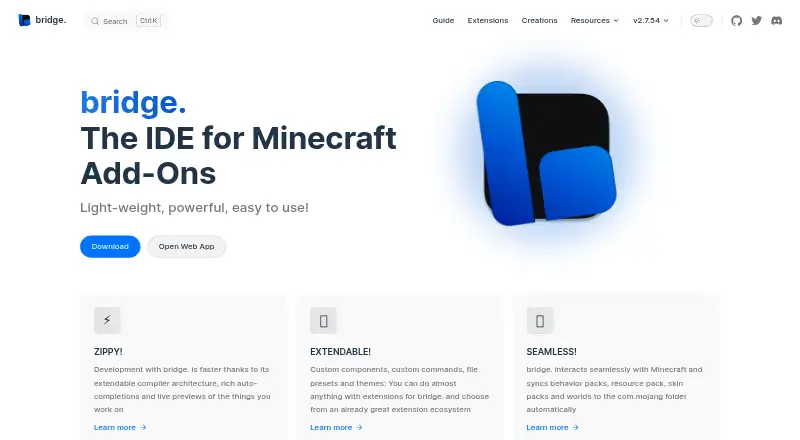
What bridge. is
bridge. is an IDE for creating Minecraft Bedrock add-ons, including behavior packs, resource packs, skin packs and world templates. It prepares projects with the necessary files and configuration, and supports every file type Minecraft supports for add-ons. Its previews cover models, textures, animations, collision boxes, entity seats and particle effects without opening Minecraft. Users can work in text or tree editors; the editors offer dynamic completions and schema validation, while the tree editor is recommended for people with little JSON knowledge because it prevents syntax errors. The built-in Dash compiler supports plugins, and an extension API and store provide community extensions, custom tools, editors, viewers, presets, themes and compiler plugins. Projects can sync packs and worlds to Minecraft's com.mojang folder, but are stored outside it by default so they remain separate if Minecraft is uninstalled. The installed web app works offline. The project is free and released under GPL-3.0, with Android, iOS, Linux, macOS, web and Windows versions. On mobile, users must download projects to fully save progress because mobile browsers lack a required API.
Good
- Creates four types of Bedrock projects.
- Previews models, textures, animations and effects.
- Includes text and tree editors with validation.
- Installed web app works offline.
- Free and released under GPL-3.0.
Watch out
- Mobile users must download projects to fully save progress.
- Tree editor prevents syntax errors, but text editing remains available.
Who it suits
bridge. suits Minecraft Bedrock creators who want dedicated tools for building and previewing add-ons. Its tree editor is aimed at users with little JSON knowledge, while its extensions and compiler plugins may suit those who want to customize their workflow.
Verdict
bridge. combines project setup, editing, validation, previews and Minecraft syncing for Bedrock add-ons. It is free across web, desktop and mobile, though mobile users need to download projects to preserve progress.
The facts
Each one read from bridge.'s own pages, with the date it was checked.
What it does
- Bedrock projects
- It can create behavior packs, resource packs, skin packs and world templates for Minecraft Bedrock.checked 2 Oct 2026
- Compiler
- bridge. includes the Dash compiler, which can be configured with compiler plugins.checked 2 Oct 2026
- Completion and validation
- The editors provide dynamic auto-completions and validate files against schemas, with suggestions filtered by format version and experimental toggles.checked 1 Oct 2026
- Completions and validation
- Its editors provide dynamic auto-completions, and the text editor validates files against schemas and points out syntax errors.checked 2 Oct 2026
- Editor modes
- It offers text and tree editors; the tree editor is recommended for users with little JSON knowledge because it prevents syntax errors.checked 2 Oct 2026
- Extensions
- Its extension API supports themes, snippets, presets, custom UI elements and compiler plugins, and extensions can be installed globally or per project.checked 2 Oct 2026
- File support
- bridge. supports every file that Minecraft supports for Add-Ons.checked 1 Oct 2026
- Import and export
- The documented export formats include .brproject, .mcaddon, .mcworld and .mctemplate; .mcaddon and .mcpack projects can be imported.checked 2 Oct 2026
- License
- The website says bridge. is released under the GPL-3.0 License.checked 2 Oct 2026
- Minecraft sync
- When linked to the com.mojang folder, bridge. can sync compiled projects to Minecraft’s development pack folders.checked 2 Oct 2026
- Mobile limitation
- On mobile, users need to download their project to completely save progress because mobile browsers lack an API bridge. v2 requires.checked 2 Oct 2026
- Offline use
- The maker says the installed web app behaves like a native app and works offline.checked 2 Oct 2026
- Previews
- It previews project models, textures, animations, collision boxes, entity seat positions and particle effects without loading Minecraft.checked 2 Oct 2026
- Project setup
- It creates behavior packs, resource packs, skin packs and world templates with necessary files and project configuration.checked 1 Oct 2026
- Project storage
- By default, project files are stored outside the com.mojang folder, and the maker says they can be used with GitHub for collaboration and version control.checked 2 Oct 2026
- Purpose
- bridge. describes itself as an IDE for Minecraft add-ons.checked 2 Oct 2026
- Support
- The maker directs users to its Discord for help and says issues can also be reported through its GitHub bug tracker.checked 2 Oct 2026
- Version control
- The project structure can be used with GitHub for collaboration and version control.checked 1 Oct 2026
The company
- Founded
- 2019checked 23 Sep 2026
- Team
- The listed team includes solvedDev and Joel ant 05 as lead developers and OuterCloudStudio as lead maintainer.checked 1 Oct 2026
The full review of bridge.
Overview
bridge. is an IDE for creating Minecraft Bedrock Add-Ons. It helps organize the project from the start, setting up behavior packs, resource packs, skin packs and world templates with their required files and configuration. Projects are stored outside Minecraft’s com.mojang folder by default, so removing Minecraft does not also remove the project files. When packs or worlds are ready, bridge. can sync them to that folder.
Editing combines text and tree views. The tree editor is aimed at users with little JSON knowledge and prevents syntax errors; the text editor checks files against schemas and flags syntax problems. Editors provide dynamic completions, with suggestions filtered according to format version and experimental toggles. bridge. also previews models, textures, animations, collision boxes, entity seats and particle effects without loading Minecraft.
The project dates to 2019 and is released under the GPL-3.0 License. Its listed team includes lead developers solvedDev and Joel ant 05, and lead maintainer OuterCloudStudio.
Key features
- Pack and world setup: Create behavior packs, resource packs, skin packs and world templates with their project files and configuration.
- Broad file support: Work with every file type Minecraft supports for Add-Ons.
- Text and tree editing: Choose between two editor modes, with the tree view offering a route for users less familiar with JSON and the text view providing schema validation and syntax feedback.
- Previews: Inspect models, textures, animations, collision boxes, entity seats and particle effects without opening Minecraft.
- Dash compiler: Use the built-in compiler, which supports compiler plugins.
- Extensions: The extension API and store support community extensions, custom tools, editors, viewers, presets, themes and compiler plugins.
- Minecraft sync: Send behavior packs, resource packs, skin packs and worlds to Minecraft’s com.mojang folder.
- Project portability and collaboration: Export projects as .brproject, .mcaddon, .mcworld or .mctemplate, and import .mcaddon or .mcpack projects. The project structure can also be used with GitHub for collaboration and version control.
- Offline use: The installed web app is described as working offline like a native app.
Pricing
bridge. is free and open source. There is no free trial; the software is available under the GPL-3.0 License.
Platforms
bridge. is available on the web, Windows, macOS, Linux, iOS and Android. On mobile, users must download their project to completely save progress because mobile browsers do not support a required API. That caveat matters for anyone planning to work from a phone or tablet: download the project rather than relying on the browser alone to preserve ongoing work.
Who it's for
bridge. suits Minecraft Bedrock creators building or maintaining behavior packs, resource packs, skin packs and world templates. Its tree editor and filtered completions can help users who are less comfortable working directly with JSON, while the text editor, schema validation, scripting support, custom entity tools and compiler plugins give projects room to use more technical workflows. Users looking for a Minecraft Add-on Editors option that includes previews and project setup tools will find those capabilities gathered in one IDE.
Its GitHub-compatible project structure can support collaboration and version control. For support, users can report bugs or request features through the project's GitHub bug tracker, and seek help in Discord.
Pros and cons
- Pros: Pack and world setup, editing, validation, previews, compilation and Minecraft sync are all available in one environment.
- Pros: Projects are kept outside Minecraft’s data folder by default, and the extension system supports community additions and custom tools.
- Pros: The installed web app can work offline, and project exports cover several pack and world formats.
- Cons: Mobile browser users need to download their projects to fully save progress because of an unsupported API.
- Cons: bridge. focuses specifically on Minecraft Add-Ons rather than general-purpose coding.
Alternatives
For adjacent tools, consider Blockbench, Minecraft Launcher or Visual Studio Code. Other listed options include AddonCrate Studio, Crafty Craft, Bedrocken, Blockception Minecraft Bedrock Development and Addons Maker for Minecraft PE.
Verdict
bridge. brings the core work of Bedrock Add-On development together: project scaffolding, two editing modes, schema checks, previews, compilation, extensions and sync to Minecraft. Its free, open-source model makes it accessible without a subscription cost, and storing projects outside Minecraft’s folder by default adds a useful layer of separation. The main qualification is mobile saving, where project downloads are required to fully preserve progress. For creators who want a dedicated IDE for Bedrock packs and worlds, bridge. offers a broad toolset with a clear path from setup to Minecraft sync.
Alternatives to bridge.
- 1

Blockbench
Free planOpen sourceAndroidiOSWebAPI8.1Free plan - 2

Visual Studio Code
Free planWebLinuxmacOSWindows7.4Free plan - 3
Snowstorm
Free planAndroidiOSWebExtension7.0Free plan - 4

mcbCode
Free planAndroidWeb6.9From $4 a month - 5

Tynker
AndroidiOSWeb6.8From $10 a month - 6

Addons Maker for Minecraft PE
Free planAndroidiOS6.7From $3.99 a month