BootRacer
BootRacer is a Windows startup manager for measuring and inspecting startup activity on Windows 10 and 11.
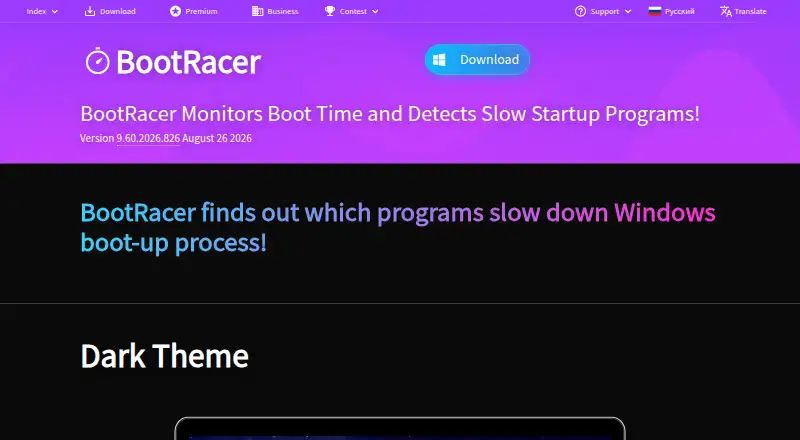
What BootRacer is
BootRacer is a Windows startup manager for measuring and inspecting startup activity on Windows 10 and 11. Its listed tools include startup delay, service control, startup inspection, and restore-point tools; junk cleanup and driver updates are not included. The free plan is for non-commercial use. Paid options include Premium licenses for one or two PCs, a household Family License, a one-year Roaming License, a Business license, and Enterprise options. Premium 1 PC is listed at $39.95 per month, with lifetime billing terms. The Family License is $99.95 per month and allows use on all PCs in a household, also with lifetime terms. The Roaming License is $99.95 per year for one computer running at a time. The Enterprise and Enterprise Site License prices are not listed. BootRacer is limited to Windows, and its listed plans specify a one-PC limit except where a broader license is described. Its listed tools focus on startup timing and management rather than general cleanup or scheduled maintenance.
Good
- Includes startup delay and service control.
- Provides startup inspection tools.
- Restore-point tools are included.
- Free plan available for non-commercial use.
Watch out
- Limited to Windows.
- Junk cleanup is not included.
- Driver updates are not included.
- Enterprise plan prices are not listed.
Who it suits
BootRacer suits Windows 10 and 11 users who want to inspect or manage startup activity. Its free plan is specifically for non-commercial use, while paid plans describe different computer limits and license terms.
Verdict
BootRacer focuses on startup timing and management, with restore-point tools and plans for different use cases. Check the license terms and device limit that apply to your intended use.
Plans and prices
From BootRacer's own pricing page, checked 22 Sep 2026.
| Plan | Price | What it gives you |
|---|---|---|
| Free | Free | Free for non-commercial use |
| Premium 1 PC | $39.95 a month | 1 PC · Premium is lifetime |
| Premium 2 PC | $59.95 a month | 2 PCs · Premium is lifetime |
| Premium Family License | $99.95 a month | Lifetime license · Use on all PCs in the household · Family Pack allows use on all PCs in your household |
| Roaming License | $99.95 a year | 1 computer running at a time · One-year License |
| Business 1 PC | $39.95 a month | 1 PC · Lifetime License. One-year free program upgrades. |
| Enterprise | — | Minimum 100 licenses |
| Enterprise Site License | — | Unlimited installations |
The facts
Each one read from BootRacer's own pages, with the date it was checked.
Where it runs
- Device limit
- 1checked 22 Sep 2026
- Windows support
- windows 10 and 11checked 22 Sep 2026
What it does
- Driver updates
- Nochecked 22 Sep 2026
- Junk cleanup
- Nochecked 22 Sep 2026
- Restore-point tools
- Yeschecked 22 Sep 2026
- Scheduled maintenance
- Nochecked 22 Sep 2026
- Startup manager
- Yeschecked 22 Sep 2026
The company
- Founded
- 1998checked 28 Sep 2026
- Headquarters
- Sheridan, Wyoming, USAchecked 28 Sep 2026
Money
- Free plan
- Yeschecked 22 Sep 2026
The full review of BootRacer
Overview
BootRacer is a Windows utility centered on managing and inspecting what runs when a PC starts. Its scope is focused: it includes startup management, startup inspection, startup-delay controls and service control, rather than a broader set of PC maintenance tools. Junk cleanup, driver updates and scheduled maintenance are not included.
The software is made by BootRacer, a company founded in 1998 and headquartered in Sheridan, Wyoming, USA. It supports Windows 10 and Windows 11. Restore-point tools are also listed, providing a separate system-safety capability alongside its startup controls.
For readers comparing tools in this category, browse our Startup Manager Software list or the broader PC Optimization Software category.
Key features
Startup management and inspection
BootRacer includes a startup manager and startup inspection. These capabilities let users review and manage startup items, while startup-delay controls and service control provide additional ways to shape what runs during Windows startup.
Restore-point tools
Restore-point tools are part of the listed feature set. They complement the startup controls, though the available facts do not specify how the restore-point tools work or which restore operations are supported.
Pricing
BootRacer uses a freemium model. The Free plan is free and is for non-commercial use. The maker lists these paid options:
| Plan | Listed price and terms |
|---|---|
| Premium 1 PC | $39.95 a month; lifetime Premium license for 1 PC |
| Premium 2 PC | $59.95 a month; lifetime Premium license for 2 PCs |
| Premium Family License | $99.95 a month; lifetime license for all PCs in the household |
| Roaming License | $99.95 a year; one-year license for 1 computer running at a time |
| Business 1 PC | $39.95 a month; lifetime license with one year of free program upgrades, for 1 PC |
| Enterprise | Price not listed; minimum 100 licenses |
| Enterprise Site License | Price not listed; unlimited installations |
The listed prices and billing descriptions do not always use the same time unit: several options show a monthly price while describing the license as lifetime. Check the plan terms carefully before choosing. The listed device limit is 1, while some plans specify coverage for multiple PCs or household installations.
Platforms
BootRacer is available for Windows and supports Windows 10 and 11. No support for other platforms is listed.
Who it's for
BootRacer suits Windows users who want a focused way to inspect and manage startup items, control startup delays or services, and have restore-point tools available. It is less suited to someone seeking an all-in-one maintenance package, since junk cleanup, driver updates and scheduled maintenance are not included. The free plan is specifically for non-commercial use.
Pros and cons
Pros
- Startup management, inspection, delay controls and service control are included.
- Restore-point tools are listed.
- A free plan is available for non-commercial use.
- Supports Windows 10 and 11.
Cons
- Junk cleanup, driver updates and scheduled maintenance are not included.
- Several paid plan listings pair a monthly price with a lifetime-license description, so the stated terms merit close attention.
- Enterprise pricing is not listed.
Alternatives
Other startup utilities in this category include HiBit Startup Manager, Autorun Organizer, Service+, SterJo Startup Patrol, WhatInStartup and Quick Startup. For different PC utility needs, Argente Uninstall Manager and Microsoft Quick Assist are also listed options.
Verdict
BootRacer is a narrowly focused Windows startup utility with startup management, inspection, delay and service controls, plus restore-point tools. Its feature list makes it relevant to users concentrating on startup behavior rather than general cleanup or maintenance. The free non-commercial plan offers an entry point, while paid options cover individual PCs, multiple PCs, households, roaming use and business deployments. Because some paid plans display a monthly price alongside lifetime-license terms, confirm the exact billing arrangement before buying.
Getting started
- Visit the BootRacer website.
- Choose the free plan for non-commercial use or select a paid license.
- Install it on a supported Windows 10 or 11 PC.
- Use its startup inspection, delay, service control, or restore-point tools.
Limits worth knowing
The free plan is for non-commercial use.
Questions
Is BootRacer free?
Yes. Its free plan is for non-commercial use.
What does Premium 1 PC cost?
It is $39.95 a month, with lifetime terms.
Which platforms does BootRacer support?
Windows 10 and 11 are listed.
What does the Family License cover?
The $99.95 a month lifetime license allows use on all PCs in a household.
Does BootRacer include junk cleanup or driver updates?
No. Neither junk cleanup nor driver updates is included.
Alternatives to BootRacer
- 1
Argente Uninstall Manager
Free planWindows7.4From €9 a year - 2

AlwaysUp
Windows6.7$39.99 one-time - 3
ServiWin
Free planWindows6.5Free plan - 4
FireDaemon Fusion
WebAPISelf-hostedWindows6.4$45 one-time - 5
AutoRun Manager
Free planWindows6.3Free plan - 6

Autoruns
Free planWindows6.3Free plan