
Autoruns
Autoruns is a free Windows utility for examining programs and drivers set to run during startup, login, or when certain built-in Windows applications open.
What Autoruns is
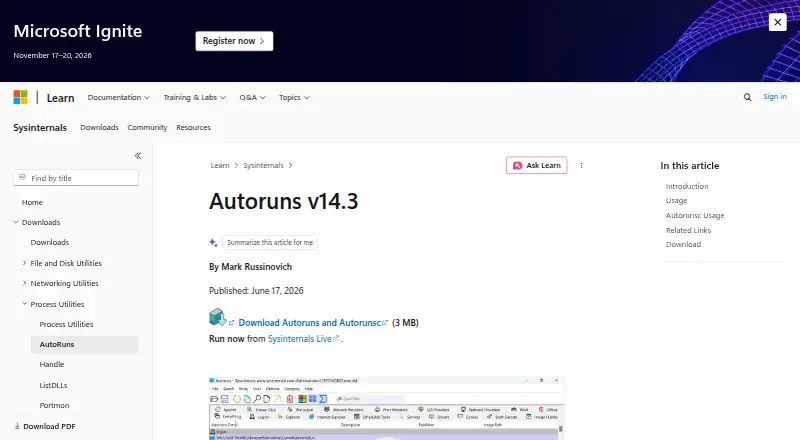
Autoruns is a free Windows utility for examining programs and drivers set to run during startup, login, or when certain built-in Windows applications open. It collects entries from many parts of Windows, including the Startup folder, Registry keys, Explorer extensions, services, scheduled tasks, and Winlogon. The Hide Signed Microsoft Entries option can narrow the view to third-party startup items, and Autoruns can also show items configured for other accounts on the same system. You can disable an entry by unchecking it or remove its configuration entry. Scan options include digital signature verification and VirusTotal hash checks; using VirusTotal features requires accepting its terms, and submitting files that have not previously been scanned requires choosing the upload option. The download includes Autorunsc, a command-line companion that can produce CSV or tab-delimited output, verify signatures, and scan an offline Windows installation. The download is listed as 3 MB, and Microsoft offers a Sysinternals Live option. Autoruns costs nothing. Installations and use on your own or supported devices are unlimited, but redistribution is not licensed. Sysinternals tools are provided as is without official Microsoft support; Microsoft points users to a community forum.
Good
- Reports entries from a broad range of Windows startup locations.
- Can hide signed Microsoft entries to focus on third-party items.
- Shows auto-start entries configured for other user accounts.
- Includes command-line output and offline Windows scanning.
- Free to use with no limit on installs or supported devices.
Watch out
- Windows only.
- Microsoft provides no official support for Sysinternals tools.
- Redistribution is not licensed.
- VirusTotal features require accepting its terms of service.
Who it suits
Autoruns suits Windows users who need to review or manage programs and drivers that start automatically, including entries belonging to other accounts. Its command-line companion and offline scanning can also suit people who need startup data in tabular form or need to inspect an offline Windows system.
Verdict
Choose Autoruns if you need a free way to inspect and manage Windows auto-start entries across many system locations. It also includes command-line and offline scanning through Autorunsc. Look elsewhere if you need a tool for another platform, official Microsoft support, or a license to redistribute the software.
Plans and prices
From Autoruns's own pricing page, checked 12 Oct 2026.
| Plan | Price | What it gives you |
|---|---|---|
| Free | Free | Free to use · no limit on installs or use on your devices or devices you support · no redistribution license |
The facts
Each one read from Autoruns's own pages, with the date it was checked.
What it does
- Command-line tool
- The download includes Autorunsc, a command-line version that can output CSV or tab-delimited data and verify digital signatures.checked 12 Oct 2026
- Data collection
- The Sysinternals software license terms state that Sysinternals tools do not collect data.checked 12 Oct 2026
- Download and live use
- The Autoruns and Autorunsc download is listed as 3 MB, and Microsoft also provides a Sysinternals Live option to run it.checked 12 Oct 2026
- Filter Microsoft entries
- The Hide Signed Microsoft Entries option helps focus on third-party auto-starting images.checked 12 Oct 2026
- Junk cleanup
- Nochecked 20 Sep 2026
- Manage entries
- Users can disable an auto-start entry by unchecking it or delete its configuration entry.checked 12 Oct 2026
- Multiple accounts
- Autoruns can show auto-starting images configured for other user accounts on the system.checked 12 Oct 2026
- Offline scanning
- Autorunsc supports specifying an offline Windows system to scan.checked 12 Oct 2026
- Purpose
- Autoruns shows programs and drivers configured to run during system boot, login, and when certain built-in Windows applications start.checked 12 Oct 2026
- Signature and malware checks
- Scan options include signature verification and VirusTotal hash checks, and can submit files not previously scanned when the upload option is specified.checked 12 Oct 2026
- Startup locations
- It reports startup items from locations including the Startup folder, Registry keys, Explorer extensions, services, scheduled tasks, and Winlogon entries.checked 12 Oct 2026
- Startup manager
- Yeschecked 20 Sep 2026
- Support
- Microsoft says Sysinternals tools are provided as is without official Microsoft support and points users to a community support forum.checked 12 Oct 2026
- Use limits
- The licensing FAQ says there is no limit on installations and use on your devices or devices you support, but Microsoft does not offer distribution licenses.checked 12 Oct 2026
- VirusTotal terms
- Users must accept VirusTotal's terms of service before using Autoruns' VirusTotal features.checked 12 Oct 2026
Money
- Free plan
- Yeschecked 20 Sep 2026
The full review of Autoruns
Overview
Autoruns is a Windows utility that maps programs and drivers configured to launch at boot, at sign-in, or alongside certain built-in Windows apps. It is aimed at people who need to inspect startup configuration across system locations, accounts, or offline installations. Its wide coverage and unrestricted free use make it a strong specialist utility, though it does not offer junk cleanup or official Microsoft support.
Key features
Autoruns goes well beyond the Startup folder: it reports entries from Registry keys, Explorer extensions, services, scheduled tasks, and Winlogon. That breadth helps when a conventional startup list does not show where an item is configured. It also makes Autoruns a more involved choice for someone who only wants a short list of apps to toggle.
The Hide Signed Microsoft Entries option helps focus the view on third-party auto-starting images. Autoruns can also show entries configured for other user accounts on the same computer. You can disable an entry by unchecking it or delete its configuration entry, giving knowledgeable users ways to investigate and change startup behavior. Because it has no junk-cleanup function, it should not be chosen as a general Windows maintenance tool.
Scan options include digital-signature verification and VirusTotal hash checks. When the upload option is specified, Autoruns can submit files that have not previously been scanned; using VirusTotal features requires accepting VirusTotal's terms of service. Sysinternals' license terms state that its tools do not collect data.
The download includes Autorunsc, a command-line counterpart that can export CSV or tab-delimited results and verify digital signatures. It can also scan an offline Windows system. That makes Autoruns useful for scripted inventory or examining another Windows installation, though the command-line tool is aimed at users comfortable working outside a graphical interface.
Pricing
Free — free. The free plan includes the Autoruns utility and Autorunsc, with no limit on installations or use on your own devices or devices you support. There is no paid plan to compare. Microsoft does not offer a license to redistribute the software, so the free terms suit personal and support use, not repackaging or distribution.
The download is listed as 3 MB, and Microsoft also offers a Sysinternals Live option to run the utility. Sysinternals tools are provided as is without official Microsoft support; Microsoft points users to a community support forum. That support arrangement is a meaningful limitation for organizations that require vendor-backed assistance.
Platforms
Autoruns is for Windows. Autorunsc's offline scanning support extends its use to an offline Windows system, but does not make it a cross-platform utility. Readers managing devices on other operating systems should choose software built for those platforms.
Who it's for
Autoruns is a good fit for technically confident Windows users and administrators who need to trace auto-start entries beyond the usual startup list, inspect other accounts, or examine an offline installation. Its free use without an installation cap also suits people supporting multiple devices. A reader who wants automatic junk removal, a guided cleanup workflow, or official Microsoft support should look elsewhere.
Pros and cons
- Pros: It surveys startup configuration across the Startup folder, Registry, Explorer extensions, services, scheduled tasks, and Winlogon, giving users a broader inventory than a basic startup list.
- Pros: Filtering signed Microsoft entries and viewing other accounts help narrow an investigation to the relevant entries and users.
- Pros: Autorunsc supports command-line exports, signature verification, and offline Windows scans, extending the utility to scripting and system examination.
- Pros: The free plan has no limit on installs or use on devices you own or support.
- Cons: It has no junk-cleanup feature, so it will not handle broader maintenance tasks.
- Cons: Microsoft provides no official support for Sysinternals tools, which may not suit users who need vendor assistance.
- Cons: VirusTotal checks require acceptance of separate terms, and submitting previously unscanned files requires specifying the upload option.
- Cons: Redistribution is not covered by Microsoft's licensing terms, limiting the free plan for anyone who needs to distribute the software.
Alternatives
For other startup-management options, browse Startup Manager Software. Readers looking for a different kind of utility can compare System Information Software, Secure File Shredding Software, Data Erasure Software, Disk Defragmentation Software, and File Shredder Software.
Cairo Secure Eraser is a free Windows option for readers seeking secure erasure rather than startup inspection; it requires a free account to download. Eraser is another free Windows choice, with source code released under the GNU General Public License.
Free File Eraser is a Windows desktop utility billed as freeware with no hidden cost or function limit stated. OW Shredder is a free Windows download. For Linux users who need permanent file deletion, Raider is a free option.
Crypto Shredder offers a free Windows edition, while DeleteOnClick is a free option for 32-bit and 64-bit Windows. File Shredder may suit readers who need file and folder shredding, free-space wiping, and five shredding algorithms under a GNU/GPL license.
Verdict
Choose Autoruns if you need a free, broad view of Windows auto-start entries and want control over disabling or removing their configuration, including through command-line or offline scans. Its scope is valuable for inspection and targeted changes, but its lack of junk cleanup and official support makes it a poor fit for readers seeking an all-purpose maintenance tool or vendor-backed help.
Getting started
- Open the Autoruns page on Microsoft's website.
- Download the 3 MB Autoruns and Autorunsc package, or use the Sysinternals Live option.
- Run Autoruns on a Windows system to review its auto-start entries.
- Use Autorunsc for command-line output or to specify an offline Windows system.
- Accept VirusTotal's terms before using its VirusTotal features.
Limits worth knowing
The software is free at no cost, with no limit on installs or use on devices you own or support. Redistribution is not licensed.
Questions
How much does Autoruns cost?
The listed plan is free.
Which platform does Autoruns support?
Autoruns is for Windows.
Can Autoruns scan another user account?
Yes. It can show auto-starting images configured for other accounts on the system.
Does Autoruns include a command-line version?
Yes. The download includes Autorunsc, which can output CSV or tab-delimited data, verify signatures, and scan an offline Windows system.
Does Microsoft provide official support?
No. Microsoft says Sysinternals tools are provided as is without official support and points users to a community support forum.
Can I redistribute Autoruns?
The licensing FAQ says there is no limit on installations and use on your own or supported devices, but Microsoft does not offer distribution licenses.
Alternatives to Autoruns
- 1

DisplayFusion
Free planAndroidiOSAPIWindows7.9$34 one-time - 2
Avidemux
Free planOpen sourceWebLinuxmacOSWindows7.3Free plan - 3

Dexpot
Free planAPIWindows7.2€24.90 one-time - 4
spectrwm
Free planOpen sourceLinuxmacOSWindows7.1Free plan - 5

Launchpad
Free planWebAPILinuxSelf-hosted7.0Free plan - 6

Reloop
Free planSelf-hosted7.0From $10 a month