
AlwaysUp
AlwaysUp runs applications as Windows Services so they can start at boot and continue running without a user logged in.
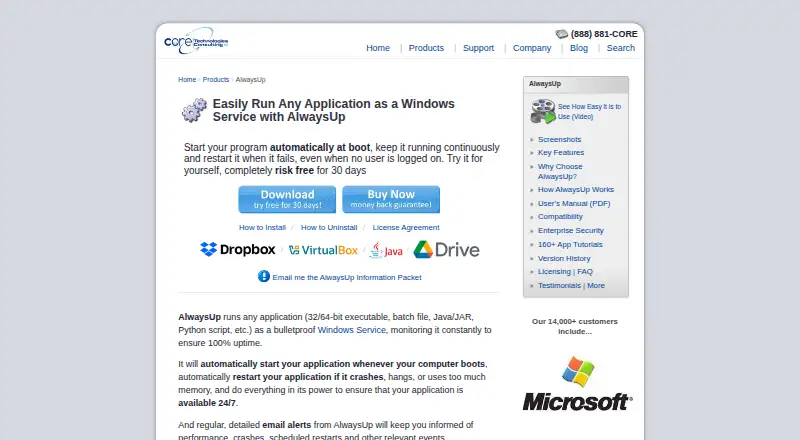
What AlwaysUp is
AlwaysUp runs applications as Windows Services so they can start at boot and continue running without a user logged in. It can manage executables, batch files, Java applications, Python scripts, and other application types. The software monitors applications and can restart them if they crash, hang, or use too much memory. It can send email alerts about events such as crashes and restarts, and record activity in the Windows Event Log. Scheduling options cover application restarts and computer reboots; custom sanity checks and dialog automation are also available. The maker lists compatibility guides for more than 160 applications, including Dropbox, Google Drive for desktop, Java applications, Python scripts, and Plex Media Server. Current releases support Windows 11 and 10, plus Windows Server 2025, 2022, 2019, and 2016, with earlier releases available for some older versions. The maker says core functions need no internet access, configuration stays local, and installations send no personal data or telemetry. A free Web Service add-on offers browser and HTTP API control with HTTPS. An unrestricted 30-day trial is available.
Good
- Can restart applications after crashes or hangs.
- Includes email alerts and Windows Event Log reporting.
- Supports scheduled restarts and computer reboots.
- Unrestricted 30-day trial is available.
- Free Web Service add-on supports browser and API control.
Watch out
- Runs on Windows only.
- Individual single-PC license costs $49.99, paid once.
- Free plan is not available.
Who it suits
AlwaysUp suits Windows users who need applications to start at boot and keep running without a logged-in user. Its enterprise features may suit organizations managing installations across computers or locations.
Verdict
AlwaysUp focuses on keeping Windows applications running as services, with monitoring, restart, and scheduling tools. Its individual license is a one-time purchase, and a 30-day trial is available.
Plans and prices
From AlwaysUp's own pricing page, checked 4 Oct 2026.
| Plan | Price | What it gives you |
|---|---|---|
| Individual (25+ licenses) | $37.49, paid once | 25 or more licenses |
| Individual (10–24 licenses) | $39.99, paid once | 10–24 licenses |
| Individual (2–9 licenses) | $44.99, paid once | 2–9 licenses |
| Individual (single license) | $49.99, paid once | 1 PC |
| Limited Site License | $999, paid once | Up to 50 computers · One geographic location |
| Site Plus License | $1,999, paid once | Up to 200 computers · One geographic location |
| Limited Enterprise/Multi-Site License | $1,999, paid once | Up to 100 computers · Multiple geographic locations |
| Enterprise/Multi-Site Plus License | $2,799, paid once | Up to 300 computers · Multiple geographic locations |
| Unlimited Site License | $2,999, paid once | Unlimited computers · One geographic location |
| Unlimited Enterprise/Multi-Site License | $4,999, paid once | Unlimited computers · Multiple geographic locations |
The facts
Each one read from AlwaysUp's own pages, with the date it was checked.
What it does
- Alerts and logs
- It can send email alerts about crashes, restarts, and other events, and report activity to the Windows Event Log.checked 4 Oct 2026
- Enterprise deployment
- Enterprise features include Group Policy support, silent installation, command-line configuration, volume licensing, and domain and gMSA support.checked 4 Oct 2026
- Integrations
- The maker lists compatibility guides for more than 160 applications, including Dropbox, Google Drive for desktop, Java applications, Python scripts, and Plex Media Server.checked 4 Oct 2026
- Monitoring
- It monitors applications and can restart them if they crash, hang, or use too much memory.checked 4 Oct 2026
- Purpose
- AlwaysUp runs applications as Windows Services so they start at boot and continue running when no user is logged in.checked 4 Oct 2026
- Scheduling and automation
- Features include scheduled application restarts or computer reboots, custom sanity checks, and automation for interacting with dialogs and forms.checked 4 Oct 2026
- Security and privacy
- The maker says AlwaysUp needs no internet access for core functionality, stores configuration locally, and collects or transmits no personal data or telemetry from installations.checked 4 Oct 2026
- Support
- The maker offers free technical support by email or phone and says it responds to company inquiries within one business day.checked 4 Oct 2026
- Supported programs
- It can run executables, batch files, Java applications, Python scripts, and other application types as services.checked 4 Oct 2026
- Web control and API
- The free AlwaysUp Web Service add-on lets users control AlwaysUp applications in a browser or through an HTTP-based API, and supports HTTPS.checked 4 Oct 2026
The company
- Founded
- 2004checked 28 Sep 2026
- Headquarters
- Oakland, California, USAchecked 28 Sep 2026
Money
- Trial and refund
- New users can try an unrestricted 30-day trial, and the product page states that purchasers can request a full refund within 30 days of purchase.checked 4 Oct 2026
Where it runs
- Windows compatibility
- The current release supports Windows 11 and 10 and Windows Server 2025, 2022, 2019, and 2016; previous releases are available for some older Windows versions.checked 4 Oct 2026
Alternatives to AlwaysUp
- 1
Argente Uninstall Manager
Free planWindows7.4From €9 a year - 2
BootRacer
Free planWindows6.6From $99.95 a year - 3
ServiWin
Free planWindows6.5Free plan - 4
FireDaemon Fusion
WebAPISelf-hostedWindows6.4$45 one-time - 5
AutoRun Manager
Free planWindows6.3Free plan - 6

Autoruns
Free planWindows6.3Free plan