
BackupPC
BackupPC is free, open-source software for backing up Linux, Windows, and macOS PCs and laptops to a server's disk.
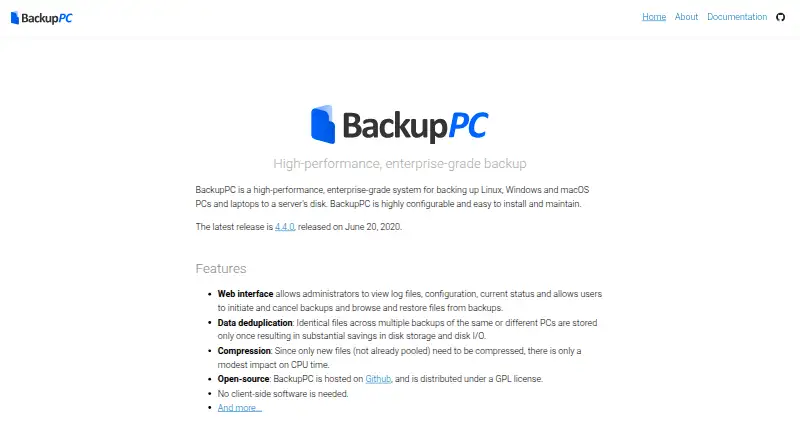
What BackupPC is
BackupPC is free, open-source software for backing up Linux, Windows, and macOS PCs and laptops to a server's disk. It stores identical files across backups only once, reducing disk storage and disk I/O; optional compression can further reduce storage use. No client-side software is needed, and its documentation describes SMB, rsync, tar, and FTP backup methods.
Administrators can review logs, configuration, and status in the web interface. Users can start or cancel backups, browse files, and restore them directly or as ZIP or tar archives. Configuration supports parallel backups, full and incremental schedules, and settings at either the system or individual-PC level. BackupPC supports laptops that connect intermittently and use dynamic IP addresses, and users can receive configurable email reminders when a PC has not been backed up recently. The project lists announcement, user-support, and developer mailing lists. Its home page lists version 4.4.0, released June 20, 2020, as the latest release. The documentation says BackupPC is not designed to provide exact re-imaging of failed disks. It describes full-file MD5 digests for backup files and notes that MD5 collisions remain possible.
Good
- No client-side software is needed
- Stores identical files only once across backups
- Supports full and incremental backup schedules
- Restores files directly or as ZIP or tar archives
Watch out
- Not designed to exactly re-image failed disks
- Latest listed release dates to June 20, 2020
- MD5 collisions remain possible
Who it suits
BackupPC suits administrators who want to back up Linux, Windows, or macOS computers to a server and restore individual files. It can also accommodate intermittently connected laptops with dynamic IP addresses.
Verdict
BackupPC focuses on file backups to a server, with deduplication, optional compression, scheduling, and file-level restores. It is not intended for exact disk re-imaging.
Plans and prices
From BackupPC's own pricing page, checked 9 Oct 2026.
| Plan | Price | What it gives you |
|---|---|---|
| BackupPC | Free | Open-source backup software; backs up PCs and laptops to a server's disk |
The facts
Each one read from BackupPC's own pages, with the date it was checked.
What it does
- Backup scope
- filechecked 20 Sep 2026
- Client setup
- No client-side software is needed; the documentation describes SMB, rsync, tar, and FTP backup methods.checked 9 Oct 2026
- Compression
- Optional compression reduces storage use, and only new files need to be compressed.checked 9 Oct 2026
- Computer backup
- Yeschecked 20 Sep 2026
- Deduplication
- Identical files across backups are stored only once to reduce disk storage and disk I/O.checked 9 Oct 2026
- Email reminders
- Users can receive configurable email reminders when their PC has not recently been backed up.checked 9 Oct 2026
- Intermittent connections
- BackupPC supports laptops that connect intermittently and have dynamic IP addresses.checked 9 Oct 2026
- License
- The maker describes BackupPC as open-source software distributed under the GPL license.checked 9 Oct 2026
- Limit
- The documentation says BackupPC is not designed to provide exact re-imaging of failed disks.checked 9 Oct 2026
- Mobile backup
- Nochecked 20 Sep 2026
- Purpose
- BackupPC backs up Linux, Windows, and macOS PCs and laptops to a server's disk.checked 9 Oct 2026
- Release
- The maker's home page lists version 4.4.0, released June 20, 2020, as the latest release.checked 9 Oct 2026
- Restore
- Files can be restored directly or downloaded in ZIP or tar archives.checked 9 Oct 2026
- Restore modes
- filechecked 20 Sep 2026
- Scheduling
- Configuration supports parallel backups, full and incremental schedules, and settings at the system or individual-PC level.checked 9 Oct 2026
- Security
- The documentation describes full-file MD5 digests for backup files and notes that MD5 collisions remain possible.checked 9 Oct 2026
- Support
- The project lists announcement, user-support, and developer mailing lists.checked 9 Oct 2026
- Web interface
- Its web interface lets administrators review logs, configuration, and status, while users can start or cancel backups and browse or restore files.checked 9 Oct 2026
Money
- Free plan
- Yeschecked 20 Sep 2026
Where it runs
- Supported platforms
- Linux,Windows,macOS,webchecked 20 Sep 2026
The full review of BackupPC
BackupPC is free, open-source software that backs up Linux, Windows, and macOS computers to a server’s disk. It is best suited to administrators protecting files across computers that may connect intermittently. Its shared storage and scheduling make it a practical server-based option, but it cannot recreate a failed disk exactly.
Overview
BackupPC centralizes computer backups on a server, with settings available globally or for individual PCs. Administrators can use its web interface to review logs, configuration, and status; users can start or cancel backups and browse or restore files. That division works well in a managed environment, but the server-centered setup is a poor fit for someone seeking a hands-off, standalone backup app.
The project distributes BackupPC under the GPL license. Its home page lists version 4.4.0, released June 20, 2020, as the latest release. Support is organized through announcement, user-support, and developer mailing lists.
Key features
- Deduplication and optional compression: Identical files across backups are stored once, reducing disk use and disk I/O. Optional compression can save more space, and only new files need compression. This is useful when computers share or repeat substantial amounts of data.
- Multiple backup methods: Client-side software is not required. The documentation covers SMB, rsync, tar, and FTP, giving administrators several ways to connect computers to the backup server. The trade-off is that setup depends on choosing and configuring an appropriate method rather than installing a dedicated client.
- Scheduled backups and restore choices: Administrators can configure parallel backups, full and incremental schedules, and settings at the system or individual-PC level. Files can be restored directly or downloaded in ZIP or tar archives. These file-level options suit routine recovery of documents, but not full-disk recovery.
- Intermittent-computer support: BackupPC accommodates laptops that connect sporadically and have dynamic IP addresses. Configurable email reminders can alert users when their computer has not been backed up recently, helping reduce gaps in coverage.
- Digest caveat: Backup files use full-file MD5 digests, but the documentation notes that MD5 collisions remain possible. This is a specific limitation to weigh when evaluating the integrity safeguards.
Pricing
BackupPC is free: its BackupPC plan costs nothing and is open-source backup software for backing PCs and laptops up to a server’s disk. There is no paid tier described, so the main cost consideration is operating the server and its storage rather than buying a software plan.
Platforms
BackupPC supports Linux, Windows, and macOS computers, with a web interface for administrators and users. It backs up files to a server’s disk and offers file-level restores; it does not provide mobile backup or exact disk re-imaging. Choose it for computer-file protection, not as a phone backup or bare-metal recovery system.
Who it's for
BackupPC is a strong fit for technically capable administrators who want centralized backups for a mix of desktop and laptop computers, especially when machines come and go from the network. Deduplication, optional compression, and configurable schedules make shared server storage more efficient. It is less suitable for individuals who want a managed cloud destination, a simple client-led setup, or an image that can restore a failed disk exactly.
Pros and cons
- Pro — Shared storage is used efficiently: Deduplication stores identical files once across backups, while optional compression can further reduce storage use.
- Pro — Flexible deployment: No client software is required, and the documented SMB, rsync, tar, and FTP methods give administrators several connection options.
- Pro — Good coverage for roaming laptops: Intermittent connections and dynamic IP addresses are supported, with reminders available for computers that have gone too long without a backup.
- Con — No exact disk recovery: BackupPC is designed for files, not re-imaging a failed disk, so it cannot replace an image-based recovery tool.
- Con — Administration is part of the proposition: Backups are stored on a server and configured through system or PC settings, making it less appropriate for people who do not want to manage a backup server.
- Con — MD5 collisions remain possible: The documented digest approach has a known collision caveat, which may matter to readers with strict integrity requirements.
Alternatives
If you want a different approach, consider IDrive for its freemium plan structure, free plan, and support for mobile as well as computer platforms. Duplicati offers a free tier that monitors up to two machines and shows the last 200 backups, which is a clearer fit for a small setup that values those caps. Synology Photos is a free option when the requirement is specifically photo management and a Synology NAS is available. Duplicacy is worth considering if a personal license is preferable; its first-year license is $20 a year for one home computer, followed by $5 a year in subsequent years. Kopia is another free, open-source backup and restore option, though storage must be provisioned and paid for separately.
BorgBackup is a free and open-source alternative under the BSD license. MSP360 Backup has a free personal workstation plan with file- and image-based backup and forum support, making it a candidate for readers who need image backups. Bareos offers a free community edition with public repository access and complete source code. For more options, browse NAS Backup Software or Backup software.
Verdict
Choose BackupPC if you can administer a server and want free, scheduled file backups for Linux, Windows, or macOS computers, with efficient shared storage and support for laptops that connect intermittently. Its central advantage is flexible, deduplicated server storage without requiring client-side software. Look elsewhere if you need exact disk imaging, mobile backups, or a setup that does not depend on server administration.
Alternatives to BackupPC
- 1
UrBackup
Free planOpen sourceAndroidWebAPILinux9.4Free plan - 2

IDrive
Free planAndroidiOSWebLinux9.2From $0.25 a month - 3

Bareos
Free planOpen sourceWebAPILinuxmacOS9.1From €480 a year - 4

MSP360 Backup
Free planAndroidiOSWebAPI9.0Free plan - 5

iCloud Backup
Free planAndroidiOSWebAPI8.6From $0.99 a month - 6

Backblaze Computer Backup
AndroidiOSWebmacOS8.5From $7.88 a month