
ApexShot
ApexShot is a Linux desktop screenshot application with cloud sharing.
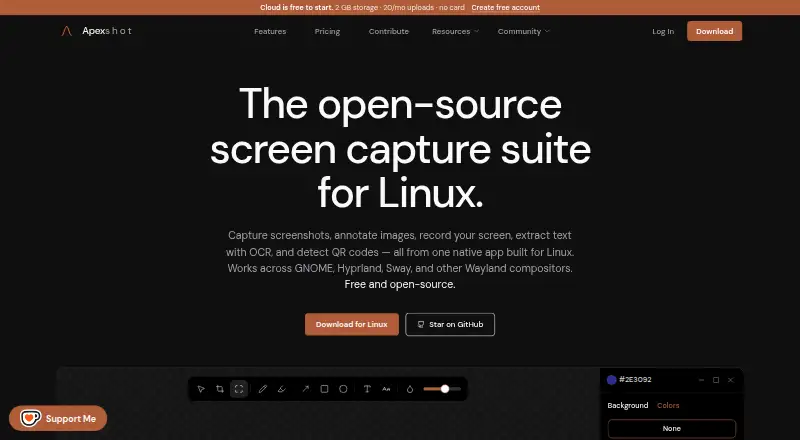
What ApexShot is
ApexShot is a Linux desktop screenshot application with cloud sharing. It supports scrolling capture, annotation tools, and OCR, and exports images as PNG or JPEG. A browser extension is also listed. The Free plan costs nothing and includes 2 GB of cloud storage, 20 uploads per month, seven-day retention, and public share links. Pro costs $5 a month, billed monthly, and provides 100 GB of storage, unlimited uploads, 90-day retention, unlisted and private share links, and device linking. The Team plan lists 500 GB of storage, unlimited uploads, 365-day retention, shared team libraries and workspaces, and admin and seat management; no price is listed for that plan. ApexShot is identified as its own maker, founded in 2026. Its features combine capture and markup tools with storage and sharing plans, so the plan limits and sharing options are important to check when choosing a fit.
Good
- Captures scrolling screens
- Includes annotation tools and OCR
- Exports PNG and JPEG
- Free plan includes public share links
- Pro includes unlisted and private links
Watch out
- Free plan limits uploads to 20 monthly
- Free storage is limited to 2 GB
- Free retention is seven days
Who it suits
ApexShot suits Linux users who want screenshot capture, annotation, OCR, and cloud sharing in one application. Its Team plan may suit groups needing shared libraries and workspace administration.
Verdict
ApexShot combines screenshot capture and image export with cloud storage and sharing. Compare the plan limits and link privacy options with your needs before choosing a tier.
Plans and prices
From ApexShot's own pricing page, checked 7 Oct 2026.
| Plan | Price | What it gives you |
|---|---|---|
| Free | Free | 2 GB storage · 20 uploads/mo · 250 MB max file size · 7-day retention · $0 forever · Free Cloud: 2 GB · 20/mo uploads · 7 days |
| Pro | $5 a month | 100 GB storage · Unlimited uploads · 5 GB max file size · 90-day retention · Billed monthly · cancel anytime |
| Team | $15 a month | 500 GB storage · Unlimited uploads · 10 GB max file size · 365-day retention · ~$15 per seat / month hypothesis — not for sale yet |
The facts
Each one read from ApexShot's own pages, with the date it was checked.
What it does
- Annotation
- Its editor supports arrows, shapes, text, numbers, highlighters, freehand drawing, focus, blur, crop, and image backgrounds.checked 7 Oct 2026
- Cloud links
- Pro includes unlisted and private share links and device linking between the desktop app and Cloud.checked 7 Oct 2026
- Export formats
- PNG, JPEGchecked 19 Sep 2026
- Integrations
- The GNOME Shell extension is installed automatically when applicable and provides preview windows and recording overlays.checked 7 Oct 2026
- Intended users
- The maker says ApexShot is built for Linux users and describes its team pilot research as aimed at Linux-heavy companies and open-source organizations.checked 7 Oct 2026
- License and status
- ApexShot is GPL-3.0 licensed and listed as public beta, version v0.2.35.checked 7 Oct 2026
- Privacy
- The privacy policy says captures remain on the device unless users choose to share them, and that screenshots, recordings, clipboard content, keystrokes, and captured media are not collected.checked 7 Oct 2026
- Purpose
- ApexShot is an open-source Linux app for capturing screenshots, annotating images, recording the screen, extracting text with OCR, and detecting QR codes.checked 7 Oct 2026
- Recording
- Screen recordings can be saved as MP4 or GIF with optional audio, a countdown, and cursor capture.checked 7 Oct 2026
- Sharing
- Users can upload to ApexShot Cloud or their own XBackBone server, or keep captures local.checked 7 Oct 2026
- Support
- The download page directs users to Discord for installation help, bug reports, and feature requests, and also links to GitHub issues.checked 7 Oct 2026
- Supported systems
- The download page lists Ubuntu 24.04+, Debian 12+, Arch Linux, and Fedora, with GNOME 45–50, Hyprland, and Fedora KDE Plasma Wayland listed for desktop compatibility.checked 7 Oct 2026
- Telemetry
- Anonymous aggregated usage statistics and optional crash reports can be disabled in the app settings.checked 7 Oct 2026
Where it runs
- Browser extension
- Yeschecked 19 Sep 2026
- Native app
- The app is built with Rust and GTK4, with a C++/Qt capture overlay.checked 7 Oct 2026
- Platform limitation
- Video recording is not supported on Fedora; the download page says recording actions show a notification and exit.checked 7 Oct 2026
The company
- Founded
- 2026checked 28 Sep 2026
Money
- Free plan
- Yeschecked 19 Sep 2026
Alternatives to ApexShot
- 1

Awesome Screenshot
Free planiOSWebExtensionmacOS8.3From $5 a month - 2

Monosnap
Free planWebExtensionLinuxmacOS8.1From $2.50 a month - 3
Usersnap
AndroidiOSWebAPI7.9From €49 a month - 4

Greenshot
Free planWindows7.8$1.99 one-time - 5
ShareX
Free planOpen sourceWindows7.6Free plan - 6
Markup Hero
Free planExtensionmacOSWindows7.6From $3 a month