
Animoto
Animoto is a video creation service for turning photos, video clips, text, and music into videos for sharing.
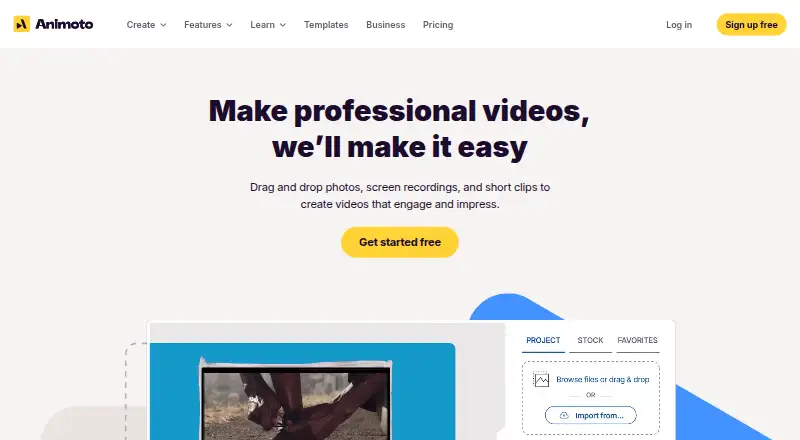
What Animoto is
Animoto is a video creation service for turning photos, video clips, text, and music into videos for sharing. It is available on the web and as an iOS app designed for making videos on an iPhone. The free plan includes unlimited videos, more than 50 music tracks, three standard fonts, and 30 color swatches, but free videos have a “Made with Animoto” watermark and cannot be downloaded. Animoto hosts videos and provides share links and embed codes. Professional and Professional Plus users can brand video play pages and add a call-to-action button. Animoto 3 videos can export at 360p, 720p, and 1080p; Professional and Professional Plus users can export at 4K. The mobile sharing menu lists Facebook, Instagram, Vimeo, Twitter, and YouTube. For the website, Animoto recommends a desktop or laptop using Chrome or Firefox, as some features may not work as intended in mobile browsers. Subscriptions recur monthly or annually unless canceled; a single month can be purchased by turning off auto-renewal.
Good
- Free plan includes unlimited videos
- Includes 50+ music tracks
- Hosted videos have share links and embed codes
- Professional plans offer 4K export
Watch out
- Free videos include a watermark
- Free plan does not include downloads
- Website may not work as intended in mobile browsers
Who it suits
Animoto suits consumers, professional photographers, businesses, and educators making videos from photos, clips, text, and music. It may fit people who want to share hosted videos through links or embeds.
Verdict
Animoto offers a free way to create and host videos, with more export options on its Professional plans. Check the free plan’s watermark and download limits, and use a desktop or laptop for the website.
Plans and prices
From Animoto's own pricing page, checked 21 Oct 2026.
| Plan | Price | What it gives you |
|---|---|---|
| Free | Free | unlimited video creation · 50 music tracks · 3 fonts · 30 color swatches · 720p · Animoto watermark |
| Premium | Priced on request | — |
| Premium | — | — |
| Basic | $16 a month | 1080p HD · no Animoto branding · unlimited downloads · unlimited sharing · flat rate per month |
| Professional | $29 a month | 1M+ Getty Images assets · 3,000 music tracks · 40 fonts · 1 saved brand · 1080p · flat rate per month |
| Professional Plus | $79 a month | Professional features · up to 3 users · reseller licensing for commercial buyers · flat rate per month |
The facts
Each one read from Animoto's own pages, with the date it was checked.
What it does
- Age requirement
- Users must be at least 13, subject to special education terms for younger students.checked 21 Oct 2026
- API and integrations
- Animoto states that it currently offers no public APIs or integrations with external tools, including Google Classroom and Office 365.checked 21 Oct 2026
- Commercial licensing
- Free and Basic are for personal-use videos, Professional permits resale for a buyer's personal use, and Professional Plus permits resale for commercial profit use.checked 21 Oct 2026
- Creation features
- The Free plan includes music upload and access to 50+ music tracks, 3 standard fonts, and 30 color swatches.checked 3 Oct 2026
- Data location
- Animoto says account data is stored in the United States.checked 21 Oct 2026
- Documentation and support
- Customer support is available seven days a week through email or a help request form.checked 21 Oct 2026
- Editing workflow
- The product uses drag-and-drop editing, customizable templates, licensed music and stock media for video creation.checked 21 Oct 2026
- Export resolution
- Animoto 3 videos export at 360p, 720p, and 1080p, while Professional and Professional Plus users can export at 4K.checked 3 Oct 2026
- Exports
- Basic, Professional and Professional Plus provide watermark removal, share links, embeds and 1080p downloads; Professional tiers also support 4K for Animoto 3 projects.checked 21 Oct 2026
- Funding
- CB Insights reports approximately $30 million raised across seven funding rounds and Redbrick as the acquirer in August 2023.checked 21 Oct 2026
- Installation and connectivity
- The service requires no installed software and works only online with an internet connection.checked 21 Oct 2026
- Intended users
- Animoto describes its video service as serving consumers, professional photographers, businesses, and educators.checked 3 Oct 2026
- Legal entity
- Animoto's terms identify the operator as Animoto Inc., a California corporation.checked 21 Oct 2026
- Licence
- The service is proprietary and operated by Animoto Inc.; any open-source components are governed by separate third-party licences.checked 21 Oct 2026
- Limit: customer service
- Trustpilot reviews include complaints about unavailable live support, unanswered emails, missing media and incorrect landing-page behavior.checked 21 Oct 2026
- Limit: customization
- G2 reviewers report limited templates, limited customization and editing that often goes little beyond trimming.checked 21 Oct 2026
- Limit: editing control
- TrustRadius reviewers describe constrained text placement, image layouts, transitions and individual animation control.checked 21 Oct 2026
Money
- Billing
- Subscriptions can be monthly or annual and recur unless canceled; the help page says a single month can be purchased by turning off auto-renewal.checked 3 Oct 2026
- Free plan
- Yeschecked 19 Sep 2026
- Free plan limit
- Videos made on the Free plan include a “Made with Animoto” watermark, and that plan does not include video downloads.checked 3 Oct 2026
- Limit: billing value
- GetApp reviewers complain about rising prices, limited lower-tier assets and auto-renewal or cancellation problems.checked 21 Oct 2026
Where it runs
- Browser support
- Animoto recommends using the website on a desktop or laptop with Chrome or Firefox; some features may not work as intended on mobile browsers.checked 3 Oct 2026
- Mobile app
- Animoto offers a Video Maker & Editor app for iOS, and its help page says it is designed for making videos on an iPhone.checked 3 Oct 2026
The company
- Company facts
- LinkedIn lists Animoto as a privately held software company founded in 2006, headquartered in New York, with 51–200 employees.checked 21 Oct 2026
The full review of Animoto
Overview
Animoto combines photos, video clips, text and music into videos that can be hosted and shared from the service. It is best suited to consumers, photographers, businesses and educators who want a straightforward path from media assets to a shareable video. Its strength is the combination of creation and hosting; the free plan’s watermark and lack of downloads make it less suitable for finished work that needs to travel beyond Animoto.
Key features
Animoto includes text-to-video and social resizing, alongside music uploads and access to more than 50 tracks on Free. That plan also gives users three standard fonts and 30 color swatches. These options can cover simple projects, but the small font selection may be limiting for businesses that need a distinctive, consistent visual identity.
Videos are hosted on Animoto’s servers and can be shared through links or embedded elsewhere. Professional and Professional Plus let users brand the play page and add a call-to-action button, a useful advantage when a video is part of a business campaign. Basic adds 1080p HD downloads and removes the Animoto watermark. Animoto 3 videos export at 360p, 720p or 1080p; Professional and Professional Plus raise the ceiling to 4K for Animoto 3 projects.
Professional adds saved brands, voiceover and multiple audio tracks, making it a better fit for recurring branded production. Professional Plus adds team workspace and collaboration features for shared work. Animoto’s iOS app has a sharing menu for Facebook, Instagram, Vimeo, Twitter and YouTube. The company recommends using its website on a desktop or laptop with Chrome or Firefox; some functions may not work as intended in mobile browsers, so the site is not the best choice for a phone-only workflow.
Animoto says it encrypts data in transit and at rest using keys managed by AWS, and does not use customer data for third-party marketing or advertising. Customers with questions about data practices can contact its Customer Team at [email protected].
Pricing
Animoto is freemium and has no free trial. Free costs nothing and includes unlimited videos, more than 50 music tracks, three standard fonts and 30 color swatches. The trade-off is significant: videos carry a “Made with Animoto” watermark, and downloads are not included. Free is useful for making and sharing hosted videos, but not for exporting clean files for reuse.
Basic has no published price and includes 1080p HD downloads, watermark removal, sharing links and embeds. It is the practical step up for users who need clean downloadable videos without the higher-end production features. Premium also has no published price.
Professional has custom pricing and adds 4K export for Animoto 3 projects, saved brands, voiceover and multiple audio tracks. It suits users producing branded videos regularly, especially when higher-resolution output or layered audio matters. Professional Plus also has custom pricing; its 4K export, saved brands and collaboration features, including a team workspace, make it the most relevant tier for teams sharing production responsibilities.
Subscriptions can be monthly or annual and renew automatically unless canceled. A single month can be purchased by turning off auto-renewal, which offers a way to avoid an ongoing subscription.
Platforms
Animoto is available on the web and iOS. The iOS app is designed for making videos on an iPhone, while the website is recommended for desktop or laptop use with Chrome or Firefox. People who expect to do all their editing in a mobile browser should look elsewhere.
Who it's for
Animoto fits individuals and organizations that want to assemble promotional, educational or personal videos from existing photos and clips, then share them through a hosted link or embed. Free is a reasonable starting point for hosted sharing; Basic is more appropriate when watermark-free downloads are essential. Professional and Professional Plus make more sense for branded output, higher-resolution Animoto 3 exports, or collaborative production. It is a weaker fit for anyone who needs watermark-free downloads on the free tier or depends on a mobile-browser workflow.
Pros and cons
- Pro: Hosting, share links and embed codes keep distribution close to video creation, without requiring a separate hosting step.
- Pro: Professional and Professional Plus add branded play pages and calls to action, which are useful when the viewing experience should support a business identity.
- Pro: The free plan permits unlimited videos and includes music uploads, more than 50 tracks and basic styling choices.
- Con: Free videos carry a watermark and cannot be downloaded, restricting their usefulness for reuse or polished delivery.
- Con: The website is intended for desktop or laptop browsers; some features may not work as intended on mobile browsers.
- Con: Basic, Professional and Professional Plus have no published price, so comparing their cost with the included upgrades requires obtaining pricing.
Alternatives
Choose CapCut if you want a broader platform spread that includes Android, iOS, macOS, web and Windows, or prefer its mobile-focused editing, free templates and cloud storage on CapCut Standard. Choose Mojo for a free mobile-oriented option with free templates, royalty-free media and social sharing, or its $4.99 a month Pro plan. Videoleap is another mobile and web freemium option; its Free plan has many tools but exports include a watermark, while Pro costs $5.83 a month.
Kapwing is a web and desktop-browser option if you want a clearly priced paid tier: Free is capped at 10 credits, four minutes of export length and 720p, while Pro costs $16 a month billed annually per member. Pick InShot if you want video and photo editing tools on iOS, Android or macOS, with an ad-supported free plan. Lumen5 is a web alternative with a free plan that includes two AI voiceover minutes, which may suit users prioritizing voiceover-led video creation.
KineMaster offers apps across Windows, macOS, iOS and Android; its Premium Monthly plan costs $7.99 a month and includes 10 GB of cloud storage. InVideo AI is a web option with a free plan and a weekly quota reset.
For category browsing, see Social Media Video Makers, Video Marketing, AI Slideshow Makers and Video Editing Software.
Verdict
Animoto is a good choice for people who want to turn existing media into hosted videos and share them without arranging separate hosting. The free tier makes that workflow accessible, while Basic removes the key export barriers and Professional plans add stronger branding, audio and collaboration options. Look elsewhere if you need clean downloadable videos at no cost, or if phone-browser editing is central to your workflow.
Getting started
- Open https://animoto.com/ in a desktop or laptop browser; Chrome or Firefox is recommended.
- Choose the Free plan to make unlimited videos with its included tracks, fonts and color swatches.
- Use the iOS app if you want to make videos on an iPhone.
- Choose a paid plan if you need features such as 4K export or branded play pages.
- Select monthly or annual billing; turn off auto-renewal to purchase a single month.
Limits worth knowing
The Free plan includes a “Made with Animoto” watermark and does not allow video downloads. Animoto 3 projects export at 360p, 720p and 1080p; 4K export is available to Professional and Professional Plus users.
Questions
Is Animoto free?
Yes. Its Free plan costs nothing and includes unlimited videos, 50+ music tracks, three standard fonts and 30 color swatches.
Can I download videos on the Free plan?
No. Free-plan videos include a “Made with Animoto” watermark, and that plan does not include downloads.
Which platforms does Animoto support?
Animoto is available on the web and as an iOS app designed for making videos on an iPhone.
Which video resolutions are available?
Animoto 3 projects export at 360p, 720p and 1080p. Professional and Professional Plus users can export at 4K.
How are videos shared?
Animoto hosts videos and provides share links and embed codes. The mobile app sharing menu lists Facebook, Instagram, Vimeo, Twitter and YouTube.
How does subscription billing work?
Subscriptions can be monthly or annual and recur unless canceled. Turning off auto-renewal allows a single month purchase.
Alternatives to Animoto
- 1

CyberLink PowerDirector
Free planAndroidiOSmacOSWindows9.0From $59.99 a year - 2

Captions
Free planAndroidiOSWebAPI9.0From $4.99 a month - 3
Vizard
Free planAndroidiOSWebAPI8.9From $29 a month - 4

InVideo AI
Free planAndroidiOSWebAPI8.9From $4 a month - 5
FlexClip
Free planAndroidiOSWebWindows8.8From $143.88 a year - 6

Simplified
Free planAndroidiOSWebAPI8.8From $19 a month