
AdSigner
AdSigner centrally manages employee email signatures and deploys them across an organization.
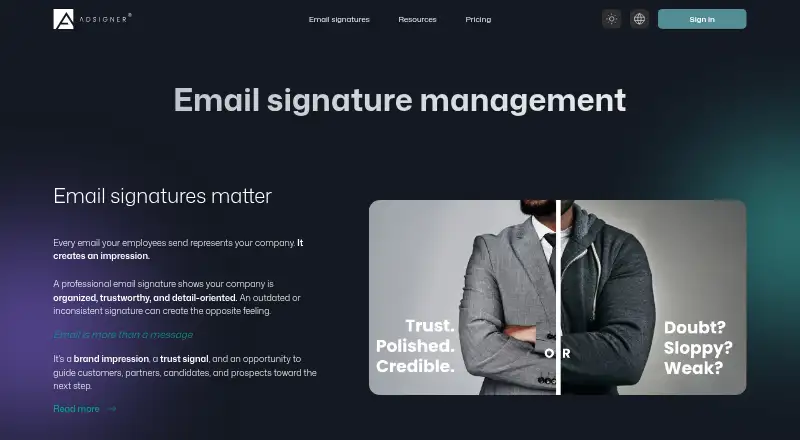
What AdSigner is
AdSigner centrally manages employee email signatures and deploys them across an organization. Teams can create branded versions for departments, roles, regions, locations, or company brands, and add campaign banners promoting offers, events, content, or company news. Analytics tracks views, clicks, and click-through rates for signatures and campaigns; reports can be exported to Excel, CSV, or JSON. Employee directory information can be synced from Microsoft Entra ID or Google Directory, provided through JSON endpoints or custom API sources, or imported from Excel, CSV, or JSON files. Deployment options include Microsoft 365 and Outlook add-ins, Google Workspace and Gmail add-ons, AdSigner Agent for Outlook or Thunderbird, HTML copy-and-paste, and API deployment. AdSigner says it uses directory data and signature settings to generate signatures without routing or accessing email content. Its security page states GDPR compliance, a Data Processing Agreement, and an SSL certificate. Administrators can enforce disclaimers centrally and restrict compliance-setting access through roles. The product identifies marketing, HR, IT, and leadership as teams it supports.
Good
- Branded signatures can vary by role or location
- Campaign and signature analytics are available
- Reports export to Excel, CSV, or JSON
- Multiple directory synchronization options
- Central disclaimer controls and role permissions
Watch out
- Additional data transfer costs €6.00 per month
- Extended Analytics costs €15.00 per month
- Standard support response is within 24 business hours
Who it suits
It suits marketing, HR, IT, and leadership teams that need centrally managed employee signatures, campaigns, or disclaimers. Its deployment options cover Microsoft and Google email environments as well as HTML and API-based approaches.
Verdict
AdSigner combines signature administration, campaign banners, analytics, and directory synchronization. Organizations should consider the listed platform options and additional subscription components when assessing its fit.
Plans and prices
From AdSigner's own pricing page, checked 8 Oct 2026.
| Plan | Price | What it gives you |
|---|---|---|
| Signature Users (1 user) | Free | 1 user with signatures · 6.00 GiB monthly data transfer included · Free |
| Signature Users (501+) | €1.20 a month | 501+ users · 6.00 GiB monthly data transfer included · €1.20 per user · 40% off |
| Signature Users (51–500) | €1.40 a month | 51–500 users · 6.00 GiB monthly data transfer included · €1.40 per user · 30% off |
| Signature Users (21–50) | €1.60 a month | 21–50 users · 6.00 GiB monthly data transfer included · €1.60 per user · 20% off |
| Signature Users (6–20) | €1.80 a month | 6–20 users · 6.00 GiB monthly data transfer included · €1.80 per user · 10% off |
| Signature Users (2–5) | €2 a month | Per user · 6.00 GiB monthly data transfer included · €2.00 |
| Additional data transfer | €6 a month | 64.00 GiB additional limit · €6.00 |
| Core Platform | €8 a month | Base subscription price · €8.00/ mo |
| Extended Analytics | €15 a month | Up to 3 years historical analytics instead of 3 months · IP/referrer hostname filters · Data export · €15.00/ mo |
| Directory Sync | €15 a month | Sync user data with external identity providers · €15.00/ mo |
The facts
Each one read from AdSigner's own pages, with the date it was checked.
What it does
- Analytics
- Analytics tracks signature and campaign views, clicks, and CTR, with reports exportable to Excel, CSV, or JSON.checked 8 Oct 2026
- Branding
- It supports branded signatures for different departments, roles, regions, locations, or company brands.checked 8 Oct 2026
- Campaigns
- Campaign banners can promote offers, events, content, and company news in employee emails.checked 8 Oct 2026
- Compliance
- The security page states that AdSigner is GDPR compliant, offers a Data Processing Agreement, and has an SSL certificate.checked 8 Oct 2026
- Deployment
- Deployment options include Microsoft 365 and Outlook add-ins, Google Workspace and Gmail add-ons, AdSigner Agent for Outlook or Thunderbird, HTML copy-and-paste, and API-based deployment.checked 8 Oct 2026
- Disclaimers
- Administrators can centrally enforce disclaimers and restrict access to compliance settings through role-based permissions.checked 8 Oct 2026
- Integrations
- Directory sync supports Microsoft Entra ID, Google Directory, JSON endpoints, custom API sources, and manual Excel, CSV, or JSON imports.checked 8 Oct 2026
- Intended users
- The product page identifies marketing, HR, IT, and leadership as teams it is built to support.checked 8 Oct 2026
- Pricing limits
- The pricing page includes 6.00 GiB monthly data transfer and lists extra transfer at €6.00 for a 64.00 GiB additional limit.checked 8 Oct 2026
- Product
- AdSigner centrally manages employee email signatures and can deploy them across an organization.checked 8 Oct 2026
- Security
- AdSigner says it does not route or access email content and processes employee directory data and signature configuration to generate signatures.checked 8 Oct 2026
- Support
- Standard support is included with subscriptions and offers a response within 24 business hours via email or chat.checked 8 Oct 2026
The company
- Company history
- An AdSigner company article says the team was working on a client communication challenge in 2012, which led them to recognize email's advertising potential.checked 8 Oct 2026
- Headquarters
- Ljubljana, Sloveniachecked 28 Sep 2026
The full review of AdSigner
AdSigner is an email-signature management platform for organizations that want coordinated branding, campaign banners, and administrative control across employee accounts. It is strongest for teams bringing marketing, HR, and IT into a shared signature program; smaller groups should weigh its per-user pricing and add-on costs against simpler signature tools.
Overview
Administrators can manage signatures for different departments, roles, regions, locations, or company brands, then deploy them across an organization. Campaign banners add a way to promote offers, events, content, or company news in employee emails. Central disclaimer enforcement and role-based restrictions on compliance settings are useful where consistent messaging and controlled access matter.
AdSigner says it does not route or access email content. It processes employee directory data and signature configuration to generate signatures. The company states that it is GDPR compliant, offers a Data Processing Agreement, and has an SSL certificate. These points may help organizations assess its fit, though directory data remains part of the service's processing.
Key features
Deployment options include Microsoft 365 and Outlook add-ins, Google Workspace and Gmail add-ons, AdSigner Agent for Outlook or Thunderbird, HTML copy-and-paste, and API-based deployment. Automatic updates and hybrid deployment support different rollout approaches. That flexibility is valuable in mixed environments, but administrators should choose a method that suits their mail systems and deployment needs.
Analytics tracks signature and campaign views, clicks, and click-through rate, with reports exportable to Excel, CSV, or JSON. The standard analytics history is three months; Extended Analytics raises that to three years and adds IP and referrer-hostname filters and data export. This gives teams a way to assess campaign engagement, but longer historical analysis is a paid upgrade.
Directory Sync connects to Microsoft Entra ID and Google Directory, as well as JSON endpoints and custom API sources; manual Excel, CSV, or JSON imports are also supported. It can reduce manual handling of employee data, but Directory Sync is a separate subscription rather than an included capability of the core platform.
Pricing
AdSigner offers a free plan for one user with signatures and 6.00 GiB of monthly data transfer. It is suitable for an individual, not an organization that needs centrally managed signatures across multiple employees. Paid Signature Users plans charge per user per month, with lower rates at larger seat bands:
- 2–5 users: €2 a month per user.
- 6–20 users: €1.80 a month per user, with 10% off.
- 21–50 users: €1.60 a month per user, with 20% off.
- 51–500 users: €1.40 a month per user, with 30% off.
- 501+ users: €1.20 a month per user, with 40% off.
All of these plans include 6.00 GiB of monthly data transfer. The volume discounts favor larger deployments, while the free tier and entry paid band suit individuals and small teams. The core platform costs €8 a month, and Directory Sync costs €15 a month. Extended Analytics is €15 a month. Additional data transfer costs €6 a month for a 64.00 GiB additional limit. Organizations should account for these subscriptions alongside per-user fees when estimating the total cost.
Platforms
AdSigner supports API, extension, web, and Windows platforms. Its deployment options cover Microsoft 365, Outlook, Google Workspace, Gmail, Thunderbird, HTML copy-and-paste, and API-based deployment, giving administrators several routes to reach employees.
Who it's for
The product identifies marketing, HR, IT, and leadership as its intended teams. Marketing can use banners and engagement reporting, while IT and HR can manage deployment, employee data synchronization, and disclaimers. It is a more natural fit for organizations coordinating signatures across roles or brands than for a single user seeking only a personal signature.
Pros and cons
- Pros: Branded signatures, campaign banners, and centrally enforced disclaimers bring several email-communication controls into one platform.
- Pros: Directory integrations and multiple deployment methods can support organizations with different identity and mail setups.
- Pros: Views, clicks, CTR, and exportable reports give marketing teams concrete campaign measures.
- Cons: Multi-user use is charged per seat, and core platform, synchronization, analytics, or extra transfer may add separate monthly charges.
- Cons: The free plan covers only one user, so it does not provide a free route to organization-wide management.
Alternatives
Consider Signitic if a free tier for up to 19 employees, one signature template, and one banner campaign is a better starting point; its free plan displays a Signitic badge. Scribe offers a free option for up to two users and one template, while its Business plan is $68 a month for 30 users. Signite is another free-plan option, capped at five deployed users and carrying Signite branding credit without Premium features.
HiHello Email Signature Manager offers a free personal plan for one user, with digital business cards and a personal email signature. MySignature has a free option for basic signatures with one signature per email address. SyncSignature offers a free template with unlimited edits and copy-and-paste installation, or a Solo plan at $6 a month billed annually. gSignature is another freemium alternative. SIGNandGO is a paid alternative with plans for 5–300 users at $1 per user per month or $12 per user per year, with all features included.
For category comparisons, see Email Signature Software and Email Signature Management Software.
Verdict
AdSigner is a strong fit for organizations that need centrally managed signatures, coordinated campaigns, and administrative control across teams. Its combination of deployment choices, directory synchronization, and campaign analytics is the main reason to choose it. Look elsewhere if you need only a personal signature or want a multi-user plan without separate platform and feature subscriptions.
Getting started
- Open the AdSigner product website
- Start the free plan or free trial
- Select a signature-user plan and any required platform modules
- Connect a directory or import employee data
- Create branded signatures, campaigns, and disclaimers
- Deploy through an add-in, agent, HTML, or API
Limits worth knowing
The free Signature Users plan covers one user and includes 6.00 GiB monthly data transfer. Additional transfer is €6.00 per month for a 64.00 GiB additional limit, while extended analytics provides up to three years of history instead of three months.
Questions
Does AdSigner have a free plan?
Yes. Signature Users (1 user) is billed Free at no cost and includes 6.00 GiB monthly data transfer.
What does the paid core plan cost?
Core Platform is €8.00 per month.
Which directories can it synchronize?
Directory Sync supports Microsoft Entra ID, Google Directory, JSON endpoints, custom API sources, and manual Excel, CSV, or JSON imports.
How can signatures be deployed?
Deployment options include Microsoft 365 and Outlook add-ins, Google Workspace and Gmail add-ons, AdSigner Agent for Outlook or Thunderbird, HTML copy-and-paste, and API deployment.
Does AdSigner access email content?
AdSigner says it processes employee directory data and signature configuration to generate signatures without routing or accessing email content.
What analytics are available?
Analytics covers signature and campaign views, clicks, and CTR. Reports can be exported as Excel, CSV, or JSON; Extended Analytics adds longer history and filters.
Alternatives to AdSigner
- 1

Blinq Email Signatures
Free planAndroidiOSWebAPI8.2Free plan - 2

HiHello Email Signature Manager
Free planAndroidiOSWebmacOS8.2From $5 a month - 3

Signite
Free planAndroidiOSWebAPI8.1Free plan - 4

MySignature
Free planAndroidiOSWebExtension8.0From $2.40 a month - 5

Scribe
Free planAndroidiOSWebAPI8.0From $68 a month - 6

Signitic
Free planAndroidiOSWebExtension7.4Free plan