
123 Watermark
123 Watermark is paid software for applying watermarks to one image or large batches.
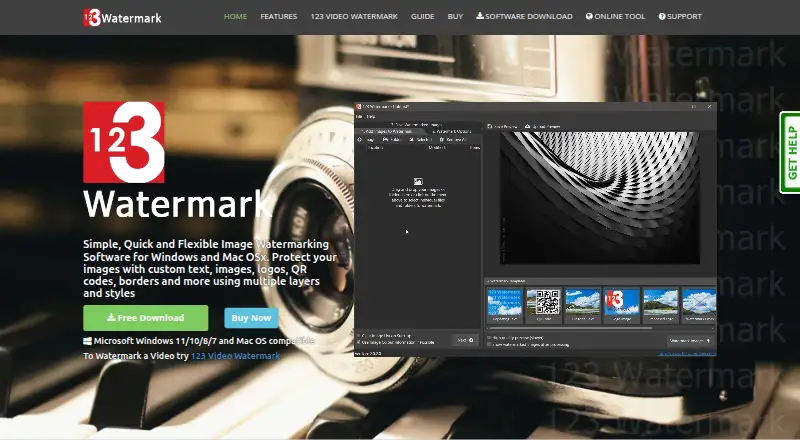
What 123 Watermark is
123 Watermark is paid software for applying watermarks to one image or large batches. It runs on Windows and macOS, with a browser tool also available. Watermarks can use text, images, borders, crosses, or QR codes, and multiple layers can be combined into one design. Counters and EXIF data can be included, while the software can copy EXIF data, resize images, and convert files. Users can select individual images or folders, then save results locally or send them to Dropbox, OneDrive, or Google Drive. Profiles preserve processing and upload settings for repeated jobs and one-click uploads. The free trial costs 0.00 USD and permits up to 10 images at a time, with session saving. A Licence Key has no listed price, supports unlimited images, remains valid for one year, and does not renew automatically. The maker lists Windows 11, 10, 8, 7, and macOS compatibility. The online tool runs without requiring an upload.
Good
- Supports text, image, border, cross, and QR marks
- Processes folders or large image batches
- Includes Dropbox, OneDrive, and Google Drive uploads
- Profiles save processing and upload settings
- Watermarks can include counters and EXIF data
Watch out
- No free plan
- Trial limited to 10 images at a time
- Licence expires after one year
Who it suits
It suits photographers, marketers, and businesses that need layered or batch watermarking on Windows, macOS, or in a browser. Users needing cloud uploads, EXIF handling, or reusable profiles may find its workflow useful.
Verdict
123 Watermark combines layered watermark design with batch processing, image conversion, metadata handling, and cloud destinations. The trial is limited, and the paid licence lasts one year without automatic renewal.
Plans and prices
From 123 Watermark's own pricing page, checked 11 Oct 2026.
| Plan | Price | What it gives you |
|---|---|---|
| Free Trial | Free | up to 10 images at a time · session saving during trial |
| Licence Key | — | unlimited images · Licence key valid for 1 YEAR; no auto renewal |
The facts
Each one read from 123 Watermark's own pages, with the date it was checked.
What it does
- Batch workflow
- Users can select images or folders, add watermark layers and save images locally or to cloud services.checked 11 Oct 2026
- Cloud integrations
- Processed images can be uploaded to Dropbox, OneDrive and Google Drive.checked 11 Oct 2026
- EXIF and counters
- Watermarks can include counters and EXIF data.checked 11 Oct 2026
- Image processing
- The software can convert and resize images and copy EXIF data.checked 11 Oct 2026
- Layered watermarks
- Users can combine one or more layers to build a watermark.checked 11 Oct 2026
- Layers
- Users can combine one or more layers to build watermarks.checked 11 Oct 2026
- Licensed image limit
- A license key allows watermarking an unlimited number of images.checked 11 Oct 2026
- License term
- A license key is valid for one year, does not auto-renew, and is disabled after one year.checked 11 Oct 2026
- Metadata watermarks
- Watermarks can use counters and EXIF data.checked 11 Oct 2026
- Operating systems
- The maker lists compatibility with Windows 11, 10, 8 and 7, and macOS.checked 11 Oct 2026
- Paid license limit
- A licence key permits watermarking an unlimited number of images and is valid for one year without automatic renewal.checked 11 Oct 2026
- Payment
- The buy page says checkout accepts PayPal and major credit or debit cards.checked 11 Oct 2026
- Privacy
- The privacy policy says the company does not store personal information on its servers unless required for ongoing operation of a service.checked 11 Oct 2026
- Purpose
- 123 Watermark applies watermarks to one or thousands of images.checked 11 Oct 2026
- Reusable settings
- Profiles let users save settings for processing and uploading images.checked 11 Oct 2026
- Saved profiles
- Users can define profiles to save settings and upload images with one click.checked 11 Oct 2026
- Support
- The support site allows users to submit a new support ticket and check ticket status.checked 11 Oct 2026
- Watermark types
- The product supports text, image, border, cross and QR code watermarks.checked 11 Oct 2026
Where it runs
- Browser tool
- The maker says its free online tool runs in a browser with no upload required.checked 11 Oct 2026
- Platforms
- The downloadable software is offered for Windows and Mac; the site specifies compatibility with Windows 11/10/8/7 and macOS.checked 11 Oct 2026
Money
- Trial limit
- The free trial allows watermarking up to 10 images at a time.checked 11 Oct 2026
Alternatives to 123 Watermark
- 1

Watermark.ws
Free planAndroidiOSWebAPI7.9From $4 a month - 2

DoWatermark
Free planAndroidiOSWeb7.8$4.99 one-time - 3
eZy Watermark
Free planAndroidiOSWebmacOS7.3From $1.99 a month - 4
Watermarkly
Free planAndroidiOSWebLinux7.3From $19.95 a year - 5
Watermark Maker
Free planAndroidiOS6.9$24.99 one-time - 6
Terma
Free planWebLinuxmacOSSelf-hosted6.8Free plan