Xftp
Xftp is a Windows client for transferring files over SFTP and FTP.
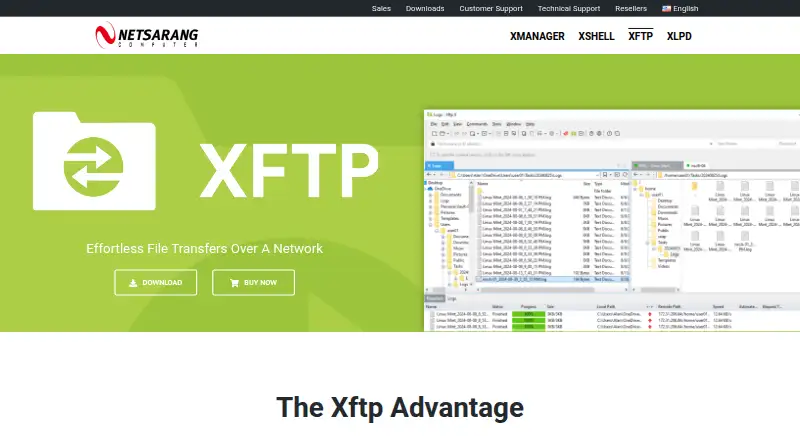
What Xftp is
Xftp is a Windows client for transferring files over SFTP and FTP. It supports drag-and-drop, queued and concurrent transfers, as well as FXP transfers between servers. Scheduled jobs can send or receive files daily, weekly, or once in the background. For managing remote folders, it can compare and synchronize them, and keep browsing aligned between two servers. Other tools include remote file editing, file search and filtering, transfer prioritization, command-line transfers, tabs, port forwarding, and team session sharing. Authentication options include public keys, passwords, and keyboard-interactive login, plus SSH PKCS#11 and Kerberos integrations. Its listed encryption algorithms include AES and CHACHA20, and users can set a master password. Xftp works with Windows Explorer and NetSarang tools such as Xshell, Xagent, and Xmanager. The free license is limited to personal, home, and educational non-commercial use. A single-user Xftp license costs 59.00 USD once and includes a perpetual license and one year of maintenance. The product is listed for Windows 8 or later and Windows Server 2012 or later.
Good
- Supports SFTP over SSH2 and FTP.
- Can schedule unattended transfers.
- Compares and synchronizes folders.
- Includes remote editing and file search.
- Supports public-key authentication.
Watch out
- Free use is non-commercial only.
- The standalone paid license costs 59.00 USD once.
- Listed for Windows 8 or later and Windows Server 2012 or later.
Who it suits
Xftp suits Windows users who need to transfer, synchronize, or manage files on remote servers. Its free license is limited to personal, home, and educational non-commercial use.
Verdict
Xftp combines file transfers with scheduling, synchronization, and remote file-management tools. The free license has non-commercial restrictions; the paid standalone license is perpetual and includes one year of maintenance.
Plans and prices
From Xftp's own pricing page, checked 3 Oct 2026.
| Plan | Price | What it gives you |
|---|---|---|
| Free license | Free | Personal, home, and educational use only · Non-commercial use |
| Xftp | $59, paid once | Use on up to 2 devices · Volume discounts available · Single user · Perpetual license · 1 year of maintenance included |
| Xshell Plus | $139, paid once | Includes Xshell and Xftp · Volume discounts available · Single user · Perpetual license · 1 year of maintenance included |
| Xmanager Power Suite | $399, paid once | Includes Xmanager, Xshell, Xftp, and Xlpd · Volume discounts available · Single user · Perpetual license · 1 year of maintenance included |
The facts
Each one read from Xftp's own pages, with the date it was checked.
What it does
- Authentication
- It supports public-key, password, and keyboard-interactive authentication, plus SSH PKCS#11 and Kerberos integrations.checked 3 Oct 2026
- Encryption
- Its listed security specifications include AES, CHACHA20, and other encryption algorithms, along with a user-defined master password.checked 3 Oct 2026
- File management
- Features include remote file editing, file search and filtering, transfer prioritization, and command-line transfers.checked 3 Oct 2026
- Integrations
- Xftp interoperates with Windows Explorer, Xshell, Xagent, and Xmanager.checked 3 Oct 2026
- Intended users
- NetSarang describes its products as tools for accessing and managing remote servers, and says it serves customers in more than 160 countries.checked 3 Oct 2026
- Purpose
- Xftp is an SFTP/FTP client for transferring files over a network.checked 3 Oct 2026
- Scheduling
- Scheduled jobs can send or receive files daily, weekly, or once, unattended in the background.checked 3 Oct 2026
- Synchronization
- It can compare and synchronize folders and keep browsing aligned between two servers.checked 3 Oct 2026
- Transfer tools
- It supports drag-and-drop transfers, queues, concurrent transfers, and FXP server-to-server transfers.checked 3 Oct 2026
The company
- Founded
- 1997checked 28 Sep 2026
- Headquarters
- Seoul, South Koreachecked 28 Sep 2026
Money
- Free-use limits
- The free license is for personal, home, and educational use and is non-commercial; the maker says free licenses have unlimited tabs.checked 3 Oct 2026
- Trial and support
- The download page offers a 30-day trial, and the product license includes one year of updates and technical support.checked 3 Oct 2026
Where it runs
- Platform limits
- The listed operating systems are Windows 8 or later and Windows Server 2012 or later; the download page offers a signed Windows installer.checked 3 Oct 2026
Alternatives to Xftp
- 1

Filestash
Free planOpen sourceAndroidiOSWebAPI8.5From $50 a month - 2
Monsta FTP
Free planAndroidiOSWebLinux7.4From $29 a year - 3

CloudMounter
macOSWindows7.1 - 4
Cyberduck
Free planmacOSWindows7.1Free plan - 5

WinSCP
Free planOpen sourceWindows7.1Free plan - 6
CrossFTP
Free planLinuxmacOSWindows7.0$24.99 one-time