Xero Practice Manager
Xero Practice Manager is practice management software for accounting and bookkeeping firms in Xero’s partner program.
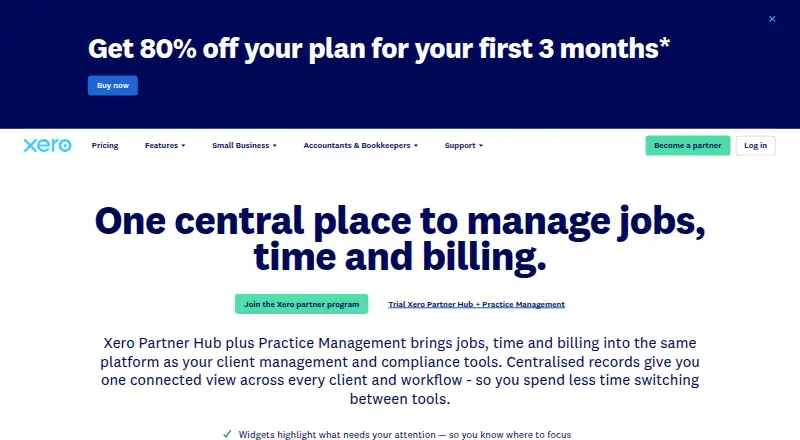
What Xero Practice Manager is
Xero Practice Manager is practice management software for accounting and bookkeeping firms in Xero’s partner program. It is now integrated into Xero Partner Hub, where job management, client and compliance tools are brought together. Staff can be assigned jobs, with schedules, availability, deadlines and milestones available for coordinating work. Time can be recorded by duration or by starting and stopping a timer, then used to prepare progress or final invoices based on fixed prices, rates and markups. Reporting covers jobs, time, costs, productivity and recoverable costs, with standard reports, customizable samples and options to create reports. The product syncs invoices and client details with a firm’s Xero accounts; paid invoices are reflected in Xero Partner Hub. Xero Tax and Xero Workpapers, powered by BGL, are included at no extra cost with a subscription. Practices can configure statuses, categories, templates, workflows and branded documents, and can connect third-party practice apps through the Xero App Store. Xero offers migration options for client, tax and practice data. The web product has a free plan for Silver, Gold or Platinum partners; listed monthly plans range from 65.00 NZD to 149.00 NZD, excluding GST, and a 14-day trial is available.
Good
- Assign jobs and view staff schedules and availability.
- Record time by duration or start-and-stop timing.
- Create invoices using fixed prices, rates and markups.
- Reports cover jobs, costs, productivity and recoverable costs.
- Xero Tax and Xero Workpapers are included with subscriptions.
Watch out
- Paid monthly prices exclude GST.
- The free plan is limited to Silver, Gold or Platinum partner practices.
Who it suits
Xero Practice Manager suits accounting and bookkeeping practices in Xero’s partner program that need to coordinate jobs, record time and bill clients. It may also fit firms seeking reporting, configurable workflows and links to Xero accounts.
Verdict
Choose Xero Practice Manager if your accounting or bookkeeping practice wants job, time and billing management integrated with Xero Partner Hub. The partner-level free plan is a route to start, while firms outside those partner levels should consider the listed paid plans and their user limits.
Plans and prices
From Xero Practice Manager's own pricing page, checked 21 Oct 2026.
| Plan | Price | What it gives you |
|---|---|---|
| Silver, Gold or Platinum partner | Free | free Xero Practice Manager access for qualifying Xero Partner Program practices |
| 1 user | 65 NZD a month | One user · Prices exclude GST |
| One user | 65 NZD a month | 1 user · bronze/new Xero partners after 14-day trial · monthly, excluding GST |
| 3 users | 99 NZD a month | Three users · Prices exclude GST |
| Three users | 99 NZD a month | 3 users · bronze/new Xero partners after 14-day trial · monthly, excluding GST |
| Up to 10 users | 149 NZD a month | up to 10 users · bronze/new Xero partners after 14-day trial · monthly, excluding GST |
The facts
Each one read from Xero Practice Manager's own pages, with the date it was checked.
What it does
- API access limits
- Xero requires prior approval for Practice APIs and says XPM API users must meet its security-assessment requirements.checked 21 Oct 2026
- API authentication and SDKs
- Xero APIs use OAuth 2.0; Xero supplies SDKs, sample apps, a Postman collection and an OpenAPI specification for generating SDKs.checked 21 Oct 2026
- API migration
- Xero announced that XPM API v3.0 is being deprecated, with version 3.1 the focus and v3.0 retirement scheduled for 6 May 2027.checked 21 Oct 2026
- API update
- The April 2026 XPM 3.1 release added JSON responses, field selection, a job-state endpoint and additional client fields.checked 21 Oct 2026
- Configuration
- Administrators can configure workflows, job states, categories, templates, rates, milestones and branded quotes, invoices and engagement documents.checked 21 Oct 2026
- Custom reporting
- It provides standard reports and lets practices customize report templates with client, job, time, cost, productivity and recoverable-cost data.checked 21 Oct 2026
- Dashboard
- The dashboard summarizes capacity versus actual productivity, important dates, today’s jobs and the coming week’s schedule.checked 21 Oct 2026
- Included products
- Xero Tax and Xero Workpapers, powered by BGL, are included at no extra cost with the subscription.checked 9 Oct 2026
- Integrations
- Xero lists connections to Xero HQ, Xero Workpapers, Xero Tax and more than 30 third-party proposal, onboarding and document-management apps.checked 21 Oct 2026
- Job assignment
- Users can allocate jobs and tasks to staff, set deadlines and milestones, send notifications and monitor scheduled work.checked 21 Oct 2026
- Job management
- Users can assign jobs to staff, view schedules and availability, and set task deadlines and milestones.checked 9 Oct 2026
- Legal name and investors
- Crunchbase identifies the legal entity as Xero Limited and lists eight investors, including Callaghan Innovation.checked 21 Oct 2026
- Limit: advanced accounting
- Software Advice reviewers describe detailed reporting, advanced customization, complex fixed assets and multi-subsidiary management as weaker areas.checked 21 Oct 2026
- Limit: ecosystem dependence
- TaxDome’s comparison says Practice Manager is not ideal without Xero, has a thin team-management fit and can be buggy.checked 21 Oct 2026
- Limit: features and reliability
- G2 review summaries mention limited job-creation features, slow performance, update problems and occasional downtime.checked 21 Oct 2026
- Limit: reporting and integrations
- TrustRadius reviewers report limited reporting customization, basic inventory capabilities and occasional integration or synchronization problems.checked 21 Oct 2026
- Limit: support and pricing
- Capterra reviewers complain that support can be difficult to reach and that pricing can be high for smaller businesses or when advanced features require higher tiers.checked 21 Oct 2026
- Limit: usability
- A Xero App Store reviewer calls the product outdated, cumbersome and not user-friendly, while praising its tax-return functionality.checked 21 Oct 2026
- Migration
- Xero offers migration options to import client, tax, and practice data into Xero Partner Hub.checked 9 Oct 2026
- Notable product transition
- Xero Central says Practice Manager is being brought into Xero Partner Hub, which was in early access and is intended to combine Xero HQ and Practice Manager features.checked 21 Oct 2026
- Permissions
- Practice Manager supports standard and administrator staff roles with different access to jobs, practice details, document packs and client organizations.checked 21 Oct 2026
- Praise: efficiency
- TrustRadius reviewers frequently cite easy bank reconciliation, intuitive invoicing, cloud access and time savings from automation.checked 21 Oct 2026
The company
- Company facts
- LinkedIn lists Xero as a public software company founded in 2006 with headquarters in Te Aro, Wellington and 1,001–5,000 employees.checked 21 Oct 2026
- Company history
- Xero says it has operated globally since 2006.checked 9 Oct 2026
The full review of Xero Practice Manager
Xero Practice Manager is a web-based practice-management system built into Xero Partner Hub for accounting and bookkeeping firms. It suits practices that already operate in Xero and need one workflow for jobs, time, billing, client information and compliance work. The main decision is whether your firm’s partner status and user count make its Xero-connected approach a better fit than a broader standalone practice platform.
Overview
The product combines practice management with the client and compliance tools in Xero Partner Hub. Staff can coordinate assignments and deadlines, capture billable time, create invoices and report on recoverable work without maintaining a separate operational system. Client details and invoices sync with the firm’s Xero accounts, and paid invoices appear in Xero Partner Hub. Xero Tax and Xero Workpapers, powered by BGL, are included with the subscription at no extra cost, strengthening the case for practices already committed to Xero’s ecosystem.
Xero provides migration options for client, tax and practice data. Its partner consulting team can assist with configuration, while Xero Central and its support team handle ongoing help. Xero states that information is encrypted in transit and at rest and that the service is certified compliant with ISO/IEC 27001:2022.
Key features
Jobs and workflow
Managers can assign jobs, view staff schedules and availability, and set deadlines and milestones. Configurable statuses, categories, templates and workflows let a practice reflect its own operating method. Workflow automation is included, but the benefit depends on investing time in setup. Branded quotes and engagement letters help standardise client-facing documents.
Time, billing and reporting
Time entry supports either duration or start-and-stop recording. Those records can feed progress or final invoices built with fixed prices, rates and markups, linking work capture directly to billing. Reporting spans jobs, time, costs, productivity and recoverable costs; firms can run standard reports, customise samples or build reports for their own management needs.
Connected practice stack
The Xero App Store supplies connected apps for document management, proposals and client onboarding. That creates room to extend the system, although firms needing those functions may end up managing a multi-application setup rather than a single all-purpose product.
Pricing
A 14-day trial is available, and there is a free plan for practices at Silver, Gold or Platinum partner level. That partner-only tier costs nothing, making it a low-risk route for eligible firms, but it is not a general free edition for every practice.
The paid tiers are billed monthly and prices exclude GST:
| Plan | Price | Included users |
|---|---|---|
| 1 user | NZ$65 a month | One user |
| 3 users | NZ$99 a month | Three users |
| Up to 10 users | NZ$149 a month | Up to 10 users |
The 1-user plan is aimed at a solo practitioner and gives up multi-user capacity. The 3-user tier suits a small team, while the 10-user ceiling is the practical choice among these published options for a larger small practice. Firms beyond that limit, or outside the qualifying partner levels, should account for the need to discuss their requirements and compare alternatives.
Platforms
Xero Practice Manager runs on the web. That keeps access device-independent through a browser, but the product facts do not identify native mobile or desktop applications.
Who it's for
This is primarily for accounting and bookkeeping practices participating in Xero’s partner program. It is particularly well matched to firms that want Xero-based invoicing, client synchronisation, tax and workpaper tools, and practice operations in one connected environment. A solo or small team can align the user-based plans with staffing, while eligible Silver, Gold or Platinum partners have a compelling no-cost starting point. Practices seeking a platform independent of Xero, or needing a broader cross-platform footprint, should look elsewhere.
Pros and cons
Pros
- Strong Xero connection: invoices and client details sync with Xero accounts, and paid invoices flow back to Partner Hub.
- Complete core workflow: assignments, deadlines, time capture, invoicing and recoverable-cost reporting are handled in one practice system.
- Useful included products: Xero Tax and Xero Workpapers are included at no extra cost with the subscription.
- Partner-level free option: qualifying Silver, Gold and Platinum practices can start without a subscription charge.
- Configurable operations: statuses, templates, workflows and branded documents can be shaped around firm procedures.
Cons
- Partner eligibility matters: the free plan is restricted to three partner levels, so it is not a universal free edition.
- Published tiers stop at 10 users: larger practices must evaluate their staffing needs beyond the listed caps.
- Web only: no native mobile or desktop platform is identified.
- Setup requires commitment: configurable automation is valuable, but firms must define and maintain their workflows.
Alternatives
TaxDome is a paid, cross-platform option for firms wanting Android, iOS, macOS, web and Windows coverage; its Essentials plan is $800 a year per seat with commitment-based discounts.
FYI is a paid platform with a free trial, aimed at practices that need practice-management sync, email filing, templates and signatures; its Intermediate plan costs A$30 per user per month, excluding GST, with a five-user minimum.
Nomi is a paid, mobile-and-web choice with a 4.00 GBP-per-month Self Assessments plan covering MTD readiness, HMRC submissions, workflow tools and document storage.
Canopy is a freemium Android, iOS and web alternative with CRM, document management, eSign, portals and automated task workflows.
CCH Axcess Practice is a paid Android, iOS and web product sold by quote.
IRIS Practice Engine is a paid web and API-based alternative.
KashFlow is a paid accounting option with a free trial and Android, iOS, web and API access; its Starter plan is £13.50 a month with limits including 10 invoices and 25 bank transactions.
Accupe is a paid Android, iOS and web practice tool; Solo costs £20 a month for one team member, 50 clients, 25 active jobs and 5 GB storage.
For a wider category comparison, see Accounting Practice Management Software.
Verdict
Choose Xero Practice Manager if your accounting or bookkeeping practice wants job, time and billing management integrated with Xero Partner Hub. Its strongest reasons are the connected invoicing workflow and included Xero Tax and Workpapers, with a partner-level free route for eligible firms. Look elsewhere if you need native mobile or desktop apps, operate outside the qualifying partner structure, or expect to outgrow the published 10-user tier.
Getting started
- Open the Xero Practice Manager website.
- Use the web platform.
- Choose the free plan if the practice is at Silver, Gold or Platinum partner level, or select a paid user plan.
- Use the available 14-day trial if evaluating the product.
- Consider Xero’s migration options for importing client, tax and practice data.
Limits worth knowing
The free plan is for practices at Silver, Gold or Platinum partner level. Paid monthly plans list one user for 65.00 NZD, three users for 99.00 NZD, or up to 10 users for 149.00 NZD; prices exclude GST.
Questions
Is there a free plan?
Yes. It is available to practices at Silver, Gold or Platinum partner level.
Is there a free trial?
Yes, a 14-day trial is available.
What does a paid plan cost?
Plans are NZ$65 a month for one user, NZ$99 a month for three users, and NZ$149 a month for up to 10 users. Prices exclude GST.
What platform does it run on?
The listed platform is web.
Does it connect with Xero accounts?
It syncs invoices and client details with a firm’s Xero accounts, and paid invoices are reflected in Xero Partner Hub.
What products are included with a subscription?
Xero Tax and Xero Workpapers, powered by BGL, are included at no extra cost.
Alternatives to Xero Practice Manager
- 1

KashFlow
AndroidiOSWebAPI7.7From £97 a year - 2

Astra Engage
AndroidiOSWebAPI7.6From $449 a year - 3

Financial Cents
AndroidiOSWebAPI7.6From $19 a month - 4
Saasu
AndroidiOSWebAPI7.6From $20 a month - 5
Task Session
Free planWebAPISelf-hosted7.4From $59 a year - 6

Athena Workflow
AndroidiOSWeb7.2From $300 a month