Workspace ONE Boxer
Workspace ONE Boxer is a mobile-focused productivity app within Workspace ONE’s endpoint management offering.
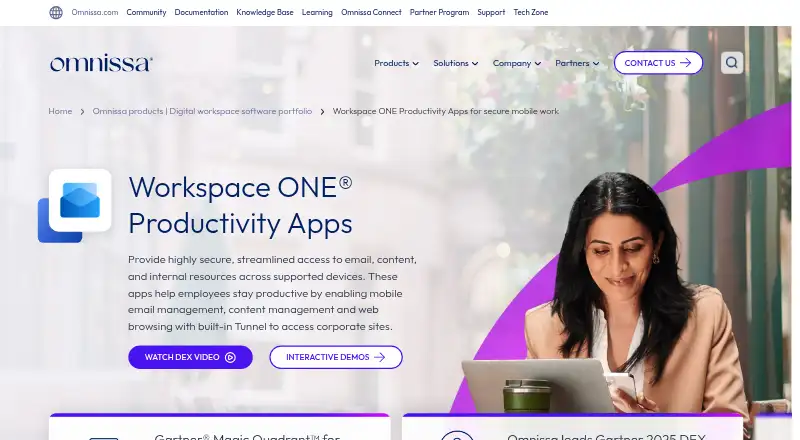
What Workspace ONE Boxer is
Workspace ONE Boxer is a mobile-focused productivity app within Workspace ONE’s endpoint management offering. It provides a unified inbox and calendar tools and supports iOS and Android. The wider platform manages desktops, mobile devices, rugged endpoints, servers, specialty devices, printers, and IoT devices, with operating system support for Windows, Windows Server, macOS, iOS/iPadOS, Android, Linux, and ChromeOS. Management functions include automated enrollment, application and policy management, profile management, identity integration, and remote wipe. Security capabilities include malware and malicious app detection, phishing protection, and unsafe network protection. The platform also supports application virtualization and GPU use, with clients for Windows, macOS, Linux, iOS, Android, web browsers, and thin clients. There is no free plan. Mobile Essentials is listed at $5.40 a month, with monthly pricing based on 12 months prepaid with production-level support; it includes mobile device management, secure access to apps and resources, and mobile reporting and automation.
Good
- Provides a unified inbox and calendar tools.
- Supports iOS and Android.
- Platform includes automated enrollment and remote wipe.
- Security features include phishing and malicious app protection.
- Platform covers mobile, desktop, and specialty endpoint types.
Watch out
- No free plan is listed.
- Starting price is $5.40/user/mo on an annual basis.
- Mobile Essentials pricing is based on 12 months prepaid.
Who it suits
Workspace ONE Boxer may suit users seeking a unified inbox and calendar tools for mobile devices. The wider Workspace ONE offering is for organizations managing multiple endpoint types and operating systems.
Verdict
Workspace ONE Boxer centers on inbox and calendar functions within a broader endpoint management offering. The wider platform spans numerous device types, while the listed Mobile Essentials price is based on a year prepaid.
Plans and prices
From Workspace ONE Boxer's own pricing page, checked 21 Sep 2026.
| Plan | Price | What it gives you |
|---|---|---|
| Mobile Essentials | $5.40 a month | Mobile device management · Secure access to apps and resources · Mobile reporting and automation · Monthly pricing based on 12 months prepaid with production-level support |
| Desktop Essentials | $7.20 a month | Advanced desktop management · Secure access to apps and resources · Desktop reporting and automation · Monthly pricing based on 12 months prepaid with production-level support |
| UEM Essentials | $9.45 a month | Unified endpoint management across every platform · Secure access to apps and resources · Unified endpoint reporting, automation, and orchestration · Monthly pricing based on 12 months prepaid with production-level support |
| Enterprise Edition | $15 a month | Enterprise desktop, mobile, and special device management · Secure access to apps and resources · Employee experience and risk analytics · Omnissa Horizon virtual apps · Monthly pricing based on 12 months prepaid with production-level support |
| Platinum Edition | $24.71 a month | Everything in UEM Essentials · Remote support for every device · Vulnerability management · Advanced MFA · Monthly pricing based on 12 months prepaid with production-level support |
The facts
Each one read from Workspace ONE Boxer's own pages, with the date it was checked.
What it does
- Account limit
- 3checked 21 Sep 2026
- Calendar tools
- Yeschecked 21 Sep 2026
- Paid from
- 5.4checked 21 Sep 2026
- Unified inbox
- Yeschecked 21 Sep 2026
Where it runs
- App coverage
- mobilechecked 21 Sep 2026
The company
- Founded
- 2024checked 28 Sep 2026
- Headquarters
- Mountain View, California, USAchecked 28 Sep 2026
Money
- Free plan
- Nochecked 21 Sep 2026
The full review of Workspace ONE Boxer
Workspace ONE Boxer combines a mobile inbox and calendar with controls for managing and securing a broad range of endpoints. It is most suitable for organizations that need mobile productivity inside a managed device environment, rather than individuals seeking a simple email client. Its central advantage is breadth; its cost and prepaid commitment make it a poor fit for small, email-only use.
Overview
Boxer provides a unified inbox and calendar tools while sitting within Workspace ONE’s endpoint-management offering. Administrators can manage desktops, phones, rugged hardware, servers, specialty devices, printers, and IoT devices from a platform that also covers application, policy, profile, and identity controls.
That scope gives IT teams a coherent way to govern mobile and non-mobile equipment, but it also adds complexity beyond what a standalone inbox requires. The account limit is three, so it is better suited to managed organizational deployments than to households needing many separate personal accounts.
Key features
Automated enrollment can streamline bringing devices under management. Application management, policy management, profile management, identity integration, and remote wipe provide administrators with practical control over software, configuration, access, and lost hardware.
Security coverage includes malware detection, phishing protection, malicious-app detection, and unsafe-network protection. Those protections strengthen a mobile deployment, although teams buying Boxer primarily for mail and calendars may not use the full security and management set.
The platform supports application virtualization and GPU support, which suits environments running virtual applications or graphics-oriented workloads. Its endpoint reach includes Windows and Windows Server, macOS, iOS/iPadOS, Android, Linux, and ChromeOS, with client access through Windows, macOS, Linux, iOS, Android, web browsers, and thin clients.
Pricing
Every plan is billed monthly on a 12-month prepaid basis and includes production-level support. There is no free plan, so the annual prepayment is a meaningful commitment for organizations still evaluating scope.
- Mobile Essentials — $5.40 a month. Includes mobile device management, secure access to apps and resources, and mobile reporting and automation. It is the sensible entry point when phones and tablets are the priority, but it does not provide the advanced desktop-management emphasis of the next tier.
- Desktop Essentials — $7.20 a month. Adds advanced desktop management, secure access, and desktop reporting and automation. Choose it for a primarily computer-based estate; mobile-first teams pay more without getting a unified cross-platform tier.
- UEM Essentials — $9.45 a month. Covers unified endpoint management across every platform, secure access, and unified reporting, automation, and orchestration. It is the strongest value for organizations managing mixed endpoint types rather than choosing separate mobile or desktop coverage.
- Enterprise Edition — $15 a month. Adds enterprise desktop, mobile, and special-device management, employee-experience and risk analytics, and Omnissa Horizon virtual apps. This is aimed at larger deployments with analytics and virtual-app requirements.
- Platinum Edition — $24.71 a month. Includes everything in UEM Essentials plus remote support for every device, vulnerability management, and advanced MFA. It fits security-conscious operations that need active support and stronger access controls, but is difficult to justify for basic device administration.
Platforms
Boxer supports web, Windows, macOS, Linux, iOS, and Android. Management coverage additionally reaches Windows Server, ChromeOS, rugged and specialty endpoints, servers, printers, and IoT devices. Both desktop types are supported, with thin-client access and identity integration extending deployment options.
Who it's for
Choose Boxer when one administrative platform must secure and manage mobile devices alongside desktops and specialized equipment. UEM Essentials is the natural fit for mixed estates; Mobile Essentials suits a phone-and-tablet program, while Enterprise and Platinum target organizations needing analytics, virtual apps, vulnerability management, or remote support.
It is not a strong match for an individual or small team wanting only email and calendar functions. The lack of a free plan and the 12-month prepaid billing structure also make casual or short-term use unattractive.
Pros and cons
Pros
- Broad endpoint coverage: One platform spans mobile, desktop, rugged, server, specialty, printer, and IoT devices.
- Useful mobile safeguards: Malware, phishing, malicious-app, and unsafe-network detection complement remote wipe and automated enrollment.
- Tiered management scope: Five plans let organizations move from mobile or desktop management to unified, enterprise, and advanced-security coverage.
- Virtualization support: Application virtualization, GPU support, and Horizon virtual apps serve specialized environments.
Cons
- No free plan: Every deployment is paid, even when only basic inbox and calendar functions are needed.
- Prepaid term: Monthly pricing is based on 12 months prepaid, limiting flexibility for short evaluations.
- Entry-tier separation: Mobile Essentials and Desktop Essentials focus on one endpoint class, so mixed estates may need UEM Essentials.
- Potential overkill: The management and security breadth adds little value to email-only users.
Alternatives
For Android-only protection with a free starting tier, ESET Mobile Security for Android is a better fit; its Free plan is lifetime and its Premium tier adds paid features.
Bitdefender Total Security suits consumers needing coverage across Android, iOS, macOS, and Windows, with a five-device, one-account individual plan priced at $59.99 per year for the first year.
Organizations wanting a 30-day trial before licensing can consider Check Point Harmony SASE. For enterprise data-loss controls across endpoints, email, web, networks, and storage, Trellix Data Loss Prevention is the more specialized choice.
Ivanti Mobile Threat Defense and Cybereason Mobile Threat Defense are focused mobile-threat alternatives. Layer7 API Management targets API governance rather than endpoint productivity. Lookout Mobile Endpoint Security offers Essentials and Advanced plans for up to 100 devices under 12-month contracts.
Verdict
Workspace ONE Boxer is a strong choice for organizations that need mobile inbox and calendar access tied to serious, multi-platform endpoint management. Pick it for unified administration, layered mobile protections, and scalable tiers; look elsewhere if you need a free or flexible email client, or if comprehensive endpoint controls exceed your requirements.
Alternatives to Workspace ONE Boxer
- 1

Zoho Mail
Free planAndroidiOSWebAPI9.0Free plan - 2

Mailbutler Smart Assistant
Free planAndroidiOSWebExtension8.9Free plan - 3

Front
AndroidiOSWebAPI8.6From $25 a month - 4

Spike
Free planAndroidiOSWebmacOS8.5From $4 a month - 5

eM Client
Free planAndroidiOSmacOSWindows8.4From $39.95 a year - 6

Newton Mail
Free planAndroidiOSmacOSWindows8.4From $5 a month