Wick Editor
Wick Editor is a free, open-source tool for making games, animations, and other multimedia projects on the web.
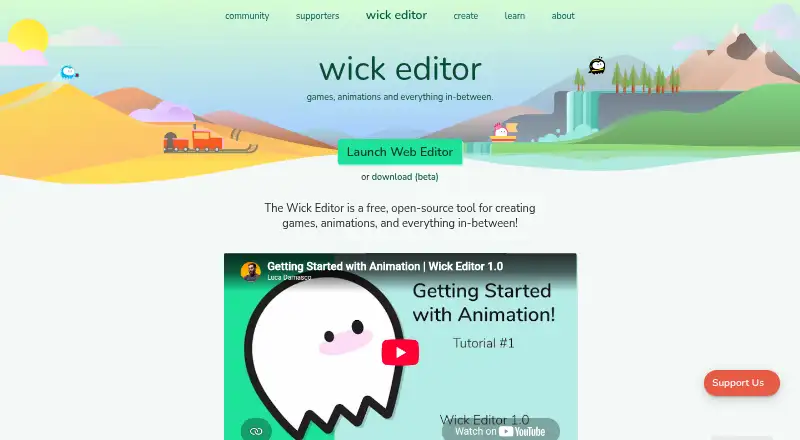
What Wick Editor is
Wick Editor is a free, open-source tool for making games, animations, and other multimedia projects on the web. Its drawing tools include a brush, pencil, eraser, shapes, line, path cursor, and text tool. For animation, it provides onion skinning, timeline frames, playback preview, and zoom controls, and its welcome screen lists a code editor. Projects can be exported as HTML, .wickobj, MP4, GIF, SVG, and PNG image sequences; a help post also lists WAV and interactive HTML or ZIP. The site links tutorials covering animation, interactive scripting, and keyboard interactions. Desktop releases are documented for Mac, Windows, and Linux, with downloadable iPhone and Android apps also released. The project uses the GNU GPL version 3 license. Wick Editor is available on web and desktop platforms, and the listed plan costs nothing. The site points users to its forums for questions and tutorial suggestions.
Good
- Free and open-source under GNU GPL version 3
- Includes drawing and animation tools
- Exports to video, image, and web formats
- Tutorials cover animation and interactive scripting
Watch out
- No free trial is offered
- Privacy policy cannot guarantee prevention of every unauthorized access attempt
Who it suits
It suits people creating web-based animation, games, or multimedia projects who want drawing and timeline tools. Tutorials and mobile and desktop releases make it relevant to learners and creators on several platforms.
Verdict
Wick Editor combines drawing, animation, and coding features in a free tool. Check the listed export formats and platform availability against your project needs.
Plans and prices
From Wick Editor's own pricing page, checked 4 Oct 2026.
| Plan | Price | What it gives you |
|---|---|---|
| Wick Editor | Free | Free and open-source tool |
The facts
Each one read from Wick Editor's own pages, with the date it was checked.
What it does
- 2D animation tools
- Yeschecked 21 Sep 2026
- Animation tools
- The editor includes onion skinning, timeline frames, preview playback, and zoom controls.checked 4 Oct 2026
- Code editor
- The editor’s welcome screen lists a new code editor among its features.checked 4 Oct 2026
- Drawing tools
- The web editor lists cursor, brush, pencil, eraser, rectangle, ellipse, line, path cursor, and text tools.checked 4 Oct 2026
- Export formats
- HTML,.wickobj,MP4,GIF,PNG image sequence,SVGchecked 21 Sep 2026
- Export options
- A forum help post lists project export options including MP4, GIF, interactive HTML or ZIP, WAV, SVG, and PNG image sequences.checked 4 Oct 2026
- Information collection
- The privacy policy says Wicklets may collect information users provide, device or browser data, and information from third parties.checked 4 Oct 2026
- Learning resources
- The official site links tutorials on animation, scripting interactive projects, and keyboard interactions.checked 4 Oct 2026
- Open source license
- The project repository says Wick Editor is licensed under GNU GPL version 3.checked 4 Oct 2026
- Privacy practices
- The privacy policy says Wicklets uses technical, physical, and organizational security measures, while noting it cannot guarantee prevention of every unauthorized access attempt.checked 4 Oct 2026
- Purpose
- Wick Editor is a free, open-source tool for creating games, animations, and other multimedia projects on the web.checked 4 Oct 2026
- Support
- The official site directs users to post tutorial suggestions and questions on the Wick Editor forums.checked 4 Oct 2026
Where it runs
- Desktop platforms
- The project’s desktop release documentation covers Mac, Windows, and Linux builds.checked 4 Oct 2026
- Mobile platforms
- A Wick Editor team forum post says downloadable apps were released for iPhone and Android.checked 4 Oct 2026
- Supported platforms
- web,Windows,macOS,Linuxchecked 21 Sep 2026
Money
- Free plan
- Yeschecked 21 Sep 2026
The full review of Wick Editor
Wick Editor is a free, open-source tool for making web games, animations, and multimedia projects. It suits creators who want drawing, frame-based animation, and code editing in one workspace. Its broad export choices are useful, but creators focused on a single animation style may prefer a more specialized tool.
Overview
Wick Editor combines a drawing workspace with timeline animation and a code editor, making it a better fit for interactive projects than for artwork alone. Its GNU GPL version 3 license will appeal to people who specifically want open-source software, and tutorials cover animation, scripting interactive projects, and keyboard interactions. Those resources give newcomers a path from drawing into interactivity, though the mix of tools may be more than a purely visual project needs.
Key features
Drawing and animation
The web editor includes cursor, brush, pencil, eraser, rectangle, ellipse, line, path cursor, and text tools. That range handles common drawing and layout tasks without requiring a separate graphics app for every element. Onion skinning, timeline frames, preview playback, and zoom controls support frame-by-frame animation; they make Wick Editor a practical choice for creators building scenes in a sequence, rather than a substitute for a dedicated illustration program.
Code and exports
A code editor sits alongside the visual tools, and the tutorials include guidance on scripting interactive projects and keyboard interactions. That combination is especially relevant to people making web-based interactive work, but less important to anyone producing a straightforward animation without code. Exports include HTML, .wickobj, MP4, GIF, PNG image sequences, and SVG, with interactive HTML or ZIP and WAV also among the project export options. This variety accommodates both web projects and conventional animation deliverables; check that the formats match a particular production workflow before committing to it.
Pricing
Wick Editor is free: its Wick Editor plan costs nothing and is described as a free, open-source tool. There is no paid tier to weigh against the core offering, so it suits learners and independent creators who want to avoid a subscription. The trade-off is that those seeking a different workflow or a more specialized feature set will need to choose another product rather than upgrade within Wick Editor.
Platforms
Wick Editor is available on the web and has desktop builds for Windows, macOS, and Linux, plus downloadable apps for iPhone and Android. That range gives users a choice of browser, desktop, or mobile access. The web editor is the clearest fit for its listed drawing and animation tools; desktop and mobile availability expands where users can access the project, but does not by itself make every platform equally suited to every task.
Who it's for
Wick Editor is a strong match for learners and creators who want to combine drawn assets, timeline animation, and scripting for web projects without paying. Its tutorials make it relevant to people building interactive work as well as to animators learning the basics. It is less suited to someone who wants a specialized presentation-video workflow, a narrow set of animation tools, or a paid plan with a separate tier of features.
Pros and cons
Pros
- Drawing and animation in one editor: Common shape and drawing tools sit alongside onion skinning and timeline frames, supporting a single workflow from artwork to animation.
- Code editor and interactive-project tutorials: Scripting guidance makes the tool relevant to interactive web projects, not just linear animation.
- Free and open source: The free plan and GNU GPL version 3 license make it a no-cost option for creators who value open-source software.
- Broad export selection: HTML, MP4, GIF, SVG, and image sequences cover both interactive and conventional output needs.
Cons
- Best suited to a mixed creative workflow: People who only need drawing or a narrowly focused animation tool may not benefit from its code and interactive-project features.
- Privacy is not an absolute guarantee: Wicklets may collect user-provided information, device or browser data, and information from third parties; its policy also says its security measures cannot prevent every unauthorized access attempt.
- Support runs through forums: Users are directed to the Wick Editor forums for questions and tutorial suggestions, which may not suit someone looking for another support channel.
Alternatives
Powtoon is worth considering for presentation-style video creation: its free plan includes basic templates and characters, screen recording, and 720p exports up to three minutes, with a watermark. Its $15 a month Lite plan is an option for someone willing to pay for a different tier.
Animaker may suit creators who want a freemium animation tool with a free plan and free trial; its free plan includes basic animation tools, limited premium assets, and watermarked exports.
Animation Desk is an alternative for people choosing among Android, iOS, and Windows animation apps. Its iOS Basic plan includes five brushes, three sketch layers, three sequences, and one animatic storyboard.
Krikey AI is another freemium option on Android, iOS, and the web. Its free plan includes 20 one-time credits, while its Pro plan provides 165 monthly credits for $15 a month.
Live2D Cubism offers a freemium option with a free trial and supports Android, iOS, macOS, web, and Windows.
Doratoon is a freemium alternative with a free Basic plan: it includes more than 150 templates, free stock assets, a watermark, 720p output, and 10 downloads per month.
OpenToonz is another free, open-source choice for Linux, macOS, and Windows, and can be used for commercial or non-commercial projects.
Pencil2D is a free, open-source alternative for Linux, macOS, and Windows, including for commercial use.
Browse Cartoon Maker Software or Animation Software for more options.
Verdict
Choose Wick Editor if you want a free, open-source workspace that brings drawing, timeline animation, code, and web-oriented exports together. Its strongest reason to choose it is that combination without a subscription; its main limitation is that a creator seeking a focused animation or presentation-video workflow may be better served by a dedicated alternative.
Getting started
- Open the Wick Editor website to use the web editor.
- Alternatively, choose a desktop build for Mac, Windows, or Linux.
- Download the iPhone or Android app if you want the mobile version.
- Use the editor’s linked tutorials for animation, scripting, or keyboard interactions.
- Post questions or tutorial suggestions on the Wick Editor forums.
Questions
How much does Wick Editor cost?
The plan is free, and the pricing model is free.
Is Wick Editor open source?
Yes. The project repository says it is licensed under GNU GPL version 3.
Which platforms are supported?
The editor is available on the web, with desktop builds for Windows, macOS, and Linux. Downloadable apps have also been released for iPhone and Android.
What export formats does it support?
Listed formats include HTML, .wickobj, MP4, GIF, PNG image sequences, and SVG. Other listed options include interactive HTML or ZIP and WAV.
Where can I get help?
The official site directs users to the Wick Editor forums for questions and tutorial suggestions.
Alternatives to Wick Editor
- 1

Cascadeur
Free planAndroidiOSAPILinux8.9From $96 a year - 2

Rokoko Studio
Free planAndroidiOSWebAPI8.8Free plan - 3

Rive
Free planAndroidiOSWebLinux8.7From $9 a month - 4

Powtoon
Free planAndroidiOSWebExtension8.6From $8 a month - 5

Animation Desk
Free planAndroidiOSmacOSWindows8.6From $2.49 a month - 6

Houdini
Free planWindowsmacOSLinux8.4From $95 a year