VTracer
VTracer converts raster images such as JPG and PNG into SVG vector graphics.
What VTracer is
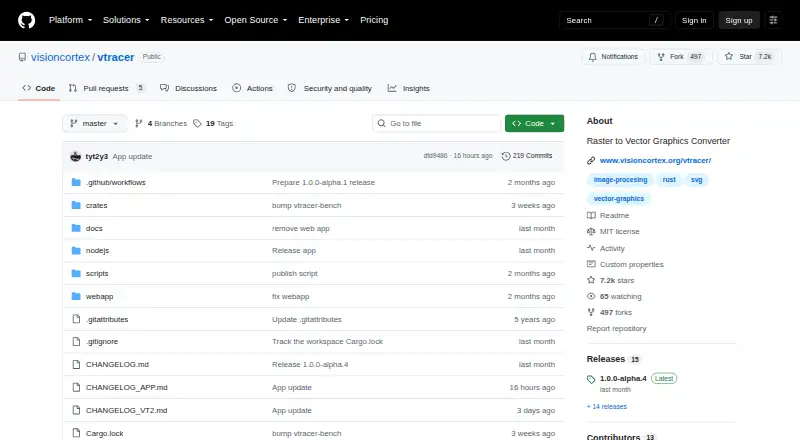
VTracer converts raster images such as JPG and PNG into SVG vector graphics. It can process graphics and photographs, and supports both high-resolution scans and low-resolution pixel art. Its color pipeline can retain color or constrain the result to a fixed palette or maximum number of colors. The project offers a web app, desktop applications, and a command-line tool, plus a Rust library, Python extension, and Node.js WebAssembly package. In the web app, users can add an image by dropping, pasting, or selecting a file, then adjust clustering and curve fitting. Desktop features include an A/B comparator, curve inspector, curve simplification, seam-free cutout, watershed clustering, adaptive black-and-white thresholding, and fixed palettes. The command-line tool supports presets, clustering options, curve-fitting modes, and output optimization. The Node.js package decodes PNG, JPEG, GIF, BMP, and WebP; other formats can be supplied as raw RGBA pixels after separate decoding. VTracer is free open-source software under the MIT license, with desktop downloads for Windows, macOS, and Linux.
Good
- Converts raster images to SVG.
- Handles color and configurable palettes.
- Available through web, desktop, and command line.
- Includes Rust, Python, and Node.js options.
- Free and licensed under MIT.
Watch out
- Vector output is SVG.
- Node.js decoding is limited to listed image formats.
- Other Node.js image formats need separate decoding.
Who it suits
VTracer suits designers and developers who need to turn raster artwork or photographs into SVG. It offers web, desktop, command-line, and programming-library options.
Verdict
VTracer provides several ways to convert raster images into SVG, with controls for color and curve fitting. Choose the web app, desktop tool, command line, or library based on how you want to work.
Plans and prices
From VTracer's own pricing page, checked 4 Oct 2026.
| Plan | Price | What it gives you |
|---|---|---|
| VTracer | Free | Open-source software; MIT license |
The facts
Each one read from VTracer's own pages, with the date it was checked.
What it does
- Color handling
- Its image-processing pipeline handles colored images and can constrain output to a fixed color palette or a maximum number of colors.checked 4 Oct 2026
- Command line
- The console app accepts raster input and SVG output paths and supports presets, clustering options, curve fitting modes, and output optimization.checked 4 Oct 2026
- Desktop features
- The desktop app lists an A/B comparator, curve inspector, curve simplification, seam-free cutout, watershed clustering, adaptive black-and-white thresholding, and fixed palettes.checked 4 Oct 2026
- Downloads
- The releases page lists desktop app assets and command-line binaries for Windows, macOS, and Linux.checked 4 Oct 2026
- Image types
- It can vectorize graphics and photographs, and it was designed for high-resolution scans while also supporting low-resolution pixel art.checked 4 Oct 2026
- Integrations
- The framework is available as a Rust library, Python native extension, and Node.js WebAssembly package, as well as a command-line tool.checked 4 Oct 2026
- Intended use
- The project says VTracer was originally designed for high-resolution scans of historic blueprints up to gigapixels and can also handle retro game pixel art.checked 4 Oct 2026
- Node.js image formats
- The Node.js WebAssembly package decodes PNG, JPEG, GIF, BMP, and WebP; other formats can be decoded separately and passed as raw RGBA pixels.checked 4 Oct 2026
- Open source
- The repository identifies VTracer as open-source software and displays an MIT license.checked 4 Oct 2026
- Purpose
- VTracer converts raster images such as JPG and PNG into compact SVG vector graphics.checked 4 Oct 2026
Where it runs
- Desktop platforms
- The project links to desktop apps for Windows, macOS, and Linux.checked 4 Oct 2026
- Web app
- The project’s web app accepts an image by drag-and-drop, paste, or file selection and exposes clustering and curve-fitting controls.checked 4 Oct 2026
The full review of VTracer
VTracer is an open-source raster-to-SVG converter for graphics and photographs, from high-resolution scans to low-resolution pixel art. It suits people who want control over tracing and can choose between a browser, desktop app, command line, or software integration. Its strongest case is flexible, cost-free conversion across workflows; look elsewhere if you need a different vector output format.
Overview
VTracer turns JPG and PNG images into compact SVG graphics, with full-color tracing and controls for managing the output palette. Its design spans demanding high-resolution scans and pixel art, a broader range than tools aimed only at logos or simple illustrations. The MIT-licensed open-source project is free, but the range of controls will matter most to users willing to make choices about clustering, curve fitting, and color.
Key features
Tracing and color control
The processing pipeline can preserve color or constrain the result to a fixed palette or a maximum number of colors. That gives users a way to manage SVG complexity and appearance, while the desktop app adds adaptive black-and-white thresholding for monochrome work. VTracer handles both graphics and photographs, though those different source types can call for different tracing settings.
Tools for refining output
The desktop app includes an A/B comparator and curve inspector, useful for comparing results and examining their paths. Curve simplification, seam-free cutout, and watershed clustering provide further ways to shape a trace. These controls are a strength for users who want more than a one-click conversion, but may be unnecessary for occasional, straightforward image conversion.
Web, command line, and integrations
The web app accepts images by drag-and-drop, paste, or file selection, with clustering and curve-fitting controls. The command-line tool takes raster input and SVG output paths and supports presets, clustering options, curve-fitting modes, and output optimization, making it better suited to repeatable or scripted work. Developers can use the Rust library, Python native extension, or Node.js WebAssembly package. The Node.js package decodes PNG, JPEG, GIF, BMP, and WebP; other formats need separate decoding before being passed as raw RGBA pixels.
Pricing
VTracer is free: its plan costs nothing. The software is open source under the MIT license, and there is no free-trial period because the free plan is the product's offering. That makes it a practical fit for individual users and developers who can work with its tools as provided, rather than buyers seeking a paid tier with different limits or service terms.
Platforms
VTracer is available on the web and desktop, with desktop apps and command-line binaries for Windows, macOS, and Linux. The project also offers self-hosted use, alongside its Rust, Python, and Node.js integration options. That breadth lets users choose a local application, browser workflow, or development interface without changing the underlying tool.
Who it's for
VTracer is a good fit for designers, archivists, and developers who need to convert raster graphics into SVG and value control over color and curve fitting. Its high-resolution scan origins make it relevant to large source images, while pixel-art support offers another use case. It is less compelling for users who only want the simplest possible conversion or need vector formats other than SVG.
Pros and cons
- Pros: Free, open-source software with an MIT license, so there is no paid tier to unlock its core offering.
- Pros: Desktop, web, command-line, and programming interfaces suit both occasional conversions and integrated workflows.
- Pros: Color constraints, clustering, and curve controls provide meaningful influence over traced output.
- Cons: SVG is the stated vector output, so users needing another vector format should choose a different tool.
- Cons: The range of tracing controls can be more than a casual user needs for simple conversions.
Alternatives
For a broader directory of tools, browse Image Vectorization Software. Choose Vecto if its free open-source build or 7.99 USD once Microsoft Store option fits your Windows workflow. Vectorization.eu is a web and API alternative with a free online tool and a yearly subscription. AI Vectorizer offers web and API access, but its free plan allows two Classic conversions per rolling 24 hours, limits files to 15 MB, and adds a watermark to free SVG exports.
Vectorizer is a free web option that converts up to 20 files at once without registration, deleting data after one hour. Vectorizer.AI is another alternative, with a paid API plan priced at $9.99 a month for 50 credits. EdgeSVG is a free option for desktop or web use. Front-End SVGConverter runs conversion in the browser without a backend server and accepts JPG, PNG, GIF, BMP, and WebP. AutoTrace is a free desktop alternative for Linux, macOS, and Windows.
Verdict
Choose VTracer if you want a free, open-source route from raster images to SVG and value a choice of interfaces plus controls over tracing. Its combination of desktop inspection tools and developer integrations is its clearest advantage. Look elsewhere if SVG alone is not enough, or if you want a more minimal conversion workflow.
Getting started
- Open the VTracer web app or visit the project site.
- For desktop use, choose the Windows, macOS or Linux app from the releases page.
- Alternatively, download a command-line binary for Windows, macOS or Linux.
- Add an image by dropping, pasting or selecting it in the web app.
- Set clustering and curve-fitting controls, then produce SVG output.
Questions
How much does VTracer cost?
VTracer is free, with a free plan and no free trial.
Which platforms does it support?
It is available on the web and as desktop software for Windows, macOS and Linux. Command-line binaries are also listed for those desktop platforms.
What output format does VTracer produce?
Its vector output format is SVG.
Is VTracer open source?
Yes. The repository identifies it as open-source software under the MIT license.
Can developers use VTracer in their own software?
Yes. It is available as a Rust library, Python native extension and Node.js WebAssembly package, as well as a command-line tool.
Alternatives to VTracer
- 1

Vectorization.eu
Free planWebAPIExtensionLinux7.7From $0.05 a year - 2
SVGcode
Free planOpen sourceAndroidWebmacOSSelf-hosted7.6Free plan - 3
Avidemux
Free planOpen sourceWebLinuxmacOSWindows7.3Free plan - 4
WinTopo
Free planWindows7.2£150 one-time - 5

Vectorizer.AI
WebAPILinuxmacOS7.1From $9.99 a month - 6
Vecto
Free planLinuxmacOSWindows6.7$7.99 one-time