Vecto
Vecto converts raster images into editable SVG files, tracing logos, icons, illustrations, scans, and photos.
What Vecto is
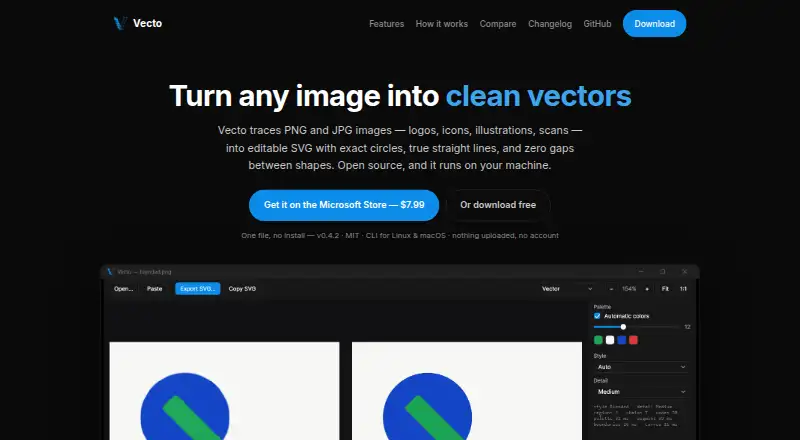
Vecto converts raster images into editable SVG files, tracing logos, icons, illustrations, scans, and photos. It accepts PNG, JPG, BMP, and GIF files, preserves transparency, and shows a live side-by-side preview with synced zoom. Its connected-mosaic approach fits shared boundaries once to avoid gaps or overlaps. It can represent straight edges as true lines and circles as exact arcs, while sub-pixel boundary placement avoids snapping edges to the pixel grid. Photos can be turned into stylized posterized vector art using a chosen number of colors; the maker recommends starting with the highest-resolution source available. Users can export SVGs or copy them to the clipboard for design and cutting software. Vecto also has a command-line tool for tracing, batch jobs, and benchmarking on Linux and macOS. The maker says tracing runs locally, images are not uploaded, and the app works offline without an account. Vecto is open source under the MIT license. The graphical app is Windows-only; Linux and macOS downloads are command-line tools. A Microsoft Store version costs $7.99, paid once.
Good
- Accepts PNG, JPG, BMP, and GIF files.
- Preserves transparency and provides synced-zoom preview.
- Tracing runs on the user's computer.
- Open source under the MIT license.
- Command-line tool supports batch jobs.
Watch out
- Graphical app is Windows-only.
- Linux and macOS downloads are command-line tools.
- Microsoft Store version costs $7.99, paid once.
Who it suits
Vecto suits people who need to turn raster artwork or scans into editable SVGs, including users who want a local, offline workflow. The graphical interface is for Windows users; Linux and macOS users can use the command-line tools.
Verdict
Vecto offers detailed SVG tracing and local processing, with a free MIT-licensed build available. Its main platform distinction is important: the graphical app is Windows-only, while Linux and macOS downloads provide command-line tools.
Plans and prices
From Vecto's own pricing page, checked 30 Sep 2026.
| Plan | Price | What it gives you |
|---|---|---|
| Free open-source build | Free | No trial clock · no watermark · MIT license |
| Microsoft Store | $7.99, paid once | Windows 10 / 11 · one-click install · automatic updates |
The facts
Each one read from Vecto's own pages, with the date it was checked.
What it does
- CLI
- The command-line tool supports tracing, batch jobs and benchmarking on Linux and macOS.checked 30 Sep 2026
- Deterministic output
- The maker says the same input produces a byte-identical SVG each time.checked 30 Sep 2026
- Export and integrations
- Users can export SVG or copy it to the clipboard for use in Figma, Adobe Illustrator, Inkscape, Affinity or cutting software.checked 30 Sep 2026
- Geometry
- The tracer can represent straight edges as true straight lines and circles as mathematically exact arcs.checked 30 Sep 2026
- Input and preview
- The app accepts PNG, JPG, BMP and GIF, preserves transparency, and shows a live side-by-side preview with synced zoom.checked 30 Sep 2026
- License
- Vecto is open source under the MIT license, and the maker says users can download it free or build it themselves.checked 30 Sep 2026
- Photo tracing
- Photos can be converted into stylized posterized vector art using a chosen number of colors; the maker recommends using the highest-resolution source image available.checked 30 Sep 2026
- Privacy
- Tracing runs on the user's computer; the maker says images are not uploaded and the app works offline without an account.checked 30 Sep 2026
- Purpose
- Vecto traces PNG and JPG images, including logos, icons, illustrations and scans, into editable SVG files.checked 30 Sep 2026
- Sub-pixel precision
- Vecto uses anti-aliasing to place boundaries between pixels rather than snapping them to the pixel grid.checked 30 Sep 2026
Money
- Gap-free output
- It traces the image as a connected mosaic, fitting each shared boundary once so shapes do not have gaps or overlaps.checked 30 Sep 2026
Where it runs
- Platform limits
- The graphical app is Windows-only; Linux and macOS downloads are command-line tools, and a cross-platform app is on the roadmap.checked 30 Sep 2026
The full review of Vecto
Vecto is a raster-to-SVG tracer for people who need editable vectors from logos, icons, illustrations, or scans. It is most compelling for Windows users who want precise, offline conversion or Linux and macOS users comfortable with command-line tools. The free MIT-licensed build makes it easy to try without a subscription commitment.
Overview
Vecto converts PNG and JPG images into editable SVGs, and can also turn photos into stylized, posterized vector art. Its emphasis on connected geometry and exact edge representation makes it a stronger fit for clean artwork than for users seeking a general-purpose graphics editor.
Tracing stays on the user's computer, works offline, and requires no account. That is useful for private images and repeat conversion work; it also means Vecto does not rely on an online service for its core task.
Key features
Vecto traces artwork as a connected mosaic, fitting each shared boundary once to prevent gaps or overlaps between shapes. It can represent straight edges as lines and circles as exact arcs, while sub-pixel boundary placement puts edges between pixels instead of snapping them to the pixel grid. Those choices are valuable when clean geometry matters, particularly for logos and icons.
The app accepts PNG, JPG, BMP, and GIF, preserves transparency, and shows a live side-by-side preview with synced zoom. Users can export SVG or copy it to the clipboard for Figma, Adobe Illustrator, Inkscape, Affinity, or cutting software. For photos, a chosen color count controls the posterized vector result; starting with the highest-resolution source available is the maker's recommendation.
Vecto also offers batch conversion, and its command-line tool supports tracing, batch jobs, and benchmarking on Linux and macOS. The maker says repeated conversion of the same input produces a byte-identical SVG, a useful property for workflows that need consistent output.
Pricing
The Free open-source build costs nothing, with no trial clock, no watermark, and an MIT license. It is the clearest choice for anyone who wants a free local tracer or the option to build the software themselves.
The Microsoft Store plan costs $7.99, paid once and includes a one-click install and automatic updates for Windows 10 / 11. It suits Windows users who prefer store installation and updates; the free build gives up that convenience, not the MIT license or watermark-free output. There is no free trial, but the free build can be used without a trial period.
Platforms
Vecto is desktop software, but the interface differs sharply by operating system: the graphical app is Windows-only, while Linux and macOS downloads provide command-line tools. That makes it a practical option for command-line users on those systems, not a like-for-like desktop app across all three platforms. A cross-platform app is on the roadmap.
Who it's for
Vecto fits designers, illustrators, and production users who need editable SVG from raster artwork and value precise boundaries, local processing, or repeatable output. Windows users get the most accessible workflow; Linux and macOS users should choose it if a CLI is suitable. Those who need a graphical app on Linux or macOS should look elsewhere.
Pros and cons
- Pros: The connected mosaic, exact lines and arcs, and sub-pixel boundaries target common tracing defects such as gaps, overlaps, and pixel-grid edges.
- Pros: Local, offline processing without an account keeps source images on the user's computer.
- Pros: The free MIT-licensed build has no watermark or trial clock, and the paid Windows option adds one-click installation and automatic updates.
- Cons: Only Windows has a graphical app; Linux and macOS users get CLI downloads instead.
- Cons: Users who want a shared graphical workflow across Windows, Linux, and macOS will need another tool while the cross-platform app remains on the roadmap.
Alternatives
For a broader set of options, browse Image Vectorization Software.
- VTracer is a free, open-source MIT-licensed alternative for users who want software available across Linux, macOS, Windows, web, and self-hosted environments.
- Vectorization.eu suits users who prefer web or API conversion and want a free option or a yearly subscription.
- AI Vectorizer is a web and API alternative with a free tier, though its free plan limits users to two Classic conversions per rolling 24 hours, 15 MB files, watermarked SVG exports, and 48-hour file retention.
- Vectorizer is a browser-based free option for converting up to 20 files at once without registration, with files deleted after one hour.
- Vectorizer.AI is an alternative for readers considering API access, including a $9.99 a month plan with 50 credits.
- EdgeSVG is another free option available on Linux, macOS, web, and Windows.
- Front-End SVGConverter suits users who want browser-based conversion with no backend server required and support for JPG, PNG, GIF, BMP, and WebP.
- AutoTrace is a free alternative for Linux, macOS, and Windows.
Verdict
Choose Vecto if you need precise, editable SVG tracing and value local processing, especially on Windows or through a CLI on Linux and macOS. Its free MIT-licensed build is a strong reason to start there. Look elsewhere if a graphical app on Linux or macOS is essential.
Getting started
- Visit the Vecto website.
- Choose the free MIT-licensed build or the Microsoft Store version for $7.99 once.
- On Windows, use the graphical app; on Linux or macOS, use the command-line tool.
- Open a PNG, JPG, BMP or GIF image to preview its tracing.
- Export the SVG or copy it to the clipboard.
Limits worth knowing
The free open-source build has no trial clock and no watermark. The graphical app is Windows-only; Linux and macOS downloads provide command-line tools.
Questions
How much does Vecto cost?
The free open-source build costs $0. The Microsoft Store version costs $7.99 once.
Is there a free plan or trial?
Yes. The free build has no trial clock and no watermark. There is no separate free trial.
Which platforms does Vecto support?
The graphical app is Windows-only. Linux and macOS downloads are command-line tools for tracing, batch jobs and benchmarking.
Is Vecto open source?
Yes. It is open source under the MIT license, and the maker says users can download it free or build it themselves.
What files can Vecto trace and export?
It accepts PNG, JPG, BMP and GIF, and can export SVG or copy the result to the clipboard.
Does Vecto upload images?
The maker says tracing runs on the user's computer, works offline without an account, and does not upload images.
Alternatives to Vecto
- 1

Vectorization.eu
Free planWebAPIExtensionLinux7.7From $0.05 a year - 2
SVGcode
Free planOpen sourceAndroidWebmacOSSelf-hosted7.6Free plan - 3
Avidemux
Free planOpen sourceWebLinuxmacOSWindows7.3Free plan - 4
WinTopo
Free planWindows7.2£150 one-time - 5

Vectorizer.AI
WebAPILinuxmacOS7.1From $9.99 a month - 6
AI Vectorizer
Free planWebAPI6.6From $49.90 a month