
Vectorizer.AI
Vectorizer.AI converts raster images into editable vector graphics for logos, illustrations, print, web, CAD, and CNC workflows.
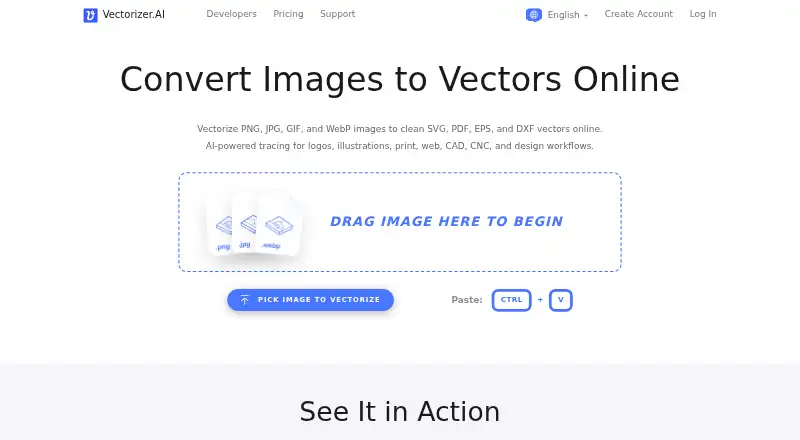
What Vectorizer.AI is
Vectorizer.AI converts raster images into editable vector graphics for logos, illustrations, print, web, CAD, and CNC workflows. It accepts PNG, JPG, GIF, BMP, and WebP files and exports SVG, EPS, DXF, PDF, or cleaned-up PNG. Its conversion approach combines deep-learning models with geometry methods including shape fitting, corner cleanup, and symmetry modeling. Users can upload, vectorize, and preview images without commitment, and download production results from example images for free. Web App uploads are limited to 3 megapixels and 30 megabytes, with cropping available to fit the resolution limit. Developers can integrate through official SDKs, a command-line tool, HTTP endpoints, or OpenAPI; listed SDK languages include TypeScript and JavaScript, Java, C# and .NET, Go, PHP, and Ruby. A standalone CLI for Windows, macOS, and Linux supports batch conversions and scripted workflows. The Web App costs $9.99 per month and does not include API access.
Good
- Accepts five raster image formats
- Exports SVG, EPS, DXF, PDF, and cleaned PNG
- Preview images before committing
- CLI supports Windows, macOS, and Linux
Watch out
- Web uploads capped at 3 megapixels and 30 megabytes
- Web App plan has no API access
- API credits are lost upon subscription cancellation
Who it suits
It suits designers and production teams converting raster artwork into editable vector formats, as well as developers who want an API or CLI workflow. The web upload limit is relevant for users handling large images.
Verdict
Vectorizer.AI offers both a web conversion interface and developer-oriented API and CLI options. Choose a plan based on whether you need web images or API credits, and consider the stated upload limits and cancellation terms.
Plans and prices
From Vectorizer.AI's own pricing page, checked 15 Oct 2026.
| Plan | Price | What it gives you |
|---|---|---|
| API 50 credits | $9.99 a month | 50 credits/month · $0.200/credit · rollover up to 5× monthly credits · monthly; cancel anytime |
| Web App Unlimited Web Images | $9.99 a month | unlimited web images · no API access · monthly; cancel anytime |
| Web App | $9.99 a month | Unlimited web images · no API access · Billed monthly, cancel anytime |
| API — 50 credits/month | $9.99 a month | 50 credits/month · $0.200/credit · up to 5× monthly credits roll over · Billed monthly, cancel anytime |
| API 100 credits | $18.99 a month | 100 credits/month · $0.190/credit · rollover up to 5× monthly credits · monthly; cancel anytime |
| API — 100 credits/month | $18.99 a month | 100 credits/month · $0.190/credit · up to 5× monthly credits roll over · Billed monthly, cancel anytime |
| API 200 credits | $34.99 a month | 200 credits/month · $0.175/credit · rollover up to 5× monthly credits · monthly; cancel anytime |
| API — 200 credits/month | $34.99 a month | 200 credits/month · $0.175/credit · up to 5× monthly credits roll over · Billed monthly, cancel anytime |
| API — 500 credits/month | $74.99 a month | 500 credits/month · $0.150/credit · up to 5× monthly credits roll over · Billed monthly, cancel anytime |
| API 500 credits | $74.99 a month | 500 credits/month · $0.150/credit · rollover up to 5× monthly credits · monthly; cancel anytime |
| API 1,000 credits | $139.99 a month | 1,000 credits/month · $0.140/credit · rollover up to 5× monthly credits · monthly; cancel anytime |
| API — 1,000 credits/month | $139.99 a month | 1,000 credits/month · $0.140/credit · up to 5× monthly credits roll over · Billed monthly, cancel anytime |
| API 2,000 credits | $249.99 a month | 2,000 credits/month · $0.125/credit · rollover up to 5× monthly credits · monthly; cancel anytime |
| API — 2,000 credits/month | $249.99 a month | 2,000 credits/month · $0.125/credit · up to 5× monthly credits roll over · Billed monthly, cancel anytime |
| API — 5,000 credits/month | $549.99 a month | 5,000 credits/month · $0.110/credit · up to 5× monthly credits roll over · Billed monthly, cancel anytime |
| API 5,000 credits | $549.99 a month | 5,000 credits/month · $0.110/credit · rollover up to 5× monthly credits · monthly; cancel anytime |
| API — 10,000 credits/month | $949.99 a month | 10,000 credits/month · $0.095/credit · up to 5× monthly credits roll over · Billed monthly, cancel anytime |
| API 10,000 credits | $949.99 a month | 10,000 credits/month · $0.095/credit · rollover up to 5× monthly credits · monthly; cancel anytime |
| API 15,000 credits | $1,299.99 a month | 15,000 credits/month · $0.087/credit · rollover up to 5× monthly credits · monthly; cancel anytime |
| API — 15,000 credits/month | $1,299.99 a month | 15,000 credits/month · $0.087/credit · up to 5× monthly credits roll over · Billed monthly, cancel anytime |
The facts
Each one read from Vectorizer.AI's own pages, with the date it was checked.
What it does
- AI and geometry
- The product combines in-house deep-learning models trained on a proprietary dataset with geometric algorithms, shape fitting, corner cleanup, and symmetry modeling.checked 30 Sep 2026
- API authentication
- API requests use HTTPS and HTTP Basic authentication with an API Id and API Secret.checked 15 Oct 2026
- API credit behavior
- One API credit covers one image, unused credits roll over up to five times the monthly allowance, and exhausted credits produce HTTP 402 errors.checked 30 Sep 2026
- API endpoints
- The public API exposes vectorize, download, delete and account operations under api.vectorizer.ai/api/v1.checked 15 Oct 2026
- API integrations
- Developers can integrate through official SDKs, a command-line tool, direct HTTP endpoints, or OpenAPI; listed SDK languages include TypeScript and JavaScript, Java, C# and .NET, Go, PHP, and Ruby.checked 30 Sep 2026
- API preview pricing
- Preview results cost 0.200 credits, production vectorization costs 1.000 credit and alternate-format downloads cost 0.100 credit.checked 15 Oct 2026
- API rate limits
- The documentation describes generous rate limiting without a hard upper bound and recommends gradual ramp-up for batch jobs.checked 15 Oct 2026
- API test mode
- Test and test-preview API modes are free and do not require an active subscription.checked 15 Oct 2026
- Commercial terms
- Subscriptions are personal, non-refundable, automatically billed until canceled, and remaining API credits are lost upon cancellation.checked 30 Sep 2026
- Corner controls
- The Corner Control workspace lets users make modeled corners sharp or rounded and adjust radii.checked 15 Oct 2026
- Curve support
- The vector model supports lines, circular and elliptical arcs, and quadratic and cubic Bezier curves.checked 15 Oct 2026
- Data retention
- Uploaded images and results are currently retained for 24 hours before deletion.checked 15 Oct 2026
- Deep vector engine
- Vectorizer.AI combines in-house deep-learning networks with classical algorithms for tracing.checked 15 Oct 2026
- Desktop automation
- The standalone CLI is available for Windows, macOS, and Linux for scripts, batch conversions, CI jobs, and terminal workflows.checked 30 Sep 2026
- Image limits
- The Web App limits uploads to 3 megapixels and 30 megabytes, and offers cropping to fit its resolution limit.checked 30 Sep 2026
- Image retention
- The product FAQ says uploads and results are retained for 24 hours and deleted shortly thereafter; the privacy policy separately says image records tied to accounts are retained indefinitely.checked 30 Sep 2026
- Input and output
- It accepts PNG, JPG, GIF, BMP, and WebP images and exports SVG, EPS, DXF, PDF, or cleaned-up PNG.checked 30 Sep 2026
Where it runs
- CLI platforms
- The official command-line client has builds for Windows, macOS and Linux, including x64 and ARM variants.checked 15 Oct 2026
- GetApp platforms
- GetApp lists web, Android and iPhone/iPad as supported platforms, but shows no user reviews or ratings.checked 15 Oct 2026
The company
- Company address
- The maker lists 2500 Shadywood Rd Ste 510, Excelsior, Minnesota 55331-6203, United States.checked 15 Oct 2026
- Company founder
- Crunchbase identifies Jacob Norda as founder of Cedar Lake Ventures.checked 15 Oct 2026
- Company ownership
- Vectorizer.AI is operated by Cedar Lake Ventures, Inc., a small company based in the Minneapolis area.checked 15 Oct 2026
- Company size
- Crunchbase lists Cedar Lake Ventures as a private Excelsior, Minnesota company with 1–10 employees.checked 15 Oct 2026
- Headquarters
- Excelsior, Minnesota, United Stateschecked 28 Sep 2026
The full review of Vectorizer.AI
Overview
Vectorizer.AI converts raster images into editable vector graphics for design, print, and technical workflows. It suits designers who need full-color tracing and developers automating conversions; the main trade-off is a paid subscription for routine use, with distinct web-image and API-credit plans.
It accepts PNG, JPG, GIF, BMP, and WebP, and exports SVG, EPS, DXF, PDF, or a cleaned-up PNG. Its combination of deep-learning models and geometric processing—including shape fitting, corner cleanup, and symmetry modeling—targets more than a simple bitmap-to-outline conversion.
You can upload and preview without committing, and download production results from example images for free. The web app caps uploads at 3 megapixels and 30 megabytes; cropping can bring an image within the resolution limit. That makes the preview useful before paying, but the cap may rule out some high-resolution source files.
Key features
Conversion and automation
Full-color tracing and outputs that include DXF and PDF suit work spanning illustration, print, CAD, and CNC. Developers can integrate through official SDKs, a command-line tool, direct HTTP endpoints, or OpenAPI. SDK languages include TypeScript and JavaScript, Java, C# and .NET, Go, PHP, and Ruby. The standalone CLI runs on Windows, macOS, and Linux, making it a practical fit for scripts, batch conversions, CI jobs, and terminal workflows.
Each API credit covers one image. Unused credits roll over up to five times the monthly allowance, which helps with uneven workloads; once credits run out, API requests return HTTP 402 errors. The Web App offers unlimited web images on its paid plan, but does not include API access.
Privacy and support
The privacy policy says the site uses HTTPS and organizational access controls, while warning that absolute security cannot be guaranteed. The FAQ says uploads and results are retained for 24 hours and deleted shortly afterward, but the privacy policy separately says image records tied to accounts are retained indefinitely. That distinction matters for sensitive work. The FAQ also says the company claims no rights to vectorized results and does not share images with third parties unless authorized. Support is through a web form; staff speak English and use machine translation for other languages.
Pricing
Both the Web App and the smallest API plan cost $9.99 a month, billed monthly and cancelable anytime. Choose the Web App for unlimited web images without API access; choose API — 50 credits/month for a modest automated workload at $0.200 per credit. Neither plan combines web access with API credits.
Higher API tiers lower the per-credit cost but require a larger monthly commitment: API — 100 credits/month is $18.99 a month at $0.190 per credit; 200 credits/month is $34.99 a month at $0.175; 500 credits/month is $74.99 a month at $0.150; and 1,000 credits/month is $139.99 a month at $0.140. For heavier volume, 2,000 credits/month costs $249.99 a month at $0.125; 5,000 costs $549.99 a month at $0.110; 10,000 costs $949.99 a month at $0.095; and 15,000 costs $1,299.99 a month at $0.087. Every API tier includes rollover up to five times its monthly credits. The lower tiers keep upfront cost down, while the larger allowances make sense only when recurring volume justifies the spend.
There is a free preview path, but it does not replace a paid plan for regular conversions: the free offer covers previewing uploads and downloading results from example images. Subscriptions are personal and non-refundable, renew automatically until canceled, and any remaining API credits are lost upon cancellation. No seat count is given, so teams should not assume a shared subscription.
Platforms
Vectorizer.AI is available on the web and through API options, with a standalone CLI for Windows, macOS, and Linux. The CLI gives those desktop platforms a route to scripted conversion; the web app is the direct option for users who do not need automation.
Who it's for
Choose Vectorizer.AI if you need full-color raster conversion into common vector formats, especially when DXF or PDF output, geometric cleanup, or repeatable API and CLI processing matters. It is less compelling for occasional users who can work within a free alternative, or for users whose source images exceed the web app's upload limits and who do not want to crop them.
Pros and cons
- Pros: Full-color tracing and SVG, EPS, DXF, and PDF exports serve both graphic and technical workflows.
- Pros: Multiple integration routes and a cross-platform CLI support automated and batch conversion.
- Pros: API credit rollover can cushion variable monthly demand, and the web app allows unlimited images on its paid plan.
- Cons: Web uploads are limited to 3 megapixels and 30 megabytes.
- Cons: Web access and API credits are separate plans, and exhausted API credits lead to HTTP 402 errors.
- Cons: Subscriptions renew automatically, are non-refundable, and unused API credits disappear at cancellation.
- Cons: The stated 24-hour image deletion window sits alongside indefinite retention of account-linked image records.
Alternatives
For a broader image vectorization software comparison or a directory of AI vector generators, start with these category lists.
- EdgeSVG is a free option for Linux, macOS, Windows, and web users.
- AutoTrace is a free choice for Linux, macOS, and Windows.
- Vecto suits readers looking for an open-source build or a one-time Microsoft Store purchase; its free build has no trial clock or watermark and uses an MIT license.
- Vectorization.eu is a web and API option with a free online tool that requires no registration; its yearly subscription is priced at $0.05 a year.
- AI Vectorizer may suit light use on its free plan, which allows two Classic conversions per rolling 24 hours, caps files at 15 MB, adds a watermark to free SVG exports, and retains files for 48 hours.
- Vectorizer is a free web option allowing up to 20 files at once without registration, with data deleted after one hour.
- Front-End SVGConverter is a free browser-based choice for JPG, PNG, GIF, BMP, and WebP input that does not require a backend server.
- VTracer is a free, open-source alternative for Linux, macOS, Windows, self-hosted, and web use.
Verdict
Vectorizer.AI is the stronger fit for designers and developers who need full-color conversion, technical vector outputs, or dependable automation routes. Its separate web and API subscriptions, web upload ceiling, and strict cancellation terms are meaningful costs; look elsewhere if free occasional conversion is enough or if those limits do not suit your workflow.
Alternatives to Vectorizer.AI
- 1

Vectorization.eu
Free planWebAPIExtensionLinux7.7From $0.05 a year - 2
SVGcode
Free planOpen sourceAndroidWebmacOSSelf-hosted7.6Free plan - 3
Avidemux
Free planOpen sourceWebLinuxmacOSWindows7.3Free plan - 4
WinTopo
Free planWindows7.2£150 one-time - 5

Vecto
Free planLinuxmacOSWindows6.7$7.99 one-time - 6

AI Vectorizer
Free planWebAPI6.6From $49.90 a month