
EdgeSVG
EdgeSVG is a free, open-source tool for converting raster images into SVG vector graphics.
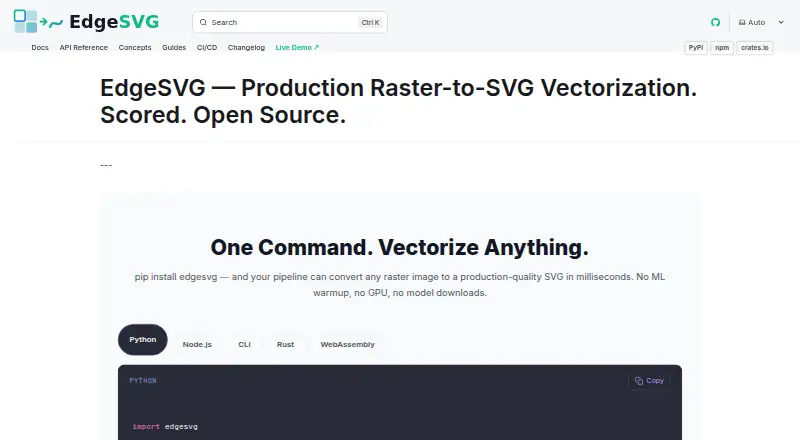
What EdgeSVG is
EdgeSVG is a free, open-source tool for converting raster images into SVG vector graphics. Its automatic mode classifies images as logos, icons, illustrations, or photos and selects a tracing approach. Other documented modes include convert, logo, premium, smart, and optimal, covering different image types and quality requirements. Smart mode searches iteratively within SSIM and file-size constraints. Output scoring includes SSIM, edge similarity, foreground IoU, topology, file size, and path counts. The project provides Rust, Python, Node.js, command-line, and WebAssembly interfaces under a shared SDK contract. Its WebAssembly engine runs in the browser without a server or uploads, according to the maker, keeping image data on the device. Batch processing can handle directories and produce JSON or Markdown reports with per-image scores and summaries. CI/CD examples cover GitHub Actions, GitLab CI, Docker, and pre-commit hooks. EdgeSVG is published under the Apache 2.0 license and has pre-built Python wheels for macOS arm64 and x64, Linux x64 and arm64, and Windows x64. The project describes itself as neither a GUI design tool nor a hosted API.
Good
- Automatic mode selects a tracing strategy by image type.
- Batch processing produces scored JSON or Markdown reports.
- Browser WebAssembly conversion runs without uploads.
- Interfaces include Rust, Python, Node.js, CLI, and WebAssembly.
Watch out
- Not a GUI design tool.
- Not a hosted API.
Who it suits
It suits developers and teams incorporating raster-to-SVG conversion into design, asset automation, web, or build pipelines. It is not positioned as a hosted API or GUI design tool.
Verdict
EdgeSVG offers conversion modes, quality scoring, and interfaces suited to automated asset workflows. Its project explicitly does not provide a hosted API or GUI design tool.
The facts
Each one read from EdgeSVG's own pages, with the date it was checked.
What it does
- Automatic mode
- Auto mode classifies images as logos, icons, illustrations, or photos and selects a tracing strategy.checked 3 Oct 2026
- Automation
- The CI/CD guide documents GitHub Actions and GitLab CI workflows, JSON output, and configurable quality thresholds.checked 3 Oct 2026
- Batch processing
- The benchmark command processes directories of raster images and can produce JSON and Markdown reports.checked 3 Oct 2026
- Conversion modes
- Documented modes include auto, logo, premium, and smart, with smart mode searching iteratively under SSIM and file-size constraints.checked 2 Oct 2026
- Dependencies
- The engine is written in Rust and the site says it has no ML dependencies, GPU requirement, or model downloads.checked 3 Oct 2026
- Integrations
- The CI/CD guide provides examples for GitHub Actions, GitLab CI, Docker, and pre-commit hooks.checked 2 Oct 2026
- License
- The project site identifies EdgeSVG as open source under the Apache 2.0 license.checked 3 Oct 2026
- Not a hosted service
- The project README says EdgeSVG is not a GUI design tool or hosted API.checked 2 Oct 2026
- Purpose
- EdgeSVG converts raster images into SVG files.checked 3 Oct 2026
- Quality scoring
- It reports more than 15 quality metrics for generated SVGs, including SSIM, edge F1, topology, file size, and path counts.checked 3 Oct 2026
- SDKs
- EdgeSVG provides Python, Node.js, Rust, CLI, and WebAssembly interfaces with a shared response contract.checked 3 Oct 2026
- SDKs and CLI
- The project provides Rust, CLI, Python, Node.js, and WebAssembly surfaces with a shared SDK contract.checked 2 Oct 2026
- Target users
- The maker describes use cases including design pipelines, asset automation, web applications, and build pipelines.checked 2 Oct 2026
- Tracing modes
- The site lists convert, logo, premium, auto, smart, and optimal modes for different image types and quality requirements.checked 3 Oct 2026
- Use cases
- The maker describes logo and icon conversion, build pipelines, in-browser conversion, batch asset processing, and design export workflows.checked 3 Oct 2026
Where it runs
- Browser privacy
- The WebAssembly engine runs in the browser without a server, and the site says image data never leaves the device.checked 3 Oct 2026
- Platform support
- The Python quick start lists pre-built wheels for macOS arm64 and x64, Linux x64 and arm64, and Windows x64.checked 2 Oct 2026
- Supported Python platforms
- The Python quick start lists pre-built wheels for macOS arm64 and x64, Linux x64 and arm64, and Windows x64.checked 3 Oct 2026
The company
- Maker
- The site copyright names Raphael Mansuy.checked 3 Oct 2026
The full review of EdgeSVG
Overview
EdgeSVG is an open-source tool for turning raster images into SVG vector graphics. It suits developers and teams automating asset conversion; it is a poor fit for anyone seeking a visual design app or a hosted conversion service. Its strength is a range of conversion and evaluation options exposed through developer-friendly interfaces.
Key features
Tracing choices and quality checks
EdgeSVG offers modes including convert, logo, premium, auto, smart, and optimal for different image types and quality goals. Auto classifies images as logos, icons, illustrations, or photos and chooses a tracing strategy, which can reduce manual mode selection in repeatable workflows. Smart mode iteratively searches for a result within SSIM and file-size constraints, useful when output quality and size both matter.
Scoring goes beyond a visual similarity measure: it includes SSIM, edge similarity, foreground IoU, topology, file size, and path counts. These metrics give teams ways to compare outputs or apply quality thresholds, though interpreting and acting on those scores still requires a workflow of your own.
Interfaces and automation
Rust, CLI, Python, Node.js, and WebAssembly interfaces share a response contract, making EdgeSVG adaptable to local tools, scripts, and browser-based applications. The benchmark command can process directories and produce JSON or Markdown reports with per-image scores and summaries. CI/CD examples cover GitHub Actions, GitLab CI, Docker, and pre-commit hooks, while configurable quality thresholds support automated checks.
The maker says the WebAssembly engine runs in the browser without a server or uploads, keeping image data on the device. It is described as a pure Rust engine that needs no GPU, ONNX, or Python ML runtime. Those characteristics make it a practical option for lightweight automation, but EdgeSVG is not a hosted API or GUI design tool.
Pricing
EdgeSVG is free, with a free plan and no free trial. Its Apache 2.0 license also makes it suitable for teams that want an openly licensed engine in their software workflows. There are no paid tiers or seat and quota distinctions to weigh.
Platforms
EdgeSVG supports Linux, macOS, Windows, and the web. Python wheels are available for macOS arm64 and x64, Linux x64 and arm64, and Windows x64. The WebAssembly interface supports browser-based conversion; the project also provides CLI and language SDKs for developer workflows.
Who it's for
EdgeSVG is best suited to developers and teams handling logo or icon conversion, batch asset processing, design exports, web applications, and build pipelines. Its multiple interfaces, batch reports, and quality metrics make it especially compelling when conversion needs to be repeatable or checked automatically.
Pros and cons
- Pro: Several tracing modes, including automatic classification and iterative smart search, cover different image types and output constraints.
- Pro: Multiple quality metrics and batch reports help teams evaluate output across folders rather than judging each conversion in isolation.
- Pro: The shared SDK contract and documented CI/CD integrations suit automated pipelines, while browser-side WebAssembly avoids server uploads according to the maker.
- Con: It is not a GUI design tool or hosted API, so users seeking either will need another product.
- Con: Its scoring and automation features are geared toward technical workflows, not a simple visual editing experience.
Alternatives
For a broader Image Vectorization Software shortlist, compare tools by platform, pricing, and workflow. Pick Vecto if you want an open-source build or a one-time Microsoft Store option. Vectorizer.AI is worth considering if you need an API or web app and are comfortable with its paid API plans. Choose AI Vectorizer for a web or API workflow with a free tier that caps conversions and adds a watermark to free SVG exports. Vectorization.eu offers an online tool with a free option and a free trial. VTracer is another open-source vectorization option. VectorIt is a free option for desktop platforms. Vectorizer is a web option for converting up to 20 files at once without registration. Front-End SVGConverter may suit browser-based conversion when you want to avoid a backend server and need support for common raster formats.
Verdict
Choose EdgeSVG if you need free, open-source raster-to-SVG conversion that can slot into scripts, browser applications, or CI/CD pipelines, with metrics to help assess output. Its modes and batch reporting are real strengths for automation. Look elsewhere if your priority is a graphical design workspace or a hosted conversion API.
Alternatives to EdgeSVG
- 1

Vectorization.eu
Free planWebAPIExtensionLinux7.7From $0.05 a year - 2
SVGcode
Free planOpen sourceAndroidWebmacOSSelf-hosted7.6Free plan - 3
Avidemux
Free planOpen sourceWebLinuxmacOSWindows7.3Free plan - 4
WinTopo
Free planWindows7.2£150 one-time - 5

Vectorizer.AI
WebAPILinuxmacOS7.1From $9.99 a month - 6

Vecto
Free planLinuxmacOSWindows6.7$7.99 one-time