Visual Paradigm
Visual Paradigm is a visual modeling and development platform spanning diagramming, code engineering, agile management, and enterprise architecture.
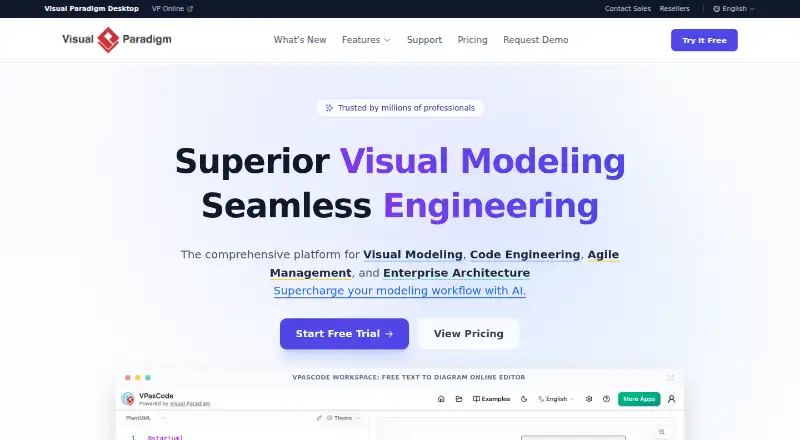
What Visual Paradigm is
Visual Paradigm is a visual modeling and development platform spanning diagramming, code engineering, agile management, and enterprise architecture. Its supported diagram types include UML, SysML, flowcharts, organization charts, ER, BPMN, data-flow, EPC, mind maps, C4, Gantt, wireframes, and cloud architecture. AI can generate class diagrams, flowcharts, and user stories from descriptions. The Unified Platform provides access to more than 100 specialized apps, while the Free plan includes more than 40 AI-powered apps and basic diagramming through VPasCode, web diagrams, and smartboard. Users can work across the desktop application and external web browsers, with projects synced between them. Visual Paradigm Cloud supports concurrent design, review, and commenting; listed online collaboration limits are three participants on Free, five on Starter, and unlimited on higher plans. Integrations include Jira, Confluence, Eclipse, NetBeans, IntelliJ IDEA, Visual Studio, and Android Studio. Import and export options include Visio, Excel, XML, XMI, BPMN 2.0, and images. The Free plan is strictly for non-commercial use.
Good
- Supports a wide range of diagram types
- AI generates diagrams and user stories from descriptions
- Projects sync between desktop and browser
- Offers a 30-day trial
Watch out
- Free plan is strictly non-commercial
- Free online collaboration is limited to three participants
- Starter is billed annually
Who it suits
It suits people and teams working with diagrams, software models, agile management, or enterprise architecture. The Free plan is limited to non-commercial use, while paid options include commercial rights.
Verdict
Visual Paradigm combines modeling and diagramming with browser and desktop workflows, collaboration, and AI-assisted generation. Check the Free plan’s non-commercial restriction and collaboration limits when selecting a plan.
Plans and prices
From Visual Paradigm's own pricing page, checked 28 Sep 2026.
| Plan | Price | What it gives you |
|---|---|---|
| Free | Free | Strictly non-commercial use · Non-commercial use |
| Starter | $4 a month | For individuals needing professional output · Commercial use rights · Watermark-free exports · High-resolution PNG export · Basic web diagram collaboration · billed annually |
| Advance | $9 a month | For small teams needing joint editing · Advanced team collaboration · Diagram revisions · More web diagram types · billed annually |
| Combo | $15 a month | For professionals needing the ultimate development suite · Complete AI suite · OpenDocs · Full presentation tools · billed annually |
| Deluxe | $30 a month | For power users needing a conversational AI copilot · Dedicated AI diagram chatbot · Hybrid editing · Persistent chat context and sharing · billed annually |
| Modeler | $6 a month | Visual Paradigm Desktop subscription · 1 GB cloud workspace · billed monthly |
| Standard | $19 a month | Visual Paradigm Desktop subscription · 1 GB cloud workspace · billed monthly |
| Professional | $35 a month | Visual Paradigm Desktop subscription · 1 GB cloud workspace · billed monthly |
| Enterprise | $89 a month | Visual Paradigm Desktop subscription · 1 GB cloud workspace · billed monthly |
The facts
Each one read from Visual Paradigm's own pages, with the date it was checked.
What it does
- AI diagram generation
- AI can generate class diagrams, flowcharts, and user stories from descriptions.checked 28 Sep 2026
- Collaboration limits
- Online collaboration lists 3 participants for Free, 5 for Starter, and unlimited for higher plans.checked 28 Sep 2026
- Customer reach
- Visual Paradigm says it is trusted by millions of professionals.checked 28 Sep 2026
- Desktop web access
- Users can work across the desktop application and external web browsers.checked 28 Sep 2026
- Diagram types
- UML,SysML,flowchart,organization chart,ER,BPMN,data-flow,EPC,mind map,C4,Gantt,wireframe,cloud architecturechecked 20 Sep 2026
- Import export
- The platform supports formats including Visio, Excel, XML, XMI, BPMN 2.0, and images.checked 28 Sep 2026
- Paid from
- 4checked 20 Sep 2026
- PDF tools
- The Online plans include PDF editing, conversion, protection, and unlimited per-PDF limits.checked 28 Sep 2026
- Project synchronization
- Projects are synced between the desktop application and browser experience.checked 28 Sep 2026
- Real-time collaboration
- Yeschecked 20 Sep 2026
- Support access
- The website provides a Support section in its main navigation.checked 28 Sep 2026
- Version history
- Users can track changes, revert states, and manage evolving model designs.checked 28 Sep 2026
Money
- Free AI apps
- The Free plan includes access to more than 40 AI-powered apps.checked 28 Sep 2026
- Free diagramming
- Free includes basic diagramming through VPasCode, web diagrams, and smartboard.checked 28 Sep 2026
- Free plan
- Yeschecked 20 Sep 2026
- Free tier limit
- The Free plan is restricted to strictly non-commercial use.checked 28 Sep 2026
- Trial availability
- The site offers a free trial and a Try it Free entry point.checked 28 Sep 2026
The company
- Headquarters
- Hong Kongchecked 23 Sep 2026
- Team collaboration
- Visual Paradigm Cloud supports concurrent design, review, and commenting.checked 28 Sep 2026
Where it runs
- Platform integrations
- Integrations include Jira, Confluence, Eclipse, NetBeans, IntelliJ IDEA, Visual Studio, and Android Studio.checked 28 Sep 2026
- Platform scope
- Supports visual modeling, code engineering, agile management, and enterprise architecture.checked 28 Sep 2026
- Unified app access
- The Unified Platform provides access to more than 100 specialized apps.checked 28 Sep 2026
The full review of Visual Paradigm
Overview
Visual Paradigm brings visual modeling, diagramming, code engineering, agile management and enterprise architecture into one platform, with web and desktop workflows. It is best suited to people who need more than a single-purpose diagram tool, especially teams working across models and project stages. Its breadth is a strength, but the free plan is limited to non-commercial use and collaboration is capped on lower tiers.
Key features
The range of supported diagrams is unusually broad: UML and SysML sit alongside flowcharts, organization charts, ER diagrams, BPMN, data-flow diagrams, EPC, mind maps, C4, Gantt, wireframes and cloud architecture. That makes it a practical fit for mixed modeling and planning work; people who only need basic diagrams may find the wider platform more than they need.
AI can generate class diagrams, flowcharts and user stories from descriptions. The Free plan also includes access to more than 40 AI-powered apps, while higher plans add capabilities such as a complete AI suite or a dedicated diagram chatbot. Visual Paradigm Cloud supports concurrent design, review and commenting, and version history lets users track changes and revert to earlier states.
The Unified Platform provides access to more than 100 specialized apps. Desktop users can work alongside external browser access, with projects synchronized between the two. Integrations include Jira, Confluence, Eclipse, NetBeans, IntelliJ IDEA, Visual Studio and Android Studio; import and export formats include Visio, Excel, XML, XMI, BPMN 2.0 and images. That breadth helps when models need to move between tools, though the maximum editor count is five.
Pricing
The Free plan costs nothing and includes basic diagramming through VPasCode, web diagrams and smartboard, plus access to more than 40 AI-powered apps. Its strict non-commercial-use restriction rules it out for business work, and online collaboration is limited to three participants.
Starter is $4 a month (billed annually) and adds commercial-use rights, watermark-free exports, high-resolution PNG export and basic web diagram collaboration. It suits individuals needing professional output, but collaboration is limited to five participants. Advance costs $9 a month (billed annually) and adds advanced team collaboration, diagram revisions and more web diagram types, making it the more suitable step up for small teams.
Combo costs $15 a month (billed annually) and includes the complete AI suite, OpenDocs and full presentation tools. Deluxe is $30 a month (billed annually), adding a dedicated AI diagram chatbot, hybrid editing, persistent chat context and sharing. These tiers target professionals who need those specific expanded capabilities rather than just core modeling.
Desktop subscriptions are billed monthly: Modeler is $6 a month, Standard $19 a month, Professional $35 a month and Enterprise $89 a month. Each includes a Visual Paradigm Desktop subscription and 1 GB cloud workspace. A free trial is available for those who want to evaluate before committing. Higher online plans allow unlimited collaboration participants; the maximum editor count remains five.
Platforms
Visual Paradigm is available on the web and as a desktop application. Browser access and desktop work share synchronized projects, so it suits people who move between environments. Desktop import formats include Visio drawings and stencils, Rational Rose, Rational DNX, Rational System Architect, Rational Rhapsody and NetBeans UML; exports include JPG, PNG, SVG, TIFF, EMF, PDF, XML, Excel, XMI and UML2.
Who it's for
Visual Paradigm is a strong fit for modelers, developers and teams that need a wide selection of diagram types, desktop and browser access, integrations and shared review workflows. Individuals producing commercial output can start with Starter; small teams needing joint editing should consider Advance. It is a poor fit for commercial users expecting the Free plan to cover their work, or for teams that need more than five editors.
Pros and cons
- Pros: Broad diagram coverage supports modeling, architecture, planning and presentation work in one platform.
- Pros: Desktop-browser project synchronization and extensive import/export formats help users work across environments and exchange models.
- Pros: Collaboration, revision history and AI-assisted generation provide useful support for iterative team design.
- Cons: Free use is strictly non-commercial, so business users need a paid plan.
- Cons: Collaboration is capped at three participants on Free and five on Starter; the editor maximum is five.
- Cons: The many specialized apps and plan tiers may be unnecessary overhead for someone seeking only straightforward diagramming.
Alternatives
Choose Eclipse Papyrus for a free, open-source modeling environment available on Linux, macOS, Windows, web and self-hosted platforms. BOUML is a free option for Linux, macOS and Windows. BridgePoint is worth considering for its free, Apache 2.0-licensed editor, verifier and model compilers.
BESSER is free and open source, with no freemium tier or hidden fees, and supports web, API, desktop and self-hosted platforms. Gaphor is a free Apache 2-licensed option for Linux, macOS and Windows. Sparx Enterprise Architect offers UML modeling, multi-user projects and code engineering with import, export and synchronization.
ArgoUML is a free, open-source option for Linux, macOS and Windows, under the Eclipse Public License 1.0. Altova UModel is a paid Windows alternative with a one-time license price of 209.00 USD for one user and a free trial.
Browse our UML Modeling Software, Diagram Software and Diagramming Software lists for more options.
Verdict
Visual Paradigm is a strong choice for individuals and teams that need a broad modeling toolkit, synchronized web and desktop work, and collaboration features in the same platform. Its clearest drawbacks are the non-commercial-only Free plan and low editor ceiling. Choose it when that range justifies the tier and limits; look elsewhere if you need unrestricted free commercial use or a higher editor cap.
Alternatives to Visual Paradigm
- 1

Sparx Enterprise Architect
Free planWebAPILinuxmacOS7.9$245 one-time - 2
BESSER
Free planOpen sourceWebAPILinuxmacOS7.6Free plan - 3
UMLet
Free planWebExtensionLinuxmacOS6.9Free plan - 4
StarUML
ExtensionLinuxmacOSWindows6.7$129 one-time - 5
Horusec
Free planWebAPIExtensionLinux6.6Free plan - 6
objectiF RPM
WebAPISelf-hostedWindows6.6