
VIOSO
VIOSO provides software and services for projection system design, calibration, playback, and deployment, aimed at integrators in professional AV and simulat…
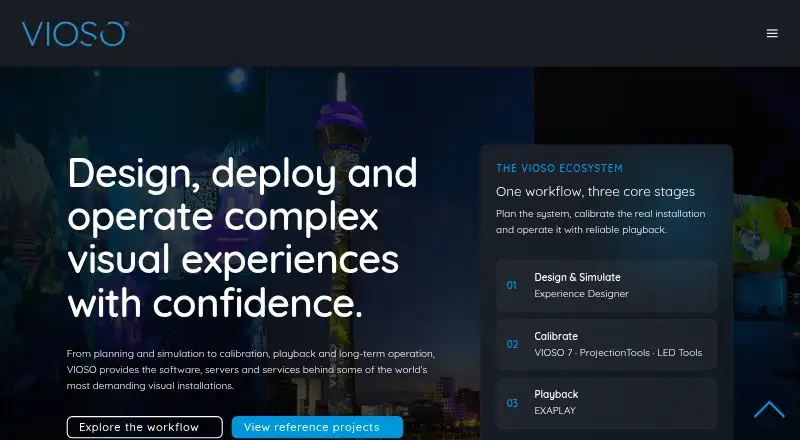
What VIOSO is
VIOSO provides software and services for projection system design, calibration, playback, and deployment, aimed at integrators in professional AV and simulation. VIOSO 7 automatically aligns, warps, and blends projectors on flat screens, domes, and projection-mapping surfaces. It supports geometry, soft-edge, colour, black-level, and linearity correction, as well as projector systems and direct-view LED workflows. VIOSO 7 runs on Windows 10 and 11; calibration can be embedded into Windows Desktop or exported to AV products, media servers, projectors, and signage workflows. Experience Designer is a browser-based tool for planning and validating projection systems before installation. VIOSO also offers a free SDK/API for parsing its data; VIOSO 6 supports more than 50 applications, MPCDI, and data export. The Free plan is €free and allows up to 10 saved projects, with 250 MB storage, a generic projector library, and watermark link sharing. Pro is €€49 a month; Team is €€129 a month and includes three seats. A free trial download is available, with no duration stated.
Good
- VIOSO 7 aligns, warps, and blends projectors.
- Supports direct-view LED workflows.
- Calibration can be embedded or exported.
- Browser-based Experience Designer is available.
- Free plan and trial download are offered.
Watch out
- Free plan limits saved projects to 10.
- Free plan includes only 250 MB storage.
- Free plan link sharing includes a watermark.
- VIOSO 7 runs on Windows 10 and 11.
Who it suits
VIOSO is aimed at AV and simulation integrators who design or deploy projection systems. Experience Designer may suit teams that want to simulate and validate a setup before installation.
Verdict
VIOSO combines projection calibration with planning and deployment tools for professional integration work. The Free plan has project and storage limits; Pro and Team expand the listed capacity and features.
Plans and prices
From VIOSO's own pricing page, checked 2 Oct 2026.
| Plan | Price | What it gives you |
|---|---|---|
| Free | Free | Up to 10 saved projects · 250 MB storage · generic projector library · watermark link sharing |
| Pro | €49 a month | Unlimited projects and screens · 1 GB storage · priority support · PDF reports and advanced analysis |
| Team | €129 a month | 3 seats included · €43 / extra seat · 5 GB storage · shared projects and projector library |
The facts
Each one read from VIOSO's own pages, with the date it was checked.
What it does
- Calibration features
- VIOSO 7 supports geometry correction, soft-edge blending, colour, black level, and linearity correction.checked 2 Oct 2026
- Display support
- VIOSO 7 supports projector systems and direct-view LED workflows.checked 2 Oct 2026
- Experience Designer
- Experience Designer is a browser-based tool for designing, simulating, and validating projection systems before installation.checked 2 Oct 2026
- Integrations
- VIOSO 7 can embed calibration into Windows Desktop or export data to AV products, media servers, projectors, and signage workflows.checked 2 Oct 2026
- Product scope
- VIOSO offers tools for projection system design, calibration, playback, and deployment.checked 2 Oct 2026
- Projection calibration
- VIOSO 7 automatically aligns, warps, and blends projectors across flat screens, domes, and projection mapping surfaces.checked 2 Oct 2026
- SDK/API
- VIOSO offers a free SDK/API for parsing its data and says VIOSO 6 supports more than 50 applications, MPCDI, and data export.checked 2 Oct 2026
- Security and privacy
- VIOSO says it uses appropriate technical and organizational measures to protect personal data submitted with product support requests.checked 2 Oct 2026
- Support
- VIOSO lists planning, consulting, on-site and remote service, support, and training for integration partners.checked 2 Oct 2026
- Target users
- VIOSO describes its software, servers, and services as tools for integrators working in professional AV and simulation.checked 2 Oct 2026
The company
- Company history
- VIOSO says it was founded as a university start-up in 2007.checked 2 Oct 2026
- Founded
- 2007checked 23 Sep 2026
- Headquarters
- Düsseldorf, Germanychecked 23 Sep 2026
Money
- Trial
- VIOSO's site offers a free trial download, but the page does not state a trial duration.checked 2 Oct 2026
Where it runs
- Windows support
- VIOSO 7 runs on Windows 10 and Windows 11.checked 2 Oct 2026
The full review of VIOSO
VIOSO is a projection-system toolkit that brings design, projector calibration, playback and deployment into professional AV and simulation work. It suits integrators building multi-projector or LED installations, especially when planning and operational services matter alongside calibration. Its free tier offers a useful starting point, while the paid plans make more sense when projects, storage or collaboration grow.
Overview
VIOSO combines a browser-based planning tool with VIOSO 7, which automatically aligns, warps and blends projectors across flat screens, domes and projection-mapping surfaces. Geometry, soft-edge, colour, black-level and linearity correction address the practical adjustments needed to make a multi-projector image behave as one display. Support for direct-view LED workflows extends its reach beyond projection.
The product is aimed squarely at professional integration rather than casual creative experimentation. Its hybrid workflow spans planning before installation and calibration, playback and deployment in the system itself. Integrators can embed calibration in the Windows desktop or export data to AV products, media servers, projectors and signage workflows.
Key features
Experience Designer lets teams design, simulate and validate projection systems in a browser before installation. That makes it a useful complement to on-site calibration: teams can work through system design and validation before they reach the venue, then use VIOSO tools for alignment and correction.
A free SDK/API parses VIOSO data, and VIOSO 6 supports more than 50 applications, MPCDI and data export. This is valuable for integration work where calibration needs to connect to other software and equipment. VIOSO also offers planning, consulting, remote and on-site service, support and training for integration partners.
The product supports edge blending, live video input, 3D mapping and advanced control protocols. VIOSO 7 runs on Windows 10 and 11; the broader platform range includes Linux and web. Buyers should distinguish that broader platform footprint from VIOSO 7's stated Windows requirements.
Pricing
The Free plan costs nothing and includes up to 10 saved projects, 250 MB of storage, a generic projector library and watermark link sharing. It is a sensible way to start small, but the project and storage ceilings make it a constrained fit for ongoing integration work.
Pro costs €49 a month and raises capacity to unlimited projects and screens, with 1 GB of storage, priority support, PDF reports and advanced analysis. It is the clearest fit for an individual or small operation that needs room to manage projects and more reporting capability than the free plan provides.
Team costs €129 a month and includes three seats, with extra seats at €43 each. It provides 5 GB of storage, shared projects and a shared projector library, making it the collaboration-oriented option for integration teams. The lower-cost tiers give up capacity or team features; choose based on whether project volume, reporting or shared work is the constraint.
Platforms
VIOSO 7 runs on Windows 10 and Windows 11. VIOSO's platform coverage also includes Linux and web, which aligns with its browser-based Experience Designer and broader workflow. The stated Windows requirement for VIOSO 7 remains important for buyers planning the calibration workstation.
Who it's for
VIOSO is best suited to professional AV and simulation integrators responsible for planning, calibrating and deploying projection systems. It is particularly compelling when installations require multiple projectors, edge blending, geometry correction or integration with other AV and media systems. Teams that need project sharing and a common projector library have a concrete reason to step up to Team.
It is less compelling for a one-off personal projection experiment or a buyer who needs only a low-cost playback tool: VIOSO's strongest case is the integration workflow and the services around it, rather than a narrow single-purpose setup.
Pros and cons
- Pros: Broad calibration correction covers geometry, blending, colour, black level and linearity, useful when a seamless multi-projector image matters.
- Pros: Browser-based system design and validation can support planning before installation, while the SDK/API and export options help connect calibration to other systems.
- Pros: Team includes three seats, shared projects and a shared projector library, features that directly support collaborative integration work.
- Cons: Free is capped at 10 projects and 250 MB, and its link sharing is watermarked, limiting its usefulness as a long-term working tier.
- Cons: VIOSO 7's stated Windows 10/11 requirement may not suit teams seeking to run calibration directly on another operating system.
- Cons: Team's €129.00 monthly price and paid extra seats are a meaningful step up for smaller teams that do not need shared workflows.
Alternatives
Browse Projection Mapping Software for a broader category comparison. Choose Screenberry if Linux, macOS or Windows coverage and a free non-commercial tier with up to 2x 2K output suit your use; its license renews every 90 days and requires internet.
Christie Mystique is an option for a free, narrow setup using one webcam and up to three Christie projectors on flat screens. MadMapper is another option to consider for projection mapping. Ghost Arcade is a free alternative. Disguise Designer offers a free Starter tier for learning, training and testing without connecting to Disguise servers.
LightAct offers a free Creator tier with unlimited outputs, though outputs are watermarked. Fluence provides a free download with the full feature set, with a periodic watermark until license activation. Modulo Kinetic is a paid alternative with a 70.00 EUR one-time 2D Designer tier that is watermarked and limited to one blinking output.
Verdict
Choose VIOSO if you integrate professional projection or LED systems and need calibration, pre-installation planning, export paths and integration support in one workflow. The free plan is a bounded entry point; Pro and Team add room for production work and collaboration. Look elsewhere if your needs are limited to a personal, single-purpose mapping tool or if VIOSO 7's Windows requirement does not fit your setup.
Alternatives to VIOSO
- 1

Ghost Arcade
Free planOpen sourceiOSWebAPILinux8.4$1.99 one-time - 2

MadMapper
Free planAPImacOSWindows7.3From €39 a month - 3
SurfaBeam Pro
Free planAndroidiOSmacOSWindows7.3From $39.99 a year - 4
MapMap
Free planOpen sourceLinuxmacOSWindows7.2Free plan - 5

Disguise Designer
Free planWebmacOSWindows7.1From $1,500 a year - 6

Christie Mystique
Free planWebAPIWindows6.9Free plan