
Fluence
Fluence is a visual performance app for live VJing, projection mapping and motion graphics, available on macOS and Windows.
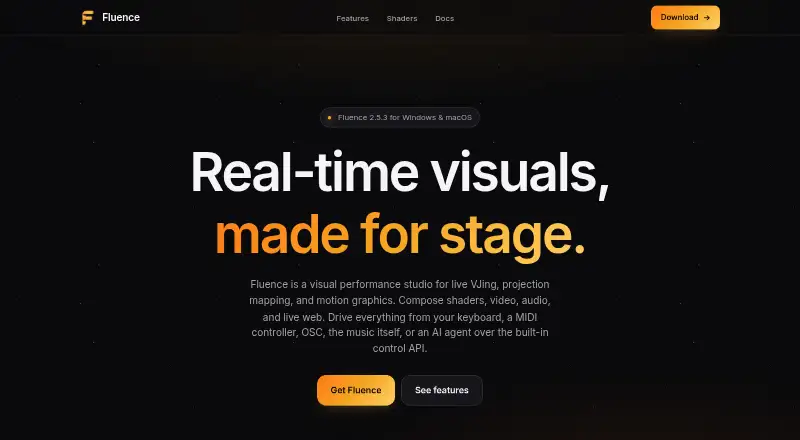
What Fluence is
Fluence is a visual performance app for live VJing, projection mapping and motion graphics, available on macOS and Windows. It combines clip composition, live triggering, an arrangement timeline and output controls. The clip library includes 16 types, from shaders, video, audio and images to live web pages, capture, NDI and generators. Shader support covers ISF, GLSL fragment shaders and Shadertoy JSON, including multi-pass work. Parameters can respond to keyboard, MIDI or OSC controls, timeline automation, or audio frequency bands. For projection, Fluence offers multiple displays, mapped slices, warping grids and edge blending for overlapping projectors. It can record a composition or layer and export in 12 codecs, including H.264, ProRes, PNG sequence, HAP and DXV3. It also supports Spout on Windows, Syphon on macOS and NDI for network video input and output. A localhost TCP API and an MCP bridge with 55 tools support compatible hosts such as Claude. Third-party clips and effects can run in Python, Node or another executable runtime. The free download includes the full feature set with a periodic watermark until license activation removes it.
Good
- Includes 16 types of clips.
- Supports ISF, GLSL and Shadertoy shaders.
- Maps controls to keyboard, MIDI and OSC.
- Offers warping grids and edge blending.
- Exports using 12 codecs.
Watch out
- Windows requires a Vulkan-capable graphics card.
- macOS support requires Apple Silicon and macOS 13 Ventura or later.
- Free download adds a periodic watermark until license activation.
Who it suits
Fluence suits VJs and motion-graphics creators who need live clip control, projection mapping or layered composition. It may also fit workflows that use MIDI, OSC, NDI, shaders or external clips and effects.
Verdict
Fluence combines live composition, control mapping and projection output in one app, with broad clip and shader support. Check the operating-system and graphics requirements, and note the watermark on the free download.
Plans and prices
From Fluence's own pricing page, checked 3 Oct 2026.
| Plan | Price | What it gives you |
|---|---|---|
| Perpetual License | — | Free download includes the full feature set with a periodic watermark until license activation removes it |
The facts
Each one read from Fluence's own pages, with the date it was checked.
What it does
- Clip types
- The clip library has 16 types, including shaders, video, audio, images, live web pages, capture, NDI, and generators.checked 3 Oct 2026
- Composition
- It combines layered clip composition, live triggering, an arrangement timeline, and output tools in one app.checked 3 Oct 2026
- Control API
- A localhost TCP API uses newline-delimited JSON, and the app includes an MCP bridge with 55 tools for compatible hosts such as Claude.checked 3 Oct 2026
- Controls
- Parameters can be mapped to keyboard, MIDI, and OSC controls, automated on a timeline, or driven by audio frequency bands.checked 3 Oct 2026
- Documentation and support
- The full user guide is inside the app, and the maker directs users with other questions to email support.checked 3 Oct 2026
- Integrations
- Fluence supports Spout on Windows, Syphon on macOS, and NDI for network video input and output.checked 3 Oct 2026
- Plugin support
- Third-party clips and effects can run in Python, Node, or another executable runtime and communicate through shared memory.checked 3 Oct 2026
- Purpose
- Fluence is a visual performance studio for live VJing, projection mapping, and motion graphics.checked 3 Oct 2026
- Recording and export
- Fluence can record a composition or layer and export using 12 codecs, including H.264, ProRes, PNG sequence, HAP, and DXV3.checked 3 Oct 2026
- Security detail
- The Control API is off by default and localhost-only, according to the maker.checked 3 Oct 2026
- Shader formats
- Fluence supports ISF, GLSL fragment shaders, and Shadertoy JSON, including multi-pass support.checked 3 Oct 2026
Where it runs
- macOS requirements
- Fluence supports Apple Silicon Macs with macOS 13 Ventura or later.checked 3 Oct 2026
- Projection mapping
- Output features include multiple displays, mapped slices, warping grids, and edge blending for overlapping projectors.checked 3 Oct 2026
- Windows requirements
- Windows 10 or 11 is supported and requires a Vulkan-capable graphics card; the maker lists NVIDIA GTX 600, AMD HD 7000, and Intel 6th generation or newer.checked 3 Oct 2026
Alternatives to Fluence
- 1

Ghost Arcade
Free planOpen sourceiOSWebAPILinux8.4$1.99 one-time - 2

MadMapper
Free planAPImacOSWindows7.3From €39 a month - 3
SurfaBeam Pro
Free planAndroidiOSmacOSWindows7.3From $39.99 a year - 4
MapMap
Free planOpen sourceLinuxmacOSWindows7.2Free plan - 5

Disguise Designer
Free planWebmacOSWindows7.1From $1,500 a year - 6

Christie Mystique
Free planWebAPIWindows6.9Free plan