SurfaBeam Pro
SurfaBeam Pro is a projection and video mapping app for aligning visuals with real-world surfaces using a phone, tablet, or PC.
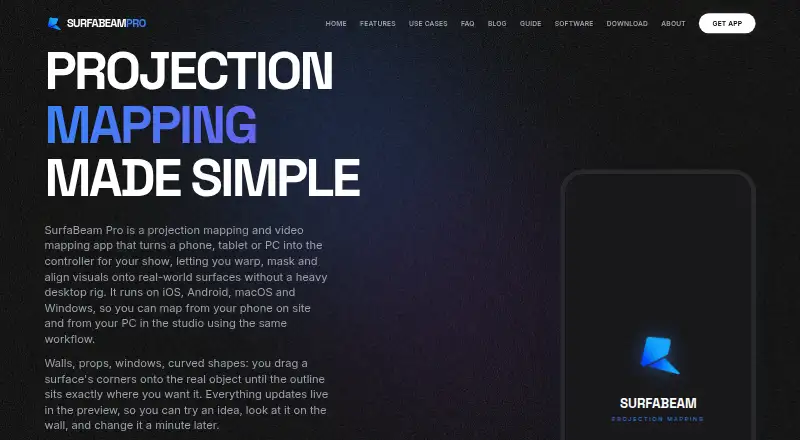
What SurfaBeam Pro is
SurfaBeam Pro is a projection and video mapping app for aligning visuals with real-world surfaces using a phone, tablet, or PC. Users can bend surface edges into curves and mask areas intended to remain dark. Surfaces can have separate media and masks, including transparent PNG layers over video. The app imports photos, videos, and GIFs from a device gallery, while Pro can record and render a show as MP4. Other tools include camera effects that track a hand or body and a music visualizer with 12 modes. Projector connections include USB-C to HDMI, AirPlay, Chromecast, and the SurfaBeam Link receiver on Android TV or projectors. The permanent free tier includes the mapping toolset, but output carries a watermark, mapping has an entry gate, and projects cannot be saved, loaded, or exported. Pro removes the watermark and gate and enables those project actions. The maker says processing runs on-device and that the app collects no user data or access to the camera, microphone, or location. It supports one projector output and does not support DMX or timecode.
Good
- Warping and masking tools shape projected visuals.
- Supports separate media and masks per surface.
- Imports photos, videos, and GIFs.
- Offers AirPlay and Chromecast casting options.
- Permanent free tier includes the mapping toolset.
Watch out
- Free tier does not allow saving, loading, or exporting.
- Free output has a watermark and entry gate.
- Limited to one projector output.
- Does not support DMX or timecode.
Who it suits
SurfaBeam Pro may suit digital artists, creators, event professionals, DJs, retail brands, and homeowners who want to map visuals onto surfaces. Its one-output limit is relevant for anyone planning a projection setup.
Verdict
SurfaBeam Pro offers mapping, masking, and several ways to send visuals to a projector. The free tier provides the mapping tools but restricts project handling; Pro removes those restrictions and its watermark and gate.
Plans and prices
From SurfaBeam Pro's own pricing page, checked 7 Oct 2026.
| Plan | Price | What it gives you |
|---|---|---|
| Free | Free | Permanent; watermark on projected and exported output · entry gate before mapping · no Save, Load or Export |
| Personal (Windows direct installer) | $3.99 a month | Windows direct installer; Save, Load and Export included with Pro · $3.99/month |
| Personal (Windows direct installer) | $39.99 a year | Windows direct installer; Save, Load and Export included with Pro · $39.99/year |
| Commercial (Windows direct installer) | $499 a year | Windows direct installer; commercial license · $499/year |
| Pro (Steam DLC) | — | Windows via Steam · Pro DLC for free base app · One-time purchase; price not stated on maker page |
| Pro (Apple App Store and Google Play) | — | Removes watermark and entry gate · unlocks Save, Load and Export · Monthly; price not stated on maker page |
| Pro (Apple App Store and Google Play) | — | Removes watermark and entry gate · unlocks Save, Load and Export · One-time Lifetime unlock; price not stated on maker page |
| Pro (Apple App Store and Google Play) | — | Removes watermark and entry gate · unlocks Save, Load and Export · Yearly; price not stated on maker page |
The facts
Each one read from SurfaBeam Pro's own pages, with the date it was checked.
What it does
- Casting
- SurfaBeam can connect to projectors over USB-C to HDMI, AirPlay or Chromecast, and can cast to the SurfaBeam Link receiver on Android TV or projectors.checked 7 Oct 2026
- Integrations
- The maker documents AirPlay, Chromecast and its SurfaBeam Link receiver as projection or casting options.checked 7 Oct 2026
- Intended users
- The maker says it builds the tool for digital artists, creators and event professionals, and names DJs, retail brands, homeowners and digital artists as use cases.checked 7 Oct 2026
- Layers
- Each surface can have its own media and mask, with transparent PNGs layered over video.checked 7 Oct 2026
- Media and export
- The app imports photos, videos and GIFs from a device gallery; Pro can record and render a show as MP4.checked 7 Oct 2026
- Notable scope limit
- The maker's comparison page describes the app as limited to one projector output and says it does not support DMX or timecode.checked 7 Oct 2026
- Processing and privacy
- The maker says its warping engine runs on-device without cloud processing; its FAQ says the app collects no user data and does not access the camera, microphone or location.checked 7 Oct 2026
- Project transfer
- Pro saves a portable scene JSON file containing links to media, so users must move the media files separately; the maker says there is no cloud sync.checked 7 Oct 2026
- Purpose
- SurfaBeam Pro is a projection and video mapping app for aligning visuals onto real-world surfaces using a phone, tablet or PC.checked 7 Oct 2026
- Support and contact
- The About page invites questions and feature requests by email and lists Instagram and YouTube contact channels.checked 7 Oct 2026
- Visual effects
- The app includes camera effects that track a hand or body and a music visualizer with 12 modes.checked 7 Oct 2026
- Warping and masking
- It lets users warp surface edges into curves and mask areas they want to keep dark.checked 7 Oct 2026
Money
- Free tier limits
- The free tier is permanent and includes the mapping toolset, but adds a watermark and entry gate and does not allow saving, loading or exporting.checked 7 Oct 2026
The company
- Headquarters
- Islamabad, Pakistanchecked 28 Sep 2026
The full review of SurfaBeam Pro
Overview
SurfaBeam Pro is a projection-mapping app for shaping visuals onto physical surfaces from a phone, tablet or PC. It is best suited to artists, DJs and smaller event or retail setups that need a single projector output. Its mapping and layering tools are useful, but the free tier cannot save or export projects, making paid Pro the practical choice for repeat work.
Key features
Warping lets users bend surface edges into curves, while masks keep selected areas dark. Each surface can carry its own media and mask, and transparent PNGs can sit over video. That gives creators useful control over a composed projection without turning the app into a multi-output system.
SurfaBeam imports photos, videos and GIFs from a device gallery. Pro can record and render a show as MP4, an important advantage for keeping finished work. Camera effects can track a hand or body, and the music visualizer offers 12 modes for reactive visuals.
Projection can go through USB-C to HDMI, AirPlay or Chromecast, or to the SurfaBeam Link receiver on Android TV or projectors. The warping engine runs on-device, and the maker says the app collects no user data and does not access the camera, microphone or location. Despite the camera-effect feature, those privacy claims may merit a closer look from users who rely on tracking.
Projects transfer as portable scene JSON files that link to media, so the media must be moved separately. There is no cloud sync. The app is limited to one projector output and does not support DMX or timecode, which rules it out for productions that need synchronized control or larger projection rigs.
Pricing
The permanent Free plan costs nothing and includes the mapping toolset, but projected and exported output carries a watermark, mapping starts behind an entry gate, and Save, Load and Export are disabled. It is suitable for learning the mapping workflow, not for retaining or delivering finished projects.
On Windows, Personal (direct installer) costs $3.99 a month, billed $3.99/month, and adds Save, Load and Export with Pro. It fits individual creators who need to keep and render projects. Commercial (Windows direct installer) costs $499 a year, billed $499/year, and adds a commercial license for paid work. The maker also offers Pro through the Apple App Store and Google Play on a monthly billing basis, and as a one-time-purchase Windows Steam DLC; both remove the watermark and entry gate and unlock Save, Load and Export. There is no free trial.
Platforms
SurfaBeam Pro is available on Android, iOS, macOS and Windows. The published direct-installer plans are Windows-specific; store versions are available through Apple App Store and Google Play, while the Steam DLC is for Windows.
Who it's for
Digital artists and creators who want to map layered media to one surface or projector output should find the feature set a reasonable fit. DJs, homeowners and retail brands can also use its casting options and visual effects for smaller setups. Event professionals planning multi-projector shows, edge-blended output or DMX/timecode control should look elsewhere.
Pros and cons
- Pros: Per-surface masks and media, with transparent PNG overlays, allow more deliberate compositions than a single flat image.
- Pros: HDMI, AirPlay, Chromecast and SurfaBeam Link give several routes to a projector or receiver.
- Pros: On-device warping and the maker's stated no-data-collection policy may suit privacy-conscious users.
- Cons: Free users cannot save, load or export, and output is watermarked behind an entry gate.
- Cons: Scene files reference media rather than bundling it, so moving a project requires transferring assets separately.
- Cons: One projector output and no DMX or timecode support limit use in larger or synchronized productions.
Alternatives
For a wider choice of projection-mapping tools, browse Projection Mapping Software. Screenberry may suit users who need Linux or web access and can work within its free non-commercial license, which allows up to 2x 2K video output and renews every 90 days with an internet requirement. Disguise Designer is worth considering for pre-visualising and developing projects with its free Designer Starter, which does not require a connection to Disguise servers.
Ghost Arcade is an option for users who want a free desktop app with all features included and no tiers, trial, watermark or expiry. Map Club may be preferable for browser-based work or for users who want its free plan's unlimited projects and surfaces without watermarks or time limits. VIOSO offers a different free-plan trade-off: up to 10 saved projects and 250 MB storage, with a generic projector library and watermark link sharing.
Christie Mystique is another projection-mapping alternative. MadMapper may suit users specifically seeking a free trial of its features, though its trial output is watermarked and has other restrictions. MapMap is a free, open-source option for users who prefer that model.
Verdict
Choose SurfaBeam Pro for single-projector mapping when per-surface media, masks and flexible casting matter more than show-control depth. Pro makes it a more workable tool for recurring projects by enabling saving and export, but the separate media transfer, single-output ceiling and lack of DMX or timecode make it a poor fit for complex event systems.
Getting started
- Choose a listed platform: Android, iOS, macOS, or Windows.
- Install or access SurfaBeam through the relevant listed plan route: app stores, Steam, or the Windows direct installer.
- Start with the permanent Free plan or choose a Pro plan.
- Import photos, videos, or GIFs from your device gallery.
- Connect a projector using USB-C to HDMI, AirPlay, Chromecast, or SurfaBeam Link.
Limits worth knowing
The permanent Free plan adds a watermark and an entry gate, and does not allow saving, loading, or exporting. The app supports one projector output and does not support DMX or timecode.
Questions
Is there a free plan?
Yes. The permanent Free plan includes the mapping toolset, but has a watermark and entry gate and does not allow saving, loading, or exporting.
Which platforms does SurfaBeam Pro support?
The platform listing includes Android, iOS, macOS, and Windows. Plan routes include Apple App Store, Google Play, Steam DLC, and Windows direct installer.
Can I project using AirPlay or Chromecast?
Yes. AirPlay and Chromecast are listed, along with USB-C to HDMI and the SurfaBeam Link receiver on Android TV or projectors.
Does it support multiple projectors or DMX?
The listed scope is one projector output, with no DMX or timecode support.
Does SurfaBeam use cloud processing or collect personal data?
The maker says the warping engine runs on-device without cloud processing. Its FAQ says the app collects no user data and does not access the camera, microphone, or location.
Alternatives to SurfaBeam Pro
- 1

Ghost Arcade
Free planOpen sourceiOSWebAPILinux8.4$1.99 one-time - 2

MadMapper
Free planAPImacOSWindows7.3From €39 a month - 3
MapMap
Free planOpen sourceLinuxmacOSWindows7.2Free plan - 4

Disguise Designer
Free planWebmacOSWindows7.1From $1,500 a year - 5

Christie Mystique
Free planWebAPIWindows6.9Free plan - 6

VIOSO
Free planWebLinuxWindows6.8From €49 a month