VidRepair
VidRepair is a Windows app that attempts to repair corrupted video containers locally.
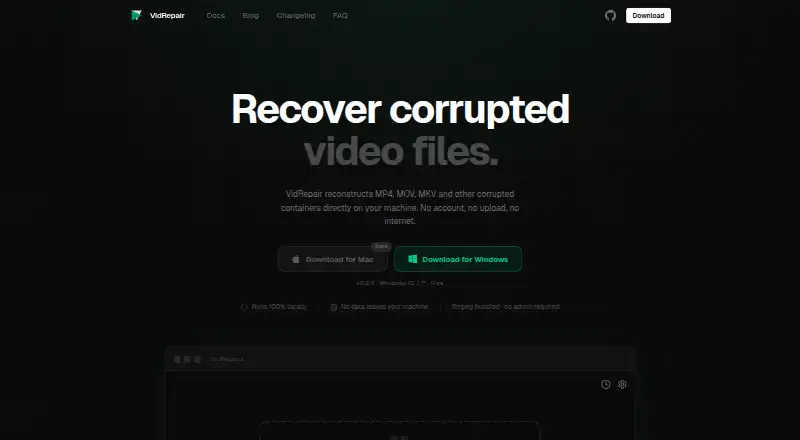
What VidRepair is
VidRepair is a Windows app that attempts to repair corrupted video containers locally. It supports MP4, MOV, 3GP, MKV, WebM, AVI, FLV, and WMV, trying up to nine recovery strategies in sequence and stopping when one produces a valid, playable output. A healthy clip from the same camera and settings can help with a method that reconstructs missing container metadata, though a reference clip is not required for every repair. Users can queue several files for sequential processing, and one failed repair will not stop the rest. The app reads the source and writes repaired files to a directory chosen by the user. Its maker says files are not uploaded and no account or internet connection is required. VidRepair keeps details of the last 50 repairs locally and checks each output with ffprobe before marking it successful; previewing before saving is available. It cannot recover overwritten media data, physically damaged storage, encrypted or DRM-protected files, or corruption its strategies do not address. The current download is for Windows 10/11, and the Mac download is marked as coming soon. The free plan includes all features and strategies; a commercial license is €29, paid once.
Good
- Processes files locally without an account
- Supports eight listed container formats
- Queues repairs and continues after individual failures
- Offers preview before saving
Watch out
- Current download supports Windows 10/11
- Cannot recover overwritten media data
- Cannot repair encrypted or DRM-protected files
Who it suits
It suits Windows users who want to attempt local repairs on supported video containers, including queued files. A commercial license is listed for studios and professionals.
Verdict
VidRepair offers local, sequential repair attempts with file checks and a preview before saving. Its Windows-only current download and stated recovery limits are important to weigh.
Plans and prices
From VidRepair's own pricing page, checked 2 Oct 2026.
| Plan | Price | What it gives you |
|---|---|---|
| Free | Free | All features and strategies · no tiers or trial · optional contribution |
| Commercial license | €29, paid once | For studios and professionals · on the honor system |
The facts
Each one read from VidRepair's own pages, with the date it was checked.
What it does
- Batch repair
- Multiple files can be queued and repaired sequentially, and a failure on one file does not stop the queue.checked 2 Oct 2026
- Data handling
- VidRepair only reads the source file and writes repaired output to a directory chosen by the user.checked 2 Oct 2026
- Limitations
- The docs say it cannot recover media data that has been overwritten, physically damaged storage, encrypted or DRM-protected files, or corruption its strategies do not address.checked 2 Oct 2026
- Local history
- The app stores the last 50 repairs locally with strategy, codec, resolution, and outcome.checked 2 Oct 2026
- Output checks
- Each repaired file is checked with ffprobe before it is marked successful.checked 2 Oct 2026
- Privacy
- The maker says processing is fully local, files are not uploaded, and the app does not require an account or internet connection.checked 2 Oct 2026
- Purpose
- VidRepair repairs corrupted video containers such as MP4, MOV, and MKV locally on the user's machine.checked 2 Oct 2026
- Reference clips
- A healthy clip from the same camera and settings can enable a recovery strategy for reconstructing missing container metadata.checked 2 Oct 2026
- Repair methods
- It tries up to nine recovery strategies in sequence and stops when one produces a valid, playable output.checked 2 Oct 2026
- Source and technology
- The source code is available on GitHub, and the app is built with Tauri (Rust) and React.checked 2 Oct 2026
- Support
- The site directs users to open a GitHub issue or email support.checked 2 Oct 2026
- Supported formats
- The docs list MP4, MOV, 3GP, MKV, WebM, AVI, FLV, and WMV as supported container formats.checked 2 Oct 2026
Where it runs
- Platform
- The current download is for Windows 10/11; the site labels its Mac download as coming soon.checked 2 Oct 2026
The full review of VidRepair
Overview
VidRepair is a local video-container repair utility for Windows users whose MP4, MOV, MKV, or other supported video files will not play correctly. It is best suited to people who want to attempt recovery on their own computer without paying for the software; its automatic repair and preview make that a sensible first step, provided the damage is within reach of its recovery methods.
Key features
VidRepair tries up to nine recovery strategies in sequence and stops when it produces a valid, playable output. That gives users a straightforward way to try different approaches when the cause of a container problem is unclear, but it cannot guarantee success if none of the strategies covers the damage. Supported containers include MP4, MOV, 3GP, MKV, WebM, AVI, FLV, and WMV.
A reference clip is optional. When available, a healthy clip from the same camera and settings can enable a strategy to reconstruct missing container metadata. This is useful for that specific kind of damage, but it is not a general substitute for the original media data.
Users can queue multiple files for sequential repair, and a failure on one file does not stop the queue. That makes it practical to process a batch without monitoring each attempt, though the work proceeds one file at a time. Each output is checked with ffprobe before it is marked successful, and users can preview a repair before saving it.
Processing stays on the user's machine: VidRepair reads the source and writes repaired output to a directory the user chooses. The maker says files are not uploaded and the app needs neither an account nor an internet connection. A local history retains the last 50 repairs, including the strategy, codec, resolution, and outcome, which helps users keep track of attempts without sending that record to a service.
Recovery has firm limits. VidRepair cannot restore overwritten media data, repair physically damaged storage, or handle encrypted or DRM-protected files; corruption outside its strategies is also beyond its reach. The source code is available on GitHub, and the app is built with Tauri (Rust) and React.
Pricing
The Free plan costs nothing and includes all features and strategies, with no tiers or trial; an optional contribution is available. It is an unusually low-risk starting point for an individual who wants to try repairs, and the lack of a trial reflects that the full feature set is already included. There is no published free-plan quota or seat limit.
The Commercial license costs €29, paid once and is aimed at studios and professionals. It is billed on the honor system. That makes it a contribution-style commercial option rather than a recurring subscription, while the Free plan remains the natural fit for personal use.
Platforms
The current download supports Windows 10/11. The Mac download is marked as coming soon, so VidRepair is not a present option for Mac users. Its local processing also means it is not a browser-based repair workflow.
Who it's for
VidRepair makes the most sense for Windows users with container corruption who value local processing, want an automated sequence of repair attempts, and would rather inspect a preview before saving. The optional reference-clip method is a particular advantage when missing metadata is the problem and a matching healthy clip is available. It is a poor fit for people who need Mac support now, expect guaranteed recovery, or are dealing with overwritten data, damaged storage, encryption, or DRM.
Pros and cons
- Pros: The free plan includes every strategy, so users can try the full repair workflow without a paid tier.
- Pros: Local processing, no account requirement, and user-chosen output locations suit people who do not want to upload their files.
- Pros: Sequential batch repair continues past failed files, and ffprobe checks plus a preview provide useful safeguards before saving.
- Cons: Windows 10/11 is the only current platform, leaving Mac users waiting for the promised download.
- Cons: Recovery methods cannot restore overwritten media or address physical storage damage, encryption, DRM, or corruption they do not cover.
- Cons: Batch processing is sequential rather than simultaneous, so a large queue will not be repaired in parallel.
Alternatives
Video Repair Software is the broader category directory for comparing repair options.
- RepairMyVideo is worth considering when a web-based repair workflow is preferable to a Windows download; its beta plan includes analysis, repair, preview, and download, with direct uploads up to 25 GB.
- EaseUS Video Repair suits readers seeking Mac, web, or Windows access and a paid plan with unlimited repairs, but its Repair Pro monthly license is $39.95 a month and auto-renews.
- IntactFile offers broader platform coverage, including API and Linux, but its free plan caps users at three repairs per day and video files up to 50 MB.
- Bitwar Video Repair is another Windows option for someone willing to consider a paid subscription; its monthly plan is $19.90 a month and auto-renews, with a free trial but no free plan.
- 4DDiG Video Repair is an alternative for Windows or Mac users open to a paid license; it has a free trial but no free plan.
- Restore.Media may suit someone who wants a web or mobile option and is willing to pay per repaired file; automatic recovery costs $4.99, paid once, with price varying by repaired file size.
- TunesKit Video Repair is a paid Windows and Mac alternative with a trial; its annual plan auto-renews and can be canceled anytime.
- Kernel Video Repair is a paid alternative for Mac and Windows; its one-time 29.00 USD Home license covers two computers.
Verdict
Choose VidRepair if you use Windows and want a free, local first attempt at repairing supported video containers, especially when you can provide a matching reference clip or want to preview results before saving. Look elsewhere if you need Mac support today, a cloud workflow, or recovery beyond the limits of its strategies.
Alternatives to VidRepair
- 1

IntactFile
Free planWebAPILinuxmacOS7.9From €59 a year - 2
Minitooler Video Repair
Free planWeb6.8From $5 a month - 3
Restore.Media
AndroidiOSWebmacOS6.8$4.99 one-time - 4

Stellar Repair for Video
WebmacOSWindows6.8$49.99 one-time - 5

RepairMyVideo
Free planWeb6.6Free plan - 6
Fix.Video
WebmacOSWindows6.4From $99 a month