Restore.Media
Restore.Media is a browser-based service for repairing damaged or unplayable video and audio files.
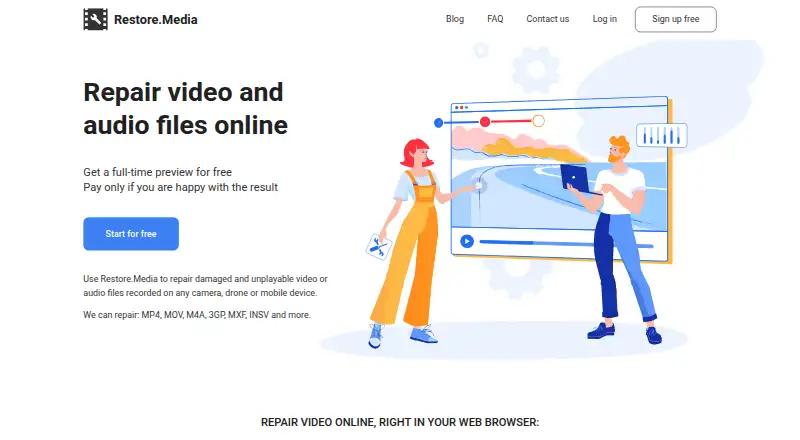
What Restore.Media is
Restore.Media is a browser-based service for repairing damaged or unplayable video and audio files. It scans media tracks and reconstructs missing or damaged headers, metadata, and indexes. Listed formats include MP4, MOV, M4A, M4V, MXF, 3GP, INSV, RSV, and MP3. The service says its algorithms are adapted to particular cameras and that it supports hundreds of camera models, encoders, and recording applications. Files up to 128GB can be uploaded. Users can view a full-length low-resolution preview before paying for the original-resolution download. Automatic recovery costs $4.99, paid once per file, with the price varying by repaired file size and no subscription. Manual recovery by engineers is available for a negotiated price based on order volume and complexity; diagnosis may require engineers to view or listen to the media. Restore.Media says files are processed automatically and are not viewed unless manual recovery is requested. Users can delete tasks and files, and inactive ones are removed after 7 days. It does not repair distortions, freezes, or artifacts in video that otherwise plays, and recovery may fail if source video data is corrupted.
Good
- Supports listed video and audio formats.
- Accepts uploads up to 128GB.
- Offers a full-length low-resolution preview before payment.
- Inactive tasks and files are deleted after 7 days.
Watch out
- Automatic recovery price varies with file size.
- Manual recovery has no listed price.
- Does not repair artifacts in otherwise playable video.
- Recovery can fail if source video data is corrupted.
Who it suits
It suits people trying to recover damaged or unplayable audio or video files in a browser. The preview lets users check a recovery before paying for the original-resolution file.
Verdict
Restore.Media focuses on rebuilding damaged media structure and provides a preview before an original-resolution download. It is not intended to fix visual playback defects, and corrupted source video data can prevent recovery.
Plans and prices
From Restore.Media's own pricing page, checked 30 Sep 2026.
| Plan | Price | What it gives you |
|---|---|---|
| Automatic recovery | $4.99, paid once | Free full-length low-resolution preview · original-resolution download after payment · no subscription · per file; price varies with repaired file size |
| Manual recovery | Priced on request | For files the online tool cannot repair or deleted videos requiring recovery · Price is negotiable and depends on order volume and complexity; engineers provide a quote |
The facts
Each one read from Restore.Media's own pages, with the date it was checked.
What it does
- Camera-specific processing
- Restore.Media says its algorithms are adapted to specific cameras and that it supports hundreds of camera models, encoders and recording applications.checked 30 Sep 2026
- File recovery limitation
- The FAQ says recovery may fail when source video data is corrupted, because the service repairs missing headers and indexes.checked 30 Sep 2026
- File retention
- The FAQ says users can delete recovery tasks and associated files at any time, and inactive tasks and files are automatically deleted after 7 days.checked 30 Sep 2026
- How repair works
- The service scans damaged media tracks and recreates missing or damaged headers, metadata and indexes.checked 30 Sep 2026
- Known limitation
- Restore.Media says it does not repair distortions, freezes or artifacts in video files that are otherwise playing.checked 30 Sep 2026
- Manual help
- Users can request manual recovery by engineers, who may need to view or listen to uploaded media to diagnose the problem.checked 30 Sep 2026
- Preview before payment
- It provides a full-length low-resolution preview so users can check the recovered file before paying to download the original-quality version.checked 30 Sep 2026
- Privacy
- The FAQ says uploaded files are processed automatically and are not viewed unless the user requests manual recovery.checked 30 Sep 2026
- Security statement
- The privacy policy says Access Softek takes reasonable steps following generally accepted industry standards to protect information from unauthorized access, alteration, disclosure or destruction.checked 30 Sep 2026
- Support contact
- The company lists [email protected] as its primary communication channel for questions and manual recovery requests.checked 30 Sep 2026
- Supported formats
- It lists MP4, MOV, M4A, M4V, MXF, 3GP, INSV, RSV and MP3 among supported formats.checked 30 Sep 2026
- Upload limit
- The homepage states that files up to 128GB can be uploaded.checked 30 Sep 2026
- What it does
- Restore.Media repairs damaged or unplayable video and audio files online in a browser.checked 30 Sep 2026
The company
- Founded
- 1986checked 28 Sep 2026
- Headquarters
- Chicago, Illinois, USAchecked 28 Sep 2026
The full review of Restore.Media
Restore.Media is a browser-based service for attempting repairs to damaged video and audio files. It is best suited to people with a recording that will not play because its media structure is damaged. Its preview-before-payment approach lowers the risk of paying for an unusable result, but it cannot fix visual defects in video that already plays.
Overview
The service scans media tracks and rebuilds missing or damaged headers, metadata and indexes. It supports formats including MP4, MOV, M4A, M4V, MXF, 3GP, INSV, RSV and MP3. Restore.Media says its algorithms are tailored to particular cameras and cover hundreds of camera models, encoders and recording applications—a useful fit for device-specific recordings, though not a guarantee of recovery.
Files can be as large as 128GB, and repairs are delivered through the cloud. There is no batch repair, so people with a collection of files must process them one at a time. Recovery can also fail when the source video data itself is corrupted: rebuilding structural information cannot restore missing or damaged picture data.
Key features
- Full-length preview: A low-resolution preview lets users inspect the recovered file before paying for its original-resolution download. That is a meaningful safeguard when repair quality is uncertain.
- Manual recovery: Users can ask engineers to handle files the online tool cannot repair, as well as deleted videos requiring recovery. Engineers may need to view or listen to the uploaded media to diagnose it, so this route involves sharing the content for human review.
- Privacy and retention: Files are processed automatically and are not viewed unless manual recovery is requested. Users can delete tasks and files themselves; inactive ones are automatically deleted after seven days. Access Softek says it takes reasonable steps in line with generally accepted industry standards to protect information against unauthorized access, alteration, disclosure or destruction.
- Defined repair scope: The service targets damaged or unplayable media structure. It does not repair distortions, freezes or artifacts in video that otherwise plays, making it the wrong tool for visual cleanup.
Pricing
Automatic recovery: $4.99, paid once, billed per file, with the price varying by repaired file size. The full-length low-resolution preview is free; payment is required to download the original-resolution version, and there is no subscription. This suits someone who needs to assess one file before committing, but the per-file model and lack of batch repair are less convenient for larger queues.
Manual recovery: custom pricing. The price is negotiable and depends on order volume and complexity; engineers provide a quote. It is the route to consider when automatic repair fails or when a deleted video needs recovery, though the cost cannot be weighed until a quote is provided.
Platforms
Restore.Media runs in a web browser and supports Windows, macOS, iOS and Android. Cloud delivery avoids limiting the repair process to a single desktop platform, while the service still handles files individually rather than in batches.
Who it's for
Choose Restore.Media when a video or audio file is damaged or unplayable, particularly if it comes from a camera or recording setup covered by the service’s device-specific processing. The free preview is especially useful when the outcome is uncertain. Look elsewhere if the file plays but has visual defects, or if you need to repair many files together.
Pros and cons
- Pro: The preview is free and full-length, so users can judge the low-resolution recovery before paying for the original-resolution file.
- Pro: Support for uploads up to 128GB accommodates large media files.
- Pro: Camera-specific processing and manual engineer recovery offer options beyond a single automatic repair path.
- Con: No batch repair means each file must be handled individually.
- Con: The service cannot correct playback defects such as freezes or artifacts in otherwise playable video.
- Con: Even structural repair may fail if the source video data is corrupted.
Alternatives
Video Repair Software is a useful category to compare if Restore.Media’s structural-repair scope or one-file-at-a-time workflow does not fit. For a broader software comparison, see File Repair Software.
- IntactFile is worth considering for people who need repairs beyond video: its free plan allows three repairs per day, with video up to 50 MB and documents, archives and photos up to 10 MB, and it supports Linux and API use as well as desktop and web platforms.
- Fix.Video may suit someone who wants a fixed multi-file purchase: its 10-file repair plan costs $59, paid once and includes unlimited duration, unlimited file size and engineer support.
- EaseUS Fixo is an option for someone who prefers a renewing monthly license covering unlimited video, photo, file and audio repairs, with 1,500+ AI credits per month; its 1 Month License is $39.95 a month and auto-renews unless canceled.
- Kernel Video Repair may fit Windows or macOS users who prefer a desktop license: its $29, paid once home license covers two computers, has no file-size limit and includes a 30-day money-back guarantee.
- Stellar Repair for Video is another paid video-repair option, with a Standard plan at $49.99, paid once.
- Wondershare Repairit may suit users who need batch repair: its 1 Month License costs $29.99 a month and includes batch repair and full preview, with automatic renewal that can be canceled.
- DataNumen Archive Repair is an alternative for Windows users looking to repair archives rather than media.
- Stellar Repair for Photo is an alternative for repairing photos rather than video or audio.
Verdict
Restore.Media is a sensible choice for a damaged or unplayable media file when you want to inspect a full-length preview before paying for the original-resolution download. Its camera-specific processing and manual recovery route broaden the options, but structural repair has clear limits: it cannot fix visual defects in playable video, may fail when source video data is corrupted, and offers no batch workflow. Choose it for a file-by-file recovery attempt, not for visual cleanup or high-volume repair.
Alternatives to Restore.Media
- 1

IntactFile
Free planWebAPILinuxmacOS7.9From €59 a year - 2

Stellar Repair for Video
WebmacOSWindows6.8$49.99 one-time - 3

Recovery Toolbox File Undelete Free
Free planWindows6.7Free plan - 4
Remo Repair Word
Free planWindows6.7Free plan - 5
EaseUS Fixo
WebmacOSWindows6.6From $40.95 a year - 6
Fix.Video
WebmacOSWindows6.4From $99 a month