Remo Repair Word
Remo Repair Word is a Windows utility for repairing damaged or corrupt Microsoft Word documents in .doc and .docx formats.
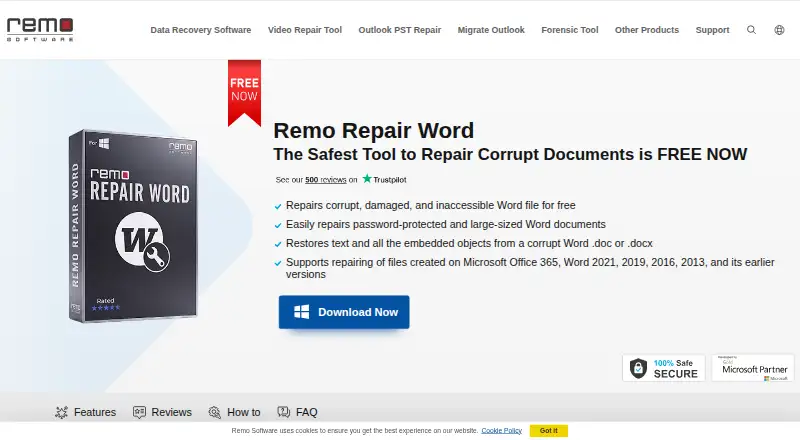
What Remo Repair Word is
Remo Repair Word is a Windows utility for repairing damaged or corrupt Microsoft Word documents in .doc and .docx formats. It scans a selected document, extracts text and other objects, and creates a repaired file without changing the original. The product page says recovered content can include formatting, OLE objects, and fields such as hyperlinks, and offers a preview before saving.
Repair runs locally and offline in read-only mode; the maker says the source document is not sent to anyone. It supports Windows 11, Windows 10, and previous Windows versions, along with documents created in Word versions including 2003, 2007, 2010, 2013, 2016, and 2019. The maker says there is no file size limit. The free tool repairs DOC and DOCX files, and the product page lists free technical support and 24/7 live chat. It repairs damaged documents, not deleted ones.
Good
- Repairs both DOC and DOCX files.
- Works locally and offline in read-only mode.
- Leaves the original source document unchanged.
- No stated file size limit.
- Offers preview before saving.
Watch out
- Does not recover deleted Word documents.
- Available for Windows only.
Who it suits
Remo Repair Word suits Windows users with corrupt or damaged DOC or DOCX files who want to preserve the original document. It is not intended for recovering deleted Word files.
Verdict
Remo Repair Word focuses on damaged Word documents and keeps the source file unchanged during repair. Its free Windows tool supports DOC and DOCX, but it does not recover deleted files.
Plans and prices
From Remo Repair Word's own pricing page, checked 15 Oct 2026.
| Plan | Price | What it gives you |
|---|---|---|
| Free | Free | DOC/DOCX repair · Windows desktop · no stated file-size limit |
| Remo Repair Word | Free | Repairs .doc and .docx files · no file size limit · Windows |
The facts
Each one read from Remo Repair Word's own pages, with the date it was checked.
What it does
- API and SDKs
- The product page documents a standalone browse, repair, preview and save workflow and provides no public API or SDK information.checked 15 Oct 2026
- Deleted-file limitation
- Remo Repair Word does not recover deleted documents; the maker directs that use case to Remo Recover Windows or Mac.checked 15 Oct 2026
- Fields and hyperlinks
- The advertised recovery scope includes fields and hyperlinks.checked 15 Oct 2026
- File size limit
- The maker says there is no file size limit for documents repaired with the tool.checked 7 Oct 2026
- File-size limit
- The FAQ says no file-size limit is imposed on the source Word document.checked 15 Oct 2026
- Formatting recovery
- The product says it recovers document formatting.checked 15 Oct 2026
- How it works
- The software scans a selected document, extracts text and other objects, and creates a healthy file without altering the original source file.checked 7 Oct 2026
- Integrations
- No third-party integrations are described on the official Remo Repair Word page.checked 15 Oct 2026
- Legal name
- Crunchbase identifies the legal entity as Remo Software Private Limited and lists Hamid Imtiaz and Omer Faiyaz as founders.checked 15 Oct 2026
- Licence terms
- The EULA grants a non-exclusive licence; a single-user purchase permits one installation for internal use on one computer, with an archival copy allowed.checked 15 Oct 2026
- Limit: changelog availability
- FileHippo reports that no changelog information was available for version 2.0.0.28.checked 15 Oct 2026
- Limit: classic interface
- The same comparison says the Remo utility can feel more like a classic tool than a modern suite.checked 15 Oct 2026
- Limit: narrow format scope
- An independent comparison describes Remo File Fixer as focused on Word, Excel, PowerPoint, PSD, ZIP and RAR rather than broad image and video coverage.checked 15 Oct 2026
- Limit: stale licensing information
- FileHippo lists version 2.0.0.28 as Demo and says licensed functionality requires purchase, which conflicts with Remo's current claim that Repair Word is free.checked 15 Oct 2026
- Limit: support-review caveat
- Trustpilot warns that the company has not recently invited reviews, so its review sample may not represent current experience.checked 15 Oct 2026
- Notable dated update
- Remo's homepage lists an article about importing PST files into New Outlook published March 30, 2026.checked 15 Oct 2026
- Not for deleted files
- The FAQ says Remo Repair Word fixes corrupt or damaged documents but does not recover deleted Word documents.checked 7 Oct 2026
- Offline operation
- The product page says processing works offline so the document is not sent to another party.checked 15 Oct 2026
- OLE recovery
- Embedded OLE objects are among the elements the product says it can recover.checked 15 Oct 2026
The company
- Company history
- Remo says it was officially founded in 2011 and launched Remo Repair Word in 2013.checked 7 Oct 2026
- Company profile
- LinkedIn lists Remo Software as a privately held software-development company founded in 2011 with 51–200 employees and headquarters in Bengaluru, Karnataka.checked 15 Oct 2026
- Company size and ownership
- Crunchbase describes Remo Software as a private Bangalore company with 11–50 employees; it does not disclose a funding amount on the opened profile.checked 15 Oct 2026
- Founded
- 2011checked 28 Sep 2026
- Headquarters
- Bengaluru, Karnataka, Indiachecked 28 Sep 2026
Alternatives to Remo Repair Word
- 1

IntactFile
Free planWebAPILinuxmacOS8.7From €59 a year - 2
Restore.Media
AndroidiOSWebmacOS7.5$4.99 one-time - 3

Recovery Toolbox File Undelete Free
Free planWindows7.4Free plan - 4

Stellar Repair for Video
WebmacOSWindows7.3$49.99 one-time - 5
EaseUS Fixo
WebmacOSWindows7.2From $40.95 a year - 6

Untrunc
Free planLinuxmacOSSelf-hostedWindows7.1Free plan