VideoMeld
The facts below are what the maker publishes about VideoMeld, checked and dated. Our editors have not written about it yet.
Plans and prices
From VideoMeld's own pricing page, checked 22 Sep 2026.
| Plan | Price | What it gives you |
|---|---|---|
| Free | Free | 5-minute projects |
| One Year License | — | 1-year license |
| Three Year License | — | 3-year license |
| Five Year License | — | 5-year license |
| Lifetime License | — | License never expires · Free upgrades · Works with any version of VideoMeld |
| One Year VideoMeld License | $19, paid once | After 1 year, software returns to evaluation mode · Valid for 1 year; upgrades are free for 1 year. |
| Three Year VideoMeld License | $29, paid once | After 3 years, software returns to evaluation mode · Valid for 3 years; upgrades are free for 3 years. |
| Five Year VideoMeld License | $39, paid once | After 5 years, software returns to evaluation mode · Valid for 5 years; upgrades are free for 5 years. |
| Lifetime VideoMeld License | $59, paid once | Works with any version of VideoMeld · One-time purchase; license never expires and includes free upgrades. |
The facts
Each one read from VideoMeld's own pages, with the date it was checked.
What it does
- Audio and video output
- The product supports HD video at 1920x1080 and beyond, MPEG 4 H.264 output, and 8-channel 7.1 surround audio.checked 12 Oct 2026
- Editing model
- Its non-destructive virtual editing system preserves original files and applies editing with little processing time.checked 12 Oct 2026
- Effects
- Features include more than 50 video effects, transitions, compositing functions, and seven audio effects.checked 12 Oct 2026
- License activation
- Internet access is not required or used for activation, and a license is not tied to a specific computer.checked 12 Oct 2026
- Media editing
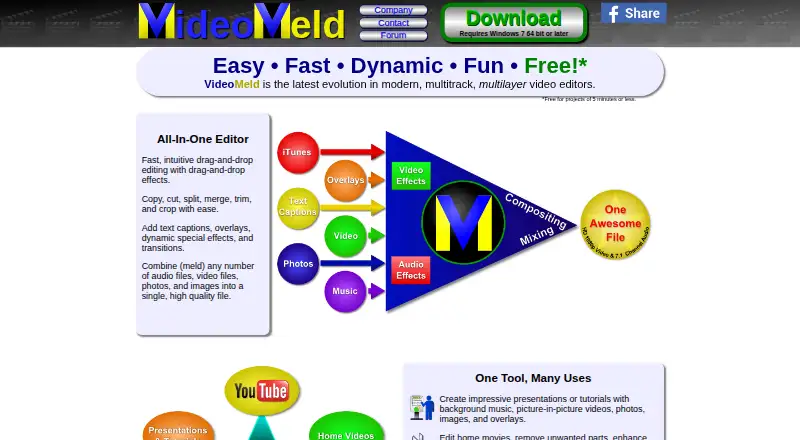
- It combines audio, video, and image files into one video and supports editing, cropping, trimming, captions, and scrolling credits.checked 12 Oct 2026
- Product
- VideoMeld is a multitrack audio and video editor for mixing, layering, compositing, and sequencing media.checked 12 Oct 2026
- Purchase security
- The maker says transactions are processed on secure independent servers through Stripe or PayPal and that GoldWave does not receive credit card information.checked 12 Oct 2026
- Screen recording
- VideoMeld can record the computer screen and webcam for demonstrations, training videos, or presentations.checked 12 Oct 2026
- Support
- Support options include email, user forums, troubleshooting, and a VideoMeld FAQ; phone support is not provided.checked 12 Oct 2026
The company
- Company
- VideoMeld is a GoldWave Inc. product; the company describes itself as a small privately owned Canadian corporation near St. John’s, Newfoundland, and says GoldWave software was released in April 1993.checked 12 Oct 2026
Where it runs
- Desktop app
- Yeschecked 22 Sep 2026
- Mobile app
- Nochecked 22 Sep 2026
- Other platforms
- The maker’s compatibility table marks Linux, Mac OS X, iPhone/iPad, and Android as unsupported.checked 12 Oct 2026
- Web app
- Nochecked 22 Sep 2026
- Windows support
- The current download is VideoMeld v1.84 for 64-bit Windows 10 or later; the download page also lists an older 32-bit version for Windows 7 or later.checked 12 Oct 2026
Money
- Free plan
- Yeschecked 22 Sep 2026
- Free version limit
- The free version is limited to projects of five minutes or less and adds “Edited using VideoMeld” text to the video.checked 12 Oct 2026
Alternatives to VideoMeld
- 1

CyberLink PowerDirector
Free planAndroidiOSmacOSWindows9.0From $59.99 a year - 2

Captions
Free planAndroidiOSWebAPI9.0From $4.99 a month - 3
Vizard
Free planAndroidiOSWebAPI8.9From $29 a month - 4

InVideo AI
Free planAndroidiOSWebAPI8.9From $4 a month - 5
FlexClip
Free planAndroidiOSWebWindows8.8From $143.88 a year - 6

Simplified
Free planAndroidiOSWebAPI8.8From $19 a month