
Video Collage Maker Mix Videos and Photos
Video Collage Maker Mix Videos and Photos combines videos, photos, and music into collages, slideshows, and edited videos.
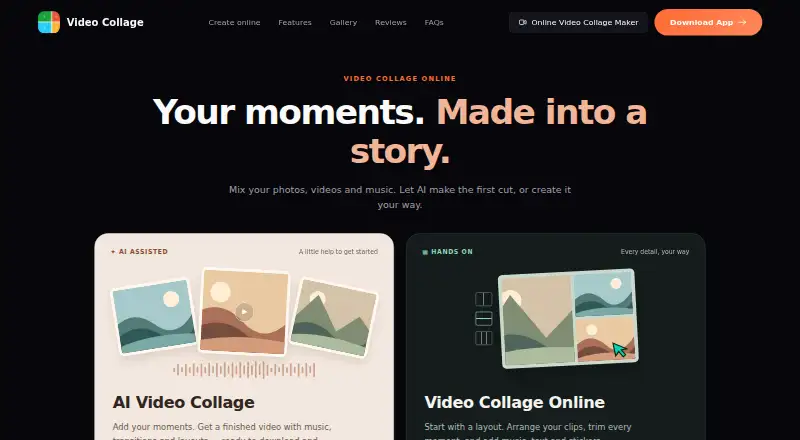
What Video Collage Maker Mix Videos and Photos is
Video Collage Maker Mix Videos and Photos combines videos, photos, and music into collages, slideshows, and edited videos. Its AI-assisted creation flow can assemble a video with music, transitions, and layouts. The online editor offers 150 layouts, including grids and side-by-side arrangements, and lets users trim clips, resize collage cells, and add text, stickers, and music. Exports include MP4 and GIF, with aspect ratios from 9:16 to 16:9; the service also lists 4k export and watermark-free output. The free online editor is free, needs no sign-up, and supports browser-based editing and export. The maker says browser editing and exporting take place on the user's device without uploading media to a server. For mobile AI features Toonify and Vidyfy, selected media is uploaded for processing and deleted afterward; the policy says those uploads are not used to train AI models. Mobile apps are available for Android and iOS, and the browser editor uses the same collage engine as the apps. The EULA grants a personal, non-transferable, non-exclusive license and prohibits commercial use of the software.
Good
- Free online editor needs no sign-up
- Browser export is described as watermark-free
- Offers 150 online layouts
- Exports MP4 and GIF
Watch out
- Commercial use of the software is prohibited
- Selected media is uploaded for mobile AI processing
Who it suits
It suits people creating collages, slideshows, or edited videos from device photos, videos, and music. The listed license is for personal use, not commercial use.
Verdict
This tool offers collage layouts and basic editing across browser and mobile options. Note the personal-use license and the separate upload process for mobile AI features.
Plans and prices
From Video Collage Maker Mix Videos and Photos's own pricing page, checked 4 Oct 2026.
| Plan | Price | What it gives you |
|---|---|---|
| Free online editor | Free | No sign-up · no watermark · browser-based editing and export |
The facts
Each one read from Video Collage Maker Mix Videos and Photos's own pages, with the date it was checked.
What it does
- AI creation
- The site offers an AI-assisted collage flow that creates a video with music, transitions, and layouts.checked 4 Oct 2026
- Editing
- Users can trim clips, resize collage cells, and add music, text, and stickers.checked 4 Oct 2026
- Export
- The online editor exports collages as MP4 and supports aspect ratios from 9:16 to 16:9; the site also says it can export GIFs.checked 4 Oct 2026
- Layouts
- The online editor offers 150 layouts, including grids and side-by-side arrangements.checked 4 Oct 2026
- License limit
- The EULA grants a personal, non-transferable, non-exclusive license and prohibits commercial use of the software.checked 4 Oct 2026
- Privacy for AI features
- The mobile app privacy policy says media selected for Toonify or Vidyfy is uploaded for processing and deleted after processing; it says uploaded media is not used to train AI models.checked 4 Oct 2026
- Security
- The mobile app privacy policy says communications with its servers use HTTPS/TLS encryption.checked 4 Oct 2026
- Support
- The maker accepts feedback and issue reports through its contact form and lists [email protected] for direct contact.checked 4 Oct 2026
- Third-party services
- The mobile app privacy policy lists Google Identity Services, AdMob, Google Ads, Google Play Services, Firebase Analytics, Firebase Crashlytics, Firebase Cloud Messaging, and RevenueCat.checked 4 Oct 2026
- What it does
- Video Collage Maker combines videos, photos, and music into collages, slideshows, and edited videos.checked 4 Oct 2026
The company
- Headquarters
- Singaporechecked 23 Sep 2026
Where it runs
- Mobile platforms
- The maker links to iOS and Android apps and says the browser editor uses the same collage engine as those apps.checked 4 Oct 2026
- Privacy in browser
- The maker says browser editing and export happen on the device and media is not uploaded to a server.checked 4 Oct 2026
The full review of Video Collage Maker Mix Videos and Photos
Video Collage Maker Mix Videos and Photos combines photos, clips, and music in collages, slideshows, and edited videos. It suits people who want a free, no-sign-up browser editor or a companion mobile app. Its generous layout selection and on-device browser workflow are appealing, but commercial use is barred by its license.
Overview
The browser editor pairs collage-making with basic clip editing: users can arrange media, trim clips, and add music, text, or stickers. It is a focused choice for assembling visual content rather than a general-purpose editing suite. The personal, non-transferable, non-exclusive license makes it unsuitable for commercial projects.
Key features
The online editor offers 150 layouts, from grids to side-by-side arrangements, and lets users resize collage cells. That range gives users flexibility to combine differently shaped media, while trimming, text, stickers, and music cover common finishing touches.
An AI-assisted mobile flow creates a video with music, transitions, and layouts. Browser editing and export happen on the device, and the maker says media is not uploaded to a server in that workflow. By contrast, media selected for the mobile Toonify or Vidyfy features is uploaded for processing and deleted afterward; the privacy policy says it is not used to train AI models. Server communications use HTTPS/TLS encryption. The mobile policy also names Google Identity Services, AdMob, Google Ads, Google Play Services, Firebase Analytics, Firebase Crashlytics, Firebase Cloud Messaging, and RevenueCat.
Pricing
The Free online editor costs nothing. It requires no sign-up and includes browser-based editing and export without a watermark. The editor supports MP4 export and GIF export, with aspect ratios from 9:16 to 16:9; the stated export resolution is 4k. Audio upload is supported, and media can be imported from the device photo/video library and music library. There are no paid tiers described, so the free option is the only plan to weigh.
Platforms
Video Collage Maker is available on Android, iOS, macOS, and the web. The maker links to iOS and Android apps and says the browser editor uses the same collage engine as those apps. Desktop apps are also included among its platform capabilities.
Who it's for
It is a good fit for personal projects where a free collage editor, multiple layouts, and straightforward exports matter more than advanced editing tools. The browser workflow is particularly suitable for users who want to keep editing and export on their device. Users who want to apply the mobile AI features should account for the upload-for-processing flow, and anyone producing commercial work should choose software with a license that permits it.
Pros and cons
- Pros: 150 layouts and adjustable collage cells give users meaningful arrangement choices.
- Pros: The online editor is free, requires no sign-up, and exports without a watermark.
- Pros: Browser editing and export happen on-device, according to the maker, which distinguishes that workflow from the uploaded-media mobile AI features.
- Cons: The license prohibits commercial use, ruling it out for business projects.
- Cons: Mobile Toonify and Vidyfy require selected media to be uploaded for processing, so they do not share the browser editor's on-device workflow.
Alternatives
Explore the Video Collage Maker Software category to compare options. PhotoGrid is worth considering for users who want 100 MB of cloud storage on its free plan, though it has Android, iOS, and web platforms rather than macOS. CapCut is a broader platform option, spanning Android, iOS, macOS, web, and Windows, with basic editing, free templates, and cloud storage in its Standard plan. ReelGrid is another free-plan alternative for iOS and macOS users. Photo & Video Collage Editor is an option for iOS and Android users, though it has no free plan. Canva Video may suit users seeking a free plan with 5GB of cloud storage, more than 1.6 million templates, and up to 20 Standard or Premium AI uses. Kapwing offers web, macOS, and Windows access; its free plan is capped at 10 credits, four minutes of export length, and 720p. VideoSnap Video Collage Maker is a free web alternative. Adobe Express Video is another free-plan choice, with 25 monthly generative credits, more than 155,000 templates, and 5 GB of storage.
Verdict
Choose Video Collage Maker Mix Videos and Photos for personal collages when a free, no-sign-up browser editor, a broad set of layouts, and watermark-free exports are the priorities. Its main caveats are the commercial-use ban and the upload requirement for mobile AI processing; users who need commercial rights or want to avoid that mobile upload flow should look elsewhere.
Alternatives to Video Collage Maker Mix Videos and Photos
- 1

Adobe Express Video
Free planAndroidiOSWebAPI8.4Free plan - 2

Picsart
Free planAndroidiOSWebAPI8.3From $10.50 a month - 3
Canva Video
Free planAndroidiOSWebmacOS7.9Free plan - 4

Kapwing
Free planWebmacOSWindows7.6From $16 a month - 5
VEED
Free planAndroidiOSWebExtension7.5Free plan - 6

CapCut
Free planAndroidiOSWebmacOS7.4Free plan