Canva Video
Canva Video is an online video editor for making videos from uploaded footage, templates, and design elements.
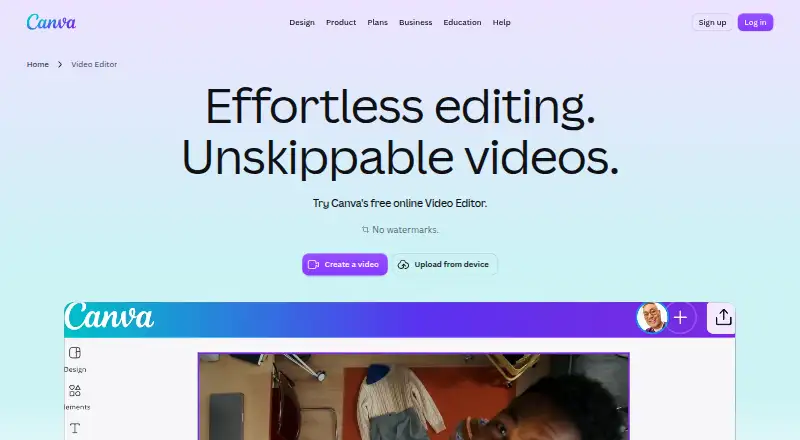
What Canva Video is
Canva Video is an online video editor for making videos from uploaded footage, templates, and design elements. Its multi-layer timeline supports trimming, splitting, splicing, and layering clips. AI tools include Highlights, which surfaces moments in footage, and Magic Video, which styles, cuts, and sequences uploaded clips into social-ready videos. The editor can generate captions automatically and offers caption styles, animation effects, and transitions.
Videos can be exported as MP4 or GIF. On a Free account, exports have no watermark when they use free elements, images, footage, and music; Pro removes watermarks even when a video uses paid elements. Canva says videos can be published directly to Facebook, Instagram, X, TikTok, Pinterest, LinkedIn, and Tumblr. Canva Video is available on Android, iOS, macOS, web, and Windows, with desktop and mobile apps. Its Free plan includes 5GB of cloud storage, 1.6M+ templates, and up to 20 Standard or Premium AI uses. Other listed plans increase storage and Brand Kit allowances. The editor is positioned for creators, with templates for TikTok, Instagram Reels, YouTube Shorts, travel, and business videos. Canva Video was founded in 2013 and uses a freemium pricing model.
Good
- Timeline supports trimming, splitting, splicing, and layering clips.
- AI tools can find footage moments and sequence uploaded clips.
- Automatically generated captions include styles and animations.
- Exports video as MP4 or GIF.
- Can publish directly to seven listed social platforms.
- Available on Android, iOS, macOS, web, and Windows.
Watch out
- Free-account videos using Pro or other paid elements have watermarks.
- The Free plan includes 5GB of cloud storage.
- The Free plan allows up to 20 Standard or Premium AI uses.
Who it suits
Canva Video suits creators who want to edit clips with a timeline, captions, effects, and templates for social and other video formats. It also fits people who want to publish directly to listed social platforms and use Canva design tools alongside editing.
Verdict
Choose Canva Video if you want a multi-layer editor with AI-assisted clip sequencing, captions, and templates for social videos. Free exports are watermark-free only when they use free assets; Pro removes watermarks when paid elements are used.
Plans and prices
From Canva Video's own pricing page, checked 20 Sep 2026.
| Plan | Price | What it gives you |
|---|---|---|
| Pro Lite | Priced on request | 50GB cloud storage · 3 Brand Kits · 3.6M+ templates · for one person |
| Pro Lite | — | 50GB cloud storage · 3 Brand Kits · 3.6M+ templates |
| Free | Free | 5GB cloud storage · 1 Brand Kit (3 colors only) · up to 20 Standard or Premium AI uses · US$0 /year for one person |
| Pro | $144 a year | 100GB cloud storage · 5 Brand Kits · AI usage subject to fair use limits · US$144 /year for one person |
| Business | $250 a year | 500GB cloud storage · 100 Brand Kits and approvals · pay-as-you-grow billing · US$250 /year per person |
| Enterprise | Priced on request | 1TB cloud storage · SSO and SCIM provisioning · priority support; dedicated customer success manager for enterprise customers with 150+ contracted seats · Let’s talk |
The facts
Each one read from Canva Video's own pages, with the date it was checked.
What it does
- AI editing
- Its AI tools include Highlights to surface footage moments and Magic Video to style, cut, and sequence uploaded clips into social-ready videos.checked 11 Oct 2026
- Brand kit
- Yeschecked 20 Sep 2026
- Captions and animation
- The editor supports automatically generated captions with styles and animations, plus animation effects and transitions.checked 11 Oct 2026
- Content and AI
- Canva says it does not claim ownership of user content and will not train, sell, or repurpose it without explicit permission; users can opt out of AI training use.checked 11 Oct 2026
- Exports
- Videos can be exported as MP4 or GIF, and free-account exports have no watermark when they use free elements, images, footage, and music.checked 11 Oct 2026
- Illustration tools
- Yeschecked 20 Sep 2026
- Integrations
- Canva's Apps Marketplace includes apps for audio and voiceover, file and data management, marketing, and video and animation, including a YouTube Embed app.checked 11 Oct 2026
- Intended users
- Canva describes its video editor as an all-in-one editing suite for creators and highlights templates for TikTok, Instagram Reels, YouTube Shorts, travel, and business videos.checked 11 Oct 2026
- Notable limits
- On a Free account, watermarks appear when a video uses Pro or other paid elements; Pro removes watermarks even when paid elements are used.checked 11 Oct 2026
- Presentation design
- Yeschecked 20 Sep 2026
- Real-time collaboration
- Yeschecked 20 Sep 2026
- Security
- Canva says designs are protected in transit with TLS/SSL and encrypted at rest with AES256, and lists ISO 27001, SOC 2, SOC 3, and PCI DSS certifications.checked 11 Oct 2026
- Social publishing
- Canva says users can publish videos directly to Facebook, Instagram, X, TikTok, Pinterest, LinkedIn, and Tumblr.checked 11 Oct 2026
- Support
- The pricing page lists support tickets for plans and limited live chat support for Free, with priority support and a dedicated success manager available on Enterprise for eligible customers.checked 11 Oct 2026
- Template library
- Yeschecked 20 Sep 2026
- Video editing
- Canva Video offers an online video editor with a multi-layer timeline for trimming, splitting, splicing, and layering clips.checked 11 Oct 2026
Where it runs
- Desktop app
- Yeschecked 20 Sep 2026
- Mobile app
- Yeschecked 20 Sep 2026
- Platforms
- Canva offers video editing online, in mobile apps, and in desktop apps for Mac and Windows.checked 11 Oct 2026
The company
- Founded
- 2013checked 23 Sep 2026
Money
- Free plan
- Yeschecked 20 Sep 2026
The full review of Canva Video
Overview
Canva Video pairs a multi-layer video editor with the templates and design tools in Canva’s wider creative suite. It suits creators and teams making short social videos that need to sit alongside branded graphics or presentations. Its main trade-off is clear: Free exports stay watermark-free only when every element is free.
Key features
The timeline handles trimming, splitting, splicing, and layering clips, giving users more control than a template-only editor. Highlights can surface moments in footage, while Magic Video styles and sequences uploaded clips into social-ready edits. Automatic captions, animation effects, and transitions help finish a video without requiring a separate design workflow. These tools make Canva useful for a steady mix of social content; editors seeking a dedicated, specialist video workflow may prefer a focused video editor.
MP4 and GIF exports cover common sharing needs. Free-account exports have no watermark when they use free elements, images, footage, and music. Add a Pro or other paid element and the Free export carries a watermark; Pro removes that restriction. Direct publishing supports Facebook, Instagram, X, TikTok, Pinterest, LinkedIn, and Tumblr, which can simplify distribution for creators working across several social channels.
Templates, illustration tools, presentation design, and Brand Kits connect video work to other Canva projects. Real-time collaboration and apps for audio, voiceover, file management, marketing, and video extend that shared workspace; the Marketplace also includes a YouTube Embed app. Canva says designs are encrypted in transit with TLS/SSL and at rest with AES256, and cites ISO 27001, SOC 2, SOC 3, and PCI DSS certifications. It says it does not claim ownership of user content or use it for training, sale, or other purposes without explicit permission; users can opt out of AI training use.
Pricing
Canva uses a freemium model and offers a free trial. Free costs nothing and includes 5GB of cloud storage, more than 1.6 million templates, and up to 20 Standard or Premium AI uses. It is a workable starting point for occasional edits, but the AI allowance is capped and paid elements trigger watermarks on exports.
Pro Lite has custom pricing and is billed for one person. It includes 50GB of storage, three Brand Kits, and more than 3.6 million templates. It offers a larger template library and brand capacity than Free, but the listed plan details do not promise watermark removal for paid elements. Pro also has custom pricing, is billed for one person, and includes 100GB, five Brand Kits, and more than 3.6 million templates; it is the stated choice for removing watermarks when a video uses paid elements.
Business has custom pricing and includes 500GB of storage, 100 Brand Kits, and more than 3.6 million templates, suiting organizations with many brands to manage. Enterprise uses custom pricing and includes 1TB, SSO and SCIM provisioning, and priority support. Eligible enterprise customers with 150 or more contracted seats also get a dedicated customer success manager. Support tickets are listed for plans, while Free has limited live chat support; Enterprise adds priority support.
Platforms
Canva Video is available on the web, Windows, macOS, Android, and iOS, with desktop and mobile apps as well as browser access. That range suits people editing across computers and phones.
Who it's for
Canva Video fits creators producing TikTok, Instagram Reels, YouTube Shorts, travel, or business videos, especially when those edits need to match presentations or other branded materials. Free works for users sticking to free assets and modest AI use. Pro is the better fit when paid elements are part of the workflow and watermark-free exports matter. Organizations that need broader brand management, account provisioning, or enterprise support should consider Business or Enterprise.
Pros and cons
- Pros: The multi-layer timeline, AI-assisted clip sequencing, automatic captions, animations, and transitions support a complete social-video workflow.
- Pros: Templates, Brand Kits, collaboration, and direct publishing connect video production to Canva’s broader design and social-publishing work.
- Pros: Free provides 5GB of storage and up to 20 Standard or Premium AI uses, with watermark-free exports possible when using free assets.
- Cons: A single paid element can put a watermark on a Free export, so asset choice can determine whether a no-cost edit is ready to publish.
- Cons: Free AI use is capped at 20, while the plan details describe substantially larger template libraries and more Brand Kits on paid tiers.
- Cons: Pro Lite does not state that it removes watermarks for paid elements, and prices for the paid plans are custom, making the cost of that upgrade unclear.
Alternatives
For other creative tools, compare Video Collage Maker Software, Social Media Design Software, and Graphic Design Software. Readers focused on other design tasks can also browse Infographic Software and Poster Maker Software; job applicants may find Cover Letter Software more relevant.
Kickresume is a freemium resume and cover-letter option with Android, iOS, and web access. ApplyKit is a free, self-hosted option for users who want to use their own hosted AI provider or local Ollama. Huntr is a freemium job-search tool available on mobile, web, and as an extension. MyPerfectResume offers freemium resume tools and a free trial. Resume Genius is a freemium option with a free trial and TXT resume downloads on its free plan. Rezly offers a free tier with monthly limits on resumes, cover letters, PDF downloads, and AI generations. MyPerfectCoverLetter focuses on cover letters and offers a free trial. Rezi is a freemium resume tool available on the web, iOS, and as an extension.
Verdict
Canva Video is a strong choice for creators and teams who want to assemble social clips, apply a consistent brand, and publish across social platforms from the same creative suite. Its mix of a layered timeline, AI-assisted editing, captions, and templates is the reason to choose it. Look elsewhere if you need a specialized video-editing workflow, or if your Free projects depend on paid elements and you do not want to upgrade to Pro.
Getting started
- Open Canva Video at https://www.canva.com/video-editor/.
- Use the web editor or choose an available desktop or mobile platform.
- Start with uploaded clips or a video template.
- Edit the footage on the multi-layer timeline and add captions, effects, or transitions.
- Export as MP4 or GIF, or publish to a listed social platform.
Limits worth knowing
The Free plan includes 5GB of cloud storage and up to 20 Standard or Premium AI uses. Free-account exports show watermarks when the video uses Pro or other paid elements.
Questions
Is Canva Video free?
Yes. Its Free plan is listed as free and includes 5GB of cloud storage, 1.6M+ templates, and up to 20 Standard or Premium AI uses.
Which platforms can I use Canva Video on?
The listed platforms are Android, iOS, macOS, web, and Windows. Desktop and mobile apps are available.
What formats can I export?
Videos can be exported as MP4 or GIF.
Do free exports have a watermark?
Free-account exports have no watermark when they use free elements, images, footage, and music. Watermarks appear when a video uses Pro or other paid elements; Pro removes them in that case.
Can Canva Video publish directly to social platforms?
Yes. Direct publishing is listed for Facebook, Instagram, X, TikTok, Pinterest, LinkedIn, and Tumblr.
Who makes Canva Video?
The listed maker is Canva Video, founded in 2013.
Alternatives to Canva Video
- 1

Kickresume
Free planAndroidiOSWebAPI8.2From $14.40 a year - 2

Huntr
Free planAndroidiOSWebAPI8.1From $40 a month - 3
MyPerfectResume
Free planAndroidiOSWebExtension8.1From $7.95 a month - 4

Resume Genius
Free planAndroidiOSWeb8.1From $7.95 a month - 5

Enhancv
Free planWebExtension7.5Free plan - 6
Novorésumé
Free planWeb7.5Free plan