Vellum
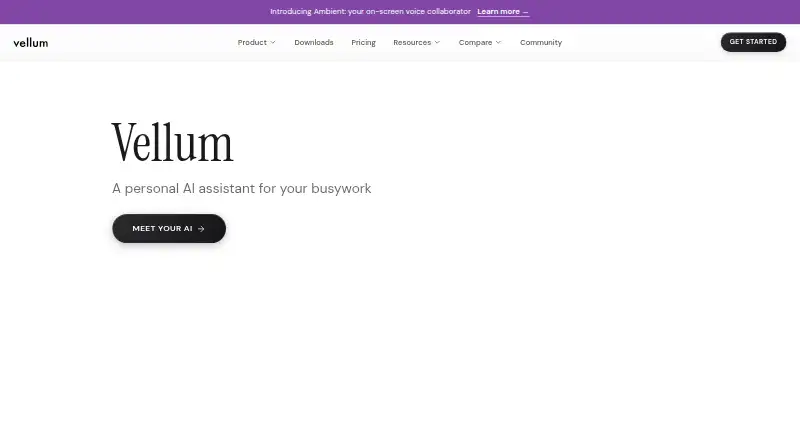
Vellum describes itself as a personal AI assistant that can read files, manage calendars, send email, run code, and control a computer.
What Vellum is
Vellum describes itself as a personal AI assistant that can read files, manage calendars, send email, run code, and control a computer. It saves preferences and context in its workspace for use across conversations, and users can create, install, and manage skills. Listed OAuth services include Discord, GitHub, Google services, HubSpot, Linear, Twitter (X), Asana, Notion, Microsoft Outlook, and Todoist. Vellum says OAuth tokens are held in a credential vault rather than exposed to the language model. Sensitive actions prompt for approval, with trust rules available for standing permissions. By default, conversation context is sent to Anthropic to generate responses; listed alternatives include OpenAI, Google, OpenRouter, Fireworks, and local Ollama. An internet connection is required. Vellum Cloud runs assistants in isolated environments with private storage and 24/7 availability. There is no shipped Linux desktop client, though Linux users can use the web app, Chrome extension, or self-host the runtime.
Good
- Remembers preferences and context across conversations
- Users can create and manage custom skills
- Sensitive actions prompt for approval
- Cloud assistants have isolated environments and private storage
- Free plan includes first tasks and pay-as-you-go credits
Watch out
- Requires an internet connection to respond
- No shipped Linux desktop client
Who it suits
Vellum suits individuals seeking an assistant for files, calendars, email, code, and computer tasks. It is characterized as a personal assistant rather than a team or shared company tool.
Verdict
Vellum combines personal-assistant tasks with custom skills and approval controls. Consider its internet requirement and the listed paid plan starting price when deciding whether it fits.
Plans and prices
From Vellum's own pricing page, checked 15 Oct 2026.
| Plan | Price | What it gives you |
|---|---|---|
| Base | Free | 1 vCPU · 2 GiB RAM · 6 GiB persistent storage · pay-as-you-go credits · managed LLM credentials · Free, forever |
| Free | Free | Start free; first tasks included; pay-as-you-go credits |
| Mighty | $30 a month | Small machine · 10 GiB storage · Mighty Usage · platform fee not included · no custom subdomain, static IP, or priority support · $30/mo |
| Custom | $50 a month | Choose machine, storage, and optional usage bundle · platform fee $10/mo · machines from Medium to XL · storage 10 to 120 GiB · Minimum $50/mo; credits pay-as-you-go |
| Super | $100 a month | Medium machine · 30 GiB storage · Super Usage · platform fee included · custom subdomain · static IP · priority support · $100/mo |
| Ultra | $200 a month | Large machine · 60 GiB storage · Ultra Usage · platform fee included · custom subdomain · static IP · priority support · $200/mo |
The facts
Each one read from Vellum's own pages, with the date it was checked.
What it does
- AI data routing
- By default, conversation context is sent to Anthropic to generate responses; the docs also list OpenAI, Google, OpenRouter, Fireworks, and local Ollama as alternatives.checked 30 Sep 2026
- API maturity
- The API documentation marks endpoints as Beta or generally available and says the surface is still expanding as APIs stabilize.checked 15 Oct 2026
- Audience
- Vellum characterizes the product as a personal assistant rather than a team or shared company tool.checked 30 Sep 2026
- Built-in capabilities
- Documented capabilities include Gmail, Google Calendar, Slack, web browsing, coding, app building, image generation, transcription, scheduling, screen watching, and media processing.checked 15 Oct 2026
- Cloud hosting
- The default deployment provisions an always-on assistant in an encrypted, account-isolated Vellum Cloud workspace with no server administration required.checked 15 Oct 2026
- Communication channels
- The assistant is reachable through the web, desktop and mobile apps, Telegram, Slack, voice input, and phone calls through Twilio.checked 15 Oct 2026
- Computer control
- Desktop apps can click, type, and navigate supported Mac or Windows applications, with sensitive actions gated by approval.checked 15 Oct 2026
- Credential protection
- Credentials are kept in an isolated credential service and are not exposed to the assistant or model; self-hosted credentials use the macOS Keychain or encrypted storage.checked 15 Oct 2026
- Custom skills
- Users can create, install, and manage skills to extend the assistant's capabilities.checked 30 Sep 2026
- Documentation depth
- Developer documentation covers architecture, security, integrations, skills, browser automation, attachments, event streaming, deployment, SDKs, and API references.checked 15 Oct 2026
- Extensibility
- Users can create custom skills and connect MCP servers when an existing built-in tool does not cover a task.checked 15 Oct 2026
- Funding
- TechCrunch reported a $5 million seed round announced July 11, 2023, with participation from Y Combinator, Rebel Fund, Pioneer Fund, Eastlink Capital, and angels.checked 15 Oct 2026
- Gartner review status
- Gartner Peer Insights lists Vellum but reports no reviews yet.checked 15 Oct 2026
- Google Play data disclosure
- Google Play says the Android app may share location, personal information, and app activity, may collect personal information and additional data types, encrypts data in transit, and supports deletion requests.checked 15 Oct 2026
- Integrations
- OAuth integrations include GitHub, Notion, Linear, Airtable, Spotify, Gmail, Google Calendar, Slack, and other services, while MCP servers provide additional tools.checked 15 Oct 2026
- Integration security
- Vellum says OAuth tokens are stored in a credential vault and are not exposed to the language model.checked 30 Sep 2026
- Licence
- The Vellum Assistant repository is open source under the MIT licence; the managed Vellum Platform is a separate commercial offering.checked 15 Oct 2026
Where it runs
- Approval controls
- Sensitive actions prompt the user for approval, and users can configure trust rules for standing permissions.checked 30 Sep 2026
- Limit: Apple sign-up and language
- Apple reviews report an earlier sign-up failure and complain that the interface initially lacked Chinese-language support.checked 15 Oct 2026
The company
- Company funding record
- Crunchbase lists Vellum as funded by 11 investors across three rounds, with Leaders Fund and Y Combinator among the latest investors.checked 15 Oct 2026
- Company legal name
- Vellum's privacy notice identifies Vocify, Inc. as the provider of the service.checked 15 Oct 2026
- Company profile
- LinkedIn lists Vellum as privately held, founded in 2023, headquartered in New York, and employing 11–50 people.checked 15 Oct 2026
- Company security commitments
- On its About page, Vellum says it encrypts data end-to-end, conducts continuous security audits, and does not train on personal information.checked 30 Sep 2026
- Headquarters
- United Stateschecked 19 Oct 2026
The full review of Vellum
Overview
Vellum is a personal AI assistant for people who want one tool to handle tasks across files, calendars, email, code, and their computer. Its mix of custom skills and approval controls gives it more reach than a basic chat assistant, but it depends on an internet connection and its paid plans start at $30 per month.
Key features
Vellum’s workspace remembers preferences and context across conversations, which can reduce the need to restate personal details. Users can create, install, and manage custom skills, making the assistant adaptable; that flexibility is most useful to people willing to shape how it works.
OAuth integrations include Discord, GitHub, Google services, HubSpot, Linear, Twitter (X), Asana, Notion, Microsoft Outlook, and Todoist. Vellum says tokens are kept in a credential vault rather than exposed to the language model. Sensitive actions trigger approval prompts, with configurable trust rules for permissions users want to grant in advance. That balance suits an assistant able to act on a user’s behalf, though it still asks the user to decide what deserves ongoing trust.
Vellum Cloud runs assistants in isolated environments with private storage and 24/7 availability. Conversation context goes to Anthropic by default; OpenAI, Google, OpenRouter, Fireworks, and local Ollama are also supported as model options. Vellum says it does not train models on user data, encrypts data end-to-end, and conducts continuous security audits. Optional usage analytics and crash diagnostics are off by default. These safeguards may reassure privacy-conscious users, but the assistant still needs internet access to reach a model provider and cannot respond offline.
Pricing
The free plan costs nothing and includes the first tasks, with additional use on a pay-as-you-go credit basis. It offers a way to start without a subscription, but the credit model makes it less predictable for sustained use.
Mighty costs $30/month and includes a small computer with 1 vCPU, 2 GiB of memory, 10 GB of storage, and Mighty Usage. It is the entry paid option for an individual who wants a hosted assistant with a modest allocation. Super costs $100/month, adding a medium computer with 2.5 vCPU, 5 GiB of memory, 30 GB of storage, Super Usage, an assistant email, and a subdomain. Ultra costs $200/month and includes a large computer with 4 vCPU, 8 GiB of memory, 60 GB of storage, Ultra Usage, an assistant email, and a subdomain. Those higher tiers suit users who need more hosted capacity and storage; the listed plan details do not define usage quotas, so buyers should weigh the steep price steps against their needs.
Platforms
Vellum lists Android, iOS, macOS, Windows, web, and a browser extension, alongside self-hosted deployment. Linux has no shipped desktop client, though Linux users can use the web app, Chrome extension, or self-host the runtime. Support is available at [email protected].
Who it's for
Vellum is aimed at individuals who want an assistant to retain personal context, connect to everyday services, and carry out tasks with approval safeguards. Its positioning as a personal assistant makes it a less natural fit for teams seeking a shared company tool. Users who need reliable offline assistance should also look elsewhere.
Pros and cons
- Pros: Cross-conversation memory and custom skills let users tailor an assistant to recurring personal tasks.
- Pros: Approval prompts, trust rules, and credential-vault handling provide controls around actions and connected accounts.
- Pros: Cloud hosting offers isolated environments, private storage, and 24/7 availability.
- Cons: The assistant cannot respond without internet access, limiting its usefulness during outages or offline work.
- Cons: Paid plans start at $30/month, with higher tiers at $100/month and $200/month, which may be difficult to justify for occasional use.
- Cons: There is no native Linux desktop client, and Vellum is positioned for personal rather than shared team use.
Alternatives
For broader workflow automation rather than a personal assistant, compare Activepieces, whose free plan includes 1,000 credits a month and unlimited flows, or n8n, which offers a self-hosted Community Edition. Latenode is another freemium web-based option, with a free tier capped at 10,000 CPU seconds per month and five active workflows. For a free web option with defined credit and action allowances, Relevance AI lists 100 credits per day and 200 actions per month on its free plan.
Readers evaluating adjacent categories can browse AI Workflow Automation Software, Prompt Management Software, AI Prompt Generators, AI Prompt Management Software, AI LLM Evaluation Tools, and AI Agent Platforms. Camunda, UiPath Test Cloud, Processo, and Flozic are also alternatives to consider.
Verdict
Vellum is a strong fit for individuals who want an adaptable AI assistant that can act across services while keeping sensitive actions under user control. Its memory, custom skills, and hosted availability are compelling, but the internet requirement, personal-use focus, and $30/month entry paid plan make it a poor choice for offline-first users, shared teams, or light users who do not need a persistent assistant.
Getting started
- Open vellum.ai and choose the Free plan or a paid plan.
- Use the web app or an available client platform; Linux users can use the web app, Chrome extension, or self-host the runtime.
- Connect listed OAuth services as needed.
- Set approval preferences and trust rules for sensitive actions.
- Create or install skills to extend the assistant.
Limits worth knowing
The Free plan includes first tasks and pay-as-you-go credits. Mighty at $30.00 per month includes a small computer with 1 vCPU, 2 GiB, 10 GB storage, and Mighty Usage.
Questions
Is Vellum free?
Yes. The Free plan is free, includes first tasks, and uses pay-as-you-go credits.
How much do paid plans cost?
Mighty costs $30.00 per month, Super costs $100.00 per month, and Ultra costs $200.00 per month.
Which platforms can I use?
Vellum lists Android, iOS, macOS, web, Windows, extension, and self-hosted options. It does not ship a Linux desktop client; Linux users can use the web app, Chrome extension, or self-host the runtime.
Does Vellum work offline?
No. It needs an internet connection to reach an AI model provider.
Which AI providers are listed?
Anthropic receives conversation context by default. OpenAI, Google, OpenRouter, Fireworks, and local Ollama are listed as alternatives.
Is Vellum designed for teams?
Vellum characterizes itself as a personal assistant rather than a team or shared company tool.
Alternatives to Vellum
- 1
SmythOS
Free planOpen sourceAndroidiOSWebAPI8.5From $39 a month - 2

Dify
Free planOpen sourceWebAPIExtensionLinux8.4From $590 a year - 3
Workato Agent Studio
Free planiOSWebAPILinux8.3Free plan - 4

Microsoft Copilot
Free planAndroidiOSWebWindows8.2From $99.99 a year - 5

Voiceflow
Free planAndroidiOSWebAPI8.2From $972 a year - 6

LangSmith
Free planWebAPILinuxmacOS8.0$39 usage-based